
Build High-Converting Comparison & Pricing Pages on Lovable That Rank and Win AI Answers
A guide covering build High-Converting Comparison & Pricing Pages on Lovable That Rank and Win AI Answers.
Problem: your comparison and pricing pages don’t convert or show up in AI answers
If you run a Lovable site, you’ve probably seen traffic that looks promising — visits to product and comparison pages — but conversions lag and AI-generated answers either ignore your prices or return the wrong currency. The root causes are specific: thin or templated comparisons, missing pricing markup, and no geo signals for localized offers. You need pages that both help real buyers choose and supply structured signals so search engines and AI answer systems can pick up accurate pricing. This article shows you exactly how to build lovable pricing and comparison page seo that converts and wins ai answer pricing snippet placements.
Quick answer
Deliver clear, buyer-focused comparisons and tiered pricing on Lovable with semantic page structure, Offer/PriceSpecification/Product JSON-LD, explicit GEO signals (currency, region, localized price string, availability dates), and optimized conversion signals (trial CTAs, trust badges). Use the quoted schema fields and the JSON-LD example below so AI can return correct, locale-specific pricing: "Use PriceSpecification.currency and PriceSpecification.priceValidUntil to ensure AI answers return correct, locale-specific pricing."
Why comparison and pricing pages capture commercial intent
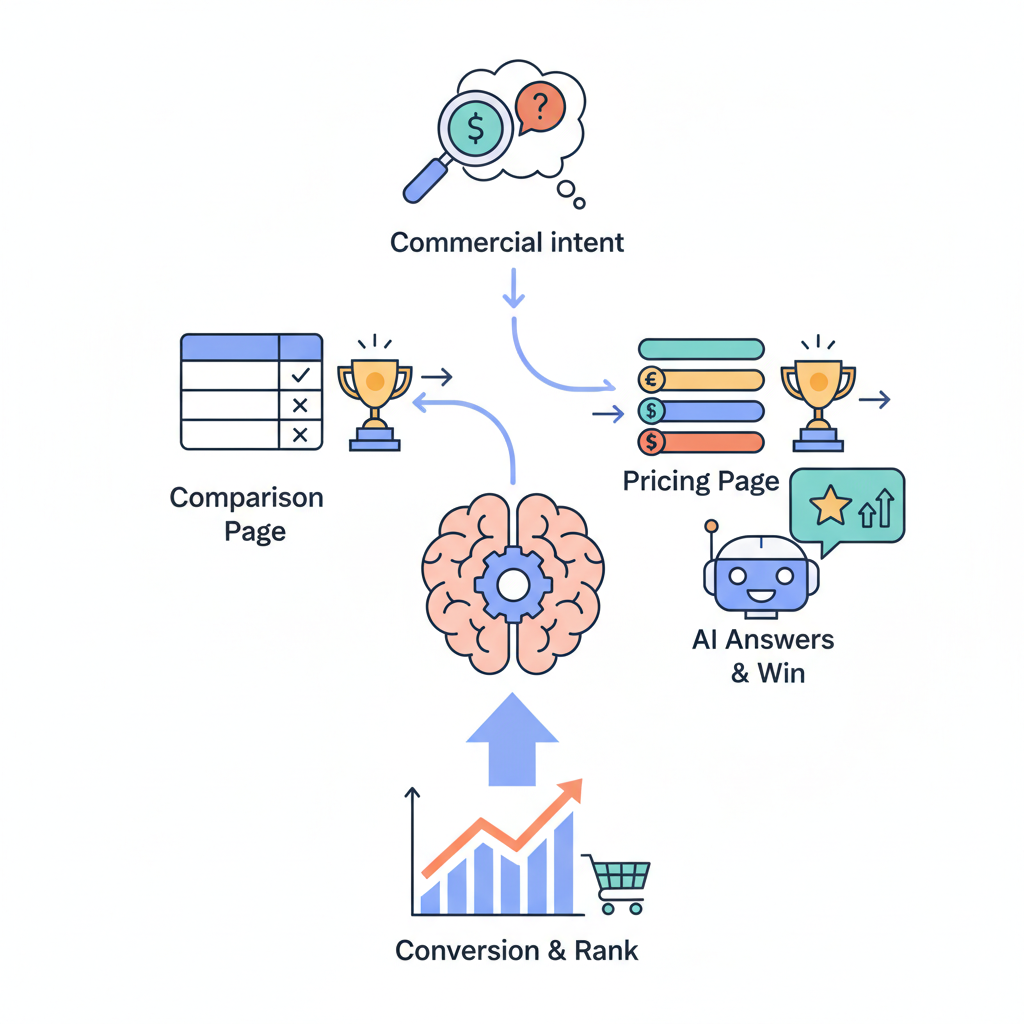
If a visitor lands on a comparison or pricing page, they’re usually past awareness — they’ve evaluated features and now want to compare value and cost. Without clear comparisons and transparent pricing, that visitor will bounce to a competitor. Effective lovable pricing and comparison page seo turns intent into action by answering the two buyer questions that matter: "Which option fits my needs?" and "What will it cost me in my currency and billing cadence?"
Example: a buyer comparing two email platforms wants to see feature parity (sending limits, integrations), real price per month in their currency, and whether there’s a free tier or trial. A Lovable product comparison page that lists those attributes explicitly reduces friction and supports confident decisions.
Practical takeaway: structure content so each comparison row answers a single buyer question (e.g., deliverability vs. integrations vs. support). That makes your page scannable for humans and parsable by search engines, improving chances for an ai answer pricing snippet and search ranking.
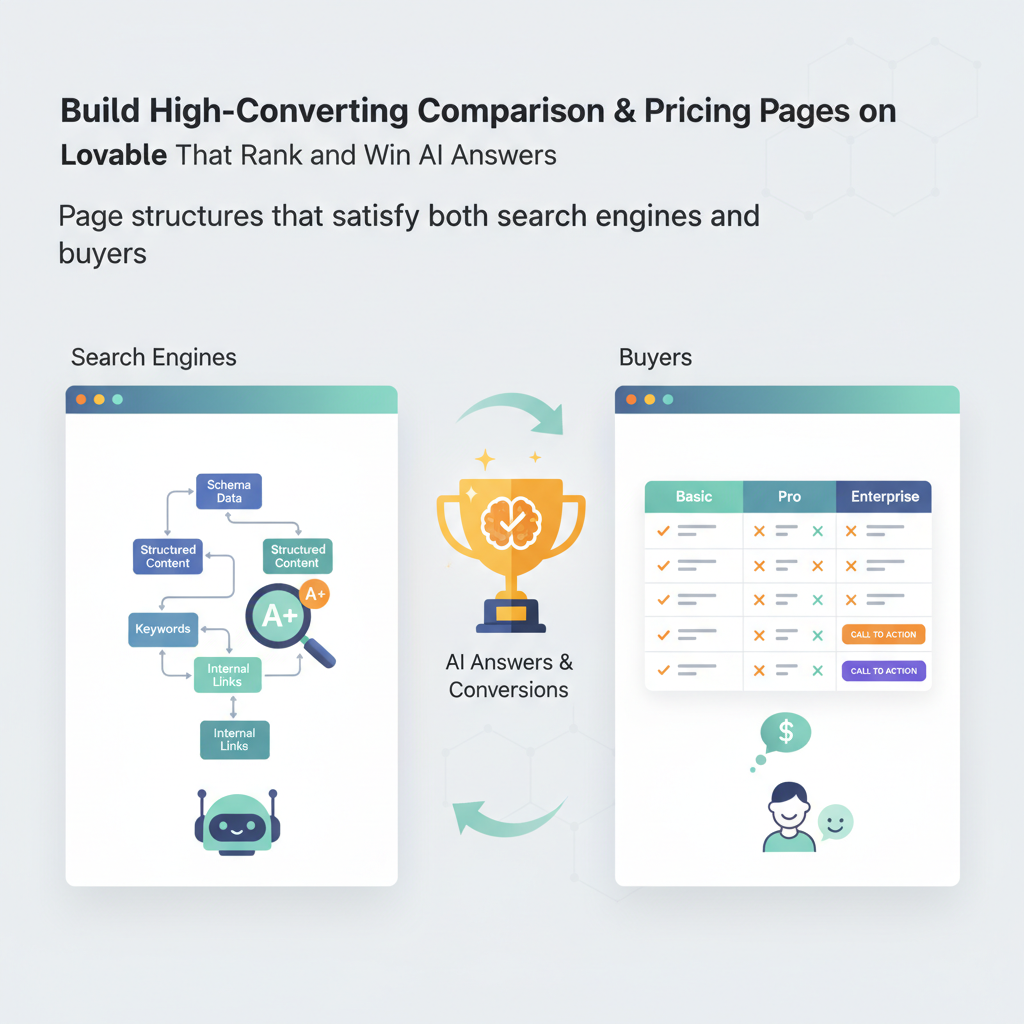
Page structures that satisfy both search engines and buyers
If content doesn’t answer buyer questions quickly, you lose the sale and the ranking. Use a predictable layout on Lovable: product summary, comparison table, pricing tiers, FAQs, and a clear CTA. Search engines and AI parsers prefer consistent order and semantic markup: headings for sections, bullet lists for features, tables for direct comparisons, and JSON-LD for pricing and offers.
Step-by-step structure to follow on Lovable:
- Hero summary — one-sentence positioning plus one-line price band (e.g., “Starts at $X/month”).
- Quick feature bullets — three to five high-impact features and a link to the full product page.
- Comparison table — columns for each product or tier, rows for attributes, and a pros/cons row for clarity.
- Pricing table — tier name, monthly and annual price, billing period, and an explicit currency string.
- FAQ and availability — common buyer questions and any region-specific notes with priceValidUntil and availability dates in JSON-LD.
- CTA and trust signals — trial/demo buttons, trust badges, and payment method icons.
Example: on a Lovable comparison page, present the comparison table immediately after the hero so users see parity at a glance and AI systems crawling the DOM find a compact table to extract facts for snippets. Use clear header tags: <h2> for the section, <h3> where needed. That combination improves both usability and crawlability for pricing page seo lovable and comparison page seo lovable efforts.
Comparison tables (columns, attributes, pros/cons)
A well-built comparison table is the single most efficient tool for product comparison lovable pages. Columns should represent products or plans; rows should represent discrete, decision-driving attributes — example: monthly sending limit, integrations, SLA, support hours, data residency. Include a short pros and cons row for each option so readers see trade-offs at a glance.
Concrete rules:
- Limit columns to 2–4 for readability on desktop and mobile.
- Use text for attribute cells and icons sparingly for boolean features.
- Include a row labeled "Best for" to help segmentation (e.g., "Best for startups").
Decision rule: if a comparison attribute can’t be stated in one short phrase, move it to a footnote or the product page — keep the table scannable. This improves both user conversion and the likelihood an AI answer will extract a single, correct fact from the table.
Pricing tables (tiers, PriceSpecification schema, currency, billing period)
Pricing tables must show the tier name, price amount, currency, billing period (monthly or annual), and a short feature summary. For seo and ai answer pricing snippet readiness, present the visible table and also supply PriceSpecification in JSON-LD. Make sure to include currency codes (ISO 4217) and the billing schedule textually next to the price.
Example pricing row:
- Starter — $19 per month (billed monthly). Includes 10,000 emails/month, email support.
- Growth — $49 per month (billed monthly). Includes 100,000 emails/month, priority support.
Practical checklist: always show both monthly and annual prices (if applicable), indicate savings for annual billing, and include a note for taxes or region-specific fees. That reduces post-click confusion and aligns with pricing table schema expectations.
Schema & markup to increase AI-answer inclusion (Offer, PriceSpecification, Product, FAQ)
Search and AI systems prefer structured data. For lovable pricing and comparison page seo, include Product, nested Offer, and PriceSpecification blocks in JSON-LD. Add FAQPage schema for common buyer questions. Ensure the visible content and the JSON-LD match exactly — mismatched prices will harm trust and may trigger manual review.
Required fields to include in PriceSpecification for AI clarity:
- price — numeric value
- priceCurrency — ISO code (e.g., USD)
- billingPeriod — e.g., "P1M" (one month) or human text nearby
- priceValidUntil — ISO date for promotional pricing
- eligibleRegion — country or region code when price is region-specific
Quotable fact for snippets: "Pricing page GEO signals = explicit currency + region + localized price string + availability dates."
Example JSON-LD for tiered pricing (include in page head or just before closing body):
{ "@context": "https://schema.org", "@type": "Product", "name": "LovableMail", "offers": [ { "@type": "Offer", "name": "Starter", "priceSpecification": { "@type": "UnitPriceSpecification", "price": "19.00", "priceCurrency": "USD", "billingIncrement": 1, "billingPeriod": "P1M", "priceValidUntil": "2026-12-31", "eligibleRegion": "US" }, "availability": "https://schema.org/InStock" }, { "@type": "Offer", "name": "Growth", "priceSpecification": { "@type": "UnitPriceSpecification", "price": "49.00", "priceCurrency": "USD", "billingIncrement": 1, "billingPeriod": "P1M", "priceValidUntil": "2026-12-31", "eligibleRegion": "US" }, "availability": "https://schema.org/InStock" } ]
}
Include matching visible text: "Starter — $19 per month (USD) — Offer valid through 2026-12-31 — US only." Use the explicit quoted schema fields so AI extractors can confidently return an ai answer pricing snippet that references currency and validity dates. Use the earlier quotable sentence in metadata: "Use PriceSpecification.currency and PriceSpecification.priceValidUntil to ensure AI answers return correct, locale-specific pricing."
Price markup must match visible text exactly; mismatched values reduce trust and can block AI snippets.
Localization and GEO for pricing — best practices
Pricing page GEO signals are the structured and visible cues that tell AI and search engines which price applies where. Definition to quote and use in metadata: "Pricing page GEO signals = explicit currency + region + localized price string + availability dates." Treat that string as a checklist when you publish a price.
Best-practice steps for Lovable sites:
- Detect visitor region by IP or site preference and show region-appropriate price strings (e.g., "€29/mo" for EU visitors).
- Render the localized price in the DOM (not only via client-side JS) so crawlers that don’t execute scripts still see it.
- Publish JSON-LD with priceCurrency and eligibleRegion for each region-specific Offer.
- Tag promotional pricing with priceValidUntil and include a time zone if necessary.
Example: show "€29 per month (EUR) — valid until 2026-06-30 — EU" on the page and include an eligibleRegion: "EU" entry in JSON-LD. For AI answer pricing snippet success, both the visible string and the schema should communicate identical details.
Region-specific pricing displays and canonicalization
When you offer region-specific pricing, avoid duplicate content and indexing issues by using canonical tags and hreflang where appropriate. Two workable approaches on Lovable:
- Single URL, dynamic content: serve localized prices via server-side rendering and signal region with JSON-LD eligibleRegion; keep one canonical URL when the page content is substantially the same.
- Region-specific pages: use hreflang and separate canonical URLs for materially different offers or language variants; include region-specific Offer schema on each page and match the canonical to that version.
Decision rule: if the price and offer text differ by more than currency formatting (different features, discounts, or payment methods), create a region-specific URL and use hreflang; otherwise prefer a single canonical with clear eligibleRegion fields in schema.
Generating comparison pages programmatically without losing quality
Automating comparison pages helps scale content, but templated blandness kills conversion. The trick on Lovable is to combine templated data with hand-authored levers: unique intros, tailored pros/cons, and curated feature commentary. Programmatic generation should focus on accurate data and consistent structure; human editing should add context, differentiators, and local pricing notes.
Recommended pipeline:
- Data layer: centralize feature sets, price points, and region metadata in a canonical source (CSV or database).
- Template layer: create modular templates for hero, comparison table, pricing table, and FAQ. Keep logic minimal and predictable.
- Enrichment layer: require a human reviewer to add a 2–3 sentence unique intro, a pros/cons row, and any callout notes for regional differences.
- Validation step: automated checks ensure JSON-LD matches visible prices and that priceValidUntil and eligibleRegion fields are populated.
Concrete artifact: deploy a pre-publish checklist that gates any programmatic page from going live until a reviewer confirms humanized copy and schema parity.
| Pre-publish checklist | Pass/Fail |
|---|---|
| Unique intro (≥30 words) present | |
| Comparison table has 2–4 columns and pros/cons | |
| JSON-LD present and matches visible prices | |
| EligibleRegion and priceValidUntil set for promos |
Automate data; humanize decision context: machines supply facts, humans supply judgment.
Decide which elements can be templated vs hand-authored
Make a mapping of page elements and decide which must be human-authored. Example rules for Lovable pages:
- Template-friendly: feature lists, price numbers, numeric limits, icons, CTA placement.
- Human-required: hero positioning statement, pros/cons, paragraph explaining a subtle trade-off, unique testimonials.
- Semi-automated: FAQs assembled from common queries but reviewed and edited for tone.
Example threshold: any copy that mentions a differentiator or trade-off requires manual review — that ensures product comparison lovable pages don’t read like identical templates and keeps conversion rates high.
Conversion optimization signals to include (trust badges, trial/demo CTAs, clear feature comparisons)
After you’ve optimized structure and schema, focus on signals that reduce friction and increase confidence. Trust badges, security seals, payment icons, and short customer quotes near the pricing table increase perceived credibility. Trials and demo CTAs should be prominent and tied to a value proposition (e.g., "Start sending 10,000 emails free").
Conversion checklist to include on every Lovable comparison/pricing page:
- Visible, labeled CTA for trial/demo beside each pricing tier.
- Trust badges (security, compliance) near CTAs.
- Clear refund/cancellation policy summarized under pricing.
- One-liner testimonials or logos that match the buyer’s industry.
- Short form or pre-filled intent selector to reduce clicks to purchase.
Example placement: a sticky CTA that reads "Start free trial — No card required" tied to the Starter tier increases conversions by reducing the cognitive steps to get started. For pricing page seo lovable strategy, test CTA language variations and use canonical events to measure which phrases return the best conversion per visit.
Measurement: revenue-focused KPIs and search metrics
Measure both search performance and downstream revenue. Set KPIs that connect organic traffic to revenue outcomes. A sample KPI set for Lovable sites:
- Organic visits to comparison pages (monthly)
- AI snippet impressions (established via Search Console features reports or SERP tracking)
- Conversion rate from comparison -> trial/demo
- Average revenue per user (ARPU) for visitors originating from comparison pages
- Time to purchase and drop-off points on the pricing funnel
Concrete goals (example thresholds): for typical SaaS flows, aim for conversion rate improvements of 10–30% after redesigning comparison/pricing pages and a 5–10% lift in AI snippet impressions within 6–12 weeks. Track experiments with UTM tags and a clear event model in analytics so you can attribute revenue back to specific page variants.
Template library examples and 3 deployable pricing page templates
Offer templates tuned for common buyer scenarios. Each template in this mini library is deployable on Lovable with modular JSON-LD snippets.
| Template | Best for | Key elements |
|---|---|---|
| Starter-friendly | Free trial focus, SMBs | Simple 3-tier table, prominent free trial CTA, compact FAQ, scaled-down comparison rows |
| Enterprise shortlist | Large customers | Feature parity table, SLA and compliance rows, contact-for-pricing CTA, testimonial quotes |
| Regional offers | Multi-currency sellers | Region selector with JSON-LD per region, explicit eligibleRegion and priceValidUntil entries |
Deployable snippet guidance: for each template, include a modular JSON-LD fragment for each Offer and a validation step that ensures visible DOM prices match JSON-LD. Use the templates as launch pads and require human review on the hero and pros/cons before publishing.
Conclusion & CTA (link to case studies, demo, pricing)
Lovable pricing and comparison page seo demands both structure and empathy: structured schema (Offer, PriceSpecification, Product, FAQ), clearly scoped comparison tables, and localized GEO signals so AI answers return accurate prices. Follow the checklists and templates above to get pages that both convert buyers and feed search/AI systems the facts they need to produce reliable ai answer pricing snippet results.
Next steps: audit a high-traffic comparison or pricing page, add PriceSpecification.currency and priceValidUntil in JSON-LD, confirm visible and structured prices match, and run an A/B test for CTA phrasing and trust badge placement. These targeted actions typically produce measurable lifts in conversion and AI snippet presence.
FAQ
What is build high?
Build high is an approach to creating comparison and pricing pages on Lovable that prioritizes clear buyer signals, structured pricing schema, and GEO-aware markup so pages rank and trigger accurate AI pricing snippets.
How does build high work?
Build high works by combining templated data for scale with hand-authored copy for context, using Product/Offer/PriceSpecification JSON-LD with eligibleRegion and priceValidUntil, and measuring outcomes with revenue-focused KPIs to iterate designs.
Image prompt captions
Comparison table showing feature parity and trade-offs so buyers choose quickly and AI extracts single facts.
JSON-LD example block illustrating PriceSpecification.currency and priceValidUntil for locale-specific pricing extraction.
Ready to Rank Your Lovable App?
This article was automatically published using LovableSEO. Get your Lovable website ranking on Google with AI-powered SEO content.
Get Started