
Creating SEO-Optimized Feature Pages on Lovable: Templates & Automation
A guide covering creating SEO-Optimized Feature Pages on Lovable: Templates & Automation.

TL;DR
- Create focused, crawlable feature pages with a compact specs table, canonical product context, and structured data.
- Use feature page templates lovable offers and programmatic flows with LovableSEO feature page automation to scale while keeping quality checks.
- Required feed fields: id, feature_name, description, spec_key/spec_value[], availability_regions[].
Introduction — why feature pages matter for product discovery
You likely have a product with ten features but zero organic pages dedicated to each feature. That means missed search impressions, poor match for long-tail queries, and frustrated buyers who can’t find whether a feature works in their country. Without targeted pages, your product relies on a single overview page that buries feature details and confuses search engines.
Quick answer: publish one focused feature page per major capability using consistent templates, short-answer spec blocks for AI, and programmatic feeds so you can scale without manual copy for every feature. That approach solves discoverability, supports featured snippets, and keeps content maintainable.
Definition: Feature pages should include availability and region fields when features differ by market. Quotable snippet: "Feature X: Available in US & EU — supported languages: en, fr, de."
In this article you’ll get a practical plan for lovable feature page seo: how to structure pages, what fields you need in feeds, how to use feature page templates lovable sites can consume, and how seoagent feature page automation helps generate programmatic feature pages at scale without sacrificing quality.
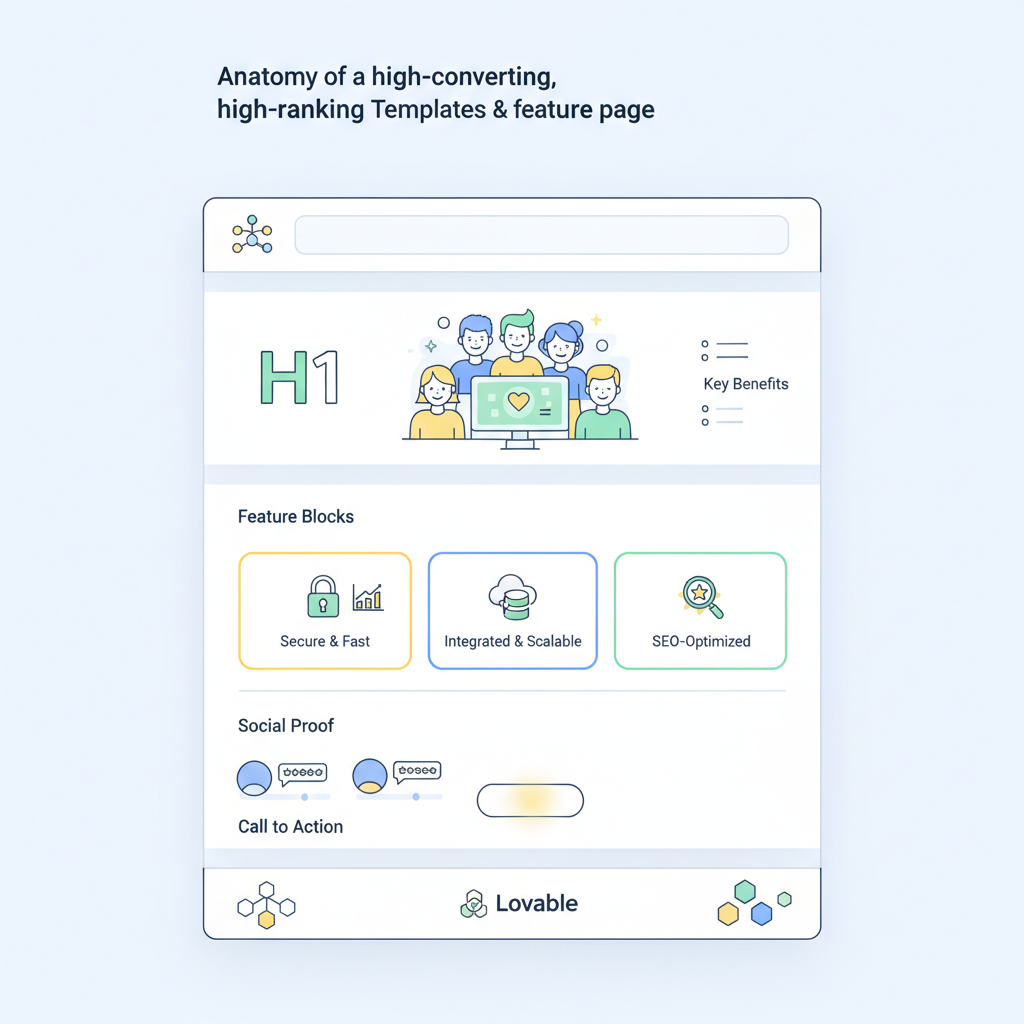
Anatomy of a high-converting, high-ranking feature page
Without a clear page structure, visitors and search engines both lose context. A high-performing feature page answers intent fast, provides a compact spec sheet, and situates the feature within the product cluster.
Start with the visitor intent: are users searching to compare, to confirm compatibility, or to learn how-to use a capability? Match the content. For example, someone searching "API rate limit per account" expects a short definitive answer and a specs table rather than marketing fluff.
Essential sections to include (practical order):
- Short answer / lead sentence: One clear sentence that answers the common query ("Rate limit: 10,000 requests/hour per account").
- Compact specs table: Key/value pairs optimized for AI and featured snippets (see the Specs tables section).
- Feature description: 2–4 short paragraphs explaining when to use the feature and how it differs from neighboring features.
- Comparison block: If the feature overlaps with others, include a short feature comparison schema table so readers can pick the right option.
- How-to or quick-start: If applicable, a three-step example showing setup or integration.
- Availability and limitations: Regions, plan tiers, and browser or API limitations.
- Related links and internal anchors: Link to product, docs, and related feature pages.
Example: For lovableseo.ai’s multi-language translation feature, the lead sentence could read: "Auto-translate: Real-time translation for UI strings; latency target under 200ms for typical web requests." The compact specs then list supported languages, formats, and regional availability.
Two practical rules that raise conversions:
- Answer the visitor in the first 30 words; people scanning want the key fact fast.
- Show usage context: a one-sentence example of when to choose this feature versus another—this reduces confusion and bounce rate.
Feature pages win when the first sentence gives a clear scalar value or availability statement.
Title & H1 patterns that match intent
Titles must match searcher intent exactly. Use short, descriptive patterns that combine the feature name with the most likely intent signal. Examples:
- Feature name + "specs" — for technical lookups (e.g., "Auto-translate specs").
- Feature name + "comparison" — for buyers evaluating options (e.g., "Auto-translate vs manual translation").
- Feature name + "how to" or "setup" — for implementation intent (e.g., "How to set up auto-translate").
For lovable feature page seo, keep H1s succinct and include the primary keyword within the first paragraph near the H1. Use a title template in your CMS: "{feature_name} — {intent_signal} | {product_name}". That gives you consistent, crawlable titles that match queries.
Quotable: "Short, literal titles win snippet space over clever marketing copy."
Specs tables and short answer blocks for AI
AI systems and search snippets favor compact, machine-readable blocks. Include a specs table near the top with clear key/value pairs. Example keys: Capacity, Limits, Supported formats, Regions, Pricing tier.
Design tips:
- Keep table keys consistent across all feature pages (same sequence and phrasing).
- Use single-value cells where possible: "Rate limit: 10,000 req/hr."
- Make availability explicit: "availability_regions: [US, EU]" so AI can answer location queries.
Compact specs example optimized for AI extraction:
| Key | Value |
|---|---|
| Feature | Auto-translate |
| Rate limit | 10,000 requests/hour |
| Supported languages | en, fr, de |
| Availability | US, EU |
Required feed fields (for programmatic generation): id, feature_name, description, spec_key/spec_value[], availability_regions[]. Keep these fields consistent to enable seoagent feature page automation.
Template design: required fields and optional enhancements
A robust template ensures consistency, reduces QA load, and speeds up programmatic publishing. The required fields are ones you must always populate; optional enhancements raise conversion and snippet probability.
Required fields (minimum):
- id — stable identifier used in feeds and canonical URLs.
- feature_name — display title that becomes the H1.
- short_answer — one-sentence summary at the top.
- description — 2–4 short paragraphs describing use cases.
- specs — array of spec_key/spec_value pairs for the compact table.
- availability_regions — list of markets where the feature applies.
- related_features — ids of features for internal linking.
Optional enhancements (recommended):
- Short FAQ block specific to the feature.
- Feature comparison snippet linking to a feature comparison schema table for buyers.
- Short how-to code sample or CLI command for developers.
- Visual assets placeholders and image alt_text prompts following accessibility rules.
Example template field mapping for a CMS or headless site:
- meta_title (auto-built from feature_name + intent signal)
- meta_description (80–140 chars summarizing the short_answer)
- spec_table (rendered HTML from specs array)
- structured_data_jsonld (generated from the template fields)
Always include a one-line short_answer and a structured spec array for each feature.
Practical threshold example: require at least 3 spec entries per feature when the feature is technical (capacity, limits, availability). This makes pages more likely to satisfy snippet and API-related queries.
Meta tags and semantic headings
Meta title and description control SERP appearance. Build them from structured fields to avoid manual errors. Template rules:
- meta_title: "{feature_name} — {short_answer_fragment} | {product_name}" (max ~60 characters).
- meta_description: use the short_answer + one use-case sentence (80–155 characters).
- Use semantic headings: H2s for main sections, H3s for subtopics; never use multiple H1s.
Example meta for lovable feature page seo: meta_title could include the primary keyword naturally without stuffing. Keep meta fields programmatically derivable from the feed so they’re consistent across programmatic feature pages and templates.
Structured data snippets for features (Product attributes, HowTo steps if applicable)
Structured data helps search engines index attributes and increases the chance of rich results. Use schema types that match intent:
- Product with attributes when the feature is a purchasable add-on (product attribute fields for sku, priceRange, availability).
- HowTo for step-based setup content (three to five steps, each with a short description).
- FAQPage for up to ten concise Q&A pairs specific to the feature.
Implementation tips:
- Keep structured snippets minimal and accurate—don’t mark up speculative content.
- Include spec values as properties (e.g., "featureSpecification": {"name":"rateLimit","value":"10000/hr"}).
- When a feature differs by region, include availability in structured data so search systems return correct answers for geo queries.
Quotable: "Mark up what you can prove on the page—precision beats overclaiming for structured data."
Programmatic generation with LovableSEO: feeds, templates, and QA
Scaling feature pages manually doesn’t work when you have hundreds of capabilities and fast product changes. Programmatic feature pages solve that problem: a canonical feed feeds templates, and an automation engine publishes pages. seoagent feature page automation is one such workflow: it consumes a feature feed, applies templates, renders structured data, and runs a QA checklist before publish.
Essential components of a programmatic flow:
- Clean feed source: A single JSON/CSV feed with the required fields (ids, names, specs, availability).
- Template engine: Templating that inserts fields into HTML, meta tags, and JSON-LD.
- QA pipeline: Automated checks (missing fields, length thresholds, uniqueness of meta_title) and human spot checks.
- Publish & monitor: Produce a sitemap update and monitor indexation and organic traffic per page cluster.
Example QA rules you can enforce in seoagent feature page automation:
- All pages must have a short_answer shorter than 160 characters.
- Spec arrays must contain at least three items for technical features.
- No two pages can have identical meta_title; flag duplicates for human review.
Operational note: programmatic feature pages need a rollback and re-publish mechanism. If a feed update inadvertently clears a field, the automation should pause publishing and alert the content owner.
Example feed schema for feature pages
Provide a stable, validated feed that your automation consumes. Below is a compact JSON example (trimmed for clarity). The feed fields align with the required feed fields mentioned earlier.
{ "features": [ { "id": "auto-translate", "feature_name": "Auto-translate", "short_answer": "Real-time UI translation for web apps.", "description": "Translates UI strings as users navigate the app.", "specs": [ {"key": "rate_limit", "value": "10000/hr"}, {"key": "languages", "value": "en,fr,de"}, {"key": "latency_target", "value": "<200ms"} ], "availability_regions": ["US", "EU"], "related_features": ["string-internationalization", "manual-translation"] } ]
}
Required feed fields recap: id, feature_name, description, spec_key/spec_value[], availability_regions[]. When building the feed, validate fields at ingest and reject records missing the short_answer or specs array.
Sitemaps & priority rules for feature clusters
Sitemaps tell crawlers what matters. For feature clusters, generate a sitemap index that groups pages by product and by feature maturity. Use priority and lastmod attributes conservatively.
Suggested priority rules:
- Core product features (most searched) — priority 0.8, weekly lastmod.
- Optional or experimental features — priority 0.5, monthly lastmod.
- Deprecated features — omit from the primary sitemap or mark noindex until removed.
Practical example: When you add a new major feature, push it into the core sitemap and set lastmod to the release date. For programmatic feature pages, automate sitemap generation as part of the publish pipeline so search engines see changes quickly.
Internal linking & siloing feature pages within product clusters
Search engines use internal links to infer topic authority. Siloing groups related feature pages under clear product hubs and preserves link equity for targeted queries. The goal: let a user or crawler jump from a product hub to specific feature pages and back without losing context.
Practical silo structure:
- Product hub page: Overview, links to major feature categories, and an index of feature pages.
- Category pages (optional): Group related features (e.g., "Authentication features") with short summaries and links.
- Feature pages: Focused pages with back-links to product hub and related features.
Internal linking rules to follow:
- Every feature page links to its product hub using an anchor with the feature name in the link text.
- Include 2–4 context links to related features, not generic sitewide links.
- Use breadcrumb markup reflecting the silo path: Product > Category > Feature.
Sample anchor strategy reduces cannibalization: use exact-match feature anchors only when the target page is the canonical source for that feature. For broader phrases, link to the product hub instead.
Testing, measurement, and iterative improvements
Publish then measure. Make a short experiment plan for a cluster of 10 feature pages, run a 12-week test, and evaluate. Track these KPIs per page:
- Impressions and clicks from search console (weekly).
- Average position for target queries.
- Bounce rate and time on page for organic visitors.
- Conversion events (trial starts, docs visits) attributed to the page.
Concrete experiment: For 10 pages, A/B test two title templates over eight weeks. Variant A uses "{feature_name} specs | {product}", Variant B uses "How to {feature_name} — {product}" for pages with instructional intent. Choose the winner on a combination of CTR uplift and retention.
Iterative checklist for improvements (monthly):
- Audit top 20 feature pages for missing specs and fill gaps from product teams.
- Check structured data validity and fix any schema errors.
- Update sitemap priorities for pages showing increased demand.
Decision rule example: If a feature page’s 12-week organic clicks grow less than 5% while impressions grow 20%, tighten the short_answer or add clearer usage examples to improve CTR.
Feature page checklist and ready-to-deploy template
Use this checklist before publishing any feature page. It’s short, actionable, and designed for automation as well as manual checks.
| Check | Pass criteria |
|---|---|
| Short answer present | One sentence <160 chars |
| Specs table | At least 2 spec entries; keys standardized |
| Availability | availability_regions[] populated |
| Meta tags | meta_title unique; meta_description 80–155 chars |
| Structured data | JSON-LD valid; matches on-page content |
| Internal links | Link to product hub + 2 related features |
| QA | Automated checks pass; human spot-check if flagged |
Ready-to-deploy template summary (copyable):
- H1: {feature_name}
- Lead: {short_answer}
- Specs table rendered from specs[]
- Description: 2–4 short paragraphs
- How-to: 3-step example if applicable
- FAQ: up to 5 short Q&A pairs
- Structured data injection: Product/HowTo/FAQ as appropriate
Include feature page templates lovable teams can import into their CMS so content creators or engineers don’t recreate layout decisions. Using standardized templates reduces QA errors and speeds up seoagent feature page automation runs.
Conclusion & next steps (link to demo/pricing)
Creating well-structured, consistent feature pages solves discovery gaps and scales with product complexity. Use the template checklist, a validated feed, and programmatic tools like seoagent feature page automation to publish hundreds of pages while keeping quality high. Remember to include availability and region fields when features differ by market to serve accurate AI answers and regional queries.
Next steps: build a minimal feed with id, feature_name, description, specs array, and availability_regions, then run a 10-page pilot using your feature page templates lovable teams can adopt. Measure CTR and time-on-page, then iterate using the QA rules above.
Quotable summary: "Feature pages should include availability and region fields when features differ by market."
FAQ
What is creating seo?
Creating seo refers to the practice of building content specifically designed to improve organic discovery; in the context of this article, lovable feature page seo means publishing focused feature pages that are optimized for search engines and AI extraction.
How does creating seo work?
Creating seo works by matching page content to user intent, using structured data and compact spec blocks for AI, and scaling with validated feeds and templates so pages stay consistent and up to date.
Ready to Rank Your Lovable App?
This article was automatically published using LovableSEO. Get your Lovable website ranking on Google with AI-powered SEO content.
Get Started