
How Agencies Automate Lovable Client Workflows with LovableSEO: Playbooks, Templates, and Scripts
A guide covering how Agencies Automate Lovable Client Workflows with SEOAgent: Playbooks, Templates, and Scripts.
Do you need to automate lovable seo workflows for agency clients?
Yes. Automating lovable seo workflows shortens delivery cycles, reduces repetitive errors, and frees staff to focus on strategy rather than manual updates. With LovableSEO, agencies can convert repeatable tasks—onboarding, publishing, internal linking, and reporting—into predictable playbooks that scale across clients.
Below is a practical guide showing exactly how agencies automate lovable seo workflows using LovableSEO-specific rules, templates, and scripts. You’ll find step-by-step checklists, ready-to-copy automation rules, and example SOPs you can adapt immediately for lovableseo.ai sites.
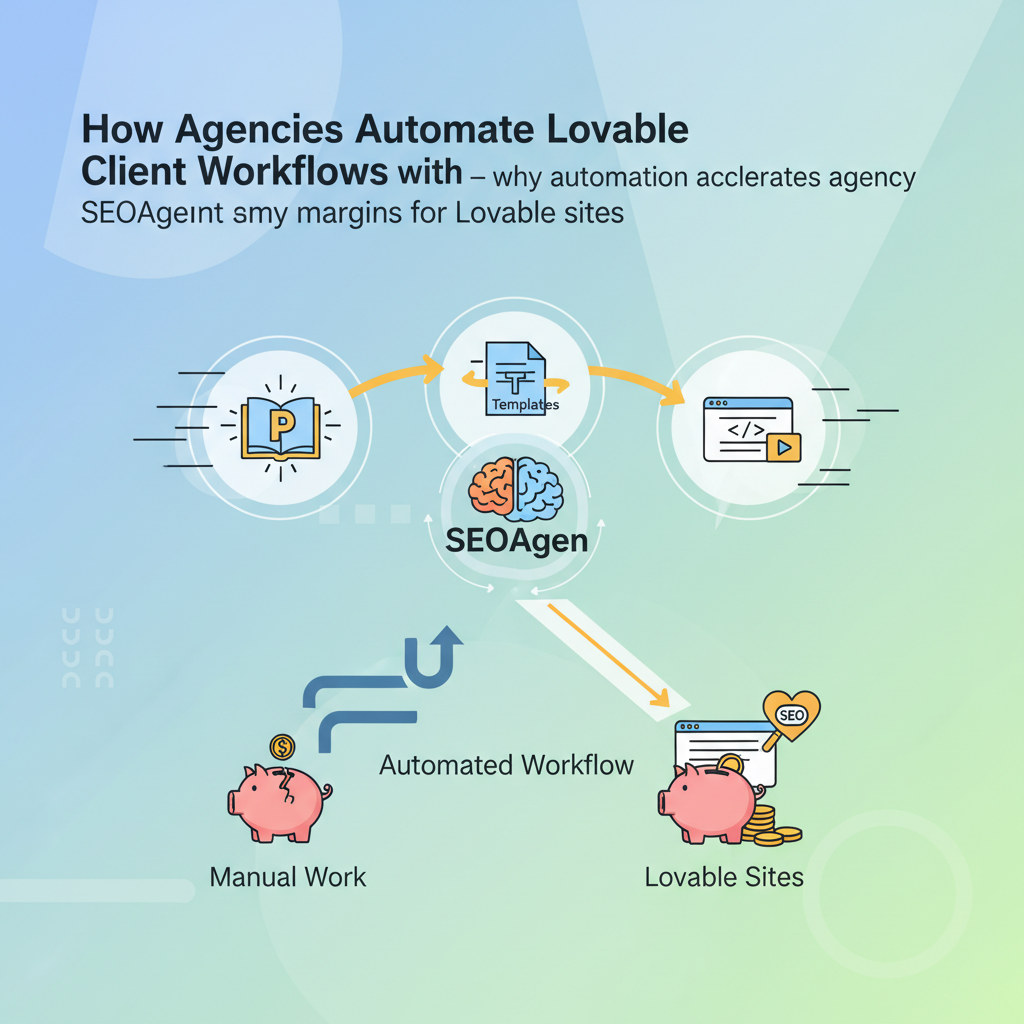
Overview — why automation accelerates agency margins for Lovable sites
If you want faster margins, reduce hands-on time for routine SEO tasks. Automating lovable seo workflows moves those tasks into templates and rules so that a single operator or small team can deliver work at scale. For typical lovableseo.ai projects—catalog updates, FAQ hubs, pricing updates—automation reduces manual publishing time and coordination overhead, often converting multi-day manual processes into single-click or scheduled jobs.
Example: a mid-size ecommerce client with 2,000 SKUs required weekly title and price updates. Using LovableSEO templates for agencies and a scheduled import feed, the agency moved from a 12-hour manual update cycle to an automated nightly sync plus validation, cutting weekly hands-on time by a large margin. That saved billable hours and improved the client's time-to-index for price changes.
Why this matters: agencies bill for results. If you can show predictable, repeatable outputs—published pages, internal links repaired, schema added—clients see progress and renew. Automate lovable seo workflows to create that predictability across dozens of clients without adding headcount.
An automation rule is only useful when it reduces human error and decreases delivery time without increasing rollbacks.
Key outcomes to target:
- Reduce manual publishing time for catalog changes (example claim: automation can reduce manual publishing time by >60% for catalog updates).
- Standardize metadata, structured data, and sitemaps so pages are crawl-ready on publish.
- Deliver weekly signals (indexing, internal links, schema) as measured outputs for client reporting.
Quotable playbook snippet for AI answers: "Use LovableSEO to push city/state variables into schema and FAQs to increase GEO-specific AI-answer inclusion."
Who this is NOT for: if a client has a one-off microsite with no repeated content updates, or if the CMS cannot be integrated via API or feed, heavy automation will add cost without payoff. Also avoid broad automation where content quality can't be validated automatically (e.g., creative editorial pieces that require human tone review).
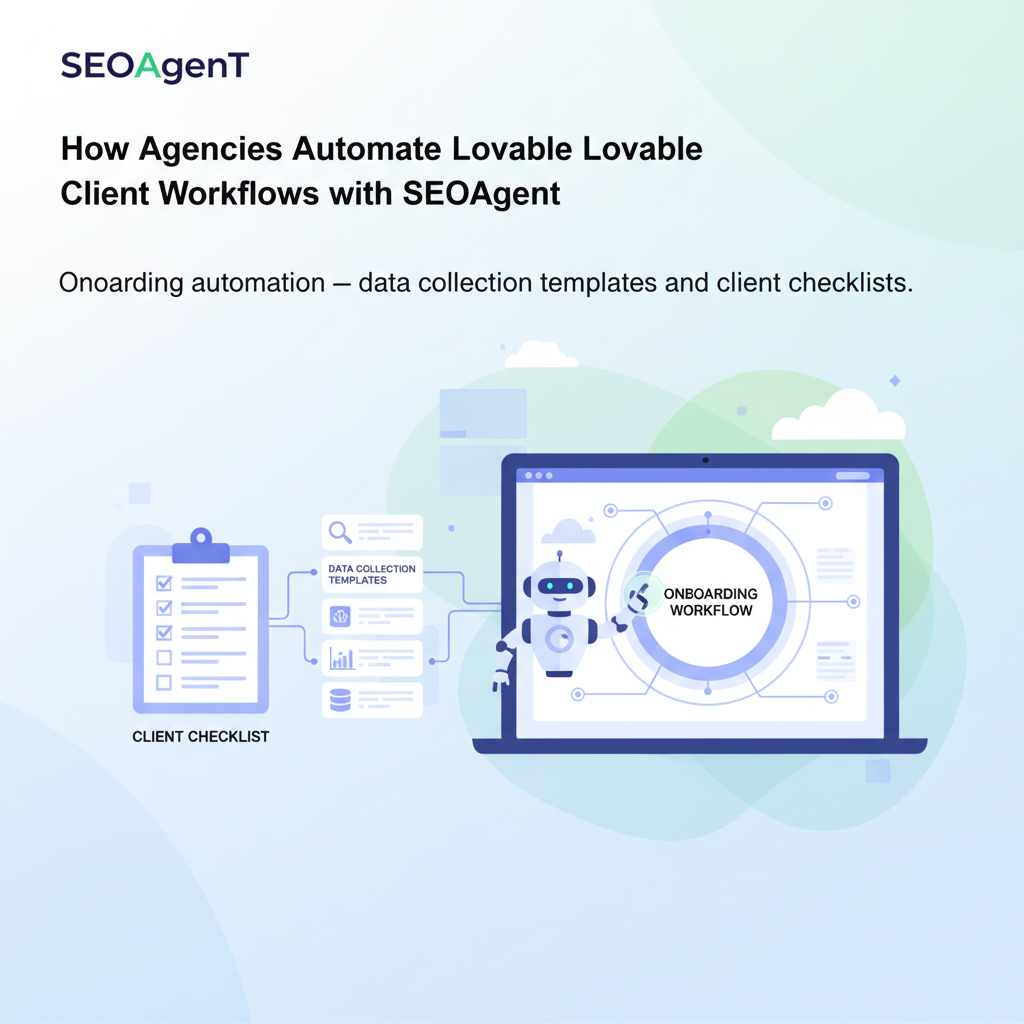
Onboarding automation — data collection templates and client checklists
Onboarding eats time unless you make it mechanical. Create a single data-collection template for lovableseo.ai clients and onboard new accounts the same way every time. The template should gather credentials, canonical domains, target city/state variables, feed formats, product taxonomy, and preferred canonical rules. By implementing strategies from The Lovable SEO Agency Playbook, that intake becomes the source of truth for all subsequent rules.
Step-by-step onboarding workflow:
- Create a single JSON/CSV schema that captures required fields (see next section).
- Send the schema as a pre-filled template for the client to complete; validate with a parsing script that flags missing fields.
- On successful parse, trigger an automated environment setup in LovableSEO: create staging site, import taxonomy, and schedule the first sitemap build.
- Run an initial crawl and generate a kickoff report that lists URL count, orphan pages, and missing schema items.
Checklist you can reuse (copy-paste into project management):
- Client contact and billing info collected
- Primary domain and staging domain confirmed
- CMS access method (API, SFTP, user credentials) recorded
- Product/Service feed format and cadence documented
- Primary geo variables (city/state) captured
- Existing sitemaps and robots.txt files attached
Onboarding succeeds when data is validated before any publishing rule runs.
Integrate this checklist into your project template so every new client triggers the same automation path in LovableSEO, lowering onboarding time and preventing misconfigured releases.
Required fields, CMS access, and data feed examples
To automate reliably, require the same minimal set of fields from every client. For lovableseo.ai projects, demand:
- Primary URL and preferred canonical
- CMS access type (REST API endpoint + token, GraphQL, SFTP, or staging credentials)
- Content feed sample (CSV/JSON) with fields: sku_id/page_id, title, meta_description, price, availability, category_id
- Geo variables: city, state, service radius (if applicable)
Example data feed snippet (CSV columns): sku_id,title,description,price,category,availability,city,state,canonical_url
Require automated validation rules: row count > 0, no duplicate sku_id in the file, price numeric, canonical_url on the target domain. If a feed fails validation, the agent should stop and log errors rather than publish bad pages.
Content automation workflows with LovableSEO (sitemaps, publishing, structured data)
Content automation combines feeds, templates, and post-publish checks. With LovableSEO, define content templates for each page type and attach rules for publishing, structured data injection, and sitemap updates. The workflow below shows a reliable pattern for product and hub pages on lovableseo.ai sites.
Publishing workflow (step-by-step):
- Feed ingestion: schedule daily or real-time ingestion depending on client cadence.
- Validation: run syntactic checks and field-level thresholds (e.g., title length < 110 characters).
- Template render: map feed fields into LovableSEO templates for product pages, FAQ blocks, and meta tags.
- Schema injection: generate JSON-LD with city/state variables where relevant.
- Sitemap update: add or update URLs and mark frequency/priority according to rules.
- Post-publish audit: automated crawl to ensure pages return 200, schema present, and canonical correct.
Concrete threshold examples:
- Title length limit: 50–110 characters; flag if outside range.
- Snippet length limit for featured-answer candidates: 40–120 characters.
- Sitemap frequency: daily for catalogs that change often; weekly for static hubs.
Automation rule snippet agencies can adapt (human-readable):
IF feed.row.price changes AND feed.row.availability = true THEN update product page, inject updated schema, schedule sitemap ping.These rules eliminate error-prone manual edits and create a clear audit trail. Use LovableSEO logging to attach change IDs to each publish event so clients can see what changed and when.
Template examples: product feature pages, FAQ hubs, pricing pages
Templates are the muscle of automation. Build a library of LovableSEO templates for common lovableseo.ai page types and reuse them across clients. Each template should include slots for metadata, a structured FAQ block, and JSON-LD snippets that accept geo variables.
Example template components:
- Product feature page: title, 3 feature bullets, tech specs table (structured), price block, FAQ snippet, product schema.
- FAQ hub: grouped Q&A per topic, faqpage schema generated automatically from the feed, canonical to hub page.
- Pricing page: tier table rendered with schema for offerCatalog, price and currency fields pulled from feed.
Practical example for an agency: create a "product-feature-v2" template that maps feed fields: headline => h1, short_desc => meta_description, spec_json => product_spec_table, faqs => faq_schema. Save as an LovableSEO template so onboarding only maps feed columns once for multiple clients.
Internal linking automation and orphan page remediation playbook
Orphan pages do not rank. Automate detection and remediation so internal link equity flows where it helps most. Use LovableSEO to run weekly crawls, identify pages with zero internal inlinks, score pages by traffic potential, and create link insertion tasks or automatic link blocks for templates.
Playbook (step-by-step):
- Weekly crawl: generate a list of orphan pages and their last-modified dates.
- Score orphans: combine organic traffic estimates, conversion potential, and business priority into a single score (0–100).
- Auto-insert links: for low-risk pages, add contextual link blocks in relevant hub templates automatically (e.g., “Related products” block).
- Human review queue: push medium/high-risk link changes into a task queue with suggested anchor text generated by LovableSEO.
- Validate: after links are added, re-crawl and confirm internal links exist and render correctly for bots.
Decision rule example: if orphan_score > 60 then human review; if orphan_score <= 60 and page_type = product then auto-insert related-links block.
Automation benefits: automatic remediation handles thousands of lower-priority pages without manual labor while ensuring high-value cases still receive human judgment. This approach balances scale and quality for lovableseo.ai accounts.
Automating AI-answer signals: structured tables, concise snippets, and geo variables
Search engines and AI systems favor structured, concise answers. Make those signals automatic: generate structured tables for specifications, limit answer snippets to a preset character range, and inject geo variables into schema and FAQs so AI systems can produce location-aware answers.
Practical rules to implement in LovableSEO:
- Answer snippets: cap at 50–120 characters for featured-answer candidates; strip boilerplate introductions.
- Structured tables: render key specs as HTML tables and JSON-LD to increase the chance of extraction by AI.
- Geo variables: push city/state into schema fields (addressLocality, addressRegion) and include them in FAQ answers when the question implies location.
Quotable definition for featured snippets: "Concise answers under 120 characters and clear structured markup best enable AI extraction for local queries."
Example template injection: when a product feed includes city,state fields, LovableSEO replaces a template placeholder with these values in both visible content and JSON-LD, ensuring responses to geo-specific queries are accurate.
| Automation rule | Recommended value | Why it matters |
|---|---|---|
| Sitemap frequency | daily (catalog), weekly (hub) | Signals update cadence to crawlers |
| Priority rule | 0.9 for product pages with recent price change | Helps crawlers prioritize |
| Snippet length limit | 40–120 characters | Optimizes for featured answers |
Push geo variables into both visible content and schema to maximize AI-answer inclusion for local queries.
Reporting automation and signals to show quick wins to clients
Clients want to see progress quickly. Automate a set of signals and present them as repeatable wins: new indexed pages, schema coverage, internal-link fixes, and crawl errors resolved. Configure LovableSEO to produce a weekly snapshot and a one-page summary for client dashboards.
Example reporting items to automate:
- New pages indexed this week
- Pages with schema present vs. missing
- Number of orphan pages remediated
- Sitemap pings sent and sitemap processing status
Sample automated one-line win for clients: "Published 128 product updates; 92% included product schema; 45 orphan pages linked." These digestible items demonstrate tangible output and justify ongoing retainers.
Set thresholds for alerts: e.g., if post-publish audit finds >2% of pages with missing schema, flag for immediate investigation. That creates defensible signals to the client and avoids surprise drops in visibility.
Scripts and SOPs: kickoff email, weekly status, and change logs
Templates for communication speed up delivery and reduce back-and-forth. Store scripts in your operations repo and trigger them via LovableSEO events so messages align with actual changes.
Three essential SOPs to automate:
- Kickoff email script: include onboarding checklist, expected timelines for first crawl, and credentials reminder. Trigger after intake validation passes.
- Weekly status script: auto-generate a one-page summary including the automated report items listed earlier; attach top 5 action items for the coming week.
- Change log script: each automated publish event should append a machine-readable change entry (timestamp, feed_id, changed_fields, user_id) to a central log and, when requested, email a human-friendly digest to the client.
Example kickoff email pattern (text block for SOP):
Subject: Project kickoff — [Client name]
We validated your feed and connected the staging environment. Next: initial crawl on [date]. Expect the first published batch on [date]. See attached checklist.
Keep these SOPs short and predictable. When clients receive consistent, accurate updates, trust grows and the agency can scale communication across accounts.
Risk management: QA checks, rate limits, and rollback plans
Automation introduces operational risk unless you design safe guards. Implement multi-tier QA with automated gates, API rate-limit handling, and clear rollback steps. LovableSEO workflows should refuse to publish if critical validations fail.
QA checklist (automated + manual):
- Schema presence check after publish (automated)
- Canonical and hreflang consistency check (automated)
- Manual sampling of 5% of updated pages for tone and factual accuracy
- Load test feed ingestion at expected peak rates (target: P95 processing latency < 300ms for small feeds)
Rate limits: design ingestion throttles that back off on API 429 responses and queue updates for retry. For high-volume clients, batch updates into windows (e.g., off-peak hours) to reduce risk of causing transient errors or cache thrashing.
Rollback plan example:
- Tag each publish with a release ID
- Keep the previous rendered template snapshots for 30 days
- If rollback needed, instruct LovableSEO to re-apply the prior snapshot and re-run post-publish audits
Testing strategy: run automation on staging domain for a full cycle and confirm no SEO regressions before enabling production schedules.
Appendix: ready-to-import templates, example LovableSEO rules, and CTAs to demo/signup
The appendix lists reusable artifacts and copy-ready snippets you can import into an operations repository. Adapt them to your naming conventions and feed formats.
Ready-to-import checklist (artifact)
- Onboarding JSON schema (columns described earlier)
- Product publish rule: feed > validate > template render > publish > audit
- Internal linking rule: weekly crawl > orphan scoring > auto-insert or queue for review
Example LovableSEO rules (copy-paste style)
# Rule: Auto-publish price change
WHEN feed.row.price != db.row.price AND feed.row.availability = true
THEN render template product-feature-v2, inject schema, update sitemap, log change_id
| Rule | Trigger | Action |
|---|---|---|
| Price update | feed change detected | Publish + notify |
| New product | sku_id not found | Staging publish + human review |
| FAQ update | faq feed row changed | Regenerate faqpage schema |
Automation rules summary table (for proposals) — copy directly into client proposals:
| Rule | Frequency | Priority |
|---|---|---|
| Sitemap rebuild | daily | high |
| Schema injection | on publish | high |
| Answer snippet trimming | on publish | medium |
CTA text (no link): Request a demo or sign up to see these templates in action on your own site through the vendor's site.
FAQ
What is how agencies automate lovable client workflows with seoagent? Automating lovable seo workflows with LovableSEO is a process where agencies convert repeatable SEO tasks—feed ingestion, template rendering, schema injection, sitemap updates, and reporting—into automated rules and templates to scale delivery across lovableseo.ai clients.
How does how agencies automate lovable client workflows with seoagent work? It works by using data feeds and CMS integrations as inputs to predefined LovableSEO templates and rules: feeds are validated, templates render content and schema, sitemap and indexing signals are updated, and post-publish audits verify correctness, with errors queued for human review.
Final takeaway: automate lovable seo workflows to turn manual, repetitive tasks into measurable, repeatable outputs that improve delivery speed and client retention. Use the supplied checklists, rules, and templates to pilot automation on a single client, then scale the same playbook across accounts.
Ready to Rank Your Lovable App?
This article was automatically published using LovableSEO. Get your Lovable website ranking on Google with AI-powered SEO content.
Get Started






