
How to Build SEO-Optimized Comparison Tables on Lovable Sites (Templates & Automation)
A guide covering build SEO-Optimized Comparison Tables on Lovable Sites (Templates & Automation).
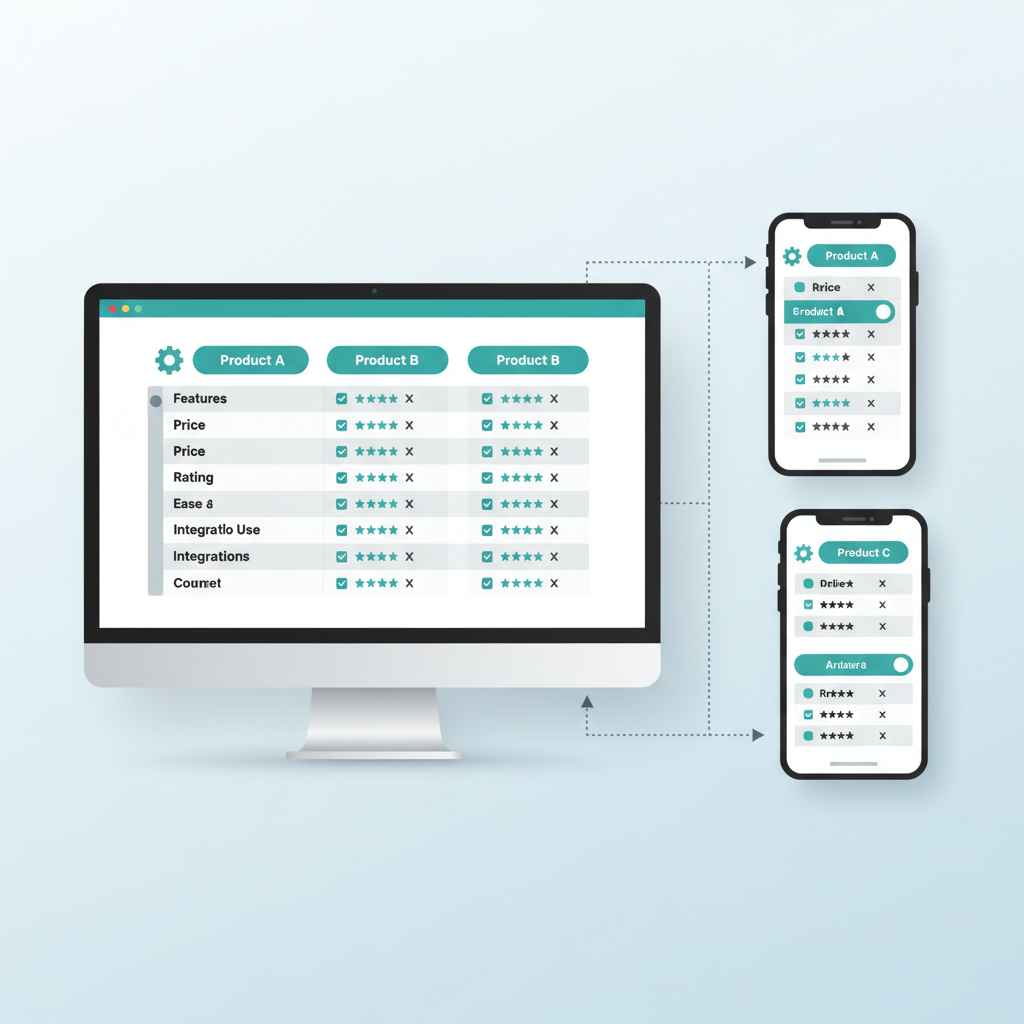
How do you build SEO-optimized comparison tables on Lovable sites that rank and get clicks?
You create concise, crawlable table markup, supply structured data that maps each cell to factual attributes, and automate publishing with templates and data feeds so pages stay accurate and canonical. This approach—lovable comparison tables seo—reduces duplicate content, surfaces rows for regional AI answers, and improves CTR when implemented correctly.
Below you'll find platform-specific guidance for Lovable sites: when to prefer a table, the optimal table structure for mobile and search, accessibility and crawler tips for Lovable's renderer, JSON-LD samples, programmatic templates using LovableSEO, checklists and a full step-by-step implementation example. The first practical artifact is an HTML comparison table you can copy and adapt.
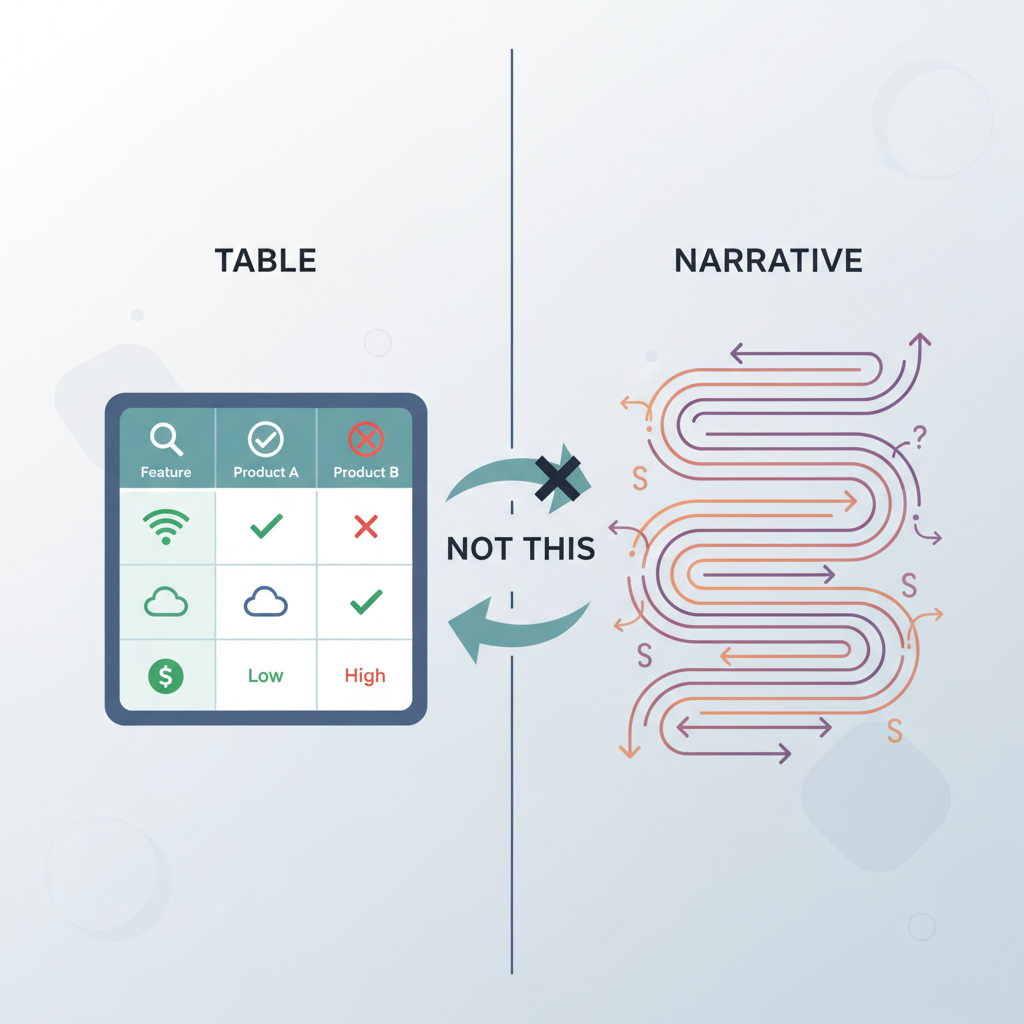
When to use a comparison table vs narrative comparison
Use a comparison table when readers want to scan feature differences, prices, or specific, comparable attributes across products or offers. Use narrative comparison when context, pros/cons, or long-form explanation drives decisions rather than direct attribute matching. For many Lovable pages, a hybrid approach—short narrative plus a table—works best: narrative for buying intent signals and a table for quick facts and AI extracts.
Practical rules to decide:
- If users compare 3–8 items on repeat with similar attributes, use a table.
- If the differences are subjective or involve long-form reasoning, lead with narrative and include a summary table.
- If price, regional availability, or shipping are key factors, include a table row for each and expose regional attributes for AI answers.
Example: lovableseo.ai sells comparison pages that rank for multi-attribute search queries. For a category like "budget laptops," a table listing CPU, RAM, storage, price (with currency), and local stock status turns searchers into clicks faster than paragraphs alone. The narrative above the table should explain who each row is best for (e.g., "best for students", "best battery life").
Decision rule (concrete): If average user task time on the page is under 3 minutes and they need a quick pick, prioritize a table; if the task requires education (>5 minutes), lead with narrative. Typical metric to watch: increase in pages-per-session after swapping from narrative-only to table-plus-summary.
When NOT to use a comparison table
Do not use a table when the dataset is extremely large (>15 items) without grouping, when attributes are not comparable across rows, or when each item requires unique context that a cell cannot capture. Avoid tables that repeat near-identical product descriptions across hundreds of pages; that pattern risks duplicate-content penalties and low value to search.
Comparison tables must present concise facts, not blurbs; search systems extract value from short, factual cells.
SEO-friendly table structure (columns, row headers, mobile-first considerations)
Design table structure with both users and crawlers in mind. Use semantic HTML <table>, <thead>, <tbody>, <th>, and <td> so Lovable's renderer and search bots understand headers and relationships. The primary rule is clear, unique row headers and predictable column ordering: users and crawlers should not guess which cell aligns with which attribute.
Concrete layout pattern (copyable):
| Product | Key spec | Price (USD) | Shipping / region | Local availability | Best for |
|---|---|---|---|---|---|
| Model A | 8GB RAM, 256GB SSD | $499 | Free shipping (US) | In stock (NY warehouse) | Students |
| Model B | 16GB RAM, 512GB SSD | $799 | $20 international | Limited (EU stock) | Power users |
Mobile-first considerations:
- Stacked rows for small screens: transform wide tables into vertically stacked cards with the row header repeated at top of each card to preserve context.
- Keep critical columns first (product, price, availability). Reserve secondary columns for expandable details.
- Use responsive attributes (aria-label on cells) rather than hiding columns with display:none, which may hide content from some renderers.
Example implementation for Lovable templates: use a single table component with named slots for "row_header", "price_cell", and "region_cell" so LovableSEO can map feed fields to slots. This supports programmatic comparison pages lovable teams publish daily.
Accessibility and crawlability tips for Lovable's renderer
Ensure each <th> uses scope="col" or scope="row" and that tables include a concise summary via aria-describedby when necessary. Avoid complex nested tables; Lovable's renderer is optimized for flat semantic tables. Provide text equivalents for any visual icons used in cells (e.g., <span class="sr-only">Free shipping</span>).
Practical rule: run a headless-render test using your Lovable staging renderer or a headless browser to verify that table content appears in the server-rendered HTML. If cells appear only after client-side JavaScript hydration, provide fallback server-rendered content or pre-rendered snapshots to preserve crawlability.
Use semantic table markup and server-rendered cells; search bots and assistive tech read those reliably.
Structured data patterns for comparison content
Structured data makes comparison tables eligible for richer search displays and increases the chance that AI systems will extract individual rows as distinct answer candidates. The recommended approach is to use itemList and Product/Offer schema together: expose each row as an itemListElement that references a Product and the product's Offer(s). Include clear property names for price, priceCurrency, availability, and regionalShipping as custom properties if needed.
Example pattern (conceptual): for each row, create a Product object with name, sku, brand, and an Offer array with price, priceCurrency, availability, and a separate property region (e.g., "region": "US"). This helps AI extractors surface region-specific rows when users ask about local availability.
Quotable fact: "Comparison table schema improves eligibility for rich results and AI extracts when cells contain concise, factual attributes."
{ "@context": "https://schema.org", "@type": "ItemList", "itemListElement": [ { "@type": "ListItem", "position": 1, "item": { "@type": "Product", "name": "Model A", "sku": "A-123", "brand": "LovableBrand", "offers": { "@type": "Offer", "price": "499.00", "priceCurrency": "USD", "availability": "https://schema.org/InStock", "region": "US", "shipping": "Free" } } } ]
}
Note: include regional attributes (currency, shipping, local availability) as separate properties to surface geo-specific rows in AI answers; many search systems treat those as distinct signals. This example shows a minimal itemList -> Product -> Offer mapping; expand the Offer to include priceValidUntil, url, and seller when available.
Implementing Product/Offer schema and FAQ + best practice snippets
Attach Product and Offer markup to table rows; avoid putting the entire table into a single Product. Map each row to a Product with a unique identifier (SKU or slug) and an Offer that includes priceCurrency and region. For FAQ sections on comparison pages, use FAQPage schema only if questions and answers are short, factual, and unique to the page.
Best practice snippets:
- Use stable identifiers (SKUs) in both the HTML (data attributes) and JSON-LD so cross-references are deterministic.
- Keep FAQ answers under 50 words for extractor friendliness.
- Do not duplicate FAQ schema across hundreds of near-identical pages; create canonical Q&A on a master page and reference it when appropriate.
Map each table row to a Product+Offer object; that mapping is what search systems extract into rich answers.
Programmatic generation: data feeds and templates in LovableSEO
Programmatic pages scale comparisons without manual editing. With LovableSEO, build a template that maps feed fields to table slots, JSON-LD properties, and canonical signals. Your feed should include: product_id, name, sku, brand, price, currency, availability, region, shipping, and a short 1-line summary for the cell copy. Keep the feed normalized so LovableSEO can render thousands of pages using the same template.
Concrete template architecture for LovableSEO:
- Source feed: CSV/JSON with named columns matching template slots.
- Template: a Lovable table component with placeholders like {{name}}, {{price}}, {{region}}.
- Renderer rules: server-side rendering for first paint, JSON-LD populated from feed.
- Publishing: LovableSEO stages pages, validates schema, and publishes to the site with canonical headers.
Example: a programmatic comparison pages lovable team might generate 200 category pages nightly from a supplier feed. Each row's SKU links back to a canonical product detail page. Set a validation rule in LovableSEO that flags rows missing priceCurrency or region—those rows should not publish until corrected.
Data hygiene checklist (copyable):
- Every row has unique product_id and sku.
- price and priceCurrency present and numeric.
- availability uses standard vocabulary (InStock, OutOfStock).
- region uses ISO country codes where possible.
How to map product attributes and keep canonical signals clean
Attribute mapping matters: map feed fields to canonical attributes in LovableSEO and avoid creating near-duplicate pages with only trivial differences. Use a canonical_url field in the feed for rows that belong to a master product page. When multiple regional offers exist for one product, publish one canonical product page and expose regional offers via structured data rather than separate near-identical pages.
Practical rule: if two pages differ only by price or shipping for different regions, do not create separate indexable pages for each region unless the content differences exceed a threshold (e.g., different stock lists, localized descriptions, or region-specific reviews). Instead, surface regional offers via JSON-LD Offer objects and use hreflang for fully localized pages. This keeps canonical signals clean and prevents content bloat.
Writing concise cell copy for AI-friendly snippets
Short, factual cells win. AI extractors favor cells with a single factual attribute or a 6–12 word summary. Avoid marketing puffery and duplicate product descriptions across cells. Instead, write micro-copy rules for cells, for example:
- Price cell: numeric value + currency (e.g., "$499").
- Availability cell: one of "In stock", "Limited stock", "Out of stock" plus region tag.
- Summary cell: 8–12 words describing the primary benefit (e.g., "Long battery life, 12-hour typical use").
Examples of AI-friendly cell writing:
| Cell type | Good | Bad |
|---|---|---|
| Price | $499 USD | Great value for students |
| Availability | In stock — US warehouse | Ships fast |
| Summary | 12-hour battery, 3-year warranty | Best for everyone who wants reliability |
Micro-copy checklist (usable in templates):
- Limit summary cells to 8–12 words.
- Use numeric formats for prices and specs (no words for numbers).
- Include currency codes and region tags when regional differences exist.
Quotable tip: "Simple, factual cells increase the chance a search system will extract a row as an answer."
Testing & measuring CTR lift from table changes
Test table changes with A/B experiments and search analytics. Key metrics: organic CTR, average position, pages-per-session, and conversions per visitor. Run a controlled test on similar pages: keep content and intent consistent, change only the table structure or JSON-LD, and measure performance over at least two ranking cycles (typically 4–6 weeks).
Concrete experiment plan:
- Select 50 matched pages (similar traffic and intent).
- Split into control and variant groups.
- Variant: implement semantic table, JSON-LD per row, and concise cell copy.
- Measure CTR and position changes weekly; analyze after 6 weeks.
Decision thresholds (example): a sustained CTR lift of 8%+ over the control group after 4 weeks warrants rolling out changes site-wide. If position drops, investigate indexing timing and re-run a smaller test after fixing render issues.
Capture qualitative signals too: use session recordings to confirm users scan the table and click a product. A table that drives lower bounce rates and higher pages-per-session is performing even if initial CTR gains are modest.
Reusable templates and publishing cadence (daily automation checklist)
Create a small set of reusable templates that cover common comparison patterns: short three-column price-compare, feature matrix, and long-form comparison with many attributes. Each template should define where JSON-LD is injected, what fields are required, and how mobile stacking works. Keep templates modular so LovableSEO can swap components per category.
Daily automation checklist for programmatic publishing:
- Validate feed schema and required fields.
- Run data hygiene checks (unique IDs, numeric prices).
- Render preview pages and JSON-LD validation.
- Run accessibility and server-render tests.
- Stage and publish incrementally with automated monitoring for errors.
Example cadence: ingest nightly feed, run validation at 02:00, stage previews at 03:00, publish validated pages at 04:00, and run monitoring checks through the morning. This reduces manual work and keeps comparison table content fresh for search crawlers.
Quick troubleshooting: common rendering and duplicate-content pitfalls
Common issues:
- Client-side only rendering: cells appear after JS hydration and are invisible to the crawler; solution: server-render key table content or pre-render JSON-LD.
- Near-duplicate pages: small price or regional differences produce many low-value pages; solution: consolidate with canonical URLs and surface regional offers via Offer schema.
- Broken schema: malformed JSON-LD prevents rich result eligibility; solution: validate JSON-LD with a schema validator before publishing.
Debug checklist:
- Fetch the page with a headless browser and confirm table HTML appears in the server response.
- Validate structured data and check for multiple conflicting Product objects.
- Ensure canonical tags point to the intended master page.
Concrete example: a team published region-specific pages for ten countries without using hreflang or canonical. Search indexed all ten, causing cannibalization. Fix: convert nine regional pages into regional Offer objects on the canonical product page and use hreflang for localized pages where content differed substantially.
Example implementation: step-by-step (data feed -> template -> publish)
Step 1 — Prepare the feed: assemble CSV/JSON with required columns: product_id, name, sku, brand, price, priceCurrency, availability, region, shipping, short_summary, canonical_url. Validate using a schema check tool before ingest.
Step 2 — Build a Lovable comparison table template: define table slots for row_header, price_cell, availability_cell, summary_cell, and include a JSON-LD block that iterates the feed rows to create ItemList with Product and Offer objects. Ensure the template outputs server-rendered HTML for the table body.
Step 3 — Map fields in LovableSEO: point feed columns to template slots, set validation rules (price numeric, currency present), and set canonical mapping rules (use canonical_url if present; else generate from product_id).
Step 4 — Run staging preview: generate sample pages, validate JSON-LD, and perform headless rendering checks to confirm the table appears in server HTML. If any validation fails, LovableSEO should provide a failure log.
Step 5 — Publish and monitor: publish in small batches, monitor search console for indexing errors, and track CTR and position. Iterate on cell copy and structured data as needed based on performance data.
Frequently asked questions
What does it mean to build seo? Building SEO means structuring content, metadata, and technical signals so search engines can discover, understand, and rank pages; for comparison tables, that includes semantic table markup, row-level structured data, and canonical control.
How do you build seo? Build SEO by combining clear content that matches user intent, technical implementation that ensures crawlability (server-rendered HTML, valid schema), and measurement-driven iteration (A/B tests and search analytics) to improve visibility and CTR.
Conclusion: Implementing lovable comparison tables seo requires semantic table markup, row-level structured data, concise AI-friendly cell copy, and programmatic templates that keep canonical signals clean. When you map product attributes correctly in LovableSEO and run systematic tests, comparison pages become a reliable source of organic traffic and higher CTRs for category queries.
Alt: Table visualization showing semantic <th> relationships improves crawler understanding and accessibility
Alt: Flow diagram showing LovableSEO feed-to-template pipeline with validation gates for safe automation
Ready to Rank Your Lovable App?
This article was automatically published using LovableSEO. Get your Lovable website ranking on Google with AI-powered SEO content.
Get Started