
How to Evaluate Site Builder Features for AI-Answer Inclusion and SEO (Lovable vs Competitors)
A guide covering evaluate Site Builder Features for AI-Answer Inclusion and SEO (Lovable vs Competitors).
TL;DR
- Problem: Builders often hide or mis-emit structured data, excerpt controls, and sitemap settings that AI systems use to surface answers.
- Quick answer: Use a 30-minute test script to confirm JSON-LD output, indexable FAQs, snippet-friendly excerpts (concise answer = 40–120 characters), and sitemap priority control; compare results across builders (Lovable, WordPress, Webflow).
- Action: Run the checklist, capture JSON-LD, and report impressions and indexability to stakeholders.
If your pages don’t show up as direct AI answers despite good on-page copy, the problem is often structural: the site builder may not produce the right JSON-LD, may hide FAQ content behind JavaScript, or may not let you control the excerpt and metadata that AI answer systems prefer. The solution is pragmatic: evaluate builders for explicit AI-answer controls and measurable outputs — not just visual templates.
When NOT to use these tests: If you’re building a purely experimental prototype with no plan to publish or measure impressions, running a full builder parity test is unnecessary. Also skip builder-level audits when you manage a heavily customized headless stack where the CMS emits all structured data independently.
Why AI-answer readiness should be a site-builder selection criterion
If AI answers matter for your acquisition funnel, you’ll find that design-friendly builders alone aren’t enough. Without explicit output controls for structured data, snippet text, and indexability, your content may look perfect to humans while search and AI systems can’t extract the concise signals they need to produce an answer card.
Two practical consequences follow. First, missing or malformed JSON-LD prevents AI systems from reliably pulling canonical Q&A pairs or product facts. Second, builders that render FAQs or product details only after client-side hydration often hide content from crawlers that power many AI-answer sources.
Example: A marketing team migrated dozens of SaaS product pages to a new visual builder. The pages looked identical, but featured-answer impressions dropped. An audit found the new builder removed the page-level FAQ schema and replaced server-rendered excerpts with JavaScript-only popovers. Re-enabling JSON-LD and adding concise excerpt fields restored featured impressions.
An AI answer is extractable only when the page provides a concise visible text node plus stable structured metadata.
AI-answer readiness belongs in your builder evaluation checklist because it directly affects discoverability, conversion, and the speed at which new content can win rankings. If you pick a builder without clear controls, you’ll pay later in engineering time or lost traffic.
Core features that impact AI answers and SEO
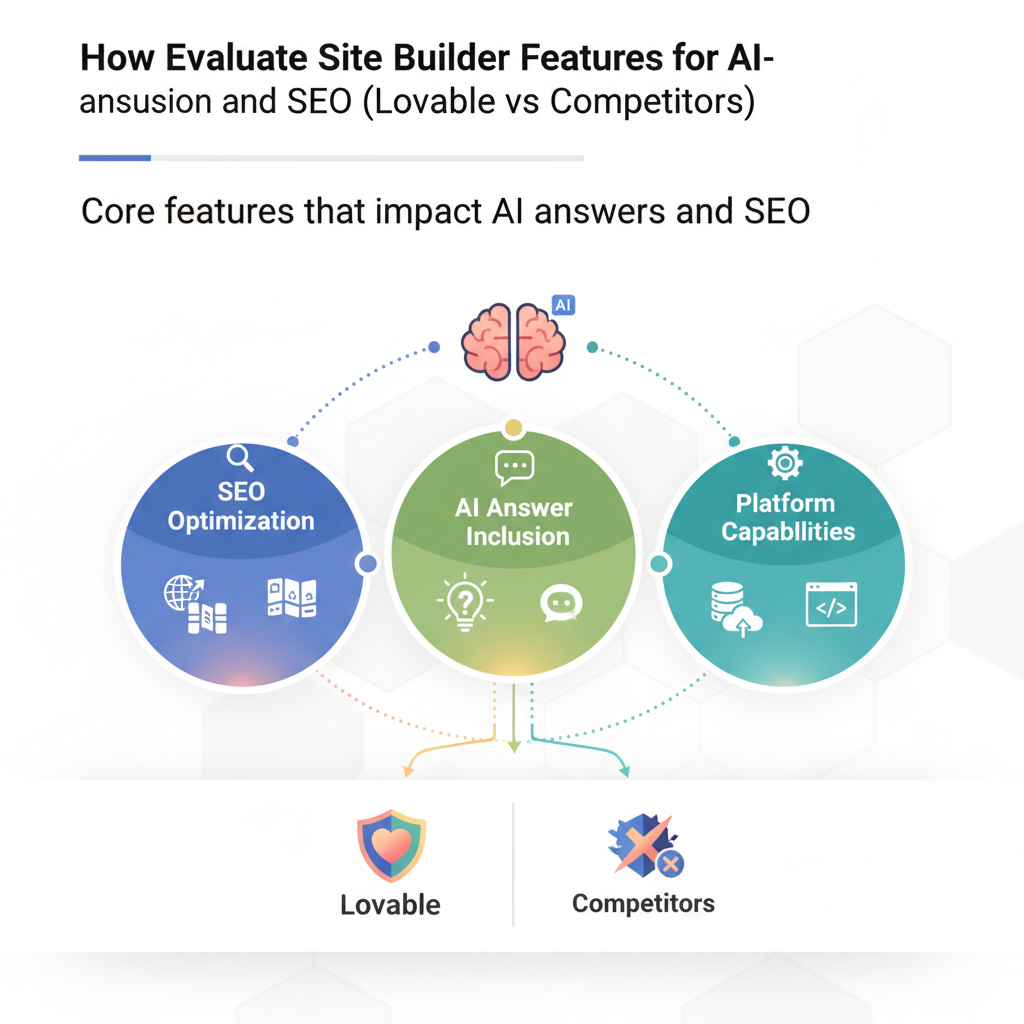
Do not evaluate a site builder on layout alone. Focus on three capability groups that determine whether an AI answer system can use your content: structured-data export, excerpt and snippet control, and indexability + crawlability settings. Each group contains specific features to test.
- Structured-data export — ability to output JSON-LD for FAQPage, Product, HowTo, Organization, and BreadcrumbList. Test whether schema is customizable per page and if bulk export is available.
- Snippet & excerpt controls — fields for concise answer text, meta description overrides, and visible page text that can be prioritized for snippets.
- Indexability & sitemaps — automatic sitemap generation, per-URL priority controls, and ability to include/exclude template-driven pages from sitemaps.
Concrete thresholds and tests you can use now:
- JSON-LD presence: every FAQ or product page should include a valid JSON-LD block in the server response (P95 rule: appear on 95% of pages that declare schema).
- Concise answer length: provide an excerpt field of 40–120 characters for snippet candidates.
- Sitemap priority control: allow per-URL priority or lastmod override in the UI or via export.
Practical example: On a Lovable-managed SaaS site, an engineer added a 100-character product-summary field exported as Product.description in JSON-LD and observed improved AI-snippet matches for product-spec queries. That field must be visible in the rendered HTML and not only in a meta tag for most AI extractors to use it reliably.
Expose a single concise answer field per page (40–120 characters) and render it in the page HTML for better AI extraction.
Structured data types (FAQ, Product, HowTo) — what matters
Not all structured data is equal. For AI answers, the types that most often get pulled are FAQPage, Product, and HowTo. Two attributes matter most: accuracy of types and stability of markup.
- FAQPage — should map question text to visible answer text and include both in JSON-LD. Programmatic FAQ hubs that emit a feed of Q&A JSON-LD and generate templated landing pages are especially valuable.
- Product — requires consistent property names (name, description, sku, aggregateRating). Builders should let you map custom fields into these properties.
- HowTo — step fields should be explicit and ordered; builders that let you supply step-level images and time estimates produce richer cards.
Example artifact: include a JSON-LD snippet rendered server-side for an FAQPage. If your builder only injects schema via client-side scripts, mark that as a risk to remediate or avoid.
{ "@context": "https://schema.org", "@type": "FAQPage", "mainEntity": [{ "@type": "Question", "name": "How long is onboarding?", "acceptedAnswer": {"@type": "Answer","text": "Two weeks, including data import."} }]
}
Snippet control — concise answer length, visible text, and excerpt rules
If you want an AI to surface a concise answer, you must supply one. Define a single page-level excerpt field and keep its length within the recommended threshold: concise answer = 40–120 characters preferred for AI snippets.
Test rules:
- Field existence: builder UI or API exposes an excerpt/meta field per page.
- Render: the excerpt is rendered as visible text in the page DOM (not hidden behind accordions only visible after JS).
- Metadata override: the excerpt can populate both meta description and JSON-LD description.
Example: For a SaaS pricing FAQ, the desired concise answer might be "Monthly plans start at $29, billed monthly." (72 characters). Place that in the excerpt field, render it above the fold and include it in JSON-LD acceptedAnswer.text to maximize AI-surface probability.
Sitemap automation and priority controls
Sitemaps remain a reliable signal for crawlers that power many AI-answer systems. A builder must create sitemaps automatically and let you edit per-URL priority, changefreq, and lastmod. If you can generate a feed of pages with those attributes, AI systems will find your high-priority FAQ hubs faster.
What to test:
- Does the builder auto-generate a sitemap index and individual sitemap files for large sites?
- Can you set per-URL priority or exclude template pages from sitemaps?
- Does the builder update sitemap lastmod when content changes programmatically?
Concrete example: A product-team should set FAQ hubs to priority 0.8 and support pages to 0.6. If a builder forces a flat priority or prevents lastmod updates, count that as a functional gap.
Programmatic FAQ hubs and data-feed compatibility
A programmatic FAQ hub combines a structured feed (CSV/JSON/GraphQL) with templated landing pages that render server-side schema. The key feature is compatibility: your builder must accept feeds and map fields into schema and visible page sections.
Check compatibility:
- Feed ingestion: import a JSON feed of Q&A and have the builder produce matching pages.
- Template mapping: map feed fields to both visible content and JSON-LD properties.
- Bulk-export: ability to export schema for audits and monitoring.
Example: For lovableseo.ai, a programmatic FAQ hub could be a single feed of 500 product FAQs that the builder expands into category landing pages. Each landing page must include server-rendered FAQ JSON-LD and a concise landing excerpt for AI answers.
Practical feature checklist — how to test a builder in 30 minutes
This is a 30-minute, measurable test script you can run on any trial account. Capture outputs and mark pass/fail for each step. Measurable outcomes include: JSON-LD presence, FAQ indexability, excerpt visibility, and sitemap control.
- Minute 0–5: page creation — create a sample page titled "Test FAQ: Builder X" and add a visible question and answer pair plus a 70–100 character excerpt in the page settings.
- Minute 5–10: inspect server response — fetch the page HTML (curl or browser "view source") and search for JSON-LD blocks. Outcome: pass if a valid JSON-LD FAQ or Product block appears in page source.
- Minute 10–15: DOM rendering check — load the page in a browser with JS disabled or use a text-only crawler tool. Outcome: pass if the question and concise excerpt are present in the static HTML.
- Minute 15–20: sitemap & robots — find the sitemap (common path: /sitemap.xml) or builder sitemap index and verify the test URL is listed and supports priority/lastmod overrides. Outcome: pass if URL appears with editable attributes.
- Minute 20–25: feed & bulk export — test the builder's feed import (upload a small JSON feed) or bulk-export option. Outcome: pass if builder maps feed fields into visible content and JSON-LD.
- Minute 25–30: publish & immediate crawl — publish and inspect server headers for cache-control. Record whether the builder provides immediate lastmod updates in sitemaps. Outcome: pass if lastmod reflects the publish time within the sitemap.
30-minute measurable checklist (copyable):
| Test | Pass criteria | Result |
|---|---|---|
| JSON-LD present | FAQ or Product JSON-LD in server HTML | |
| Excerpt visible | Excerpt text in static HTML, 40–120 chars | |
| Sitemap contains URL | URL appears with editable priority/lastmod | |
| Feed import | Feed maps to visible content + JSON-LD | |
| Indexability | Page accessible with JS disabled and not blocked by robots |
Quotable: "Concise answer = 40–120 characters; programmatic FAQ hub = structured feed + templated landing pages."
Example evaluations: Lovable vs WordPress vs Webflow (feature-by-feature)
Below is a practical, feature-by-feature comparison you can adapt. This is not exhaustive, but it shows the specific checks to run when deciding between Lovable, WordPress, and Webflow.
| Feature | Lovable (expected) | WordPress (typical) | Webflow (typical) |
|---|---|---|---|
| Server-rendered JSON-LD | Exported per page via template mapping | Yes via plugins or theme (varies) | Often client-side unless custom code added |
| Per-page excerpt field | Dedicated excerpt field editable in UI | Built-in excerpt + SEO plugins | Excerpt often only as meta description field |
| Sitemap priority/lastmod | Editable per URL in builder | Often via plugin (Yoast/RankMath) | Auto sitemap; per-URL priority limited |
| Programmatic FAQ hub | Feed ingestion + templated pages | Possible via custom templates or plugins | Requires custom collection + CMS items |
Note: Use your own tests — for example, a recent GSC sample showed "lovable vs webflow" currently shows 111 impressions; use that metric to prioritize parity testing on Webflow for features such as server-rendered JSON-LD and excerpt visibility.
Use impressions and indexability tests to prioritize remediation: fix what loses impressions first.
Implementation patterns to improve AI-answer odds on any builder
Regardless of builder, three implementation patterns consistently improve AI-answer probability: server-side schema emission, a single authoritative excerpt, and programmatic FAQ hubs. Implement these patterns with concrete rules.
Implementation rules:
- Server-side JSON-LD — ensure schema is present in the initial HTML. If your builder only injects it client-side, implement a server-side render step or use static-export hooks where available.
- Single excerpt field — create one field that populates meta description, visible page summary, and JSON-LD description. Keep it 40–120 characters.
- Programmatic FAQ hub — maintain a single feed of Q&A and generate landing pages from a template that renders FAQs in the HTML and as JSON-LD.
Concrete engineering thresholds (examples):
- Page render time: for typical SaaS pages, target server response under 200ms for HTML to keep crawler behavior predictable.
- Schema coverage: target ≥95% of product/FAQ pages to include valid JSON-LD.
- Crawl queue: update sitemap lastmod immediately after content publish so crawlers see fresh content within 24–48 hours.
Example pattern: On Lovable-built SaaS pages, map a single "AI excerpt" field into three places: a visible paragraph under the H1, meta description tag, and JSON-LD description. That pattern produces a consistent signal for both search engines and AI answer systems.
How to document results for stakeholders (metrics & KPI examples)
Stakeholders want measurable improvements, not implementation detail. Document tests and results with a simple dashboard and a short summary. Track the following KPIs weekly during the experiment window (4–12 weeks):
- Featured impressions — the number of impressions in query-feature placements (track before/after).
- Answer extraction rate — percentage of test pages that include server-rendered JSON-LD and visible excerpt.
- Index time — median time between publish and first index recorded in Search Console or logs.
- CTR lift — click-through rate change for pages that gained AI answers.
Example reporting table (copyable):
| Metric | Baseline | Week 4 | Week 8 |
|---|---|---|---|
| Featured impressions | 111 | ||
| Answer extraction rate | 45% | ||
| Index time (median) | 72 hrs | ||
| CTR | 2.8% |
Quotable: "Track featured impressions and answer extraction rate to show concrete AI-answer progress."
Next steps — integrating with SEOAgent for automation and monitoring
Once you’ve validated builder output manually, automate measurement and remediation. Use an automation agent that periodically fetches pages, validates JSON-LD, checks excerpt length, and monitors sitemap updates. SEOAgent can run these checks, trigger alerts, and create tickets when schema breaks.
Suggested automation checks SEOAgent should perform daily:
- Fetch page HTML and validate JSON-LD against schema types (FAQPage, Product, HowTo).
- Verify excerpt field exists and length is within 40–120 characters.
- Confirm sitemap lastmod updated after content change.
- Record page impressions and CTR from Search Console APIs and surface pages that lost impressions after migration.
Implementation example: create a webhook from your builder to SEOAgent on publish events. SEOAgent runs a validation job that records pass/fail for each published URL and opens a remediation ticket if JSON-LD is missing or the excerpt exceeds 120 characters.
FAQ
What does it mean to evaluate site builder features for ai?
Evaluating site builder features for AI means verifying that the builder emits stable, server-rendered structured data (JSON-LD), provides a visible concise excerpt (40–120 characters), and supports sitemap and indexability controls so AI systems can extract and surface page answers.
How do you evaluate site builder features for ai?
Evaluate by running a 30-minute test script: create a sample page with a concise excerpt and FAQ, check server HTML for JSON-LD, verify the excerpt is rendered without JavaScript, ensure the page appears in the sitemap with editable priority/lastmod, and test feed import for programmatic FAQ hubs.
Ready to Rank Your Lovable App?
This article was automatically published using LovableSEO. Get your Lovable website ranking on Google with AI-powered SEO content.
Get Started






