

How to Localize AI-Answer Snippets on Lovable Sites: Geo Signals & Structured Content
A guide covering localize AI-Answer Snippets on Lovable Sites: Geo Signals & Structured Content.
TL;DR
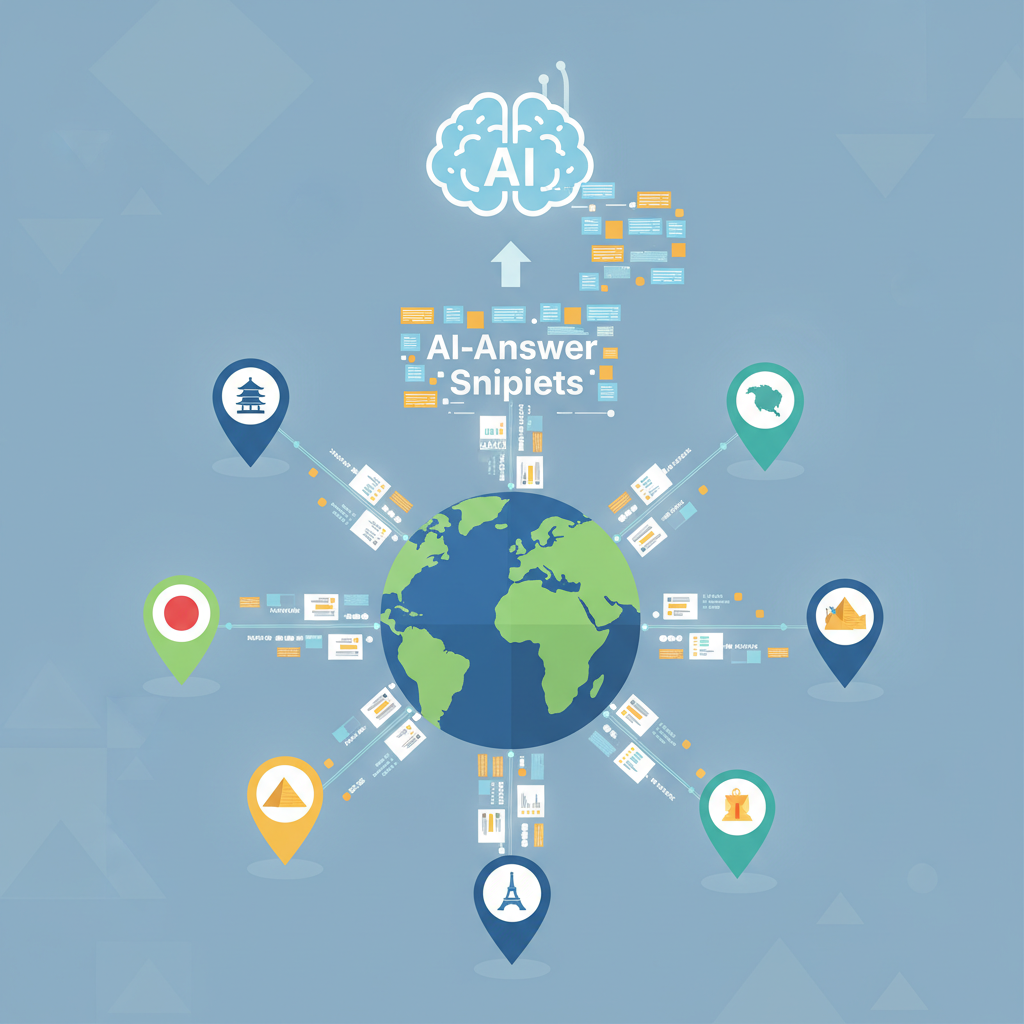
- Localize AI-answer snippets on Lovable by adding explicit location text, LocalBusiness schema, and compact region-tagged answer boxes.
- Use concise one-sentence answers + 30–50 word context, structured data, and consistent NAP to increase AI inclusion.
- Track city/state tokens in queries and measure inclusion week-over-week using GSC filters and search operators.
Why localization increases likelihood of AI-answer inclusion
If your Lovable pages get generic traffic but rarely show up as AI-powered answers, the missing link is usually locality signals. You publish helpful content, but AI systems prioritize results that clearly resolve the user's local intent: specific place names, addresses, opening hours, and concise local summaries. That gap means a good page loses a featured-like answer to a competitor that states "X in [city]" within the first lines.
Quick solution: add explicit local markers to answers, then tag them with structured data. The primary technique is simple: include a one-sentence answer that names the city and the service, followed by a short context (30–50 words) that includes address, hours, or a common differentiator. This approach both reads well for users and supplies the exact tokens AI systems extract for local answers. The phrase "localize ai answer snippets lovable" should appear naturally in your copy and metadata where appropriate so the page clearly signals locality for Lovable-specific workflows. For more on this, see Seo for lovable sites.
Example: instead of "Our plumbing services are top-rated," write "Emergency plumbing in [City]: 24/7 repairs and same-day dispatch within city limits," then add a short paragraph with address and a LocalBusiness schema snippet. That level of specificity increases the chance an AI system will select your content as the cited answer.
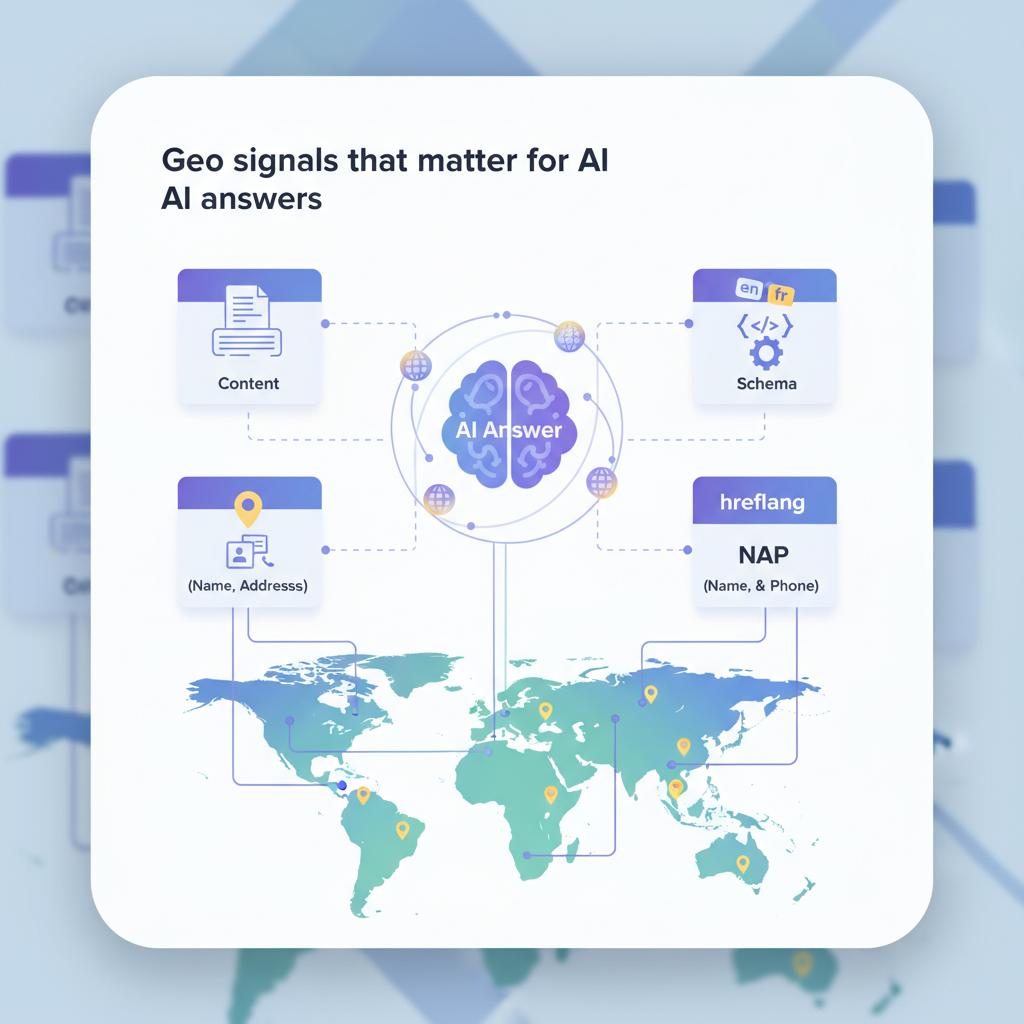
Geo signals that matter for AI answers (content, schema, NAP, hreflang)
Define: 'Geo signals' = explicit location mentions, structured data (LocalBusiness/address), and regionally-specific content that help AI systems pick local answers. Geo signals work together: copy tells the model what the page is about, schema gives machine-readable facts, and NAP (name, address, phone) matches local intent across sources.
Key geo signals to include on Lovable pages:
- Explicit location mentions — city, neighborhood, and common local abbreviations within the first 50–100 words.
- LocalBusiness schema — JSON-LD with address, geo coordinates (if available), openingHours, and telephone.
- Consistent NAP — identical formatting across site, directory listings, and structured data.
- hreflang — when you offer region-specific language or variants, signal the regional content to search engines to avoid content mismatches.
"Practical example: on a Lovable landing for a cafe, place the one-sentence answer "Best espresso in [City] near [Neighborhood]" at the top, then include a LocalBusiness JSON-LD block and a clear NAP entry in the contact panel. Use the phrase "geo signals for ai snippets" in your internal audit notes so your team recognizes this checklist as a priority for snippet optimization, which aligns with strategies to optimize lovable sites for AI-answer inclusion.
Geo signals are machine-readable location markers: state the city explicitly and include LocalBusiness schema to make answers extractable.
When to use LocalBusiness schema vs context-rich location snippets
Use LocalBusiness schema when the page represents a specific business location you control and you have authoritative, stable data: street address, phone, hours, and category. LocalBusiness schema gives AI systems canonical facts they can cite directly. Use context-rich location snippets (concise text answer + short supporting paragraph) when you need to answer local queries that are not tied to a single business—comparisons, how-to local advice, or region-specific practices.
Decision rule: if a page maps to a single brick-and-mortar presence, implement LocalBusiness schema (and include structured NAP). If the page is informational for multiple providers or covers a neighborhood guide, prioritize context-rich snippets designed for direct extraction by AI (one-sentence answer + 30–50 word context) and add aggregated structured markers (e.g., multiple schema:Organization or LocalBusiness items where appropriate).
Example scenarios: a Lovable product page for a single store should use LocalBusiness; a "best plumbers near [city]" guide should use short, region-tagged answer boxes for each recommended provider and a supporting paragraph that includes why they're relevant in that city.
Content patterns that win AI answers in local queries
If you want Lovable pages to be selected as AI answers, adopt content patterns that expose the answer quickly and clearly. AI systems favor predictable structures: a clear question (implied or explicit), a one-line answer that contains the location token, then 30–50 words of context that justify the answer. Use headings that include the city name and service phrase; use bulleted facts for quick extraction.
High-performing patterns include:
- Question headline with location: "What is [service] in [city]?"
- One-line answer starting with the city token: "In [city], [service] typically costs..."
- 30–50 word supporting paragraph with practical facts (hours, price range, common exclusions)
- Definition boxes or micro-tables that list address, hours, and phone
Quotable fact: "Adding concise, region-tagged answer boxes (one-sentence answer + 30–50 word context) increases AI-answer inclusion for local queries." Use the search term "ai answer localization" in your editorial brief to keep this pattern consistent across writers and templates.
One-sentence answers that name the city and service are extracted far more reliably than long paragraphs.
Concise definition boxes, table templates, and short answer paragraphs
Create small, copy-and-pasteable definition boxes that authors can reuse. Each box should include a headline, a one-sentence answer, and 3–5 bullet facts. These are both user-friendly and structured for AI extraction. Below is a simple table of location templates you can adopt.
| Headline | One-sentence answer | Schema type |
|---|---|---|
| What is [service] in [city]? | [Service] in [City] is [concise definition + differentiator]. | FAQ or WebPage + LocalBusiness |
| How to choose [X] near [city] | Choose [X] in [City] by checking [criterion 1], [criterion 2]. | HowTo or WebPage |
| Best [service] in [neighborhood] | The best [service] in [Neighborhood] offers [feature]. | Review or LocalBusiness |
Use the phrase "lovable ai snippet optimization" in your content QA checklist to flag pages that need these definition boxes. Each box is intentionally short so AI models can extract the answer without noise.
Example templates: 'What is [service] in [city]?', 'How to choose [X] near [city]'
Templates speed production and keep signals consistent. Below are two copy-ready templates for Lovable authors.
- What is [service] in [city]?
One-line answer: "[Service] in [City] is [one-line value statement]." Supporting 30–50 words: "[Service] in [City] typically costs [range], is regulated/available [where], and is best for [use case]." Add LocalBusiness schema if this page references a specific provider.
- How to choose [X] near [city]
One-line answer: "To choose [X] near [City], prioritize [criterion 1] and [criterion 2]." Supporting 30–50 words: list quick checks and local caveats (permits, typical timelines). Add bullets for quick local steps.
Technical checklist for Lovable: metadata, structured data, and location UIs
Implement these technical items to make your Lovable pages discoverable as AI answers. Below is a prioritized checklist you can run through for each local page.
- Title tag: include service + city token near the front (under 60 characters).
- Meta description: one concise sentence referencing the city and primary fact.
- Visible H2 or H3 question that includes the city token.
- LocalBusiness JSON-LD where applicable, with address, telephone, openingHours, and sameAs if you have profiles.
- Consistent NAP across site and directory listings.
- Structured UI elements: a contact card component that outputs the same machine-readable facts as the JSON-LD.
- hreflang or region selectors if you serve multiple locales on Lovable.
Concrete thresholds: aim for title length < 60 characters and meta descriptions < 160 characters. For production readiness, ensure LocalBusiness schema passes a JSON-LD validator and that NAP matches directory data exactly.
Testing and measuring inclusion (GSC filters, search operators, manual checks)
Measure whether your localization work increases AI answer inclusion by tracking queries with city/state tokens and monitoring impressions/positions in Google Search Console (GSC). Use GSC's query filter to include the city token and compare week-over-week changes. Combine with search operators (e.g., "site:yourdomain.com \"[city]\"") for manual spot checks of cached snippets.
Suggested monitoring approach: create a weekly dashboard that lists top 50 queries containing the city token, the number of impressions, average position, and a binary flag for AI-answer inclusion. Track inclusion rate week-over-week; a reasonable early target is a measurable lift in inclusion rate across your top 20 local pages within four weeks of implementing geo signals.
Implementation examples and templates for Lovable pages (copy + schema snippets)
Below is a copy template and an illustrative JSON-LD snippet you can adapt for Lovable pages. Replace bracketed tokens with your actual data.
{ "@context": "https://schema.org", "@type": "LocalBusiness", "name": "[Business name]", "address": { "@type": "PostalAddress", "streetAddress": "[street]", "addressLocality": "[city]", "addressRegion": "[region]", "postalCode": "[postal]" }, "telephone": "[phone]", "openingHours": "Mo-Fr 09:00-17:00"
}
Copy template (header + box):
Header: "[Service] in [City]: quick answer"
One-line answer: "[Service] in [City] is [value statement]."
Context: 30–50 words with address, price band, and one local caveat.
Monitoring, instrumentation and rollout (daily publishing cadence tip)
Rollout recommendations: publish new localized pages at a steady cadence—start with one geo per business category per day. Instrumentation should include: a content flag in your CMS marking pages as "local-snippet-optimized," GSC property filters, and a simple analytics event fired when the definition box is visible (to track CTR differences).
Daily cadence tip: publish 3–5 localized snippets per weekday for four weeks, then measure inclusion rate. Use A/B style comparisons on page templates: one variant with LocalBusiness schema plus definition box, another with only the definition box. Track impressions, clicks, and AI-answer inclusion to decide on full rollout.
Conclusion with recommended quick wins and links to demo/pricing
Quick wins to implement this week: add one-sentence, city-tagged answer boxes to your top 10 local pages; insert LocalBusiness JSON-LD for pages representing a physical location; standardize NAP across the site. These steps cover the core geo signals for ai snippets and support lovable ai snippet optimization across your site.
Recommended measurement: track queries containing city/state tokens in GSC and compare AI-answer inclusion week-over-week. For reuse, add the templates and table above to your content playbook so writers produce consistent, extractable answers at scale.
FAQ
What does it mean to localize ai? Localize AI means adding explicit regional markers—city, neighborhood, address, and structured data—so AI systems can identify and present a page as the best local answer.
How do you localize ai? Localize AI by including location tokens in headings and opening sentences, adding LocalBusiness schema and consistent NAP, creating short region-tagged answer boxes (one-sentence answer + 30–50 word context), and monitoring city-token queries in GSC.
Ready to Rank Your Lovable App?
This article was automatically published using LovableSEO. Get your Lovable website ranking on Google with AI-powered SEO content.
Get Started