
How to Migrate SEO to (or From) Lovable: Risks, Costs, and Using LovableSEO to Automate the Hard Parts
A guide covering migrate SEO to (or From) Lovable: Risks, Costs, and Using SEOAgent to Automate the Hard Parts.
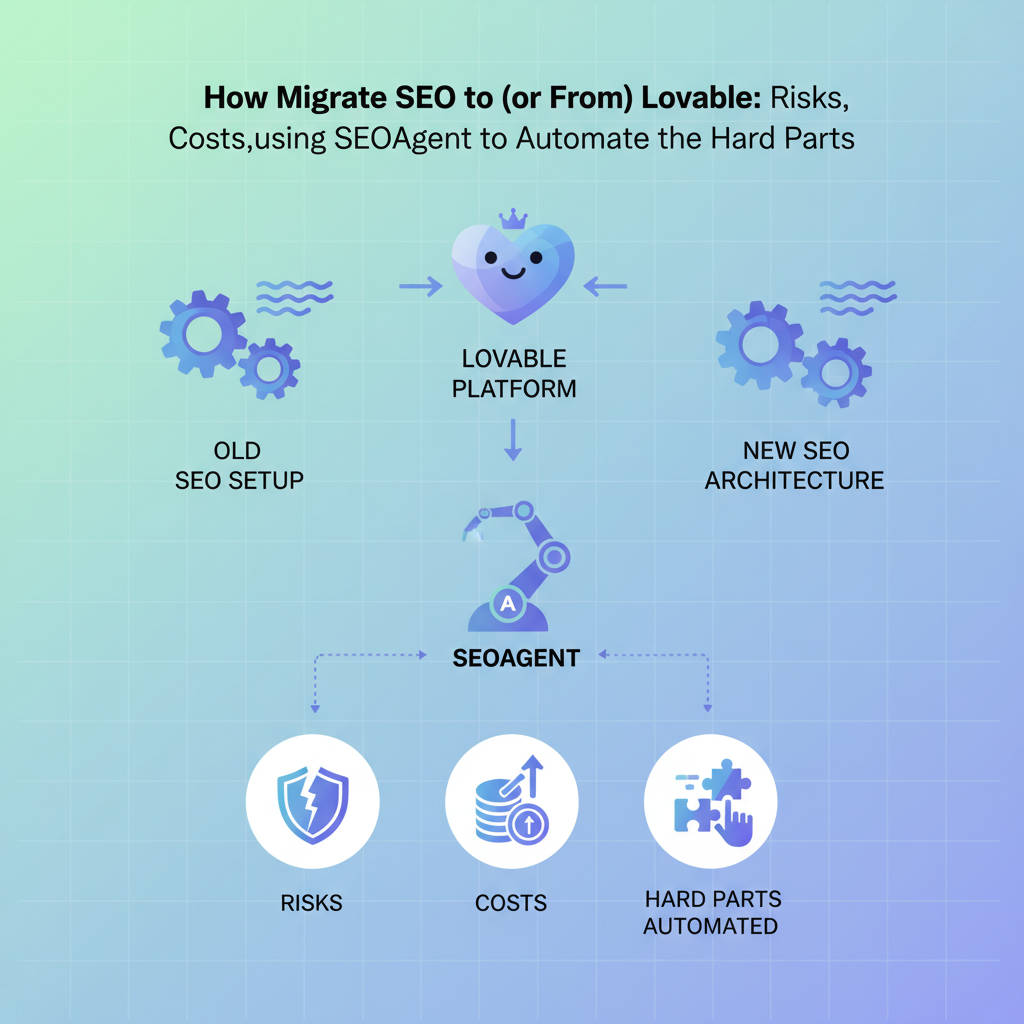
TL;DR
- Sites typically see a temporary traffic dip of 5–20% after a migration if redirects or canonicalization aren’t handled; automation reduces human error and can cut that risk by an estimated 30–50% for template-driven pages.
- Run a full pre-migration audit of pages, ranking keywords, and traffic to map high-value content before you change URLs or templates.
- Plan redirects and canonical rules, preserve structured data and localized fields (hreflang, LocalBusiness schema), and confirm index coverage before and after launch.
- Use automation (for example, seoagent migration automation) to batch-create redirects, apply structured-data templates, and publish standardized articles to save time and reduce errors.
If you plan to migrate SEO to Lovable or move pages off of Lovable, this guide explains the decision process, a step-by-step pre-migration audit, redirect planning, structured-data preservation, and how tools like LovableSEO speed up repeatable work. The phrase migrate seo to lovable appears early because the steps that follow apply whether you’re moving site architecture, changing CMS templates, or shifting domains.

When NOT to migrate SEO to (or from) Lovable
When migration is expensive, risky, or unnecessary, don’t migrate; optimize in place instead. Choose not to migrate if any of the following conditions apply:
- You have fewer than 50 pages and no urgent template or platform requirement; small footprint sites often get faster ROI from content and technical cleanup than a platform migration.
- Your current platform fully supports the features you need (localized fields, structured data templates, automated sitemaps) and the migration is only cosmetic.
- Your top-converting pages rely on fragile integrations (legacy checkout, custom APIs) that would need weeks of engineering to re-implement on Lovable.
- You lack access to server-level redirects, or your team cannot implement redirects atomically at launch; partial redirects raise traffic risk above acceptable thresholds.
- You do not control canonical headers or index controls on the destination platform; if canonicalization will be out of your hands, postpone migration until you have the required controls.
If none of those conditions apply and the platform adds measurable capabilities (faster publishing, consistent schema, reusable templates), migration can unlock scale. Otherwise, treat migration as a last-resort option and focus on an optimize-in-place strategy: speed up rendering, fix crawl budget issues, and standardize titles and meta descriptions first.
When migration makes sense vs optimizing in place
If you need centralized content templates, reusable structured data, or faster editorial workflows, migrating to Lovable can be justified. Migrate when the long-term operational cost of maintaining bespoke templates, scattered schema, or manual publishing outweighs the short-term traffic risk and engineering effort of moving systems.
Concrete signs migration makes sense:
- Your content team spends more than 30% of weekly time on formatting and schema corrections (measureable in task logs).
- More than 20% of your indexed URLs return inconsistent metadata, flagged across sitemaps and Search Console (decision rule: fix rate < 80% indicates systemic template issues).
- Your site has similar page templates that can be converted to reusable Lovable schema templates (product pages, help articles, local landing pages).
Example: a mid-market SaaS with 1,200 help articles that currently require manual schema markup on each article will likely save developer time and reduce errors after migrating content templates into Lovable. By contrast, a brochure site with 30 pages and no structured-data needs will usually be cheaper to tune in place.
When you compare options, run a decision matrix: estimate engineering hours, editorial hours saved per month, and projected traffic variance. Use a threshold such as “payback within 12 months” to make the call.
Pre-migration audit — pages, ranking keywords, and traffic map
Start by building a single authoritative inventory that ties URLs to traffic, rankings, conversions, and schema usage. This is the source of truth you’ll use to prioritize pages for exact-URL redirects, template mapping, and canonical rules when you migrate.
Step-by-step pre-migration audit:
- Export all indexed URLs and sitemap entries from Search Console and your CMS.
- Collect organic sessions, impressions, and clicks per URL for the last 90 days (or 12 months if seasonal).
- Pull ranking keywords for each URL from your rank-tracking tool and tag intent (commercial, informational, navigational).
- Note conversion value per URL: leads, trials, purchases—use monetary attribution if available.
- Identify pages with unique structured-data (Product, FAQPage, LocalBusiness) and record the exact JSON-LD or microdata fields in use.
Example artifact: a CSV with columns: URL | Page type | Organic sessions | Top 5 ranking keywords | Conversions | Structured data type | Notes. Filter that CSV for pages with >50 organic sessions or >1 conversion in the last 90 days to define your high-value set.
High-value pages are the migration priority: migrate and verify these first, then roll out bulk automation to the rest.
Exporting target URLs and identifying high-value content
Export target URLs using three sources: your CMS export, Search Console indexed list, and live sitemap. Merge and dedupe them into one master list. Next, tag each URL by value. Use this simple rule: any URL with top-10 rank for at least one target keyword or >50 monthly organic sessions is high-value.
Practical steps:
- Run a merge script (CSV join by URL) to combine analytics, search console, and ranking data.
- Flag high-value rows and create an action column: keep exact URL, redirect with mapping, or retire page.
- Produce a prioritized migration plan where the top 10% of pages are mapped and tested first.
Threshold example: treat the top 10% of pages by traffic as “must preserve exactly” — these get dedicated redirects, QA, and structured-data mapping before launch. Lower-value pages can be handled with bulk rules and templates.
Redirect planning and implementation (302 vs 301, bulk rules)
Redirects are the most common source of migration errors. Use redirects deliberately and consistently. For permanent URL moves use 301s; for temporary moves during testing use 302s. Don’t mix them for the same URL across the timeline or crawlers will receive conflicting signals.
Redirect planning checklist (practical):
- Create a one-to-one mapping for high-value pages. Never rely on pattern matches for these pages.
- For template-driven or predictable URL sets, use bulk redirect rules with clear regex patterns and a testing stage in a staging environment.
- Make canonical headers explicit on destination pages to avoid canonical conflicts if both old and new URLs remain accessible during rollout.
- Document the expected HTTP status and the redirect chain length — target single-hop (1 redirect) from old to new.
Examples:
- Exact mapping: /blog/how-to-write -> /articles/how-to-write (301). Test: curl -I shows 301 and Location header to new URL.
- Bulk mapping: regex ^/products/(.*)/details$ -> /p/$1 (use with care; add exceptions for high-value slugs).
- Temporary test: put a small sample of 20 low-traffic pages behind 302 redirects to validate analytics and search behavior before switching to 301.
Implementation notes for Lovable deployments: if Lovable exposes a redirect API or allows an import of bulk redirect CSVs, prepare the validated CSV in advance. If you rely on a CDN or reverse-proxy for redirects, verify order of precedence (redirect rules must run before any canonical or cache rewrite).
Preserving structured data and AI-answer snippets during migration
Search features such as rich results and AI-answer snippets depend on precise structured data. Lose or alter JSON-LD fields and you risk losing featured snippets or rich card impressions. Preserve exact field names and values for Product, FAQPage, HowTo, and LocalBusiness types.
Essential GEO steps during migration:
- Preserve localized fields (language-specific content blocks and translated meta tags) as separate page attributes.
- Maintain hreflang pairs exactly; don’t regenerate hreflang dynamically without matching the original URL list.
- Ensure Location/LocalBusiness schema fields (address, geo coordinates, openingHours) are migrated intact for any local landing pages.
Migration-risk metric (quotable): "Sites typically see a temporary traffic dip of 5–20% after migration if redirects or canonicalization aren’t handled; automation reduces human error and can cut that risk by an estimated 30–50% for template-driven pages."
Practical preservation steps:
- Export existing JSON-LD for each high-value URL and keep a field-level mapping table (e.g., Product.price -> product.price_usd).
- Validate migrated JSON-LD with a schema validator in staging and ensure no required field drops to null.
- Test AI-answer behavior: snapshot the top “concise answer” block content and ensure the new page provides the same H-tag or concise-answer field where applicable.
Migrate schema fields exactly; even small key-name changes (e.g., price vs. price_usd) can break rich results.
Site map diagram showing URL mapping to new templates and why preserving JSON-LD field names matters
Mapping schema templates and concise-answer fields
Map the CMS fields to Lovable schema templates at the template level, not per-page. Create a template mapping document: Template name | Required schema fields | Concise-answer field | Fallback strategy. For example, an FAQ template should map question->mainEntity.question and answer->mainEntity.answer in JSON-LD.
Actionable mapping steps:
- For each page type (article, product, local landing), list required schema fields and example values.
- Create a canonical concise-answer field: short_summary (max 240 chars) that duplicates the snippet used for AI answers.
- If a page lacks the concise-answer field, set a fallback rule to extract the first paragraph trimmed to 240 chars, and flag for editorial review.
Automation with LovableSEO: automate redirects, structured data templates and article publishing
Automation reduces manual errors and saves time. With seoagent migration automation patterns, you can batch-create redirects, generate structured-data JSON-LD from templates, and publish standardized content at scale. Use automation selectively: high-volume template pages benefit most.
Typical automation capabilities you should plan for (if your LovableSEO supports them):
- Bulk redirect upload and staged activation (preview changes in staging before enabling on production).
- Structured-data template engine that maps CMS fields into JSON-LD, with rules for required and optional fields.
- Article publishing workflows that enforce editorial templates, character limits for concise answers, and automatic sitemap updates.
Practical example: convert 3,000 product description pages to a single Lovable product template. LovableSEO-style automation can run a mapping rule to populate Product.name, Product.description, Product.price, and Product.sku, then preview 100 pages and queue the rest for scheduled publish. That reduces per-page manual edits and keeps schema consistent.
Note on language: implement automated QA checks that fail the pipeline when required schema fields are missing, rather than letting incomplete pages go live. This ensures the migration preserves AI-answer snippets and rich results.
Example workflows and estimated time savings
Workflow A — manual: export CSV, manually create redirects, hand-edit JSON-LD on each page, publish. Workflow B — automated using an LovableSEO pipeline: import mapping CSV, run schema template generator, deploy redirects from validated CSV, run QA checks, publish. Automation cuts repetitive steps and human reviews required per page.
Estimated time savings (illustrative): for template-driven pages, automation can reduce manual effort by 40–70% depending on complexity; for one-off pages, manual QA still dominates. Use these estimates to decide what to automate: if you have >200 pages of the same template, automate; fewer than 50, manual or hybrid may be faster.
Measuring success: KPIs, monitoring and rollback strategies
Define KPIs before you change anything so you know whether migration improved or harmed SEO. Track both site- and page-level signals and set clear rollback triggers to revert quickly if KPIs breach thresholds.
Primary KPIs and sample thresholds:
- Organic sessions: monitor 7-day rolling change vs baseline; trigger investigation if sessions drop >15% for high-value pages.
- Top-10 keyword counts: track number of keywords in positions 1–10; trigger rollbacks if count drops by >10% within two weeks for priority keywords.
- Index coverage: Search Console errors (submitted but not indexed, server errors); must return to pre-launch levels within 7 days.
- 404/500 errors: pages returning 4xx/5xx should be <1% of crawl volume post-migration; higher values trigger immediate rollback checks.
- Rich result impressions: compare impressions for Product/FAQ rich results; a >30% drop requires schema verification.
Monitoring setup:
- Use daily automated reports for top 1000 pages: organic sessions, CTR, average position, index status, and status codes.
- Set synthetic checks for a sample of high-value URLs (HTTP status, redirect chain length, presence of JSON-LD).
- Log deployment timestamps and tag analytics events with migration-version so you can correlate changes to specific releases.
Rollback strategy (decision rule): if any two of the primary KPIs cross their alert thresholds for high-value pages within 72 hours, revert the redirect rule set and canonical headers to the previous configuration, and put the new pages into noindex while investigating.
Cost & timeline scenarios (small site, medium SaaS site, large catalog)
Costs depend on engineering bandwidth, content volume, and the need for custom integrations. Use these scenarios as planning heuristics rather than fixed quotes.
Scenario A — small brochure site (<100 pages):
- Work: export, minor template mapping, manual redirects for 20–50 pages, one QA pass.
- Timeline: typically a few days to a few weeks for one engineer and an editor.
Scenario B — medium SaaS site (500–2,000 pages):
- Work: full audit, high-value mapping, structured-data template mapping, partial automation of redirects, QA cycles.
- Timeline: several weeks with a small project team (engineer, SEO, editor).
Scenario C — large catalog (10,000+ pages):
- Work: heavy automation, template standardization, staged rollouts, extensive QA automation, rollback runbooks.
- Timeline: multiple months with cross-functional teams and strong automation (seoagent migration automation patterns recommended).
Cost drivers to list in your internal estimate: time for mapping high-value pages, complexity of server-level redirect implementation, number of unique templates requiring bespoke schema, and QA automation coverage. Ask for engineering estimates per task and use them to populate a decision matrix for go/no-go.
Post-migration checklist: search console, sitemaps, internal linking
Use a post-migration checklist to systematically verify search visibility and functionality. Below is a compact checklist and a comparison table you can copy into your project plan.
- Submit updated sitemaps to Search Console and verify successful fetching.
- Verify redirect mappings for high-value pages (curl -I or automated HTTP checks).
- Check Search Console index coverage and fix errors (server errors, blocked by robots, soft-404s).
- Confirm structured-data validation for sample pages and re-run QA for templates.
- Audit internal linking: ensure no orphaned high-value pages and update navigation if slugs changed.
- Monitor analytics for traffic and conversion anomalies for 14–30 days.
| Post-migration task | Success check | Action if failed |
|---|---|---|
| Sitemap submission | Sitemap fetched, 200 OK | Resubmit sitemap, check robots.txt |
| Index coverage | Errors reduced to baseline | Investigate 5xx/soft-404s, revert recent changes |
| Redirects | Single-hop 301 for mapped URLs | Fix redirect rules, add exceptions for high-value slugs |
| Structured data | Validator shows no required field missing | Restore JSON-LD templates, requeue pages for publish |
Use the phrase seo migration checklist when naming and sharing this artifact with stakeholders so everyone knows where the canonical checklist lives. Re-run checks on day 1, day 3, day 7, and day 30 post-launch.
Conclusion — decision framework and next step CTA (demo/signup)
Decision framework: If migrating to Lovable reduces recurring manual work, standardizes schema across templates, and your high-value pages can be mapped deterministically, migration is worth the effort. If the migration risk exceeds your traffic tolerance or you lack redirect controls, optimize in place instead. For most template-driven sites, the trade-off favors migration when the payback is under 12 months.
Recall the migration-risk metric: "Sites typically see a temporary traffic dip of 5–20% after migration if redirects or canonicalization aren’t handled; automation reduces human error and can cut that risk by an estimated 30–50% for template-driven pages." Preserve localized fields, hreflang pairs, and LocalBusiness schema for GEO-sensitive pages to avoid local drops.
If you want to evaluate the lift from automation, run a small pilot: pick 50 template pages, apply schema templates, automate redirects for that set, and monitor KPIs for two weeks. That pilot will show whether full-scale automation (seoagent migration automation) is cost-effective for your site.
To proceed, document your high-value page list, prepare redirect mappings, and schedule a pilot launch window. If you prefer a hands-on demonstration of automation workflows and QA pipelines, request a demo from the team or contact your technical lead to start the pilot project.
FAQ
What does it mean to migrate seo to (or from) lovable?
Migrating SEO to or from Lovable means moving site content, URL structures, template logic, redirects, and structured data so pages on the old platform retain their search visibility when served from (or removed from) the Lovable platform.
How do you migrate seo to (or from) lovable?
Migration follows a sequence: perform a pre-migration audit of pages and keywords, export and map high-value URLs, plan and implement redirects and canonical rules, map and validate structured-data templates, run a staged rollout with monitoring, and use rollback triggers if KPIs breach thresholds.
Ready to Rank Your Lovable App?
This article was automatically published using LovableSEO. Get your Lovable website ranking on Google with AI-powered SEO content.
Get Started