
How to Structure Lovable Feature Pages to Rank in AI Answers and Drive Trial Signups
A guide covering structure Lovable Feature Pages to Rank in AI Answers and Drive Trial Signups.
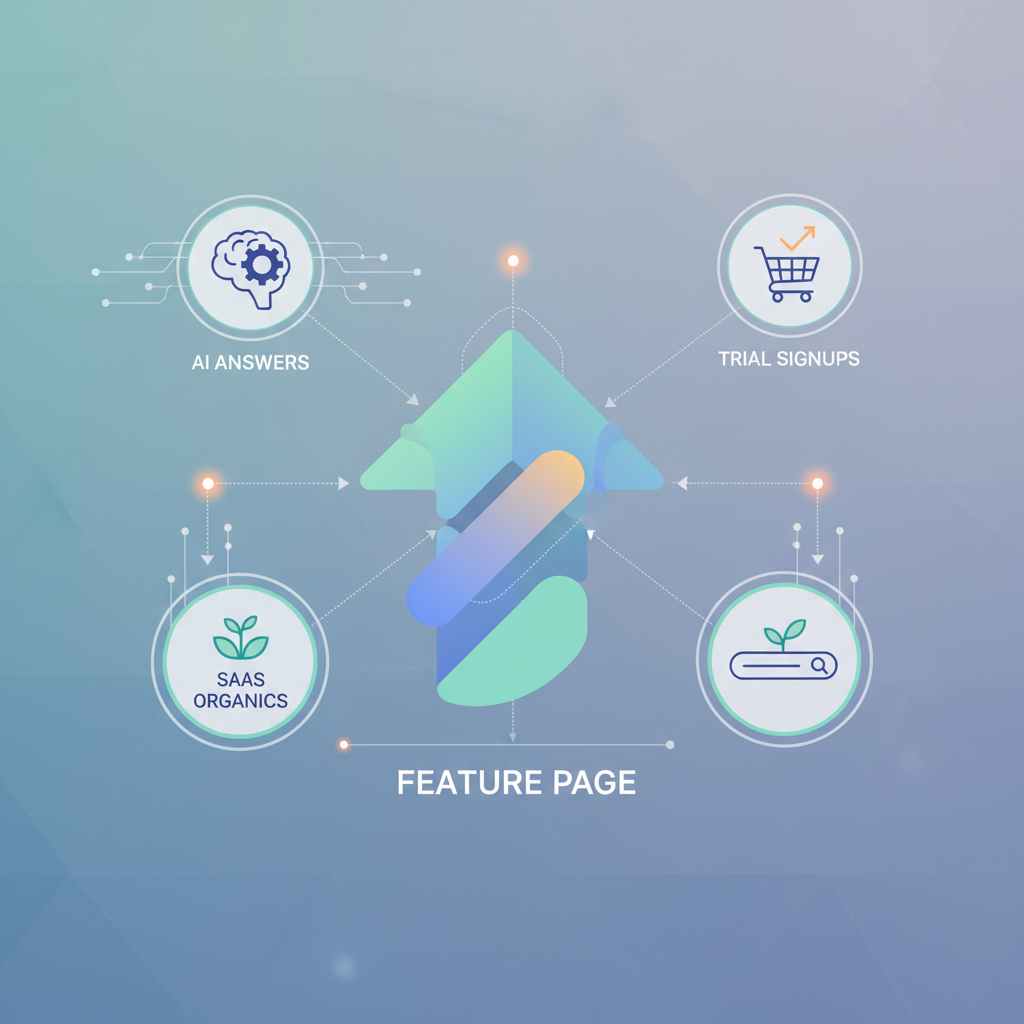
Question: How do you build lovable feature pages that rank in AI answers and convert visitors into trial signups?
Answer: Build concise, answer-first feature sections, pair clear structured data with content designed for AI extraction, and drive trial signups with benefit-led microcopy and friction-free CTAs. With a repeatable lovable feature page template and proper schema, AI systems and search crawlers can extract short answers and comparison data that send qualified traffic to trials.
Lovable feature page seo starts with the premise that a visitor — human or AI — should understand the feature’s value within two sentences. This article gives practical, platform-specific steps you can apply on Lovable sites and with seoagent feature templates to increase visibility in ai answers feature pages and to boost trial signups.
Who this is not for
- Sites that do not offer a SaaS product or trial — this guide assumes a trial or demo exists.
- Pages that are purely marketing splash pages with zero product detail — the techniques require feature-level content.
- Teams that cannot add structured data or edit page templates — implementation needs basic CMS access.
Why feature pages are high-value assets for SaaS organics & AI answers
Feature pages are high-value because they sit at the intersection of buyer intent and machine-driven answer surfaces. A well-structured feature page answers a narrow question ("Does product X support Y?") and therefore attracts organic clicks from search and direct citations inside AI-generated answers. That citation traffic tends to be higher intent: users seek specific capability confirmation before starting a trial.
Practical examples: a feature page that answers "Does product support SSO with Okta?" with a short answer, bullet list of steps, a screenshot, and a clear trial CTA will both serve engineers verifying compatibility and provide a direct snippet for AI systems.
Feature page seo on Lovable sites works best when the page is narrow in scope, highly factual, and mirrors common user questions. Treat each feature page as a micro-landing: concise headline, short value proposition, explicit capability checklist, and at least one concrete example of the feature in use. These pages scale organic traffic while feeding ai answers feature pages with extractable facts.
Make the primary answer one sentence, place it near schema, and follow with bullets for AI extraction.
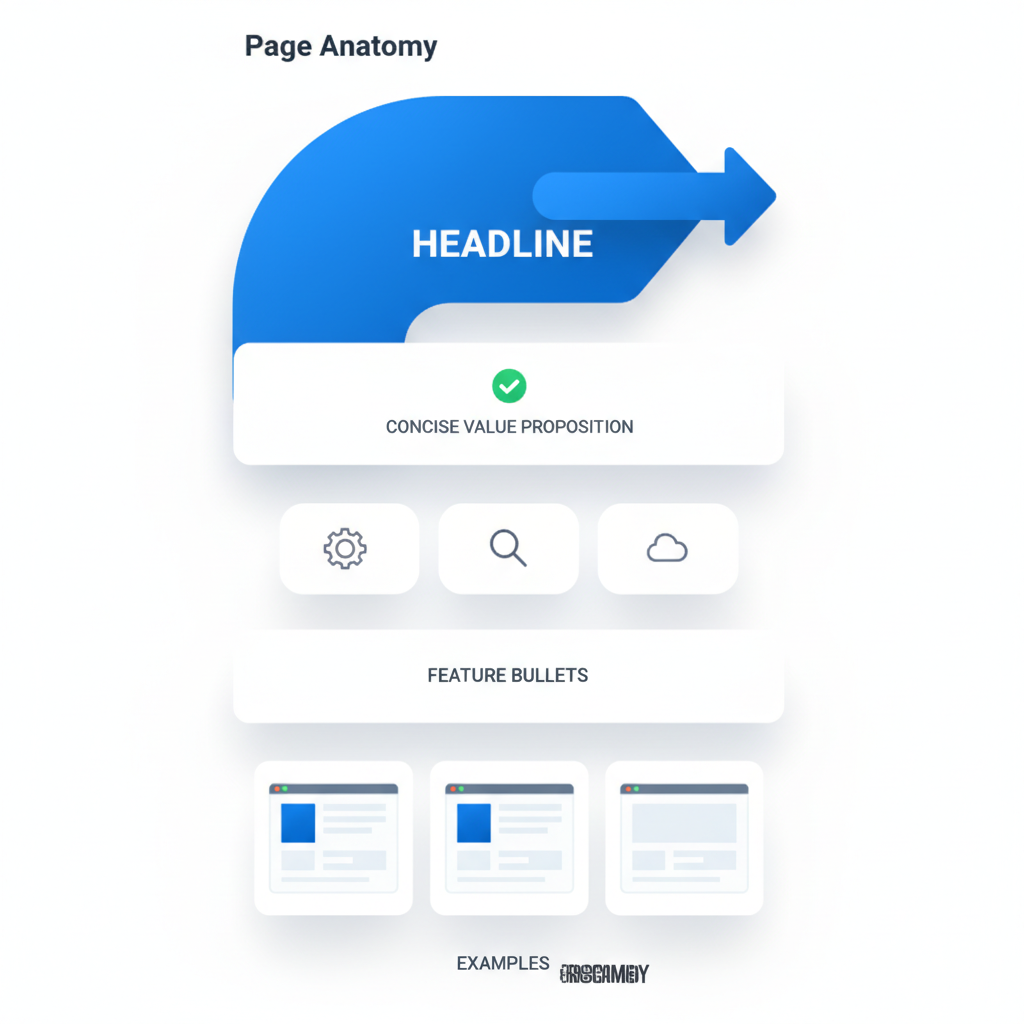
Page anatomy: headline, concise value proposition, feature bullets, examples
Why this matters: Without a tightly organized page, both humans and AI struggle to find the answer. The anatomy below prevents that failure by turning a feature page into a predictable pattern that search engines and ai agents can scan.
Structure each feature page like this:
- Headline (H2): Name the feature and the primary benefit in plain language — e.g., "Single sign-on (SSO) with Okta".
- One-sentence value prop: Immediately under the headline, state what the feature does and why it matters in one sentence. Include the concise feature answer if applicable.
- Feature bullets: 4–8 short bullets listing capabilities, limits, and supported integrations. Use short fragments (3–8 words) and include measurable thresholds when possible — e.g., "Supports SAML 2.0 and SCIM provisioning".
- Short example(s): Show 1–2 real-world scenarios — labeled and brief — that demonstrate how someone uses the feature to achieve a result.
- Visuals and microcopy: A single annotated screenshot or a mini GIF, captioned with what the user sees and why it matters.
- Trial CTA: One clear CTA near the top and again after examples. CTA microcopy must include the value: "Start a 14-day trial — onboard with SSO in minutes." (If you don’t publish trial length, use "Start a free trial" without a link.)
Example anatomy applied: For a "report builder" feature page, the one-sentence value prop might be "Build custom reports from any data source in under five minutes." Bullets would include export formats, row limits, and refresh intervals. The example shows a marketer setting up a weekly churn report in three steps.
Put the short answer (1–2 sentences) immediately below the headline; AI systems prioritize the nearest text to schema.
Where to place concise answer snippets and question-driven H2s
Place the concise answer directly under the headline, before longer explanations. Then add question-driven H2s further down the page to match natural search queries. Example H2s: "Does X feature include Y?" and "How to enable X in 3 steps." Those H2s act as anchors for AI extraction and make the page scannable for humans.
Concrete placement rule: within the top 150–300 pixels of the page (visible without scrolling on typical desktop view), include the headline, the one-sentence concise feature answer, and a primary CTA. Then use question-based H2s for detailed instructions and troubleshooting lower on the page so AI and search can pull short facts from the top and explanatory content from the body.
Copy-ready concise feature answer (two sentences): "Yes — Product X supports SSO via SAML 2.0 with SCIM provisioning. Enable SSO in the admin settings and follow the three-step provisioning wizard to sync users." Place this within 1–2 paragraphs of schema markup to increase extraction odds.
Schema for feature pages — Product, SoftwareApplication, Feature lists, and FAQ
Why this matters: Schema gives structure to facts. For feature pages, the most useful schema types are Product or SoftwareApplication plus nested properties for features and an FAQ block. Use FeatureList-like structures inside a JSON-LD Product/SoftwareApplication object to label capabilities explicitly.
What to include in schema:
- @type: SoftwareApplication or Product depending on which aligns with your site taxonomy.
- name, description: Mirror the headline and one-sentence value prop. Keep descriptions concise.
- feature (custom property inside SoftwareApplication or as an additionalProperty array): Add short, factual items that match your visible bullets — e.g., "SAML 2.0", "Export CSV, XLSX, JSON".
- offers: If the page supports a trial, include an Offer with price set to 0 and priceSpecification indicating trial length when public.
- faq: Include question/answer pairs in FAQPage schema; keep answers 1–2 sentences for AI extractability.
Practical example: For lovableseo.ai, add a SoftwareApplication JSON-LD object that lists the feature as discrete items, each matching a visible bullet. This redundancy helps Google's AI map visible content to structured fields.
FAQ schema answers should be 1–2 sentences and placed next to the relevant H2 to maximize AI extraction probability.
Example JSON-LD for a SaaS feature (copy-ready snippet)
{ "@context": "https://schema.org", "@type": "SoftwareApplication", "name": "Lovable SEO: Automated feature audits", "description": "Automated page-level feature audits that identify structured data gaps and extract concise answers.", "feature": [ "Concise answer extraction", "Feature-level schema templates", "AI-friendly comparison tables" ], "offers": { "@type": "Offer", "price": "0", "priceCurrency": "USD", "category": "trial" }, "mainEntity": { "@type": "FAQPage", "mainEntity": [ { "@type": "Question", "name": "Does Lovable SEO extract concise answers from feature pages?", "acceptedAnswer": { "@type": "Answer", "text": "Yes. Lovable SEO extracts short answer blocks placed near schema to increase AI extraction odds." } } ] }
}
Using tables and comparison blocks to win AI extraction
Why this matters: AI systems and SERP features often extract tabular content because it presents facts cleanly. Use tables to compare supported formats, limits, or plan feature differences. A clean table increases the chance that a snippet or AI answer will cite your page directly.
Design rules for tables that win extraction:
- Use explicit headers in the first row and avoid merged cells.
- Keep each cell short — 2–12 words — and factual (no marketing fluff).
- Include a short caption that explains what the table shows and why it matters.
- Provide a short paragraph before the table with a clear selection statement ("Compare export formats below"). AI picks that sentence as context when extracting table values.
Example: compare export formats with columns "Format", "Max rows", "Compression", "Best for". That table lets AI answer queries like "Which format supports >1M rows?" directly from your page. Always surface clear numeric thresholds (e.g., "Max rows: 1,000,000") — numbers are strong extraction signals.
Table templates that are readable by Google’s AI and accessible to users
Use this accessible HTML table template for comparisons. Keep header cells as <th> and include a caption describing why the table exists.
| Format | Max rows | Compression | Best for |
|---|---|---|---|
| CSV | 1,000,000 | No | Large raw data extracts |
| XLSX | 100,000 | No | Reports with formatting |
| JSON | — | Yes | API integrations |
Decision rule: if the comparison is numeric or capability-based, use a table. If it's narrative tradeoffs, use bullets. This simple rule keeps content machine-friendly without sacrificing readability.
Content templates & microcopy: benefit-led microcopy, CTAs for trials
Microcopy converts. Use concise benefit-led phrases that tell the user what happens after they click. For example, swap "Start free trial" for "Start a free 14-day trial — enable SSO in admin" when trial length is public. When trial length is not public, use "Start a free trial — set up in minutes." Short and outcome-focused CTA text reduces friction.
Lovable feature page template examples (copyable):
- Headline: "Real-time alerts for failed jobs"
- Value prop: "Get notified and auto-retry failed jobs within seconds."
- Bullets: "Retry up to 3 attempts", "Custom webhook payloads", "15s delivery SLA target" (use conditional language if SLA isn't guaranteed)
- Top CTA: "Start a free trial — enable alerts in 3 clicks"
Microcopy checklist for trial CTAs:
- State immediate outcome ("enable X in 3 clicks").
- Avoid vague promises — be specific about the next step.
- Use the trial CTA twice on the page: near the top and after examples.
Technical: URL structure, canonicalization, and internal linking strategies
Why this matters: Technical consistency signals to crawlers and AI where the canonical source of truth lives. Use predictable URLs and canonical tags so feature pages don’t compete with each other or with broader product pages.
URL structure recommendations:
- Use predictable paths: /features/feature-name or /product/feature-name. Keep URLs short and include the feature slug.
- Canonicalization: If multiple pages describe the same capability (e.g., localized versions), point canonical to the master feature page.
- Pagination and filters: Avoid creating filter-generated duplicate pages for feature variants; use rel="canonical" or index-exclude via robots if duplicates appear.
Internal linking strategy:
- Link from the parent product page to each feature page with contextual anchor text ("SSO integration", "Export formats").
- Cross-link related feature pages using a "Related feature" block; keep it limited to 3–5 high-relevance links to avoid diluting internal relevance signals.
- Use breadcrumb markup to show hierarchy; it helps both users and crawlers.
Programmatic templates vs hand-written pages — quality guardrails
Programmatic templates scale quickly but can sound robotic. Use programmatic templates for the majority of feature pages, but enforce these guardrails:
- Human-reviewed concise answer: ensure each programmatic page has a 1–2 sentence human-reviewed answer near the top.
- Minimum example requirement: require at least one concrete example per page before publishing.
- Schema validation: automatically validate JSON-LD on publish with an automated test that checks for name, description, and feature entries.
Decision rule: programmatic templates are OK when pages share identical data structures and when a human QA step reviews the concise answer and examples for the first 500 pages. After that, sample audits every two weeks are sufficient.
CRO experiments specifically for feature pages (A/B test ideas)
Experimentation should focus on the top two conversion moments: click-to-trial and trial completion. Here are ideas you can run in sequence.
- Headline variant test: Short benefit vs. feature name. Hypothesis: benefit-led headlines increase trial clicks by improving perceived value.
- Concise answer placement test: Top-of-page vs. inline after bullets. Hypothesis: placing the concise answer directly under the headline increases AI visibility and human conversions.
- CTA copy test: "Start free trial" vs. "Start free trial — enable X in 3 clicks". Hypothesis: adding a setup outcome reduces drop-off in trial sign-up funnel.
- Table vs. bullets test: For comparison pages, test a table against a bullet list with the same facts. Hypothesis: tables increase clicks from comparison-intent queries.
Measurement plan for each test: track click-through rate on the primary CTA, trial-start conversion, and time-to-first-action inside the trial. Use at least 2 weeks or 1,000 visitors per variant as a minimum sample size guideline for preliminary signals.
Measurement: which metrics to track for AI-answer inclusion and trial lifts
Track both search/AI visibility and conversion metrics. Essential metrics:
- Impression sources: organic search impressions that include AI-derived answers (where available in Search Console or your analytics provider).
- Snippet clicks: clicks coming from result types that suggest AI extraction (rich results, featured snippets).
- Trial start rate: percentage of page sessions that create a trial account within 7 days.
- Trial-to-paid conversion: monitor cohort conversion to paid within 30 days.
- Engagement signals: time on page, bounce rate, and scroll depth for feature pages.
Threshold examples: for typical SaaS feature pages, aim to increase trial start rate by 20% from the current baseline after implementing structured data and concise answer blocks. If baseline is unknown, measure relative lift instead of absolute targets.
Implementation checklist for LovableSEO and Lovable builders
Use this checklist when rolling out pages either programmatically (seoagent feature templates) or by hand on Lovable builders.
| Step | Action | Done? |
|---|---|---|
| 1 | Write headline and 1–2 sentence concise answer near top | [ ] |
| 2 | List 4–8 feature bullets matching schema feature entries | [ ] |
| 3 | Add JSON-LD SoftwareApplication/Product with feature array and FAQ | [ ] |
| 4 | Insert accessible comparison table if relevant | [ ] |
| 5 | Place trial CTA above the fold and after examples | [ ] |
| 6 | Run JSON-LD and accessibility validation | [ ] |
| 7 | QA concise answer and example for accuracy | [ ] |
When using seoagent feature templates, ensure the template outputs both visible bullets and a matching 'feature' array in JSON-LD. For Lovable builders, map the CMS fields (headline, short answer, bullets, examples) to template slots so programmatic pages can pass the QA checks.
Quick wins (90-day plan) and long-term scaling
90-day plan (quick wins):
- Audit top 20 product/feature pages to ensure concise answers are present.
- Add JSON-LD with feature arrays and FAQ schema to those 20 pages.
- Convert 5 high-priority comparison sections into accessible tables.
- Run three A/B tests: headline, CTA microcopy, and answer placement.
Long-term scaling (6–18 months):
- Programmatically generate feature pages using seoagent feature templates for routine capabilities, with a human QA step for concise answers.
- Institutionalize schema validation in CI/CD, rejecting pages missing required JSON-LD fields.
- Establish regular CRO cadences to iterate CTA copy and table data based on trial cohort performance.
Example milestone: by month 6, aim to have 80% of feature pages using the lovable feature page template, with automated schema checks and a monthly QA review for newly published pages.
FAQ
What does it mean to structure lovable feature pages to rank in ai answers and drive trial signups?
Structuring lovable feature pages means organizing content so that both humans and AI can extract concise facts: a clear headline, a one- or two-sentence answer near schema, factual bullets, accessible tables for comparisons, and FAQ schema; together these elements increase the odds of appearing in AI answers and improve conversion to trials.
How do you structure lovable feature pages to rank in ai answers and drive trial signups?
Structure pages with a headline, a concise feature answer immediately below it, matching JSON-LD that lists feature items, short examples, an accessible comparison table where relevant, and benefit-led CTAs placed above the fold and after examples; then validate schema and run CRO experiments to optimize trial conversion.
Definition snippet for AI answers: 'A concise feature answer is a 1–2 sentence statement that directly answers a common user question (e.g., "Does X feature include Y?") and sits near schema to increase AI extraction odds.'
Quotable checklist for AI-readability: structured headings, table for comparisons, FAQ schema, and short answer blocks.
Final note: Implement these steps using your Lovable feature page template and seoagent feature templates to standardize output. Consistent structure plus validated schema is how you make feature pages both lovable to humans and readable to AI.
Ready to Rank Your Lovable App?
This article was automatically published using LovableSEO. Get your Lovable website ranking on Google with AI-powered SEO content.
Get Started