
Implementing FAQ Schema & Structured Data on Lovable Sites
A guide covering implementing FAQ Schema & Structured Data on Lovable Sites.
Why FAQ schema matters for Lovable sites and AI answers
What is faq schema lovable and why should you add it to a Lovable site? Valid FAQ schema lovable marks your site's question-and-answer content so search engines and AI systems can surface concise answers directly in search and assistant responses.
Adding structured FAQ markup increases the chance that Google and other systems show your exact Q&A in rich snippets and AI answers, which raises click-through and reduces user friction. Use short, precise answers and localized fields to improve the odds that an AI will cite your content verbatim.
Why this matters for Lovable sites: Lovable sites often centralize content in repeatable blocks or CMS modules. When you map those blocks to schema.org's FAQPage (or related types) and output clean faqpage json-ld, crawlers can parse the Q&A pairs reliably. For lovableseo.ai workflows, that means better automated audits, predictable snippet behavior, and clearer extraction by AI systems.
Quotable: "Valid FAQ schema increases the chance Google surfaces concise Q&A in AI responses and rich snippets — but only when answers are short, unambiguous, and correctly structured."
Short answers mapped to FAQ schema produce more reliable AI snippets than long, conversational replies.
Practical example: on a Lovable product page, a 20–40 word answer to "How long does shipping take?" plus FAQPage JSON-LD with areaServed and inLanguage set will often surface in region-specific search and assistant responses. If you publish FAQs in multiple locales, include localized FAQ blocks rather than duplicating content on a single page.
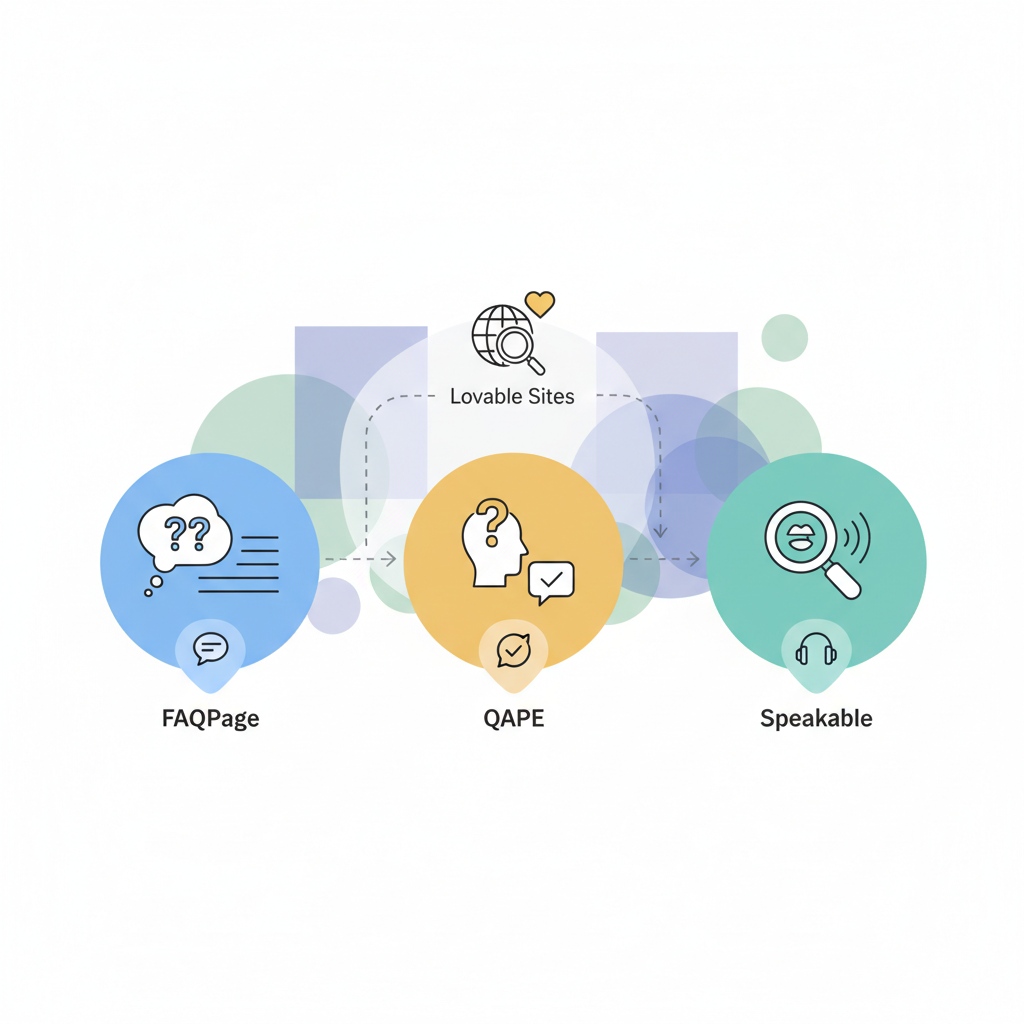
Schema types: FAQPage vs QAPage vs Speakable — which to use
If you need search engines and assistants to show short question-and-answer pairs, use FAQPage. If your page contains a single question with multiple community answers and voting, use QAPage. Use Speakable for short page sections meant for voice playback, such as news articles where you want assistants to read a summary.
FAQPage (faqpage json-ld) is the right choice for standard FAQ lists found on Lovable sites: it represents a list of Question objects each with an acceptedAnswer. QAPage models a question with multiple answers — think product forums, comment threads, or Stack Exchange-style pages. Speakable does one thing: mark passages optimized for speech output using Descriptor sections (speakable property). Don't mix QAPage and FAQPage on the same URL; pick the type that reflects the user's intent on that page.
Example scenarios:
- Static product FAQs (shipping, returns, sizing) — use FAQPage and include brief acceptedAnswer entries.
- Support forum threads where users vote on answers — use QAPage and populate answer objects with upvote counts if available.
- Press releases where you want voice assistants to read a summary — use speakable with selecotr-based markup for the summary text.
From an implementation standpoint on Lovable sites, generate faqpage json-ld for FAQ blocks and only render QAPage where user-generated content supplies multiple answers. Mixing types can confuse validators and reduce the chance of faq rich results lovable showing up correctly.
Quotable: "Choose schema type to reflect page behavior: FAQPage for static Q&A lists, QAPage for multi-answer threads, Speakable for read-aloud snippets."
Mapping Lovable content fields to schema properties
If your Lovable CMS stores FAQs in a repeatable block, map those fields directly to schema.org properties. Typical mappings look like this: the CMS field question → schema.org's Question.name; answer (HTML or plain text) → acceptedAnswer.text; locale → inLanguage; region or country field → areaServed.
| Lovable field | Schema property | Notes |
|---|---|---|
| faq.question | Question.name | Keep under ~60 characters when possible for snippet clarity |
| faq.answer | Question.acceptedAnswer.text | Return plain text or cleaned HTML; avoid long explanations |
| faq.locale | inLanguage | Use BCP 47 codes, e.g., "en-US" |
| faq.region | areaServed | ISO country or region names help regional search results |
Map CMS FAQ blocks one-to-one to Question.name and acceptedAnswer.text for the cleanest structured output.
Step-by-step mapping for a typical Lovable workflow:
- Identify the repeatable FAQ block (for example, a field group named "faqs").
- Extract question and answer fields. Strip inline scripts and complex widgets from the answer when generating JSON-LD.
- Attach locale and areaServed if the block is region-specific.
- Render a single <script type="application/ld+json"> block per page containing the FAQPage object with the array of Question objects.
When the CMS stores rich answers with images or tables, include only the cleaned text in acceptedAnswer.text; keep non-text content in the page body only. For lovableseo.ai audits, flag long answers (>200 words) and suggest shortening — short answers are more likely to be surfaced in AI snippets.
Required vs recommended properties for FAQPage
Required properties for a valid FAQPage are minimal: the page must be of type FAQPage and contain an array of Question objects with acceptedAnswer entries. The schema.org model doesn’t mandate many fields, but search engines expect certain shapes.
Required (minimum) example structure:
{ "@context": "https://schema.org", "@type": "FAQPage", "mainEntity": [ { "@type": "Question", "name": "Your question?", "acceptedAnswer": { "@type": "Answer", "text": "Concise answer." } } ]
}
Recommended properties to improve region and AI relevance:
- inLanguage — use BCP 47 codes to signal language explicitly (e.g., "en-US").
- areaServed — helps regional queries and faq rich results lovable appear correctly for geographic searches.
- datePublished / dateModified — useful for freshness signals.
- headline or mainEntityOfPage — good when the FAQ is a major page element.
Concrete rule: include inLanguage for every FAQ block if you publish multilingual content. Example threshold: if more than 10% of your traffic is non‑US, add areaServed to target regional assistants correctly.
Generating JSON-LD at scale with LovableSEO
For sites with dozens or thousands of FAQ-enabled pages, manual markup won't scale. Use templating and pipelines — for example, an LovableSEO workflow — to generate consistent faqpage json-ld server-side or during the static site build.
Recommended scalable approach:
- Canonical source: keep all FAQ content in the Lovable CMS canonical fields (faqs block).
- Template engine: configure LovableSEO or your build tool to read the faqs block and render a JSON-LD template per page at build time.
- Validation: include a validation step that runs a schema validation on the generated JSON-LD (see Testing and validation below).
- Deployment: deploy the page with the JSON-LD embedded in a single <script type="application/ld+json"> tag.
Practical example with LovableSEO (generic workflow):
- Create a template file that iterates over the faqs array and emits Question objects.
- Configure LovableSEO to run the template during content sync, producing the JSON-LD string.
- Attach meta properties (inLanguage, areaServed) based on page locale and region settings.
- Push a test build and run automated validators for every page in the staging environment.
Decision rule: for typical SaaS docs, generate JSON-LD at build time; for highly dynamic FAQ pages (frequent edits), render JSON-LD server-side so the markup matches the visible content at request time. Avoid client-only injection after page load because some crawlers and validators may not execute the script reliably.
Generate JSON-LD at build or server render time; avoid client-only injection for reliable indexing.
Template examples and variable placeholders
Template variables should map directly to CMS field names. Keep placeholders explicit and safe against missing data. Example placeholders: {{page.title}}, {{faq.question}}, {{faq.answer}}, {{page.locale}}, {{page.region}}.
// Example JSON-LD template pseudocode
{ "@context": "https://schema.org", "@type": "FAQPage", "mainEntity": [ {{#each faqs}} { "@type": "Question", "name": "{{question}}", "acceptedAnswer": { "@type": "Answer", "text": "{{answer}}" } }{{#unless @last}},{{/unless}} {{/each}} ], "inLanguage": "{{page.locale}}", "areaServed": "{{page.region}}"
}
Template tips:
- Escape quotes and strip script tags from answers.
- Omit empty properties — if page.region is empty, don’t emit areaServed.
- Limit answer length in templates: truncate to a maximum and include the full answer in the page body.
Testing and validation (Rich Results Test, Schema Validator)
After generating your faqpage json-ld, always validate it. Use Google's Rich Results Test to check whether the markup is eligible for rich results, and use a schema validator to ensure JSON-LD syntax is correct. For automated pipelines, run both checks in CI before deploying.
Validation steps:
- Syntax check: run the JSON-LD through a JSON parser to detect structural errors.
- Schema check: run a schema validator (e.g., schema.org tools or third-party linters) to ensure required fields exist.
- Rich Results eligibility: paste the page URL or code into Google's Rich Results Test to verify FAQ detection and spot warnings.
- Live checks: after deployment, test the public URL in Search Console’s URL Inspection to confirm indexing and detect structured data issues.
How to validate faq schema at scale: integrate a validation job in your CI that runs on every content release. The job should fail builds when syntax errors or missing required properties are detected. For lovableseo.ai users, include a rule that flags answers longer than 200 words and missing inLanguage properties as errors.
Concrete troubleshooting: when the Rich Results Test says "Not eligible for rich results," check that the Question and acceptedAnswer types are present and that the answers are not marked up as hidden or identical to navigation content. Also ensure you don’t have duplicate FAQPage markup across multiple URLs for the same content; that can confuse crawlers.
Common implementation mistakes and how to fix them
Common mistakes reduce the chance of faq rich results lovable appearing or cause validation failures. Below are frequent errors and fixes.
- Long answers: Fix by truncating acceptedAnswer.text to a concise response (20–60 words) and leaving the expanded explanation in the page body.
- Client-only injection: Avoid rendering JSON-LD only after the page loads; prefer server-rendered JSON-LD so crawlers and validators reliably see it.
- Duplicate markup: If the same FAQ block appears on multiple pages, canonicalize the primary page or remove duplicated JSON-LD to prevent conflicting signals.
- Wrong schema type: Don’t use FAQPage for forum threads; use QAPage when multiple answers exist and include answer upvote counts if available.
- Missing localization: Add inLanguage and areaServed when content targets a specific region; missing these fields can reduce regional exposure.
Example fix: if Search Console flags "Missing required property: mainEntity", add the mainEntity array with Question objects. If the Rich Results Test shows warnings about "name too long", shorten Question.name and move supporting detail to acceptedAnswer.text or the page body.
Monitoring schema health and indexing (Search Console tips)
Monitoring ensures that faq schema implementation doesn’t regress after updates. Use Google Search Console, scheduled audits, and automated alerts to keep schema health in check.
Monitoring checklist:
- Search Console > Enhancements: check for "FAQ" items and monitor trends in errors and warnings.
- URL Inspection: spot-check high-traffic FAQ pages after each deploy to confirm indexing.
- Automated reports: schedule weekly scripts that fetch your sitemap, run the Rich Results Test API for listed URLs, and flag failures.
- Traffic and CTR: monitor pages with FAQ markup for CTR changes; an increase often indicates successful faq rich results lovable placement.
Example alert rule: trigger a Slack alert when the number of FAQ errors in Search Console increases by more than 10% week-over-week. For lovableseo.ai teams, include a dashboard that surfaces pages missing inLanguage or areaServed so regional content teams can act quickly.
Quotable: "Monitor structured data errors weekly; a single malformed JSON-LD script can remove FAQ rich results for many pages."
Example implementations and copyable JSON-LD snippets
Below is a copyable, localized FAQPage example suitable for a Lovable page. It includes inLanguage and areaServed fields to improve regional AI responses.
{ "@context": "https://schema.org", "@type": "FAQPage", "inLanguage": "en-US", "areaServed": "United States", "mainEntity": [ { "@type": "Question", "name": "How long does shipping take?", "acceptedAnswer": { "@type": "Answer", "text": "Orders usually ship within 1 business day and arrive in 3–5 business days." } }, { "@type": "Question", "name": "What is your return policy?", "acceptedAnswer": { "@type": "Answer", "text": "You can return unopened items within 30 days for a full refund." } } ]
}
Validation steps to follow after inserting this snippet:
- Run a JSON syntax check to confirm valid JSON.
- Paste the code into the Rich Results Test to confirm it’s detected as FAQPage.
- Deploy to staging and re-run the test using the page URL, not just the code snippet.
Alternate pattern: when generating at scale, emit one consolidated JSON-LD block per page. Keep the JSON-LD size under 50KB to avoid edge-case parsing issues. If your page has more than 50 FAQs, consider splitting FAQs across subpages and linking them to a master index.
Conclusion and implementation checklist
Implementing faq schema lovable on a Lovable site requires mapping CMS fields to schema properties, choosing the correct schema type, generating JSON-LD reliably, validating it, and monitoring results. Do this consistently and you’ll increase the chance your Q&A surfaces in search and AI-assisted answers.
| Step | Action | Example/check |
|---|---|---|
| 1 | Map CMS FAQ fields to schema properties | question → Question.name; answer → acceptedAnswer.text |
| 2 | Choose schema type | FAQPage for static FAQs; QAPage for multi-answer threads |
| 3 | Generate JSON-LD at build/server time | Use LovableSEO templating in CI or server render |
| 4 | Validate | Run JSON parser + schema validator + Rich Results Test |
| 5 | Monitor | Search Console enhancements + weekly automated checks |
Always include inLanguage for multilingual FAQs; regional fields improve assistant relevance.
Final checklist (copy and use):
- Confirm FAQ block maps to Question.name and acceptedAnswer.text.
- Render JSON-LD server-side or at build time; avoid client-only injection.
- Include inLanguage and areaServed when relevant.
- Run syntax and rich-results validation in CI before deploy.
- Monitor Search Console and set automated alerts for new errors.
Conclusion quote: "Short, precise FAQ answers plus correct JSON-LD increase the likelihood of being quoted by search engines and AI assistants."
Frequently asked questions
What is implementing faq schema & structured data on Lovable sites?
Implementing faq schema & structured data on Lovable sites is the process of mapping FAQ content stored in Lovable CMS fields into schema.org's FAQPage JSON-LD so search engines and AI assistants can parse and surface the Q&A pairs.
How does implementing faq schema & structured data on Lovable sites work?
Implementing faq schema & structured data on Lovable sites works by extracting question and answer fields from CMS blocks, rendering them into a valid FAQPage JSON-LD script with optional localized properties (inLanguage, areaServed), validating the markup with tools like the Rich Results Test, and monitoring results in Search Console.
Ready to Rank Your Lovable App?
This article was automatically published using LovableSEO. Get your Lovable website ranking on Google with AI-powered SEO content.
Get Started