
Localizing AI Answers for Lovable SaaS: GEO Signals, regionServed & Multiregion Schema
A guide covering localizing AI Answers for Lovable SaaS: GEO Signals, regionServed & Multiregion Schema.
How do you localize AI Answers for a Lovable SaaS so that AI-driven snippets return the right price, availability, and contact details by region?
Answer: Put explicit GEO signals on pages, expose region-specific Product schema (regionServed) and localized PriceSpecification blocks, and surface concise, quotable AI facts so search systems and assistants can extract them. These steps let AI answers return city- and country-level details without duplicate page content.
Good AI answers depend on clear, machine-readable GEO signals. Below you'll find practical, platform-specific steps for lovableseo.ai users and developers to localize search assistants, sample JSON-LD you can adapt, copy templates, and a rollout checklist that keeps the work small and measurable.
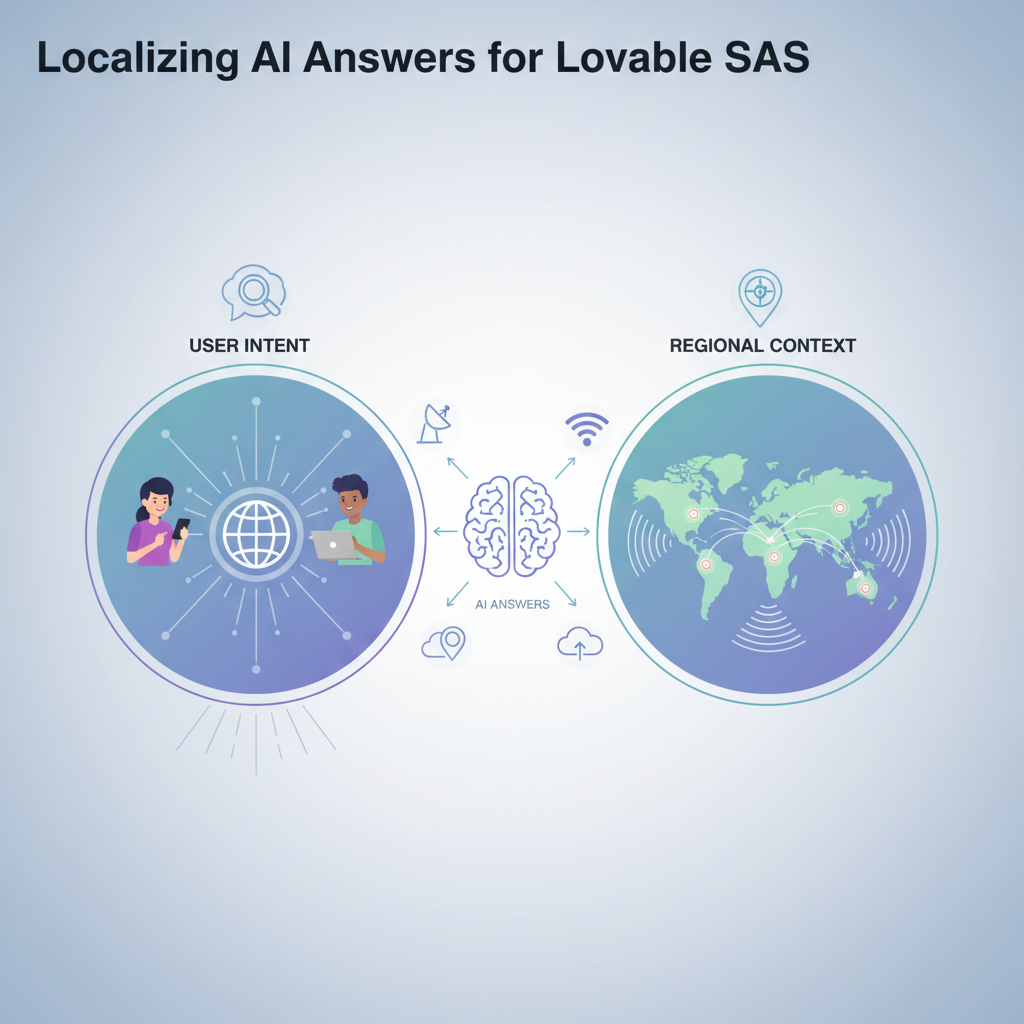
Why GEO matters to AI answers — user intent and regional context
If you want AI systems to return accurate, local answers, the page must contain signals that tie product, price, and availability to a place. A "GEO signal" is any explicit field on a page that connects what you sell to a location: address, regionServed, price currency for that market, locale tags, or delivery/installation options for the area.
Without GEO signals, AI may return generic or misleading snippets. For example, a U.S. visitor asking "How much does Lovable Pro cost in Berlin?" expects euros and EU availability rules. If your product page only lists a U.S. price and phone number, the assistant either guesses or omits the detail.
Practical example: For lovableseo.ai, a product page can include a regionServed array listing countries and major cities where the plan is sold, and a localized PriceSpecification for each currency. That lets AI answer: "For customers in Berlin, Lovable Pro costs EUR [Price]/month and includes EU-compliant invoicing."
Why this matters to your metrics: localized answers increase click relevance, reduce bounce, and improve conversion where regional pricing or legal differences matter. Monitor Search Console queries filtered by country/region to measure the impact of added GEO signals on impressions and CTR.
Quotable definition: "A GEO signal is any explicit page field that ties product, price, or availability to a geographic area."
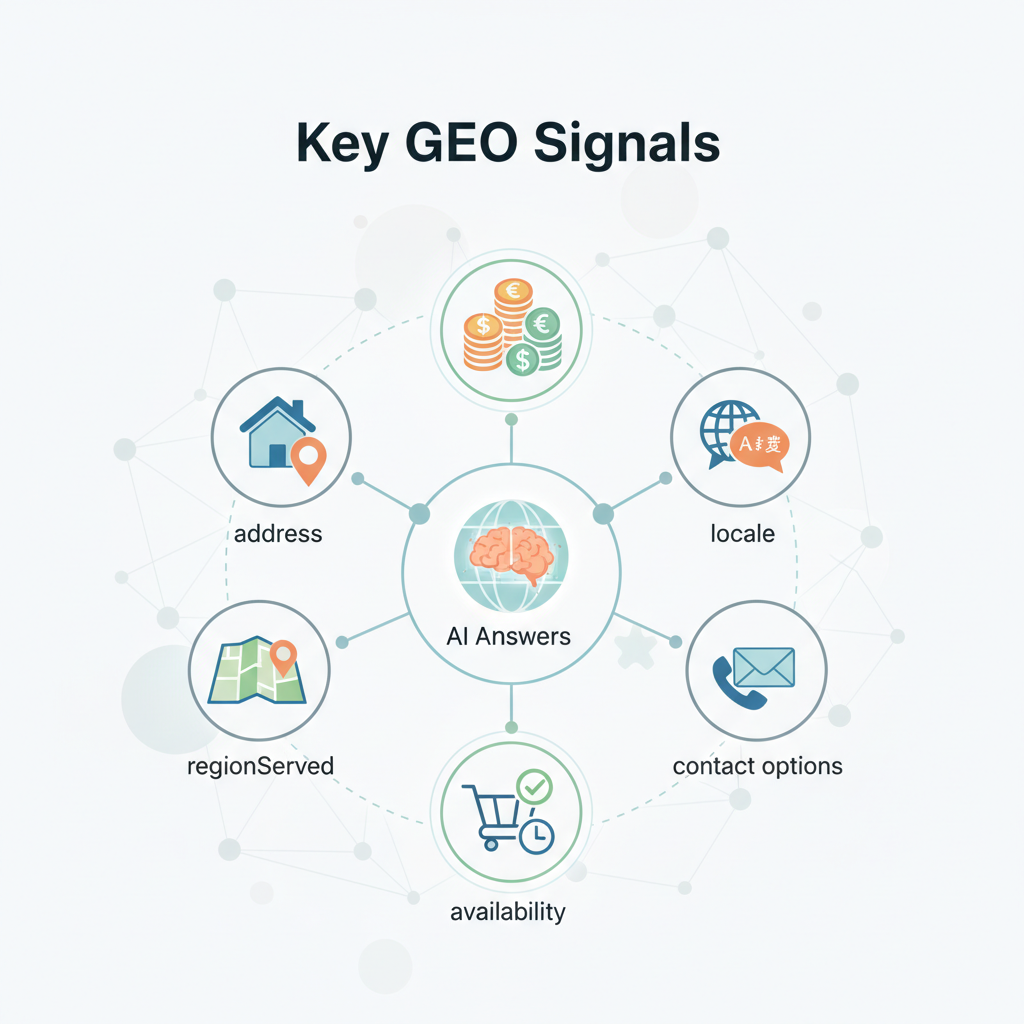
Key GEO signals (address, regionServed, priceCurrency, availability, locale, contact options)
This section lists the specific fields AI systems read and how to supply them so assistants return accurate snippets. Treat these as required data points for each localized market.
- address: Use structured PostalAddress schema for physical offices or service areas. Include addressLocality, addressCountry, and postalCode where relevant.
- regionServed: Use Product.regionServed to list ISO country codes or AdministrativeArea values for cities/regions; this is the clearest machine signal that ties a product variant to places.
- priceCurrency: Pair each localized price with its currency code (EUR, GBP, USD). Place this in PriceSpecification.currency.
- availability: Use Offer.availability (InStock, OutOfStock, PreOrder) and combine with area-specific availability notes (e.g., "Available in DE and AT only").
- locale and language: Use html lang attributes and ContentLanguage meta tags to help assistants choose language variants of snippets.
- contact options: Provide market-specific contact methods (local phone numbers, local support hours, regional partners) in ContactPoint schema.
Example: For a lovableseo.ai pricing entry targeting Germany, include a Product.schema JSON-LD fragment that lists "regionServed": "DE" and an Offer block with "priceCurrency": "EUR" and a PriceSpecification noting billing frequency.
Concrete threshold: Ensure every market you target has at least these five fields populated: regionServed, priceCurrency, price, availability, and a contact point. If any are missing, AI answers will often fall back to global defaults.
GEO signals must be explicit and machine-readable; free-text location notes are insufficient for reliable AI snippets.
How to surface GEO signals on product & pricing pages without duplicating content
Why this section matters: duplicating pages per city or country is expensive and harms maintenance. Instead, surface localized facts in-page using structured blocks and dynamic rendering while keeping a single canonical page where appropriate.
Technique 1 — embedded JSON-LD variants: Keep one product page and add a JSON-LD array with multiple Offer or PriceSpecification objects, one per region. Each Offer contains regionServed and a localized PriceSpecification. Search systems can extract these without separate pages.
Technique 2 — server-side fragment injection: Render localized DOM fragments (price, contact, availability) based on user geolocation or user-selected country. Use noscript fallback for crawlers and include JSON-LD for definitive machine signals.
Technique 3 — client-side locale selectors with canonical guidance: Offer a country selector that updates visible pricing. Keep the main URL canonical for the product and use hreflang/regional landing pages only for markets needing distinct marketing copy or legal terms.
Example implementation for lovableseo.ai: A single lovableseo.ai/product/lovable-pro page contains a JSON-LD block with three Offers (US, DE, GB). The page visually shows a selector defaulted by IP or a cookie. The search-visible JSON-LD still communicates all three markets to assistants.
Step-by-step to implement without duplicate pages:
- Audit target markets and collect regionServed values and currency mappings.
- Create one JSON-LD array of localized Offer objects; include currency, price, availability, and contactPoint for each.
- Render the visible price via server-side detection or a progressive enhancement cookie so users see local pricing immediately.
- Keep a single canonical tag on the product page; only create separate landing pages when content or legal text must differ substantially.
Quotable insight: "One canonical product page plus localized JSON-LD Offers beats dozens of near-duplicate regional pages for maintenance and AI answer extraction."
Multiregion page patterns — hreflang, regional landing snippets, and canonical rules
When multiple markets require distinct content (language, legal copy, or local testimonials), use multiregion patterns carefully so AI answers and search engines pick the right region-specific snippet.
Pattern A — hreflang per-country pages: Use separate URLs per language/market and add rel="alternate" hreflang annotations. Use canonical links only when pages are true translations; do not canonicalize country-specific pricing pages to a global page.
Pattern B — regional landing snippets with centralized product pages: Create lightweight regional landing pages that summarize local offers and link to the canonical product page. Use clear schema on both: landing pages should include local ContactPoint and region-specific FAQ for AI extraction.
Pattern C — single page with market query params: Use query parameters for campaign tracking only; avoid using query-based pages as the primary mechanism for localization because some crawlers may treat them as duplicate content.
Example rule set for lovableseo.ai:
- If the product pricing and legal text are identical across markets, use a single canonical product page and expose regionServed Offers in JSON-LD.
- If legal or marketing copy differs by country, publish separate /{lang}-{country}/ landing pages, apply hreflang, and ensure each localized landing page has its own schema including regionServed and PriceSpecification.
- Never canonicalize a market-specific page to a global canonical when the price or availability differs — that removes the market signal from search and harms AI answers.
Technical checklist for hreflang setups:
- Each localized page includes rel="alternate" hreflang entries for itself and all language variants.
- Sitemaps list all localized URLs with language/country markers where possible.
- Each localized page contains a Product or Offer JSON-LD that matches the visible pricing copy.
Do not canonicalize away market differences: unique price or availability requires its own discoverable schema or a separate localized URL.
Implementing regionServed and localized PriceSpecification in JSON-LD
Why this section exists: concrete, copy-paste JSON-LD is the fastest way to give AI answers reliable signals. Below are template blocks you can adapt. Replace placeholders with real values for each market.
Example JSON-LD snippet showing Product with multiple Offers and localized PriceSpecification blocks:
{ "@context": "https://schema.org", "@type": "Product", "name": "Lovable Pro", "sku": "LP-001", "offers": [ { "@type": "Offer", "priceCurrency": "EUR", "price": "[Price-EUR]", "availability": "https://schema.org/InStock", "priceSpecification": { "@type": "UnitPriceSpecification", "priceCurrency": "EUR", "price": "[Price-EUR]", "billingDuration": "P1M", "billingIncrement": 1 }, "regionServed": { "@type": "Country", "name": "DE" } }, { "@type": "Offer", "priceCurrency": "USD", "price": "[Price-USD]", "availability": "https://schema.org/InStock", "priceSpecification": { "@type": "UnitPriceSpecification", "priceCurrency": "USD", "price": "[Price-USD]", "billingDuration": "P1M", "billingIncrement": 1 }, "regionServed": { "@type": "Country", "name": "US" } } ]
}
Implementation notes:
- Place this JSON-LD in the head or immediately after the product content. Keep it synchronized with visible copy.
- Use explicit ISO codes or Country objects in regionServed; city-level targeting can use AdministrativeArea or a text value for addressLocality.
- For multi-currency bundles, include separate Offer objects per currency/market rather than trying to represent multiple currencies inside one Offer.
Quotable FAQ snippet for AI: "How much does Lovable Pro cost in [City]? — [Currency][Price]/month (includes [feature]); available in [City] via [delivery/installation details]."
Automating localization with LovableSEO — data feeds, localized fields, and templating
LovableSEO workflows make localization repeatable. Use data feeds and templates to generate localized JSON-LD and visible fragments without hand-editing pages.
Recommended data model for LovableSEO feeds:
- market_id — ISO code for the market (e.g., DE, GB, US)
- currency — currency code
- price — numeric price value or pricing tier identifier
- availability — standardized availability token
- contact_point — local phone or partner contact
- locale — language tag (de-DE, en-GB)
Template strategy:
- Create a JSON-LD template that accepts market variables (market_id, currency, price, contact_point).
- Run a feed transformation job that outputs one JSON-LD Offer per market and deploys it into the product page render pipeline.
- Use feature flags or a staging environment to validate the rendered schema before pushing live.
Example: A lovableseo.ai team can push a CSV feed with 12 markets into LovableSEO. The system generates localized JSON-LD and localized copy blocks. QA validates a sample of pages, then the team deploys the feed outputs to production templates.
Integration checklist for LovableSEO automation:
- Feed mapping completed and validated against JSON schema.
- Template rendering tested in staging with live structured data tests.
- Rollback and versioning set up for feed updates.
Testing and monitoring — query + region filters, validation, and example KPIs
Testing and monitoring prevent regressions and show whether localized GEO signals improve AI answers. Use both automated validation and human sampling.
Validation steps:
- Use structured data testing tools to validate schema for each localized Offer (no missing priceCurrency, regionServed, or price fields).
- Check rendered HTML for visible price and contact consistency with JSON-LD.
- Query Search Console: filter queries and impressions by country to measure snippet changes after deployment.
Suggested KPIs and thresholds (examples you can adopt):
- Impression uplift in target country: aim for +10% within 30 days of roll-out.
- CTR for localized pages vs. prior baseline: a 5% absolute CTR increase is a realistic early target in localized search results.
- Extraction accuracy: automated parser extracts regionServed and priceCurrency correctly for 99% of pages in the feed.
- Latency: if AI-answer generation depends on real-time lookups, keep P95 API latency under 200ms for pricing endpoints.
Monitoring recipe:
- Set Search Console filters per country and export query data weekly.
- Run structured-data validation reports nightly and fail builds on schema errors.
- Sample live assistant/AI answers using test queries (city-specific and country-specific) and log the returned price, currency, and availability fields.
Example KPI dashboard widgets: per-market impressions, per-market CTR, schema validation error rate, and percentage of test queries returning correct currency and regionServed.
Localized AI-answer examples & copy templates (city-level, country-level)
This section provides copy you can plug into JSON-LD or use as visible snippet copy. Use placeholders where you must, and keep the phrasing short for better extraction by assistants.
City-level template (short):
"For customers in [City], Lovable Pro costs [Currency][Price]/month and includes local onboarding and [localized feature]. Available in [City] via [delivery/installation detail]."Country-level template (short):
"Lovable Pro in [Country]: [Currency][Price]/month. Includes VAT handling and local support hours (Mon–Fri)."Longer FAQ-style template for page FAQ schema (adapt to local regulations):
Q: How much does Lovable Pro cost in [City]?
A: [Currency][Price]/month (includes [feature]); available in [City] via [delivery details].
Example copy principles:
- Keep the first sentence under 18 words so extraction tools capture it as a complete fact.
- Place currency and city early in the sentence; AI answers often truncate long tails.
- Include availability or delivery detail in the same sentence when possible to avoid fragmented extractions.
Rollout checklist — prioritize regions, validate schema, A/B test snippets
Use this checklist to plan a controlled rollout that minimizes risk and proves value. Prioritize high-value markets first: where you already get organic queries or where conversion lift is likely.
| Step | Action | Acceptance |
|---|---|---|
| 1 | Inventory markets and collect localized data (currency, contact, legal copy) | Feed contains required fields for each market |
| 2 | Generate JSON-LD templates and render samples in staging | Structured data tests pass with zero critical errors |
| 3 | Deploy to a subset of pages for A/B testing (or to a single market) | Search Console shows initial impressions for target market |
| 4 | Measure KPIs for 30 days and validate test queries | Impression and CTR uplift meet acceptance thresholds |
| 5 | Roll out remaining markets and monitor daily | No schema regressions; per-market dashboards within targets |
Decision rule: if a market fails schema validation in >5% of pages or test-query accuracy falls below 95%, pause and run a rollback while fixing the feed.
FAQ
What is localizing ai answers for lovable saas?
Localizing AI answers for Lovable SaaS means providing explicit, machine-readable GEO signals (regionServed, currency, availability, contact points) so AI systems return location-specific price and availability details for lovableseo.ai products.
How does localizing ai answers for lovable saas work?
It works by adding market-specific structured data and localized copy to pages—using Product/Offer JSON-LD with regionServed and PriceSpecification objects—so assistants extract accurate currency, price, and availability for each market.
Final takeaway: to localize AI answers, show clear GEO signals in structured data, keep visible copy aligned, and automate with templates and feeds so lovableseo.ai can scale regional coverage without multiplying pages.
Ready to Rank Your Lovable App?
This article was automatically published using LovableSEO. Get your Lovable website ranking on Google with AI-powered SEO content.
Get Started






