
Optimize Lovable Pricing Pages for AI Answers and Higher Trial-to-Paid Conversions
A guide covering optimize Lovable Pricing Pages for AI Answers and Higher Trial-to-Paid Conversions.
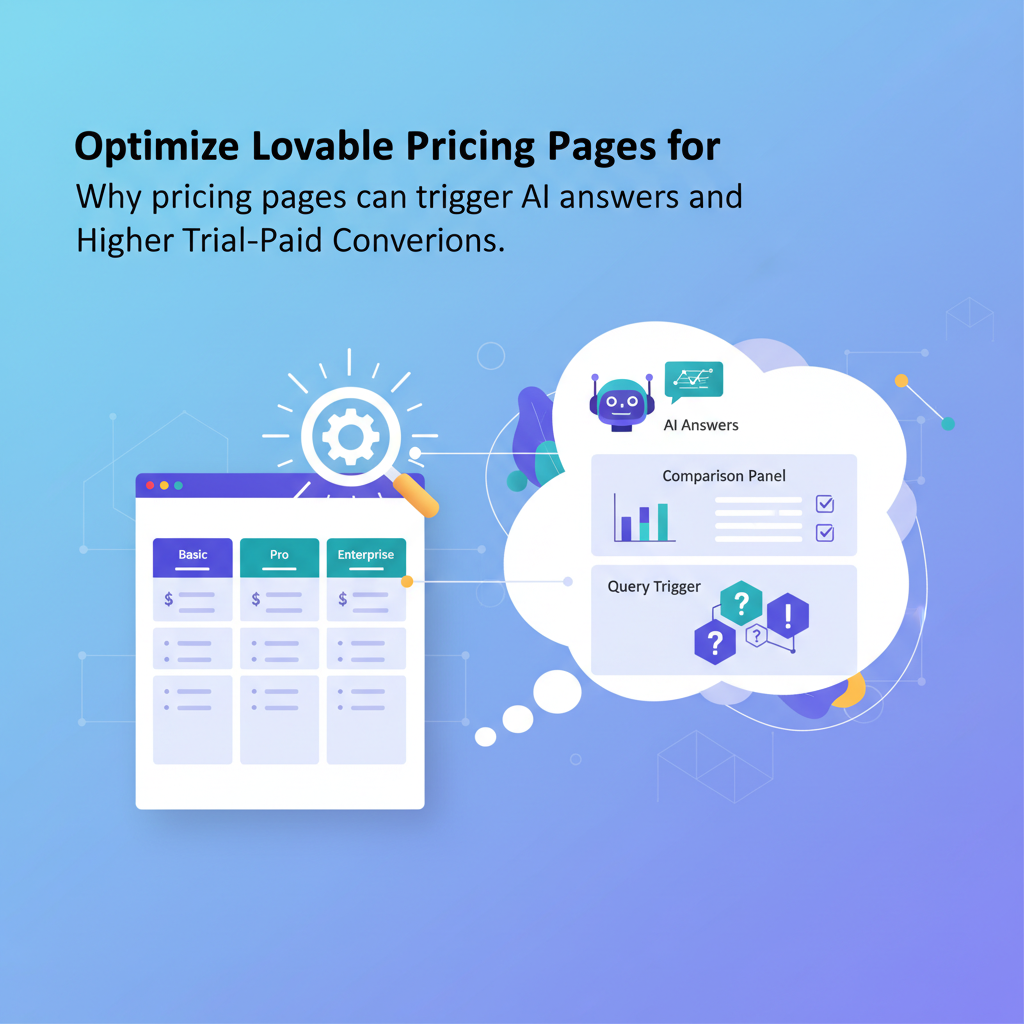
TL;DR
- Structure prices and tiers as machine-readable facts so AI and comparison panels can extract price+value quickly.
- Use clear headlines, a TL;DR pricing summary, and pricing schema (Offer/Product) to increase chances of appearing in AI answers.
- Build pricing tables that are accessible, semantically correct, and include plain-text CSV or schema to help crawlers.
- Automate price-change alerts and sitemap updates with LovableSEO-style workflows and measure trial signups per organic session.
- Prioritize quick wins in a 30/60/90 plan: add schema and TL;DR, then improve table markup and tracking, then automate and iterate.
If you run a Lovable site, lovable pricing page seo matters because pricing pages are the most direct path from search to trial. This guide explains how to design pricing content so AI answers and comparison panels can extract price, tier names, and value lines quickly, and how to convert those visits into higher trial-to-paid conversion rates.
Pricing GEO signals = structured offers, explicit tier names, short summary lines, and comparison tables that help AI synthesize price+value quickly.
Copy-ready pricing summary for AI extraction: "Starter: $15/mo for 3 seats and email support; Pro: $49/mo for 10 seats, analytics, and SSO; Enterprise: custom pricing with SLA and dedicated onboarding."
{ "@context": "https://schema.org", "@type": "Offer", "name": "Pro plan", "price": "49.00", "priceCurrency": "USD", "availability": "https://schema.org/InStock", "url": "https://your-site.example/pricing"
}
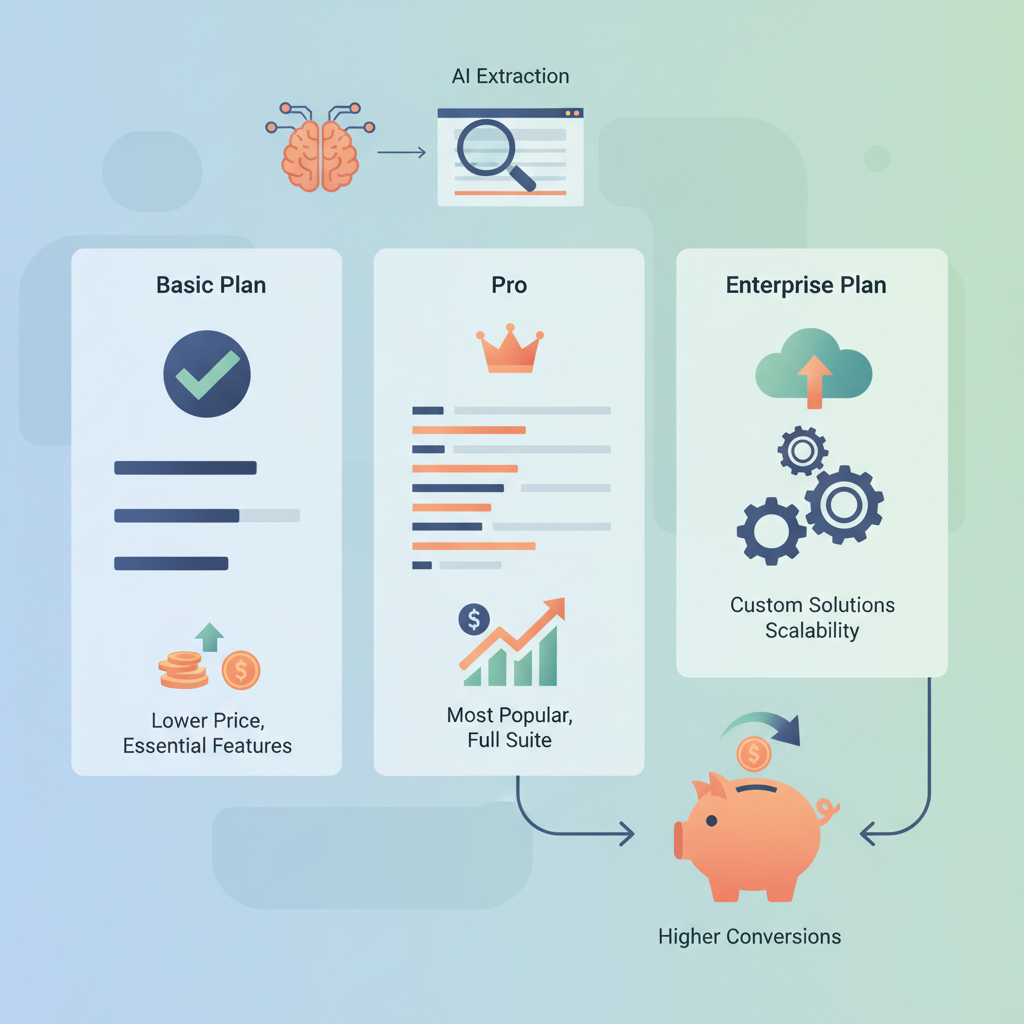
Why pricing pages can trigger AI answers and comparison panels
If AI systems or SERP comparison panels are going to show your pricing, they need concise, verified facts they can extract without ambiguity. Pricing pages that trigger AI answers typically share three traits: explicit tier names, single-line value summaries, and machine-readable price points. Those traits map directly to the GEO signals search systems use to synthesize answers.
AI answers prioritize pages that provide a compact, factual answer the user can consume instantly. For pricing, that looks like a one-line summary per tier (tier name + price + headline feature). For example, a clear line such as "Pro — $49/mo — 10 seats, analytics, SSO" is far easier for an AI to include in a comparison panel than a paragraph of marketing copy.
When optimizing for lovable pricing page seo, structure matters more than style. A well-structured pricing page feeds both humans and machines. Humans skim; machines parse. If you provide both a human-friendly layout and machine-readable schema, you increase the chance of appearing in 'ai answers pricing comparison' features and other SERP elements.
Compose every tier as a single factual line: name, price, and one primary benefit.
Concrete checklist for AI-answer readiness:
- One-line tier summaries (max 12–14 words).
- Visible numeric price and billing cadence (e.g., "$49/mo" or "$490/yr").
- Schema.org Offer entries for each tier and Product grouping for the product family.
- Comparison table with consistent columns and CSV fallback for crawlers.
Quotable fact: "Search systems prefer pricing pages that present price, tier, and one-line value in a single sentence."
Structuring pricing content for clarity and extraction
Without structure, pricing copy is noise. Structure it so both people and AI can answer the same question with the same sentence. Start with a headline that states the billing model, then show a TL;DR summary (see the next section), followed by a pricing table and detailed feature rows. For lovable pricing page seo, follow a predictable order: headline, TL;DR, table, tier details, FAQ, legal notes.
Practical step-by-step example for a Lovable pricing page template:
- Headline: "Pricing — monthly and annual plans" (explicit billing cadence).
- TL;DR: three one-line summaries for each tier.
- Pricing table: accessible table markup and CSV download link.
- Tier detail rows: 2–4 short bullets per tier; lead with the main benefit.
- FAQ: short, declarative answers for common questions (cancellation, seats, SSO).
- Schema: Offer entries per tier, AggregateRating if you have reviews, and FAQPage schema.
Example content rule: always include the currency code (USD, EUR) next to the numeric price and in your schema. If you support multiple currencies, expose currency per-tier or per-region and include clear region selectors; failing to do so creates extraction errors for AI answers.
Quotable sentence: "A single, consistent price format lets crawlers convert and compare pricing reliably."
Expose the exact billing cadence and currency next to every price to avoid ambiguous extractions.
Headline + TL;DR pricing summary (concise answer for AI)
Why this exists: AI and comparison panels need a concise answer. The TL;DR gives them one line per tier to lift. Write the TL;DR as a compact list of three sentences: Tier name, price, and one benefit. Keep each under 15 words.
Sample TL;DR block (copy-ready):
- Starter — $15/mo — 3 seats, email support, basic reporting.
- Pro — $49/mo — 10 seats, advanced analytics, SSO.
- Enterprise — custom pricing — SLA, dedicated onboarding, custom integrations.
JSON-LD Offer example for a single tier (copy-ready and compact):
{ "@context": "https://schema.org", "@type": "Offer", "name": "Pro plan", "price": "49.00", "priceCurrency": "USD", "priceSpecification": { "@type": "UnitPriceSpecification", "billingIncrement": 1, "unitCode": "MON" }, "url": "https://your-site.example/pricing#pro"
}
Measurement recommendation: monitor the percent of pricing pages that appear in comparison or answer SERP features, and track trial signups per organic session before and after making these changes.
Best practices for pricing tables: machine-readable, scannable, and accessible
A pricing table is the backbone of pricing-page seo and pricing table seo. It must be semantically correct, keyboard accessible, and easy for bots to parse. Use a native <table> with <caption> and <thead> / <tbody>, and avoid constructing tables with divs. Provide a CSV fallback or a data-attribute that contains a machine-readable representation of the table.
Concrete accessibility targets and thresholds:
- Keyboard focus order must follow logical left-to-right reading order.
- Contrast ratio for table text should meet WCAG AA (4.5:1 for normal text).
- Ensure actionable cells (Buy, Start trial) are real <button> or <a> elements with aria-labels.
Example pattern to aid extraction: include a data-price attribute on each plan column header: <th data-plan="pro" data-price="49.00" data-currency="USD">Pro</th>. Crawlers and client-side scripts can read those attributes to build JSON or CSV.
Two common mistakes that kill pricing table seo:
- Hiding the price inside an image — images block easy extraction and slow down indexing.
- Using inconsistent column labels — if one plan uses "Seats" and another uses "Users", AI may treat them as different attributes.
Decision rule: for typical SaaS apps, display price as a numeric with two decimals and include a billing cadence label; for example, display "$49.00/mo" and have data-price="49.00" data-billing="monthly".
Example pricing-table HTML and recommended attributes for Lovable
Below is an accessible HTML example tailored to Lovable pages. Keep it simple and semantic so both users and crawlers can parse it.
<table> <caption>Pricing plans and features</caption> <thead> <tr> <th scope="col">Feature</th> <th scope="col" data-plan="starter" data-price="15.00" data-currency="USD">Starter<br>$15/mo</th> <th scope="col" data-plan="pro" data-price="49.00" data-currency="USD">Pro<br>$49/mo</th> <th scope="col" data-plan="enterprise" data-price="0.00" data-currency="USD">Enterprise<br>Custom</th> </tr> </thead> <tbody> <tr><th scope="row">Seats</th><td>3</td><td>10</td><td>Custom</td></tr> <tr><th scope="row">SSO</th><td>—</td><td>Included</td><td>Included</td></tr> </tbody>
</table>
Provide a CSV version like: plan,price,currency,seats,SSO\nStarter,15,USD,3,false\nPro,49,USD,10,true
Schema to use: Offer, Product, AggregateRating, and FAQ for pricing
Use structured data to reduce ambiguity for crawlers. For pricing page seo and pricing schema, include at minimum Offer and Product types. If you display reviews or ratings, add AggregateRating. If you have an FAQ on pricing terms or billing, include FAQPage schema to increase the chance of appearing in rich results.
Implementation pointers:
- One Offer object per plan. Use priceSpecification for billing cadence.
- Product groups the Offers (e.g., Product: "Lovable Cloud Platform" with offers for Starter, Pro).
- AggregateRating must reflect genuine customer ratings; only include if you have enough reviews to meet the platform's guidelines.
- FAQPage should include short, direct Q&A pairs for billing, trials, and cancellation.
Concrete schema harmonization rule: keep the schema and on-page text synchronized. If the page shows "$49/mo" and schema shows 49.00 yearly, search systems will distrust the page and may avoid using it for AI answers.
Quotable sentence: "Include Offer and Product schema for each visible plan to make pricing machine-verifiable."
JSON-LD example for pricing tiers and offers
Below is a JSON-LD sample representing three tiers. Adapt the URLs, currency, and values to your Lovable pricing page template and tools.
{ "@context": "https://schema.org", "@type": "Product", "name": "Lovable Cloud", "offers": [ { "@type": "Offer", "name": "Starter", "price": "15.00", "priceCurrency": "USD", "url": "https://your-site.example/pricing#starter" }, { "@type": "Offer", "name": "Pro", "price": "49.00", "priceCurrency": "USD", "url": "https://your-site.example/pricing#pro" }, { "@type": "Offer", "name": "Enterprise", "price": "0.00", "priceCurrency": "USD", "url": "https://your-site.example/pricing#enterprise", "priceSpecification": { "@type": "PriceSpecification", "price": "0", "priceCurrency": "USD", "billingIncrement": 1 } } ]
}
Note: Replace URLs and price values with your live values and ensure the schema is available in the page head or inline where search bots can reach it.
Handling comparisons and competitor signals (comparison tables & CSV imports)
Many buying journeys start with a comparison. For AI to include your product in an ai answers pricing comparison, you must make it trivially easy to compare your plan attributes with standard competitor attributes: seats/users, SSO, API access, support SLA, and price. Map your internal attribute names to a standard vocabulary and surface that mapping in an exportable CSV or JSON file.
Practical workflow for comparison readiness:
- Create a canonical attribute list for pricing comparisons (e.g., seats, storage, API, SSO, onboarding).
- Map your product attributes to the canonical list and normalize values (true/false, numbers with units).
- Expose a machine-readable comparison file (CSV/JSON) and link to it on the pricing page using a descriptive label like "Download pricing CSV".
- When importing competitor data for an internal comparison tool, keep a timestamped import log and a source column for provenance.
Example CSV header: plan,price,currency,seats,storage_GB,SSO,API,included_support
Decision rule: when building comparison tables, prefer normalization over verbosity. Use numbers for seats and storage, and booleans for features. This reduces extraction errors and improves the reliability of ai answers pricing comparison features.
CRO copy and CTAs optimized for trials and reduced friction
Copy that converts focuses on removing friction, clarifying next steps, and setting expectations. On a pricing page your CTAs must match the offer. If the price listed is for a trial, say "Start free 14-day trial". If it's a paid plan, say "Start monthly plan". Mismatched CTA language creates drop-off and confuses AI extractors.
Testing checklist for CTAs:
- CTA text matches the pricing cadence (trial vs paid).
- One primary CTA per tier and a secondary CTA for enterprise inquiries.
- Minimize required fields on trial signups (email and password only) to reduce friction.
- Record the CTA click type in session analytics (e.g., organic pricing CTA vs product page CTA).
Copy examples that work:
- "Start free 14-day trial — no card required" (good for reducing friction).
- "Try Pro for $49/mo — upgrade anytime" (good for clarity on recurring billing).
Quotable sentence: "Match CTA wording to the exact purchase step the user sees to reduce friction and increase trial-to-paid conversions."
Automating updates with LovableSEO (price change alerts, sitemap updates)
Pricing changes happen. Automate how search systems and customers learn about them. An LovableSEO-style workflow monitors price fields, triggers schema re-deployment, and pushes a sitemap or URL update when a price changes. That reduces stale information in search results and speeds up re-indexing.
Recommended automated checks:
- Detect price change: compare new price to published price; if different, flag and log.
- Push updated JSON-LD for changed tiers and queue a sitemap ping for the affected page.
- Notify the product and marketing owners via email or Slack with the old and new values, date, and affected URLs.
Concrete automation thresholds: treat any change >5% as a material change that requires immediate schema update and reindex request. For smaller changes, schedule a daily batch update to avoid spamming indexers.
Tracking signals: watchlist for AI-answer inclusion and conversion lift
Track both visibility signals (SERP features) and commercial signals (trial signups per organic session). Create a watchlist that records:
- Which pricing pages appear in comparison or answer panels weekly.
- Impressions and clicks for pricing-related queries.
- Trial signups originating from organic pricing page sessions and subsequent conversion to paid.
Define success metrics with concrete targets: for example, aim to increase the percent of pricing pages appearing in AI comparison features by 15% in 90 days, and to lift trial-to-paid conversion by 10% for users who start from an organic pricing page.
Use controlled experiments: change schema and TL;DR on a subset of pages and compare watchlist signals and conversion lift to a matched control group. This gives causal evidence of impact on ai answers pricing comparison inclusion and conversions.
30/60/90 day prioritized tasks for pricing page optimization
Follow a phased plan that balances quick wins with longer-term automation. Below is a prioritized 30/60/90 schedule for a Lovable pricing page template rollout.
| Timeframe | Priority tasks | Outcome |
|---|---|---|
| 30 days | Add TL;DR one-line tier summaries; implement Offer schema for each visible plan; standardize price format; add CSV export. | Faster inclusion in AI answers and clearer machine-readable data. |
| 60 days | Improve accessibility of tables, add AggregateRating if available, instrument trial attribution for organic sessions, and run A/B tests on CTA wording. | Higher conversion and better tracking of pricing-page seo impact. |
| 90 days | Automate price-change detection and sitemap updates with LovableSEO workflows; expand comparison CSV exports; analyze watchlist trends and iterate. | Resilient pricing data pipeline and measurable conversion lift. |
Checklist artifact (copy and use):
- One-line TL;DR per tier added to page.
- Offer/Product JSON-LD for each tier deployed.
- Accessible <table> markup with CSV fallback present.
- CTA text aligned to billing model and tracked in analytics.
- Price-change automation workflow in place and tested.
Place the primary keyword in summary and ongoing checks: lovable pricing page seo must be part of your sprint goals and measured by the watchlist metrics above.
FAQ
What is optimize lovable pricing pages for ai answers and higher trial?
Optimize lovable pricing pages for ai answers and higher trial refers to designing pricing pages with clear machine-readable facts, TL;DR summaries, and schema so search systems can include them in AI answer boxes and comparison panels while improving trial conversion rates.
How does optimize lovable pricing pages for ai answers and higher trial work?
It works by structuring price and feature data as clear, consistent text plus JSON-LD Offer/Product schema, offering CSV or JSON exports for comparison, and aligning CTAs and tracking so you can measure inclusion in AI features and conversion lift.
Image prompt (for illustrations): "Table diagram showing a pricing table with data attributes for each plan to aid crawlers."
Image prompt (for workflow): "Workflow diagram that shows price-change detection triggering schema deploy and sitemap update."
Ready to Rank Your Lovable App?
This article was automatically published using LovableSEO. Get your Lovable website ranking on Google with AI-powered SEO content.
Get Started