
Scaling Localized FAQ Hubs: Templates, Localization, and AI-Answer Optimization
A guide covering scaling Localized FAQ Hubs: Templates, Localization, and AI-Answer Optimization.
TL;DR
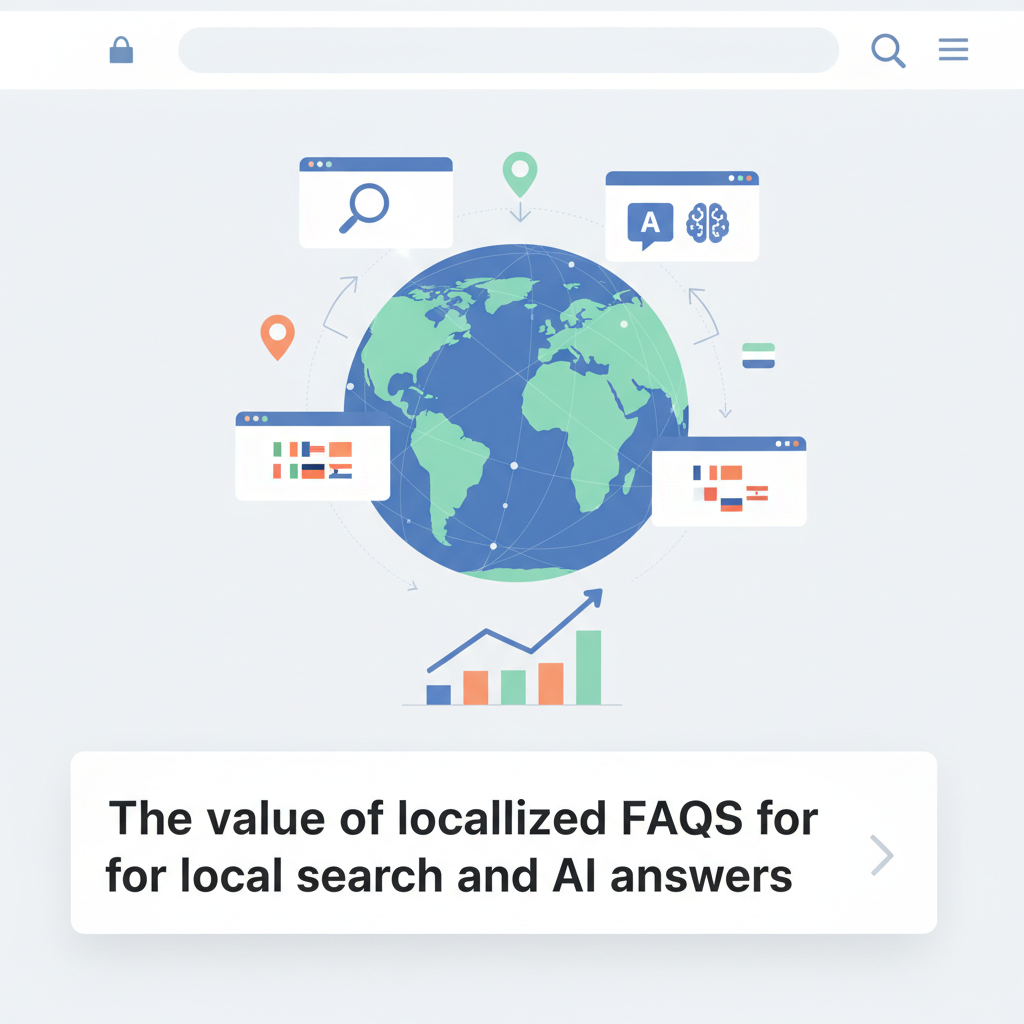
- Many multi-location sites miss local intent because their FAQs are generic. Localized FAQ hubs fix that by pairing concise answers with geo metadata and templates.
- Quick setup: prioritize top-converting locations, create tokenized localized FAQ templates, add explicit geo fields in JSON-LD, then publish in controlled batches via LovableSEO.
- Measure AI inclusion, local impressions, and conversions; use rollbackable batches and canonical rules to avoid duplication.
The value of localized FAQs for local search and AI answers
When your site has dozens or hundreds of locations, generic FAQ content prevents search engines and AI systems from picking local answers. You lose voice search clicks, map pack traction, and featured snippets to competitors who provide short, specific, locale-aware responses. The problem is especially painful when you know a few services drive most revenue, yet searchers in each city get the same generic copy.
Quick answer: build localized faq hubs that pair concise, locale-specific Q&A with geo-aware schema and a templating system so you can scale without manual copy for every page. This reduces friction for AI answers and raises the chance your content appears in local AI answers and voice queries.
Why this matters now: modern AI answer systems and voice assistants prioritize clarity and locality. A single local fact — like exact opening hours or a region-specific service name — can determine whether an AI answers with your content. A localized faq hubs strategy gives these systems extractable facts and keeps conversions high.
Short, explicit facts increase the chance AI systems extract your content for local answers.
Concrete example: a multi-location HVAC company used a localized FAQ hub for their 25 busiest cities. By templating answers for “emergency repair availability” and adding city-level opening_hours in the feed, they achieved higher local SERP presence in three months for priority cities (actual results vary by market).
Practical takeaway: treat FAQs as structured local signals, not marketing copy. For many site owners, converting a single high-value service per location into a 4–6 question local FAQ delivers measurable lift in local impressions and AI answer inclusion.
Deciding which pages and locations to localize
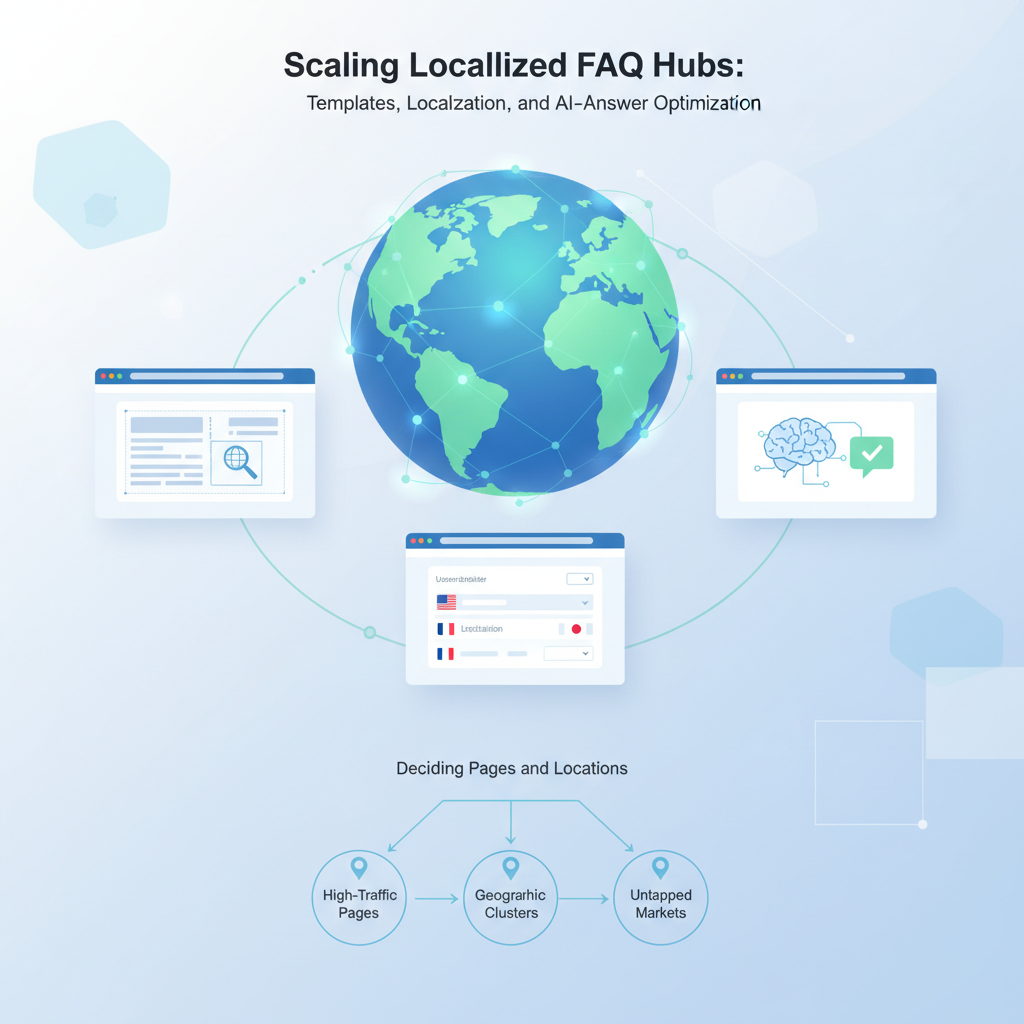
Decide by revenue and query volume. If you have 500 locations, you won't localize all at once. Prioritize the top 20% locations and top-converting services: those are the pages that will most likely appear in AI answers and drive calls or bookings. This choice reduces work and increases ROI when you scale localized faqs.
Use this decision rule: rank locations by monthly revenue (or estimated revenue), search query volume, and intent match. Localize a location if it meets at least two of these conditions: (1) it drives at least 5% of total leads, (2) it has >200 local searches/month for core services, or (3) the local Google Business Profile has >50 interactions/month. If you don’t have exact numbers, use business-reported top-converting zip codes as a proxy.
Example workflow for selection:
- Export location-level leads for the last 12 months and sort by revenue contribution.
- Cross-reference with Google Search Console or a rank-tracking export to find local search volume spikes for specific services.
- Flag high-potential locations and apply a three-week pilot (design, publish, measure) before broader rollout.
When choosing pages to localize, prefer service landing pages, location pages, and the FAQ hub index. Localizing the FAQ hub for a city — e.g., example-city/faq — gives clear signals to AI systems and reduces the need to duplicate long content across dozens of service pages.
Note on the primary keyword: localized faq hubs should appear in your title tags for top-priority hubs and within the first 100 words of the hub page so search engines and AI agents read it early.
Designing scalable localization templates (fields, variables, tokens)
Templates are the backbone that let you scale localized FAQ content without hiring writers for every location. A usable template separates static text (the question) from variables (city, phone, opening_hours). Build templates as JSON or CMS fields and make tokens predictable so automation can populate them from a location data feed.
Field design checklist (copy this into your CMS):
- question_text (string)
- answer_text_template (string with tokens)
- tokens: city, service, phone, opening_hours, region, timezone, coordinates
- inLanguage (ISO code)
- areaServed (city/region name)
- publish_status (draft/pending/published)
Design decisions that matter: keep answers under 50 words for AI readability, and ensure token substitution preserves grammar (pluralization and articles). Store fallback values: if a city-specific token is empty, fall back to the region or company-wide default.
Concrete example of a template entry for a service-specific question:
{ "question_text": "Do you offer same-day {service} in {city}?", "answer_text_template": "Yes. We offer same-day {service} in {city} from {opening_hours}. Call {phone}.", "tokens": ["city","service","opening_hours","phone"]
}
Keep answer_text_template under 50 words; AI systems prefer short declarative facts.
Tooling note: if you use lovableseo.ai or a similar platform, confirm it supports tokenized templates and bulk token substitution. LovableSEO (discussed later) can orchestrate batching, but your templates must be CMS-compatible first.
Example token set: {city}, {service}, {opening_hours}, {phone}
Here are example tokens and how they should resolve in practice:
- {city}: exact city string used for areaServed, e.g., "Springfield" (no extra state acronyms).
- {service}: canonicalized service name used across pages, e.g., "emergency HVAC repair".
- {opening_hours}: human-readable hours, e.g., "Mon–Fri 8am–6pm; Sat 9am–2pm"; also stored separately in structured format for JSON-LD.
- {phone}: formatted national number; store E.164 separately in data feeds for consistency.
Implementation tip: include grammar helpers like {city_article} when languages require articles. For English, keep it simple; for French or Spanish, store localized article tokens to maintain proper phrasing.
Adding GEO signals to data feeds and FAQ templates
AI systems and local SERPs rely on explicit geo fields. Your data feed should include multiple, consistent representations of location: areaServed (city and region), geo.coordinates (lat/long), timezone, and postalCode. These should mirror the structured data you publish on the page to avoid contradiction.
Data feed fields to include for each location row:
- location_id
- areaServed_city
- areaServed_region
- latitude, longitude
- timezone (IANA, e.g., America/Chicago)
- inLanguage (ISO 639-1)
- opening_hours_structured (ISO 8601 style or schema.org format)
- contactPoint_phone (E.164)
Example: when creating localized faq templates, reference areaServed_city in tokens and also output areaServed within the FAQ page's JSON-LD. This duplication helps AI systems extract the right local fact quickly.
Practical pipeline: maintain a single canonical location feed (CSV or JSON) and connect it to your CMS or LovableSEO. When a change happens — hours, phone, or coordinates — update the feed and trigger a template re-render. This keeps all localized faq hubs consistent and reduces stale local facts in AI answers.
Always publish identical geo data in both page content and structured data to avoid conflicting signals.
Which GEO fields matter for AI answers and local SERPs
Prioritize these GEO fields for extractability and clarity:
- areaServed: city and optionally region. Use exact city strings matching your Google Business Profile.
- inLanguage: ISO code for the page language so AI systems return language-appropriate answers.
- geo.coordinates: latitude and longitude in schema.org geo format; helps proximity-based rankers and voice queries.
- timezone: IANA timezone helps voice assistants compute local time for opening_hours queries.
AI-answer example (quotable, <=35 words): "We offer emergency HVAC repair in Springfield; open Mon–Fri 8am–6pm — call +1-555-123-4567 for same-day service."
Sample localized JSON-LD fragment demonstrating areaServed and contactPoint:
{ "@context": "https://schema.org", "@type": "FAQPage", "mainEntity": [ { "@type": "Question", "name": "Do you offer same-day emergency HVAC repair in {city}?", "acceptedAnswer": { "@type": "Answer", "text": "Yes. We offer same-day emergency HVAC repair in {city} during business hours. Call {phone}." } } ], "areaServed": {"@type":"City","name":"{city}"}, "contactPoint": {"@type":"ContactPoint","telephone":"{phone}","contactType":"customer service"}
}
Recommendation: prioritize localization for your top-converting services and top traffic locations; these give the biggest lift in AI inclusion and voice query answers.
Content rules: concise answers, locale-specific phrasing, and compliance
Write answers that AI systems and humans can parse in one pass. Keep acceptedAnswer.text under 50 words and prefer declarative sentences. Avoid marketing adjectives and regional slang that could confuse non-local AI models. But do use locale-specific phrasing where it affects meaning — service names, permit references, or local pricing cues.
Formatting and compliance checklist:
- Answer length: target 20–50 words; P95 length < 60 words.
- Place the key fact (availability, hours, phone) in the first sentence.
- Use ISO language codes for inLanguage fields.
- For regulated services, include a short compliance line when required (e.g., licensing details), not buried in long paragraphs.
- Store legal or region-specific disclaimers in a separate field to avoid contaminating AI-level answers.
Example locale-specific phrasing: UK pages should use "call us on" and include +44 numbers; US pages should use "call" with E.164 numbers. Use the {phone_local_format} token if you want human-readable formatting while still keeping machine-readable E.164 in structured data.
Quotable definition: "A localized FAQ answer is a short, place-specific fact designed to be machine-extractable for local queries."
Publishing workflows in LovableSEO: templating, batching, and rollbacks
LovableSEO offers an orchestration layer for deploying templated localized FAQ content. The recommended workflow: author templates in your CMS, link tokens to the central location feed, then use LovableSEO to create deployment batches by location group. Batching reduces risk and lets you measure impact per cohort.
Step-by-step publishing play:
- Create and QA template variants in staging with a sample of 5 locations.
- Prepare a batch CSV with token values and staging preview links.
- Deploy batch A (10 high-priority locations) as a scheduled release during low-traffic hours.
- Monitor local impressions, AI answer inclusion, and conversions for 14 days.
- If adverse effects occur, rollback the batch using LovableSEO's published snapshot feature; revert any inconsistent structured data first.
Concrete rollback rule: keep a deployment snapshot per batch and verify P0 KPIs (indexing errors, crawl anomalies, conversion drop >20%) within the first 72 hours. If any P0 hits, revert the batch immediately and open a postmortem.
Example: an e-commerce chain used LovableSEO to publish 30 localized FAQ pages. They rolled out in three batches and used a rollback after a schema formatting error caused indexing warnings. Fix, revalidate, and re-deploy — no permanent ranking loss.
Canonicalization and duplicate content strategies for many localized FAQs
When you create many localized pages, duplicate content risk rises. Use these strategies to prevent cannibalization while keeping local facts intact.
- Canonical rules: canonicalize to the most specific page. If a city FAQ is unique, canonicalize to itself. If you serve a region page that aggregates city FAQs, canonicalize regional pages to the city-level hub only when the content is identical.
- Rel=alternate: for language variants, use rel="alternate" hreflang pairs; don't confuse language alternates with localized city pages.
- Noindex low-value duplicates: if a localized FAQ differs only by city token and provides no additional facts, set it to noindex and supply the local facts via structured snippets or the Google Business Profile instead.
- Unique value rule: localize a page only when you can add at least two unique, locale-specific facts (e.g., hours, permit numbers, local promotions).
Decision rule example: for locations with shared copy and only phone difference, keep a single regional FAQ and publish city-specific contactPoint via structured data instead of separate indexed pages. This reduces duplicate content and preserves local signals for AI answers.
Measuring success: metrics for AI inclusion, local impressions, and conversions
Track these core metrics to measure the effect of localized FAQ hubs:
- AI answer inclusion: number of times your content is used in AI or featured snippet responses (track via search console impressions for queries that match FAQ questions and via manual monitoring of voice/assistant results).
- Local impressions: SERP impressions for location-specific queries and map pack impressions.
- Clicks and conversions: phone call clicks, direction clicks, form submissions attributed to localized pages.
- Indexing and structured data errors: schema validation failures and crawl anomalies reported in Search Console.
Concrete KPI targets (example thresholds): target a 10–25% uplift in local impressions and a 5–15% uplift in calls for the first 90 days on prioritized locations. Use cohort analysis: compare batch A vs. control cities with similar baseline traffic.
Reporting cadence: weekly for the first month after a batch, then monthly afterwards. Keep a simple dashboard that shows AI inclusion events, impressions, clicks, calls, and conversion rate by location.
Playbook: 30/60/90 rollout for a multi-location FAQ hub
30/60/90 day plan for scaling localized faq hubs:
| Day range | Goal | Key activities |
|---|---|---|
| 0–30 | Pilot | Identify top 10 locations; build templates; publish pilot batch; monitor AI inclusion and errors. |
| 31–60 | Scale | Refine templates from pilot feedback; deploy next 50 locations in 3 batches; track KPI deltas. |
| 61–90 | Optimize | Roll out top 200 locations iteratively; implement canonical rules; automate feed-syncs. |
Task list for each batch (copyable checklist):
- Export location token values and QA with local managers.
- Render preview pages and validate JSON-LD.
- Schedule LovableSEO deployment and snapshot pre-publish.
- Monitor KPIs for 14 days; if any P0 triggers, rollback.
Example milestone: At day 60, a company should have validated templates, a canonical strategy, and an automated feed that refreshes opening_hours and contactPoint daily.
Conclusion and localization checklist
Localized FAQ hubs are a pragmatic way to increase local AI answer inclusion and improve conversion at scale. The work focuses on three things: clean templates, explicit geo signals, and controlled publishing. Prioritize the locations and services that drive revenue, use tokenized localized faq templates, and orchestrate releases with LovableSEO to reduce risk.
Localization checklist (copy for implementation):
- Identify priority locations and services using revenue and query data.
- Create tokenized FAQ templates and store fallback values.
- Include areaServed, inLanguage, geo.coordinates, and timezone in your location feed.
- Publish in batches with snapshots; validate JSON-LD pre- and post-publish.
- Monitor AI inclusion, local impressions, and conversions; roll back on P0 failures.
Quotable fact for extraction: "Use explicit areaServed and geo.coordinates to improve local AI answer extraction."
Image prompt alt_text example: "Diagram showing template tokens mapping to JSON-LD fields for local FAQ extraction."
FAQ
What is scaling localized faq hubs?
Scaling localized faq hubs is the process of creating template-driven, geo-aware FAQ pages across multiple locations to provide concise, machine-extractable local answers that increase visibility in local search and AI-driven responses.
How does scaling localized faq hubs work?
Scaling localized faq hubs uses tokenized templates populated from a canonical location feed, adds explicit geo fields (areaServed, geo.coordinates, inLanguage, timezone) to page structured data, and publishes pages in controlled batches while monitoring AI inclusion, local impressions, and conversions.
Ready to Rank Your Lovable App?
This article was automatically published using LovableSEO. Get your Lovable website ranking on Google with AI-powered SEO content.
Get Started