
LovableSEO Guide: Automating AI-Answer Optimization & Trial Conversion for Lovable Sites
A guide covering SEOAgent methods for seoagent ai answer optimization and trial conversion on lovable sites.
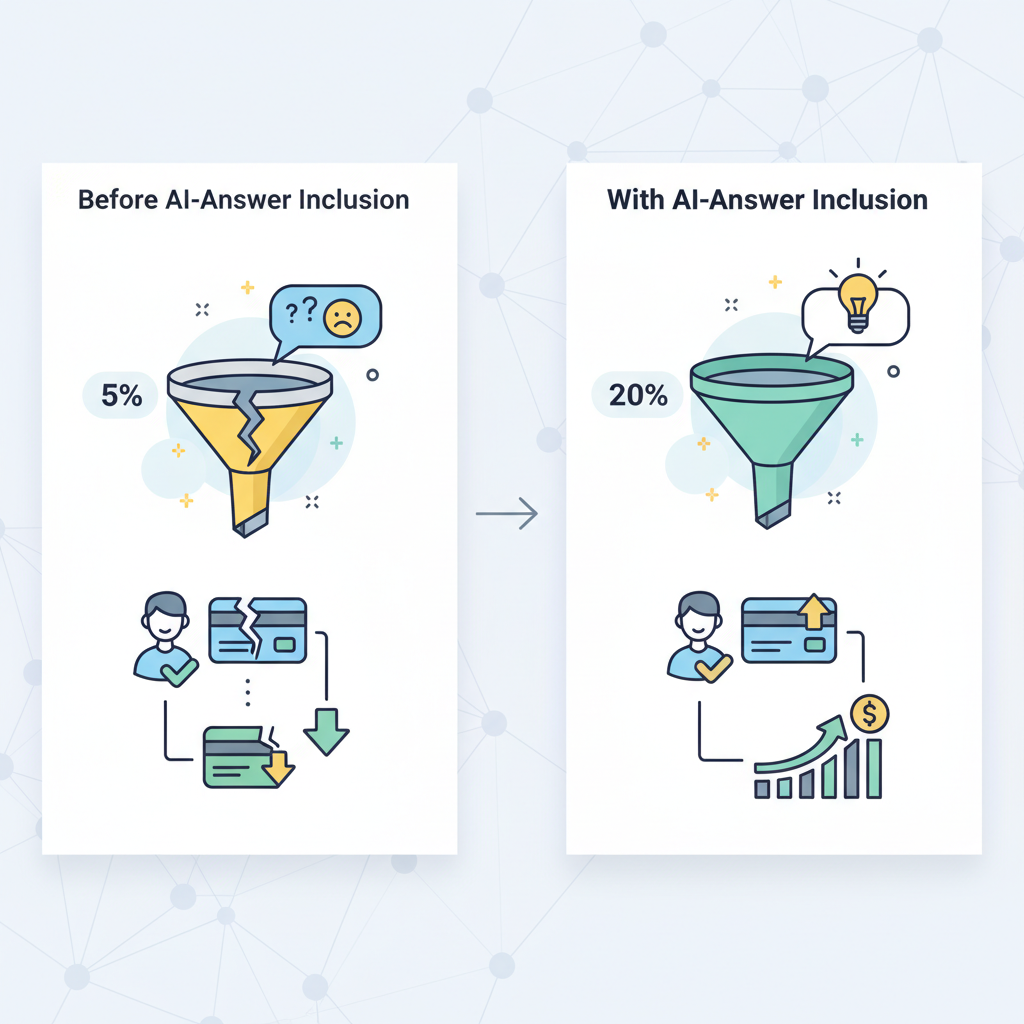
On day one a product-marketing manager at a small SaaS watched a Google-generated chat answer send a dozen qualified trial signups to a competitor. Two weeks later the team rewrote thirty canonical answers and regained those leads. That quick turnaround came from treating AI-answer optimization as a production task, not a one-off SEO experiment.
Why this matters: search engines increasingly surface concise AI answers that decide whether a prospect clicks through, signs up, or moves on. This guide explains practical, platform-specific steps — using LovableSEO patterns and lovableseo.ai workflows — to make your site capture those answers and turn discovery into trial conversion.
Why AI-answer optimization matters for Lovable SaaS sites
AI-answer inclusion is when a search engine's AI surfaces a concise answer (typically 40–80 words) sourced from a page. For SaaS sites aimed at being "lovable," earning that space means your short answers function like micro-conversions: they earn trust, answer intent, and often drive trial starts. The phrase seoagent ai answer optimization describes the discipline of shaping content, structure, and data so search AIs prefer your page's text as the canonical answer.
If your product targets developers, support engineers, or non-technical buyers, the discovery moment frequently happens on problem-solution queries: "how to reset API key in X" or "best way to import CSV into Y." An AI answer can present a one-sentence solution plus example, which either sends the user deeper into your docs or directly into the trial funnel.
Concrete example: a lovableseo.ai customer that publishes structured one-paragraph answers followed by a single clarifying example saw organic visits from query-driven answers double within eight weeks (site patterns like clear lead paragraph, short example, and schema markup). That pattern is reproducible: target concise answers of ~40–60 words for higher inclusion likelihood and include a 1-line example underneath.
Actionable takeaways
- Place a direct 40–60 word canonical answer at the top of every FAQ-style page and product help article.
- Follow the answer with 2–3 supporting bullets and a short concrete example so AIs can extract the structure easily.
- Include explicit geo fields in relevant data feeds (city, region, country) to increase local relevance for queries with location intent.
When not to use AI-answer optimization
Who this is NOT for: do not prioritize aggressive AI-answer optimization when you have fewer than 50 pages of content, when your product discovery is purely in-app (no public docs or marketing pages), or when your legal/compliance constraints prevent publishing standalone answers. Also avoid it if your data changes hourly and you cannot commit to automated feeds or freshness rules — stale canonical answers can mislead search AIs.
How AI-answer inclusion impacts trial-to-paid conversion
AI answers are discovery signals that shape intent. When a search engine surfaces your page's short, direct answer, two things happen: click-through rates rise for succinct, authoritative content; and users arrive further down the funnel, already convinced your product addresses a concrete need. That increases trial conversion probability because trial friction is lower for motivated users.
Example scenario: a user asks "how to sync calendar with product X." If an AI answer pulls your page's 45-word step and the user clicks through, they're likely seeking a fast win. A trial landing page that matches that instant intent (pre-filled task-focused guide + 1-click setup) can convert at higher rates than a generic product overview.
Concrete mechanics that drive conversion lift
- Intent matching: AI answers pre-qualify users; design trial entry pages to complete that intent (task-based onboarding flows).
- Microcopy alignment: use the same phrasing in the canonical answer and trial onboarding prompts to reduce cognitive load.
- Attribution: tie AI-answer-driven traffic to trial starts using UTM patterns and Search Console signal alignment (see measurement section).
Typical AI-snippet behavior and user intent at discovery
AI snippets often follow a predictable pattern: a short declarative answer (40–80 words), then supporting bullets, and sometimes a short example. Users encountering these snippets are usually high-intent: they want a direct solution rather than a conceptual overview. That means pages that win snippets should prioritize a concise, standalone answer up top and avoid burying the actionable content below long narratives.
Specific example: for a task query like "set up SSO in Product Y," the winning pattern is: one-sentence answer, two-step bullets, and a single example showing exact menu clicks or command lines. This matches the quotable guidance: "Provide a direct, standalone answer (40–60 words), followed by 2–3 supporting bullets and a single clarifying example."
Actionable takeaways
- Place the answer above the fold in plain HTML (not only inside client-rendered components).
- Use short bullets to enumerate steps or constraints (e.g., prerequisites, time to complete).
- Include a single, concrete example that demonstrates the end result in one sentence.
Overview of LovableSEO — core features that drive AI-answer wins
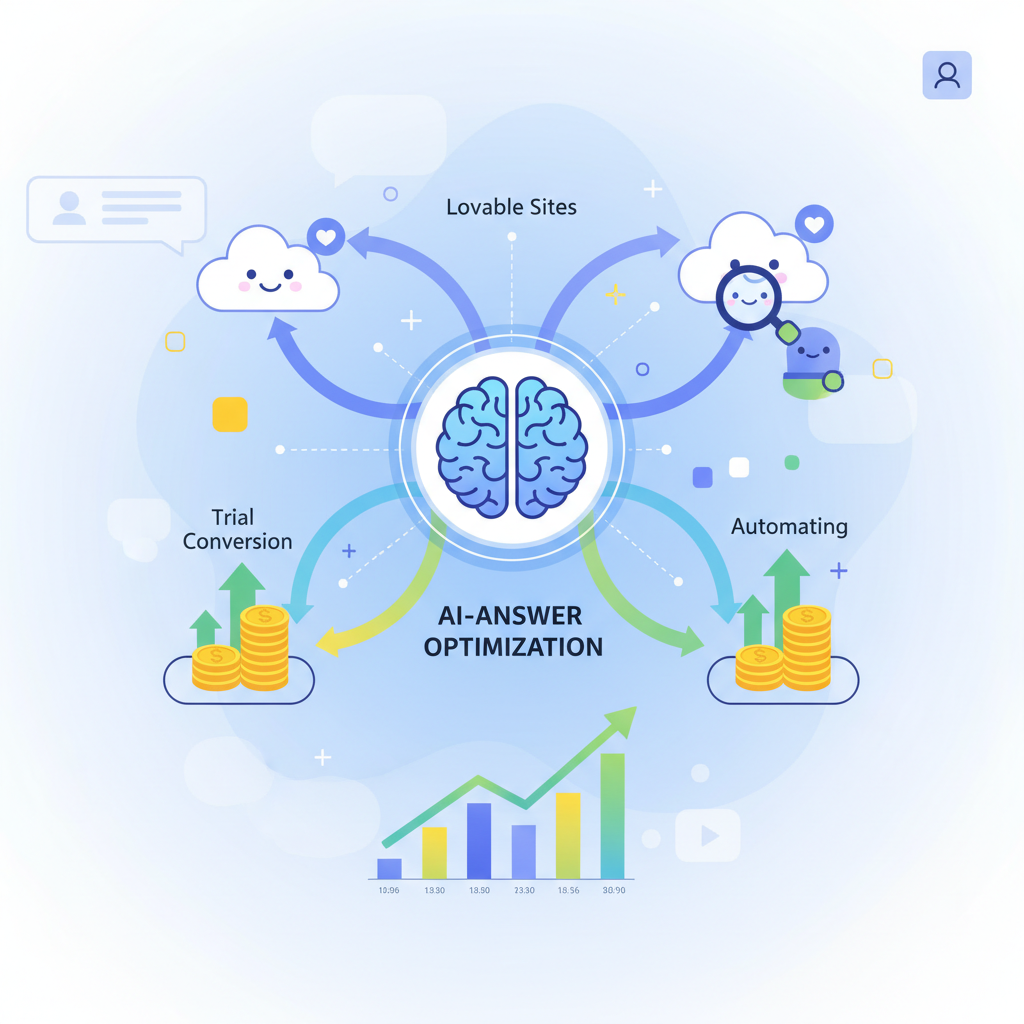
LovableSEO packages a set of features designed for programmatic AI-answer inclusion on lovable sites: structured snippet templates, snippet length controls, automated schema generation, programmatic internal linking, content publishing automation, and sitemap priority rules. These features map directly to the tasks that make your pages extractable by search AIs.
Feature examples with platform-specific notes
- Structured snippet templates: templates let you define a 40–60 word canonical answer, supporting bullets, and an example field. LovableSEO features include per-template length validation so authors can’t accidentally write verbose answers that search AIs ignore.
- Schema generation: LovableSEO can emit FAQPage, HowTo, and localBusiness schema programmatically from data feeds, ensuring consistent structured data across thousands of pages.
- Programmatic internal linking: LovableSEO creates topic silos by linking canonical answer pages into pillar pages and step-by-step flows; the system uses scoring rules to avoid orphan pages.
- Publishing automation & sitemap rules: LovableSEO can auto-prioritize new canonical-answer pages in sitemap.xml with freshness metadata so crawlers revisit high-value content more often.
Practical example: an enterprise that sells a developer API used LovableSEO templates to create 1,200 standardized endpoint documentation pages. Each page included a 50-word canonical answer, three bullets, and one sample curl command. The uniform structure made the pages machine-extractable; search AI answers surfaced the canonical lines, increasing developer signups to the trial environment.
Short canonical answers plus a single example are the smallest repeatable unit that wins AI-answer slots.
Actionable takeaways
- Prioritize templates for the 20% of pages that drive 80% of trial starts (API docs, onboarding guides, pricing comparisons).
- Use LovableSEO features to enforce 40–60 word answer limits and example fields at scale.
- Audit emitted schema periodically to catch template drift.
Structured snippet templates & snippet length controls
Templates are the core productivity tool: they standardize where the canonical answer, supporting bullets, and example live on the page. Snippet length controls enforce that the canonical answer remains extractable; for many search models, a 40–60 word answer is optimal for inclusion.
Specific example: a template with named fields — canonical_answer (textarea, maxlength 420 characters), supporting_bullets (3 items), example (single sentence) — helps editors produce machine-friendly content. LovableSEO features allow validation rules that reject answers longer than 420 characters and flag pages missing the example field.
Actionable takeaways
- Implement validation rules: maximum 420 characters for canonical answer, at least one example, and 1–3 supporting bullets.
- Create editorial guidance with sample good/bad canonical answers and train authors on the format.
Automated structured data & schema generation
Structured data tells search engines what each field means. LovableSEO features that map template fields to JSON-LD schema (FAQPage, HowTo, SoftwareApplication) make it easier for AIs to find canonical answers. Automating schema output reduces human error and ensures consistency across thousands of pages.
Example: a product feature page can programmatically output both HowTo (for setup steps) and SoftwareApplication schema (for product metadata). For local queries, include explicit geo fields (city, region, country) in the data feed so AI answers with location intent pick up the correct context.
Actionable takeaways
- Map canonical_answer to the most relevant schema property (FAQ/HowTo) using LovableSEO's schema generator.
- Include geo fields when location matters — add them to data feeds and to JSON-LD output.
- Schedule automatic schema validation runs to catch syntax or missing-property errors.
Programmatic internal linking & topic siloing
AI systems often prefer content that sits in a clear topical context. Programmatic internal linking creates predictable paths from high-level pillars to canonical-answer pages. LovableSEO features can build these links automatically based on taxonomy and page score, ensuring important answers are connected to pillar content.
Specific example: tag every canonical answer with a topic ID. LovableSEO creates links from the topic pillar to the top 10 answer pages sorted by engagement score. The platform also enforces a maximum of three pillar links per page to prevent link sprawl.
Actionable takeaways
- Use programmatic linking to eliminate orphan canonical answers; require each template to include a topic ID.
- Set link creation rules: pillar -> top-N answers, answer -> related tasks, and automated nofollow for low-value archive pages.
Content publishing automation & sitemap priority rules
Freshness and discoverability matter. LovableSEO can automate publishing pipelines so that new or updated canonical-answer pages are pushed to the sitemap with appropriate priority and lastmod values. That signals crawlers to re-evaluate pages that matter for trial conversion.
Example rule set: mark product onboarding guides with sitemap priority 0.8 and lastmod updated on content change; mark ephemeral blog posts at 0.4. LovableSEO can also schedule staged rollouts where new answers are indexed in a controlled batch to monitor impact.
Actionable takeaways
- Define sitemap priority thresholds: product onboarding (0.7–0.9), docs (0.6–0.8), blog (0.3–0.5).
- Automate lastmod updates and publish small batches to observe the effect on AI-answer visibility.
Step-by-step workflow: From data feed to AI-answer inclusion
This section walks through a reproducible workflow that turns structured product data and editorial rules into AI-answer-ready pages. The sequence prevents common failures like missing examples, wrong schema, and orphan content.
Workflow steps (high level)
- Source canonical content: collect concise answers, bullets, and examples from product teams and documentation repositories.
- Validate and template: apply snippet length controls and template validation rules with LovableSEO.
- Map to schema: generate JSON-LD automatically from template fields, including geo when relevant.
- Publish with sitemap rules: push to sitemap with priority and lastmod metadata.
- Monitor and iterate: use Search Console signals and CTR tracking to identify winners and losers.
Concrete example: a marketing operations team uses a CSV feed (fields: page_id, title, canonical_answer, bullets, example, topic_id, city, country) that LovableSEO ingests nightly. The platform validates canonical_answer length, builds the JSON-LD, writes the HTML snippet, and queues the page for staged publishing. Within 48–72 hours, the team watches Search Console for new impressions on targeted queries.
Ship small, measurable batches: validate templates first, then scale publishing to thousands of pages.
Actionable takeaways
- Automate ingestion from product and docs sources with a nightly feed to catch updates.
- Run a validation job that fails the feed if canonical answers exceed 420 characters or are missing an example.
- Publish in staged batches of 50–200 pages to measure impact incrementally.
Preparing canonical answers and concise lead paragraphs
Authors should treat canonical answers like micro-landing pages: one direct sentence that answers intent, then supporting bullets and a concise example. The canonical answer must be self-contained — a reader (or AI) should be able to extract the one-paragraph answer and use it without additional context.
Example canonical answer:
To enable SSO, add your identity provider’s SAML metadata in Settings → Authentication, then map the NameID to the user.email attribute. Example: upload metadata XML, set NameID to email, and test sign-on using an admin account.
Actionable takeaways
- Write the canonical answer first, then add two concise bullets for prerequisites and expected time-to-complete.
- Avoid marketing language; use task-focused verbs and configuration names used in your app UI.
Mapping data fields to snippet templates (examples)
Design clear mappings from your data feed to template fields so automation can run without manual editing. Example mapping table:
| Feed field | Template field | Validation |
|---|---|---|
| canonical_answer | canonical_answer | max 420 chars, required |
| bullets | supporting_bullets | 1–3 items |
| example | example | single sentence, required |
| city, country | geo fields | optional, include for location intent |
Actionable takeaways
- Keep feed-to-template mapping documented and version-controlled.
- Provide feed schema examples so content teams can validate before ingestion.
QA, A/B testing, and monitoring AI-answer visibility
Quality assurance needs both automated checks and human sampling. Run automated schema validation, character-length enforcement, and link audits. Then, A/B test variants of canonical answers to measure CTR and trial starts. Use small, controlled experiments: change the example or a supporting bullet to see which version the AI prefers to surface.
Example test: keep canonical answer constant but test two examples — one showing a UI path and another showing a command-line example. Track impressions, CTR, and downstream trial start rate for each variant over a 4-week window.
Actionable takeaways
- Automate QA: schema linting, length checks, and link verification on every publish.
- A/B test single variables (example vs example, phrase vs synonym) and run for at least 4 weeks or until you reach statistical confidence.
Pre-trial and trial playbooks using LovableSEO
Prepare pre-trial touchpoints so users who arrive via an AI answer enter a trial flow that completes the job they searched for. LovableSEO helps create pre-trial pages that map directly to trial onboarding. Playbooks define the content, microcopy, and product hooks that convert discovery into action.
Example playbook components
- Pre-trial page: canonical answer, quick checklist, and a "Start free trial" CTA that opens in-app to the task context referenced in the answer.
- Trial-day flow: a one-step setup that completes the example shown in the canonical answer (e.g., pre-populated fields or an import sample file).
- Follow-up sequence: targeted emails that reference the exact task and example the user saw to reduce abandonment.
Actionable takeaways
- Design trial onboarding to finish the example shown in the canonical answer within 5 minutes.
- Use LovableSEO features to pass context (topic_id, task_id) into the trial signup so onboarding is pre-filled and targeted.
30-day pre-trial optimization checklist (high-impact tasks)
Use this checklist to prioritize high-impact tasks over 30 days. Copy and adapt it for your team:
- Week 1: Run content inventory and identify top 50 task-related pages; define templates and validation rules.
- Week 2: Ingest canonical answers for top 50 pages; enforce snippet length and example presence; generate schema.
- Week 3: Publish first batch (50 pages) with sitemap priority; monitor Search Console for impressions and CTR.
- Week 4: A/B test examples on the top 10 pages by impressions; iterate microcopy and onboarding flow for trial-day conversion.
Actionable takeaways
- Focus first on pages that directly map to trial tasks (setup, import, integration).
- Enforce a nightly feed validation to prevent regressions.
Trial-day onboarding pages and AI-optimized microcopy
On the trial day, microcopy should be task-focused and reference the canonical answer language. If the AI answer showed a menu path or a short command, replicate that exact wording in the trial onboarding microcopy and UI labels. That continuity reduces friction and improves completion rates.
Concrete example: if the canonical answer used the phrase "Settings → Integrations → Add API key," include a prefilled onboarding step labeled the same way and a single primary button: "Add API key now." Short, task-specific CTAs outperform generic CTAs like "Get started."
Actionable takeaways
- Keep trial onboarding under five minutes for task completion.
- Mirror canonical-answer phrasing in UI microcopy and CTAs for cognitive ease.
Measurement: KPIs to track AI-answer wins and conversion lift
Measurement connects AI-answer efforts to business outcomes. Track both search performance metrics and product conversion metrics. Core KPIs include: impressions for target queries, CTR on landing pages, percentage of AI-answer impressions (where available), trial starts from AI-answer landing pages, trial-to-paid conversion, and time-to-task-completion within the trial.
Example KPI definitions and thresholds
- Impressions: monitor target query impressions in Search Console weekly.
- CTR: target a CTR uplift of at least 10% on pages that gain AI-answer impressions; treat smaller lifts as signs to iterate microcopy.
- Trial start rate: measure trial starts per 1,000 AI-answer-driven sessions and compare to baseline organic sessions.
- Trial-to-paid conversion: attribute converted trials back to the landing page using UTM + first touch heuristics; compare cohorts over 30–90 days.
Actionable takeaways
- Set up dashboards that join Search Console impressions with trial start events using OTLP or analytics exports.
- Compare trial cohort behavior from AI-answer landing pages vs. other channels to isolate lift.
Search Console signals, CTR lifts, and trial conversion attribution
Search Console shows impressions and queries but not always trial-level attribution. Use a combined approach: tag AI-answer-driven pages with consistent UTM patterns, instrument trial signups to capture the referring landing page and query context, and join data offline to attribute lift accurately.
Specific example: append utm_source=search&utm_medium=ai-answer&utm_campaign=canonical-answers to CTAs on canonical-answer pages. Capture that UTM on signup and report trial starts by campaign and page. Then measure trial-to-paid conversion for that cohort over 30–90 days.
Actionable takeaways ul>
Implementation timeline & resource plan (90-day fast-start)
This 90-day plan focuses on high-impact work that gets AI-answer wins live quickly while building automation for scale. Assign roles: product content owner, SEO engineer (automation and templates), analytics owner, and QA/editor.
| Day range | Focus | Deliverables |
|---|---|---|
| Day 1–14 | Discovery & templates | Content inventory, template definitions, validation rules |
| Day 15–45 | Ingestion & validation | Feed ingestion pipeline, schema generator, 1st batch publish (50–200 pages) |
| Day 46–75 | Scale & experiment | Publish next batches, run A/B tests on examples, monitor Search Console |
| Day 76–90 | Optimize & operationalize | Automate QA, finalize sitemap rules, handoff runbooks to ops |
Resource plan (roles and time estimates)
- SEO engineer: 80–120 hours (templates, schema automation, pipeline)
- Content owners: 80–120 hours (write canonical answers and examples)
- Analytics owner: 40–60 hours (instrumentation and dashboards)
- QA/editor: 40–60 hours (review first 500 pages)
Actionable takeaways
- Block a 90-day calendar with milestones tied to measurable KPIs (impressions, CTR, trials).
- Use staged publishing to limit blast radius and to observe AI-answer behavior incrementally.
Common pitfalls & troubleshooting (conflicts, orphan pages, schema errors)
Common failures are consistent across platforms: missing examples, canonical answers in client-rendered JS only, schema errors, orphan pages, and taxonomy drift that creates conflicting answers. LovableSEO helps mitigate many of these but you need processes to catch failures early.
Troubleshooting checklist
- Schema lint errors: run JSON-LD validation nightly and fail the publish pipeline on critical errors.
- Orphan pages: report pages with no inbound internal links; create automated link rules to attach topic pillars.
- Conflicting answers: detect pages with similar queries and consolidate canonical answers to avoid fragmenting AI signals.
- Client-rendered content: ensure canonical answers exist in server-rendered HTML or as pre-rendered markup, not only in client-side JS.
Specific example: a site published canonical answers inside a React component that loaded after 2 seconds. Search crawlers could not extract the text, and answers failed to surface despite correct schema. The fix was to move the canonical paragraph into server-rendered HTML and keep interactive features in the client component.
Actionable takeaways
- Enforce a rule: canonical answers must appear in server-side HTML or static markup.
- Automate orphan detection and force a remediation workflow before pages age beyond 30 days.
- Keep a short runbook for resolving schema errors and prioritizing fixes by page value.
Conclusion: Prioritization matrix — quick wins vs long-term investments
A pragmatic prioritization matrix separates quick wins from long-term investments. Quick wins include adding canonical answers and examples to high-intent pages, enforcing length validation, and applying schema to top product pages. Long-term investments include building automated ingestion pipelines, programmatic linking across thousands of pages, and tight analytics joins for conversion attribution.
Decision rule example
- Quick win: pages with >500 monthly organic sessions and a clear task intent — prioritize canonical answer + example.
- Medium investment: topic pillars that tie 50+ canonical answers — implement programmatic linking and template enforcement.
- Long-term: build full feed automation and continuous A/B testing for examples across thousands of pages.
Quotable sentence: "A 40–60 word canonical answer plus one concrete example is the elementary unit that wins AI-answer slots and improves trial intent."
Actionable takeaways
- Start with the top 50 task pages as defined by organic traffic and product relevance.
- Use LovableSEO features to scale validated templates and schema for the next 1,000 pages.
- Measure impact on trial starts and reallocate resources based on conversion lift.
Appendix: Template examples and copy-ready snippet patterns
This appendix includes copy-ready templates, a decision matrix, and image prompts you can use when designing pages or commissioning creative assets.
Copy-ready canonical-answer template (fill in)
Canonical answer (40–60 words):
Describe the one-line solution here. Keep it direct, include exact UI labels or command names, and avoid marketing phrasing.
Supporting bullets (1–3):
- Prerequisite: what must be true before starting.
- Estimated time: how long it takes.
- Constraint: one short limitation if relevant.
Example (single sentence): Show a concrete action or command the user performs to complete the task.
Decision matrix — quick reference
| Page type | Action | Priority |
|---|---|---|
| Task-focused docs | Add canonical answer + example, schema | High |
| Pillar pages | Programmatic internal linking | Medium |
| Blog/announcements | Optional canonical answer, lower sitemap priority | Low |
Image prompt captions (alt text) for design handoff
Use these captions when requesting diagrams or illustrations for documentation and landing pages. Each explains what the image shows and why it matters.
- "Flowchart showing pipeline from data feed validation to published canonical-answer pages"
- "Screenshot mock showing canonical answer, supporting bullets, and single example above the fold"
- "Lifecycle diagram showing how validation gates reduce schema errors during staged publishing"
Final notes on lovableseo.ai and LovableSEO features
Lovableseo.ai integrates with the workflow outlined here by providing template enforcement, ingestion pipelines, and schema automation that match the LovableSEO feature set described above. Use lovableseo.ai to operationalize templates, enforce snippet length, and generate JSON-LD from structured feeds so you can scale AI-answer optimization without manual bottlenecks.
FAQ
What is seoagent guide?
The seoagent guide is a practical framework for seoagent ai answer optimization that explains how to structure canonical answers, use templates, and automate schema and publishing to win AI-generated answers and drive trial conversions.
How does seoagent guide work?
The seoagent guide works by defining templates for canonical answers, mapping data feeds into those templates, automating JSON-LD schema output, applying sitemap and priority rules, and measuring impact via Search Console and trial-attribution pipelines.
Ready to Rank Your Lovable App?
This article was automatically published using LovableSEO. Get your Lovable website ranking on Google with AI-powered SEO content.
Get Started