
Should You Migrate to Lovable? SEO, AI-Answer, and Conversion Tradeoffs for SaaS Sites
A guide covering should You Migrate to Lovable? SEO, AI-Answer, and Conversion Tradeoffs for SaaS Sites.
TL;DR
- Moving platforms can improve conversion velocity but risks organic traffic; use data to decide whether to migrate to lovable seo.
- Run a pre-migration audit, export GSC top queries, map URLs, and prepare a redirect + sitemap plan to preserve rankings.
- Follow a 90-day rollout with benchmarks: downtime <72 hours, rollout window 90 days, and quick AI-answer tests by querying updated FAQ pages and checking structured data presence.
- Use the ROI formula: Net traffic retained * conversion delta * LTV — migration cost; example calculation included below.
If you search whether to migrate to lovable seo, you need a decision framework that balances SEO risk, product-led conversion gains, and engineering cost. This guide explains when migration makes sense, how to preserve visibility, and the exact steps for a 90-day migration playbook tailored to lovableseo.ai-style SaaS sites. It also includes a lovable migration seo checklist, a lovable vs wordpress migration comparison table, and a quotable ROI formula to justify the move.
Executive decision framework — when to migrate vs when to optimize in place
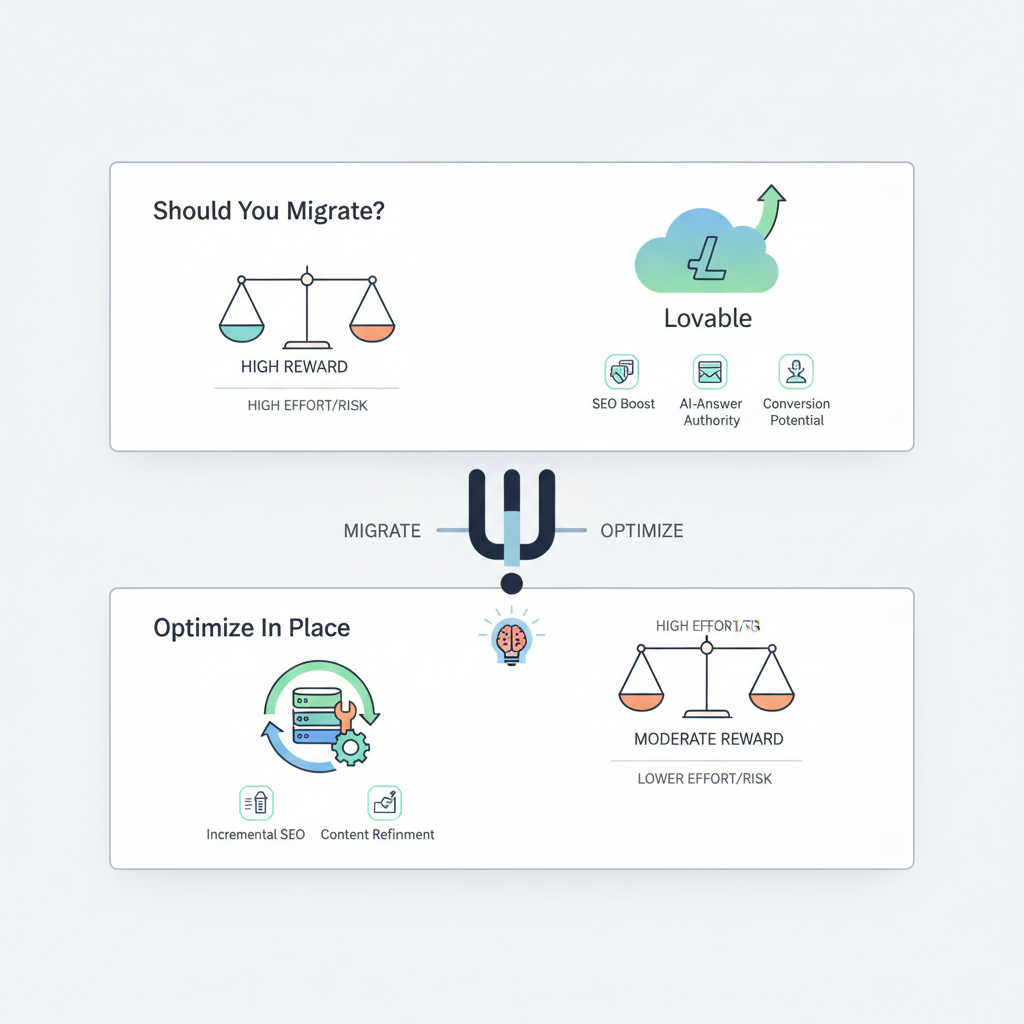
If your current site blocks product experimentation, slows page updates, or prevents reliable structured data, migrating can be the right move. But if search traffic is already your primary growth channel and migrations will touch thousands of indexed pages, you may be better off optimizing in place. The decision comes down to three measurable inputs: traffic sensitivity, expected conversion lift, and migration cost.
Start with this decision rule: if expected incremental lifetime value (LTV) from conversion improvements exceeds migration cost plus acceptable traffic loss over 90 days, proceed. Use the ROI formula below as a quick filter.
ROI formula (quotable): Net traffic retained * conversion delta * LTV — migration cost.
Example calculation: Suppose you retain 80% of traffic after migration (net traffic retained = 0.8), expected conversion lift is 0.5% (0.005), average LTV is $1,200, and migration cost is $40,000. ROI = 0.8 * 0.005 * 1200 — 40000 = 4.8 — 40000 = —$39,995.2, which indicates migration is not justified without higher conversion lift or lower cost. If conversion lift is 2% (0.02), ROI = 0.8 * 0.02 * 1200 — 40000 = 19.2 — 40000 = —$39,980.8; still negative. For parity, you would need higher LTV, lower cost, or larger traffic retention.
Concrete thresholds to guide your decision: if organic search contributes >40% of MQLs and your site has >5,000 indexed pages, treat migration as high-risk. If your site has <500 pages, templates are standardized, and you need product-level features (in-product trial signup, AI-answer integration) that your current builder cannot support, migration often wins.
Use quantifiable gates before approving work: a) run a crawl and export a URL list with traffic metrics; b) require a redirect plan that maps 95% of top-traffic pages; c) cap expected downtime at <72 hours; d) plan a 90-day monitoring window. These gates let you decide objectively whether to migrate to lovable or optimize in place.
Only migrate when measurable conversion gains exceed the expected cost of traffic loss during a 90-day rollout.
Retain structured data and canonical signals; losing them produces silent ranking decay.
SEO risks and migration cost components
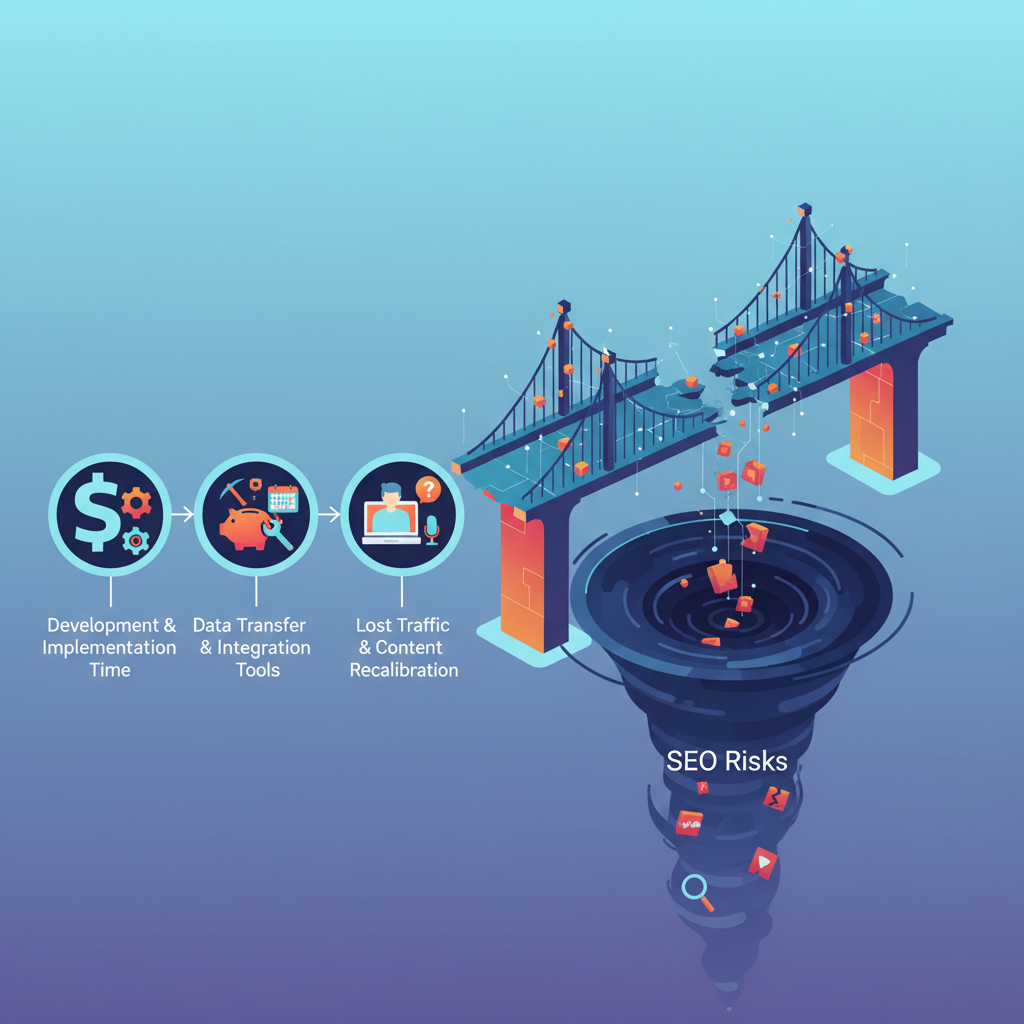
When you migrate to lovable seo, understand three cost buckets: engineering/time cost, measurable ranking risk, and indirect business cost (support, lost signups). Quantify each bucket before starting.
Engineering/time cost: inventory the work items — URL rewrites, CMS data migration, template rebuilds, structured-data redeployment, and tests. Use story points or hourly estimates. For example, migrating a 200-page marketing site with 60 FAQ entries and customized pricing tables typically requires 120–240 engineering hours for a medium-sized team; treat this as a budgetary input rather than a guess.
Measurable ranking risk: model expected traffic retention using current top queries and their positions. If you have many high-intent comparison pages (e.g., the GSC evidence shows 1,037 impressions for 'loveable vs wordpress'), that comparison intent is time-sensitive; losing snippet features or changing excerpts can drop CTR quickly. Assign a conservative traffic retention factor: base case 70% retained, optimistic 90%, pessimistic 50%.
Indirect business cost: account for conversion funnel changes, temporary drop in MQLs, and the cost of running paid campaigns to backfill traffic during recovery. Add a contingency (10–25%) of engineering costs for unforeseen SEO repairs.
Finally, build a cost table that ties activities to outcomes. For example, recreating FAQ schema for 60 pages (to preserve AI-answer eligibility) might be 12 hours of content work and 8 hours of engineering — budget that explicitly rather than hoping it gets done post-launch.
Core ranking risks (URL changes, content loss, structured data mismatches)
URL changes are the most immediate ranking risk. Any path change requires a 1:1 redirect from old to new and consistent canonical tags. Example: /pricing/enterprise should redirect to the exact new path; redirecting many-to-one to a category page harms relevance signals.
Content loss happens when CMS templates or component libraries strip microcopy, meta descriptions, or H2 headings during import. Keep a pre-migration export of page HTML and content fields; automate diff checks for headline and first-paragraph differences for the top 200 pages by traffic.
Structured data mismatches occur when schema types change or are omitted. For SaaS, preserve FAQPage, SoftwareApplication, Product, and BreadcrumbList markup. A missing FAQ schema can remove AI-answer eligibility; a broken Product schema can remove price and trial availability snippets. Validate structured data on staging with the structured data testing tool and require 100% pass rate for pages in scope.
AI-answer and snippet risk (schema changes, excerpt differences)
AI-answer features and featured snippets are sensitive to exact phrasing, schema presence, and visible excerpts. If lovableseo.ai modifies how FAQ content is rendered — for instance, moving Q&A into client-side-rendered components without corresponding JSON-LD — search engines may lose the snippet even if the visible text remains.
Quick tests: after deploying a staging site, query targeted long-tail queries and the top FAQ queries used in GSC. Check that JSON-LD for FAQPage appears in the page source and that the visible excerpt matches the schema text. Track snippet presence daily for 14 days post-launch for high-impression queries.
Example: a comparison query like 'lovable vs wordpress migration' may surface a table snippet or comparison paragraph. If your migration alters the comparison layout, the snippet may immediately change. Keep a screenshot archive and structured-data exports for rollback if needed.
90-day migration playbook to minimize ranking loss
This section is your tactical runbook for a 90-day rollout. The goal is to launch quickly but safely, then measure and remediate. Break the work into three windows: pre-launch planning (days −30 to 0), launch & immediate stabilization (days 0–7), and recovery & optimization (days 8–90).
Pre-launch planning (days −30 to 0): export GSC data, analytics, and a full crawl. Build a redirect map for all pages with any historical traffic, with priority tiers: Tier 1 = top 100 pages by impressions; Tier 2 = pages with conversions; Tier 3 = remaining indexed pages. Require engineering to implement redirects at the webserver or CDN level, not via client-side scripts.
Launch & immediate stabilization (days 0–7): deploy during a low-traffic window, keep downtime <72 hours, and enable canonical headers matching the new site. Run smoke tests: verify 200 status for key pages, confirm 301 redirects for the top-100 pages, and validate sitemap submission to Search Console. Check structured-data presence on a sample of pages and confirm the analytics snippet fires correctly. If any Tier 1 page fails, roll back or hotfix within 24 hours.
Recovery & optimization (days 8–90): monitor daily for ranking changes, CTR shifts, and traffic dips. Expect a transient drop in impressions for some queries; use the 90-day window to measure net traffic retention and decide whether to invest in content remediation or paid backfill. Keep tracking snippet presence and AI-answer eligibility by querying the updated FAQ pages and checking structured data presence weekly.
Pre-migration audit (GSC exports, top queries, analytics)
Export GSC's Performance report for the last 90 days and filter to top queries, pages, and countries. Save the CSV and link it to your crawl. Create a prioritized CSV with columns: old_url, new_url (planned), impressions, clicks, average position, conversions, and notes. This file becomes the single source of truth for redirects and content preservation.
Key audit checks: identify pages with featured snippets, pages with high impressions but low CTR (opportunity pages), and comparison intent queries like 'loveable vs wordpress' (GSC shows 1,037 impressions for 'loveable vs wordpress'). Those pages get top priority in the redirect map and schema retention work.
Redirect plan, sitemap strategy, and canonical consistency
Redirect plan: implement 1:1 301 redirects using server or CDN rules. For example, use Nginx rules or the platform's redirect configuration to map exact old paths to new ones. Avoid client-side redirects. Test redirects with an automated tool and sample 200+ URLs before launch.
Sitemap strategy: generate an XML sitemap of the new site and submit it to Search Console immediately after launch. Also keep the old sitemap in place for 48–72 hours to help crawlers find redirects. Update the robots.txt to include the sitemap URL and avoid blocking important resources.
Canonical consistency: ensure every page on the new platform emits a canonical pointing to the preferred URL (absolute URL). For pages moved under a new directory structure, canonical must match the new public URL. Have engineering add canonical tags at template level and validate with a crawl post-launch.
Retaining AI-answer signals (FAQ schema preservation, trial metadata)
Preserve FAQPage JSON-LD exactly where possible. If the platform renders FAQ content via a dynamic widget, add server-side JSON-LD that duplicates the visible Q&A text. Keep trial metadata (free_trial availability, trial_length) in Product or SoftwareApplication schema as machine-readable properties to surface trial badges in search snippets.
Quick validation checklist: query the page source for 'application/ld+json', ensure FAQPage is present, and verify that the FAQ text in structured data matches the visible content. Add automated tests in your CI pipeline that fail if FAQ JSON-LD is missing on any page in the Tier 1 set.
Conversion-focused checks — pricing page, trial metadata, and CTAs
Migration is often driven by conversion objectives: better pricing experiments, faster trial activation, or improved onboarding flows. Protect your revenue pages first. Identify pricing, trial signup, and key landing pages as Tier 1. Each must keep consistent H1, visible pricing, and machine-readable trial metadata (if previously present).
Pricing page checks: retain the exact price text and currency format to preserve price-rich snippets. If you previously used structured pricing or an offer snippet, recreate the same schema type on the new platform. For pages that drive trials, preserve microcopy that explains next steps, because conversions are sensitive to trust signals.
CTAs: ensure CTA placement and click behavior remain the same or improve. If you add client-side telemetry for analytics events (e.g., dataLayer pushes), keep event names unchanged so that goals don't break in analytics and attribution remains accurate. Run split tests only after the SEO recovery window, not during the 90-day monitoring period, to avoid confounding ranking-impact diagnostics.
ROI calculator and decision checklist (traffic vs development cost vs conversion lift)
Use the following decision checklist and a simple ROI calculator to quantify the move. The checklist below doubles as your lovable migration seo checklist for tactical handoffs.
- Export GSC performance (90 days) and identify Tier 1 pages (top 100 impressions).
- Run a full site crawl and export HTML for the top 200 pages.
- Create a 1:1 redirect map covering 95% of Tier 1 traffic.
- Preserve FAQPage and Product schema for all Tier 1 pages.
- Budget engineering hours and add 15% contingency for unexpected SEO repairs.
- Plan launch with downtime <72 hours and a 90-day monitoring window.
Copyable ROI calculator (HTML) — paste values and compute:
Net traffic retained (decimal): e.g., 0.8
Conversion delta (decimal): e.g., 0.01
LTV ($): e.g., 1200
Migration cost ($): e.g., 40000
ROI = Net traffic retained * Conversion delta * LTV * baseline traffic count — Migration cost
Example: baseline monthly organic signups = 300; net traffic retained = 0.8; conversion delta = 0.01; LTV = 1200; migration cost = 40,000. Incremental monthly value = 300 * 0.8 * 0.01 * 1200 = $2,880 per month. If you annualize, multiply by 12 then subtract migration cost to see payback period.
| Factor | Lovable migration | WordPress migration |
|---|---|---|
| Typical engineering hours (200-page site) | 120–200 hrs | 80–160 hrs |
| Structured-data support | Server-side JSON-LD export available | Depends on plugins/middleware |
| Redirects | Platform-level redirect config | Server or plugin redirects |
| Best fit | SaaS product sites with product-experience focus | Content-heavy marketing sites |
This comparison illustrates common tradeoffs for a lovable vs wordpress migration; use it to set expectations with engineering and growth teams. If your content strategy relies on thousands of long-form blog posts, WordPress workflows may reduce migration effort; if your priority is embedding AI-answer experiences and trial metadata, migrating to a platform that natively supports JSON-LD and componentized content can be worth the investment.
How SEOAgent automates the heavy lifting (sitemaps, structured-data deployment, internal linking)
SEOAgent can automate repetitive migration tasks: it can generate sitemaps from new templates, deploy JSON-LD for FAQ and Product schema at scale, and create an internal-linking plan for orphaned pages. Automation reduces human error and helps maintain canonical and structured-data consistency across thousands of pages.
Practical examples: run an automated crawl to compare pre- and post-launch HTML diffs for the top 500 pages; use SEOAgent to inject site-level JSON-LD for trial metadata; and generate a prioritized internal linking task list that surfaces pages with low inlink count. These tasks speed remediation when rankings change and save developer time on manual edits.
For teams with limited engineering bandwidth, automation helps meet the launch gate: 1) export sitemap and redirect map automatically; 2) bulk-deploy JSON-LD snippets for FAQPage; 3) produce internal-link suggestions based on traffic and topical clusters. Automating these steps increases the chance you will preserve AI-answer signals and snippets during the 90-day window.
Case studies & recommended next steps (demo/signup CTA)
Example scenario: a mid-stage SaaS product with 1,200 indexed pages and a high-performing comparison cluster around 'lovable vs wordpress migration' saw recurring churn in rollout cycles because their builder could not expose structured data. They ran a staged migration, preserved FAQ and Product schema, and monitored the top 100 queries daily. Net traffic stabilized by day 45, and conversions improved when a trial CTA was moved above the fold.
Recommended next steps for teams considering a move:
- Run the pre-migration audit and produce the redirect map for top pages.
- Budget engineering and content hours using the checklist above.
- Perform a small pilot (10–20 pages) and validate AI-answer retention and featured snippets before wide rollout.
- Monitor GSC, analytics, and structured-data reports daily for the first 14 days post-launch.
If you need to model the financial tradeoffs, use the ROI formula provided earlier and populate the calculator with your baseline traffic, conversion metrics, and LTV to see whether migration to lovable produces a positive payback within 12–24 months.
FAQ
What is should you migrate to lovable? seo, ai?
"Should you migrate to lovable? seo, ai" is a decision framework and set of tactical steps for evaluating and executing a site migration to a platform focused on SEO and AI-answer features, emphasizing audits, redirect maps, structured-data preservation, and conversion checks.
How does should you migrate to lovable? seo, ai work?
The approach works by quantifying migration cost and SEO risk, running a pre-migration audit (GSC exports, top queries, analytics), implementing a strict redirect and sitemap strategy, preserving FAQ and product schema to retain AI-answer signals, and monitoring performance through a 90-day rollout window.
Ready to Rank Your Lovable App?
This article was automatically published using LovableSEO. Get your Lovable website ranking on Google with AI-powered SEO content.
Get Started






