
Structured Content Templates & Schema That Win AI Answers on Lovable
A guide covering structured Content Templates & Schema That Win AI Answers on Lovable.
TL;DR
- Use repeatable, fielded templates to surface concise facts AI systems can extract quickly.
- Include a concise answer, a pricing line, and three fact bullets on product pages for immediate AI extraction.
- Publish matching schema.org JSON-LD for Product, PriceSpecification, and FAQ/QAPage with regionServed to improve GEO-aware AI answers.
- Automate creation and deployment of templates with LovableSEO structured templates to scale while preserving data quality.
- Validate with schema testing, snippet preview, and ongoing monitoring to keep answers accurate.
The primary goal of this guide is practical: show website owners, marketers, and developers how to build structured content templates that win AI answers on Lovable. Early and often, place the phrase structured content templates lovable ai answers in your copy where it reads naturally — for example, in the opening paragraph and the conclusion — to align copy signals with structured output. This guide walks through five high-impact templates, exact JSON-LD patterns, CMS field mapping on Lovable, automation with LovableSEO structured templates, and concrete validation steps you can copy and paste into your site.
- If product information is intentionally variable by user and cannot be normalized into fields.
- If legal or compliance restrictions forbid exposing exact prices or feature lists publicly.
- If your content is primarily opinion pieces or narrative articles without factual data to structure.
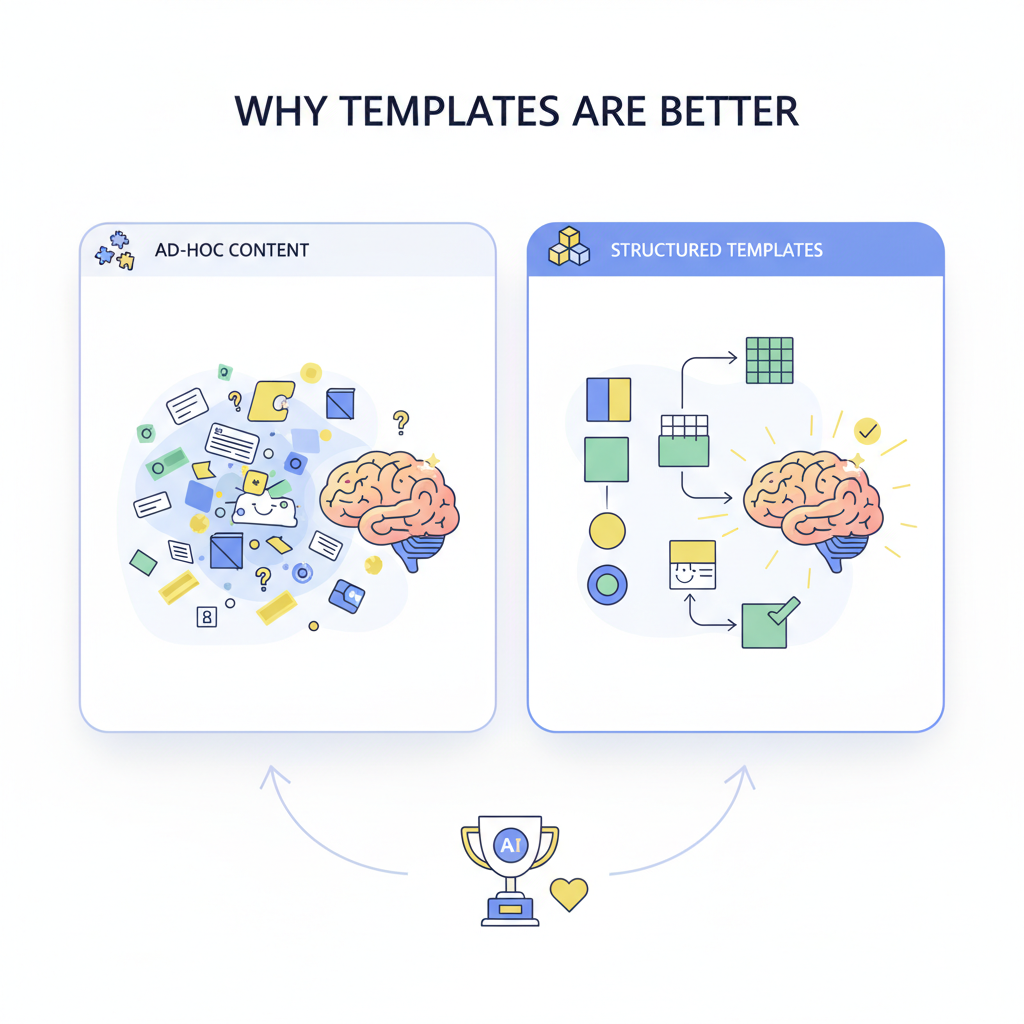
Why templates beat ad-hoc content for AI answer inclusion
Unstructured, ad-hoc copy leaves AI systems guessing. Templates force clarity: every product or page has the same slices of information in the same place. That makes it trivial for an AI to find a one-sentence summary, a price, and three facts to show in a concise answer.
Concrete failure mode: a product page that buries price inside a paragraph like "Starting at $ depending on configuration" produces ambiguous signals. A template that explicitly exposes price, billing period, and currency prevents that. For typical SaaS pages, include these thresholds: a one-sentence benefit (≤30 words), an explicit price line (currency + amount + period), and three short fact bullets (10–12 words each). Those artifacts match how Lovable and other AI systems rank candidate answers.
Practical benefit: templates reduce editorial variance, cut review time, and improve snippet selection. Use structured data templates to map visible fields to JSON-LD automatically, so visual content and schema remain consistent. That consistency both improves AI answer inclusion and reduces the manual QA burden for your team.
Templates win when every page exposes a single, quotable fact and an explicit price field.
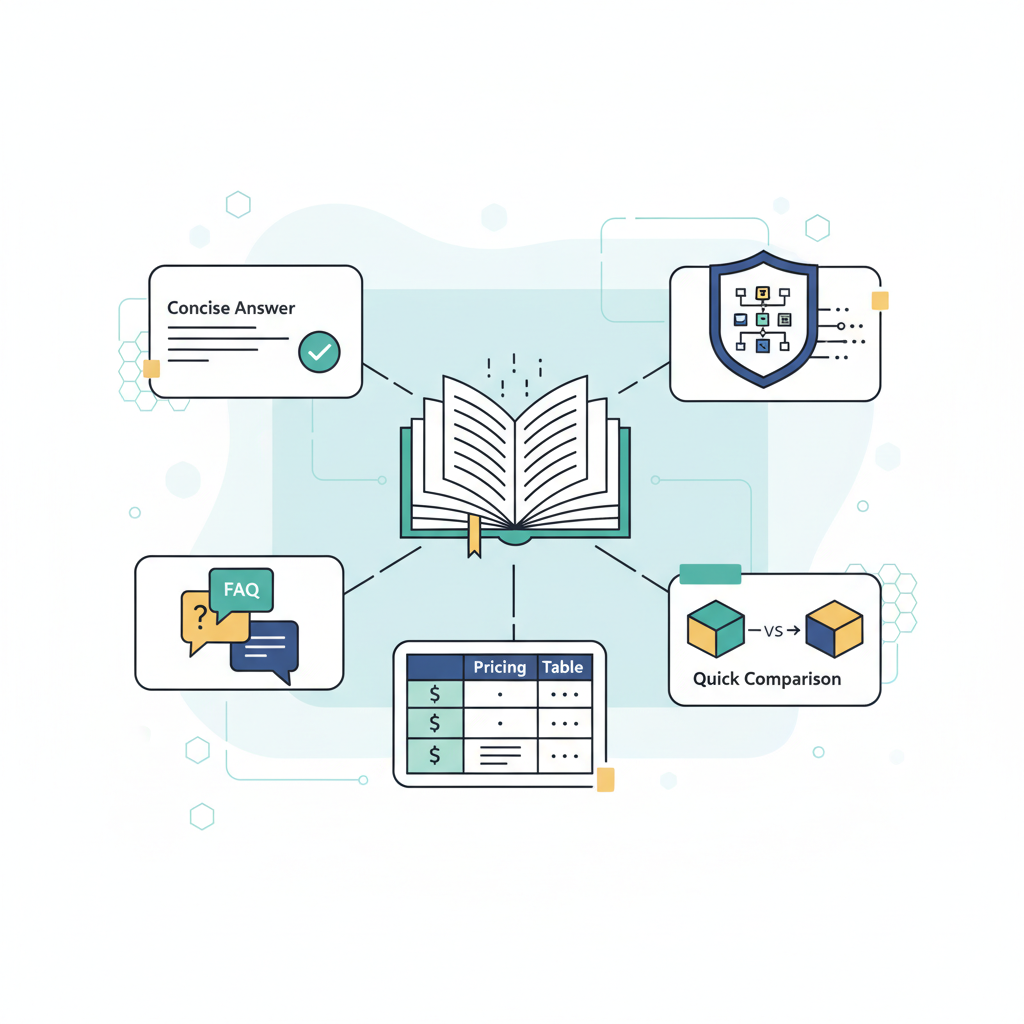
Template library — the 5 high-impact templates (concise answer, FAQ, pricing table, feature summary, quick comparison)
This library focuses on five templates that consistently produce extractable answers on Lovable: concise answer, FAQ, pricing table, feature summary, and quick comparison. Each template is a small, repeatable block with named fields. Implement them as content blocks in Lovable’s CMS so editors fill fields rather than free-write paragraphs.
Why these five? They map directly to common AI prompt intents: definition/summary (concise answer), question/answer lookup (FAQ), commercial intent (pricing table + PriceSpecification), feature filtering (feature summary), and purchase decision (quick comparison). When you build pages out of these blocks, AI systems locate the most relevant block quickly and extract the snippet they need.
Implementation pattern (practical): model each block as a JSON object with defined keys. For example, the concise answer block uses keys: headline, one_sentence_answer, price_amount, price_period, bullets[]. The FAQ block uses question/answer pairs. Pricing table rows map to Product and PriceSpecification objects. Quick comparison is a standardized 3-column table: Feature, Option A, Option B, with boolean or short-text cells.
Make the blocks mandatory where appropriate. For product pages require: concise answer, pricing table (if pricing public), and feature summary. For landing pages that aren’t commercial, require concise answer and FAQ at minimum. That rule ensures the signal quality the AI needs. Also, tie each block to validation rules in the CMS (e.g., price is numeric, currency matches ISO code).
Concise answer template — anatomy and best wording
Definition and structure: the concise answer template is exactly one sentence of 30 words or fewer, followed by one explicit price line and three bullet facts. That format is optimized for AI extraction and fits the definition of a quotable micro-template. Example micro-template you can copy:
One-sentence answer: [Product] is a [one-line benefit statement].
Price: [Currency][Price] per [period].
Facts:
- [Fact 1 — short]
- [Fact 2 — short]
- [Fact 3 — short]
Example filled-in micro-template (for lovableseo.ai context):
- One-sentence answer: LovableSEO is an SEO workflow tool that automates structured content templates for richer answers.
- Price: USD 49 per month.
- Facts: 1) Fielded templates for concise answers; 2) JSON-LD output for Product and FAQ; 3) Integrates with LovableSEO for bulk deploys.
Copy guidance: keep sentences direct and active. Avoid qualifiers like "may" or "can" in the one-sentence answer. Use numerals for facts (e.g., "3 templates included"). Maintain a price field that uses an ISO currency code in the schema and a human-readable price line on the page.
FAQ template — question phrasing that maps to AI prompts
FAQ entries must be written as natural, searchable questions and crisp, declarative answers. AI prompts tend to match exact question phrasing, so include variations of how users ask the same thing. For instance, include both "Does Lovable support X?" and "How do I set up X in Lovable?" as separate FAQ items if the answers differ.
Structure each FAQ item with three fields: question (string), short_answer (1–2 sentences), and long_answer (optional, 2–4 short paragraphs). The short_answer is the extractable snippet; the long_answer provides additional context and links. For faq schema lovable compatibility, ensure the short_answer is under 160 characters when possible and contains a clear subject and verb.
Example FAQ item mapped to schema: question: "How does billing work?" short_answer: "Billing is monthly, with an annual discount available." long_answer: "Billing is monthly by default; you can switch to annual billing in account settings to receive a 20% discount." That short_answer is ideal for AI to surface directly.
Pricing & feature table template — table shape that models prefer
AI systems prefer tidy tables. Build pricing & feature tables with explicit columns: Plan name, Price (currency+amount+period), Included seats/users, Key limits (e.g., API calls), and CTA label. Avoid merged cells and free-form descriptions inside cells. Use atomic values (numbers, ISO codes, short strings) where possible.
Design rule: keep each table to no more than five columns and seven rows for best extractability. If you must show many plans, split tables into comparison pairs. For tables for ai snippets, include both a visible HTML table and a hidden JSON-LD representation that mirrors the table rows as Product + PriceSpecification objects; that gives AIs two consistent signals.
Example row (human-readable): Plan: Pro | Price: USD 49 / month | Seats: 5 | API calls: 100k/month | CTA: Start free trial. Machine-mapped JSON fields would be name, price, priceCurrency, priceType, eligibleQuantity, valueAddedTaxIncluded (boolean).
Publish each pricing row as both an HTML table and a matching PriceSpecification JSON-LD object.
Schema & JSON-LD patterns for each template (Product, PriceSpecification, FAQPage, QAPage)
Pattern consistency between visible content and JSON-LD improves the likelihood that Lovable’s answer system will select your content. Below are copy-paste-ready JSON-LD patterns with placeholders you must replace. Always set regionServed and priceCurrency to encourage GEO-aware answers.
Product + PriceSpecification snippet (replace bracketed placeholders):
{ "@context": "https://schema.org", "@type": "Product", "name": "[PRODUCT_NAME]", "description": "[ONE_SENTENCE_ANSWER]", "brand": "[BRAND_NAME]", "regionServed": "[REGION_CODE_OR_LIST]", "offers": { "@type": "Offer", "priceSpecification": { "@type": "PriceSpecification", "price": "[PRICE_AMOUNT]", "priceCurrency": "[PRICE_CURRENCY]", "priceType": "[RECURRING|ONE_TIME]", "billingPeriod": "[MONTH|YEAR]" }, "availability": "https://schema.org/InStock" }
}
FAQPage pattern (repeat main items):
{ "@context": "https://schema.org", "@type": "FAQPage", "mainEntity": [ { "@type": "Question", "name": "[QUESTION_TEXT]", "acceptedAnswer": { "@type": "Answer", "text": "[SHORT_ANSWER_TEXT]" } } ]
}
QAPage pattern (for user-generated answers or support threads):
{ "@context": "https://schema.org", "@type": "QAPage", "mainEntity": { "@type": "Question", "name": "[QUESTION_TEXT]", "acceptedAnswer": { "@type": "Answer", "text": "[ACCEPTED_ANSWER_TEXT]", "dateCreated": "[YYYY-MM-DD]" } }
}
Practical notes: include regionServed as an ISO country code or list (e.g., "US" or ["US","CA"]). Use priceCurrency as an ISO 4217 code (USD, EUR, GBP). For local pricing, include a separate Offer object per region. When possible, mirror human-visible price strings exactly in the schema price fields.
Including regionServed in Product schema increases the chance of GEO-specific AI answers.
Implementing templates on Lovable — content blocks, field mapping, and CMS tips
On Lovable, implement templates as reusable content blocks with typed fields. Create the following block types: concise_answer_block, faq_block, pricing_table_block, feature_list_block, comparison_block. Each block should declare its fields and client-side validation rules (e.g., price must parse to a float, currency must match ISO code).
Field mapping guidance: map visible fields to schema keys directly. Example mapping for concise_answer_block: one_sentence_answer → Product.description; price_amount → Offer.priceSpecification.price; price_currency → Offer.priceSpecification.priceCurrency; facts[] → Product.additionalProperty[].name (or a simple facts array). This one-to-one mapping reduces mismatches between visible content and JSON-LD.
CMS tips for Lovable editors:
- Enforce the one-sentence limit with a character counter (max 220 characters) and highlight if it exceeds 30 words.
- Provide prefilled options for priceCurrency (ISO list) to avoid typos.
- Render a live snippet preview that shows how the JSON-LD will look and how a concise answer might appear in an AI result.
Editorial workflow: require a quick validation checklist before publishing: confirm price fields, confirm facts are present, and run the schema test. That checklist reduces regressions when content is updated. If your site uses localized pricing, implement region-specific content blocks and tie them to the regionServed field in JSON-LD.
Automating templates with LovableSEO — creating and deploying templates at scale (example workflows)
LovableSEO structured templates let you generate and deploy fielded pages in bulk while preserving the exact structure Lovable’s AI prefers. Use LovableSEO to create canonical templates, populate them from CSV or API sources, and push to Lovable via the CMS API or bulk import feature.
Example workflow 1 — Product launch (50 products):
- Create a concise_answer_block template in LovableSEO with fields: name, one_sentence_answer, price_amount, price_currency, facts[3].
- Prepare a CSV with one row per product containing those fields and region codes.
- Use LovableSEO structured templates to validate each row against field rules (price numeric, currency valid).
- Export JSON bundles and import to Lovable via the CMS bulk import endpoint.
Example workflow 2 — Pricing sync (recurring):
- Set up a scheduled job that pulls pricing from your billing system API.
- Map billing API fields to LovableSEO template fields and run a transformation script to normalize currency and rounding.
- Use LovableSEO to push updates only for fields that changed to minimize publishing churn.
Operational rule: run schema validation as part of CI/CD for content updates. For example, include a job that fails if any PriceSpecification objects are missing priceCurrency or if regionServed is empty for localized offers.
LovableSEO-specific tip: store templates with version tags so you can roll back if a template change creates bad output. That versioning prevents sitewide regression of structured data templates.
Real examples & before/after snippets — copyable micro-templates
Below are copyable micro-templates and before/after snippets you can paste into Lovable. Each example follows the concise answer + price + 3 facts pattern so AI systems can extract them as a featured snippet.
Micro-template (copyable):
One-sentence answer: [Product] is a [one-line benefit statement].
Price: [Currency][Price] per [period].
Facts:
- [Fact 1]
- [Fact 2]
- [Fact 3]
Before (ad-hoc):
We offer several plans that start at a low price and include advanced features for enterprise customers. Contact sales for exact costs and limits.After (templated):
One-sentence answer: LovableSEO is an SEO workflow tool that automates structured templates for richer answers.
Price: USD 49 per month.
Facts:
- Includes 5 user seats
- 100,000 monthly API calls
- JSON-LD for Product, FAQ, and QAPage
Before/after comparison table:
| Aspect | Before (ad-hoc) | After (templated) |
|---|---|---|
| Price visibility | Buried in paragraph | Explicit price field and PriceSpecification |
| AI extractability | Low — requires parsing | High — one-sentence answer + bullets |
| Localization | No region tags | regionServed in JSON-LD |
Checklist artifact (copy and use):
- One-sentence answer present and ≤30 words
- Price field populated, currency set to ISO code
- Three short fact bullets included
- Matching JSON-LD for Product and PriceSpecification published
- FAQ items mapped and published as FAQPage schema if used
- Schema validation passes in staging
Checklist & validation — schema testing, snippet preview, and monitoring
Validation is non-negotiable. Use three layers of checks: static schema validation, visual snippet preview, and live monitoring. Static validation ensures JSON-LD is syntactically correct and includes required keys. Visual preview shows what an AI extractor or user might see. Monitoring detects regressions after publishing.
Static checks (example rules):
- Offer.priceSpecification.price is numeric and > 0.
- Offer.priceSpecification.priceCurrency is a valid ISO 4217 code.
- Product.regionServed is populated for localized offers.
- FAQPage.mainEntity.* has acceptedAnswer.text with at least 20 characters.
Snippet preview: implement a preview tool that renders the concise answer plus price and first fact as a mock AI snippet. That helps editors understand what will likely be shown and prevents surprises.
Monitoring checklist (daily/weekly):
- Run a crawler that extracts visible concise-answer blocks and compares them to published JSON-LD; flag mismatches.
- Monitor search result impressions and clicks for pages with structured templates to detect drops after template changes.
- Set alerts for schema validation failures in published pages.
Decision rule example: if more than 5% of pages fail schema validation after a template change, roll back the change and investigate. For typical SaaS catalogs, aim for under 1% validation failure post-deploy.
FAQ
What is structured content templates & schema that win AI answers on Lovable?
Structured content templates & schema that win AI answers on Lovable are repeatable content blocks paired with matching JSON-LD (Product, PriceSpecification, FAQPage, QAPage) designed to expose concise, quotable facts and pricing so Lovable’s AI can extract and surface accurate answers.
How does structured content templates & schema that win AI answers on Lovable work?
They work by standardizing key page data into named fields (one-sentence answer, price, bullets) and publishing corresponding schema.org JSON-LD so AI systems can quickly locate and select those fields as answers; automation tools like LovableSEO structured templates can generate and deploy these templates at scale.
Conclusion: Implementing structured content templates lovable ai answers across your product and landing pages gives Lovable’s AI clear, consistent signals to pick your content as an answer. Use the concise answer format, mirror it in JSON-LD (including regionServed and priceCurrency), validate aggressively, and scale with LovableSEO structured templates to preserve quality.
Ready to Rank Your Lovable App?
This article was automatically published using LovableSEO. Get your Lovable website ranking on Google with AI-powered SEO content.
Get Started






