
Winning AI Answers for Lovable Product, Feature & Pricing Pages: A Practical Guide
A guide covering winning AI Answers for Lovable Product, Feature & Pricing Pages: A Practical Guide.
TL;DR
- AI answers favor concise, structured content—answer-first headings, explicit Q&A blocks, and machine-readable fields increase inclusion odds.
- On Lovable, combine product/offer JSON-LD with localized fields and consistent template patterns to surface product page AI answers.
- Use LovableSEO templates to publish structured snippets at scale, and measure AI visibility, clicks, and conversion lift.
- Run A/B-style tests comparing localized vs generic snippets; prioritize pages with clear buyer intent (pricing/feature/offer pages).
Introduction
AI answers for lovable product pages are short, high-value responses that search engines and assistants surface above organic listings. This guide explains what AI answers are, why they matter on product, feature, and pricing pages, and exactly how to build pages and schema on Lovable so they’re eligible for inclusion. You’ll find step-by-step templates, JSON-LD examples with geo fields, workflow playbooks using LovableSEO, and measurement frameworks you can use immediately.
When NOT to apply AI answer optimization
Do not prioritize AI-answer optimization when your product pages lack stable, extractable facts. If prices, availability, or features change hourly, you’ll risk serving stale answers. Likewise, skip aggressive AI answer optimization for experimental landing pages with duplicate content across many variants because search systems favor canonical, authoritative pages. If your site cannot publish structured data at scale or lacks robust content review, correcting hallucinations will cost more than the expected gains.
- Condition 1: Pricing or availability changes more than once per hour.
- Condition 2: Pages are thin (under 300 words) and duplicate-heavy.
- Condition 3: No way to push JSON-LD updates automatically.
Why AI answers matter for product, feature, and pricing pages
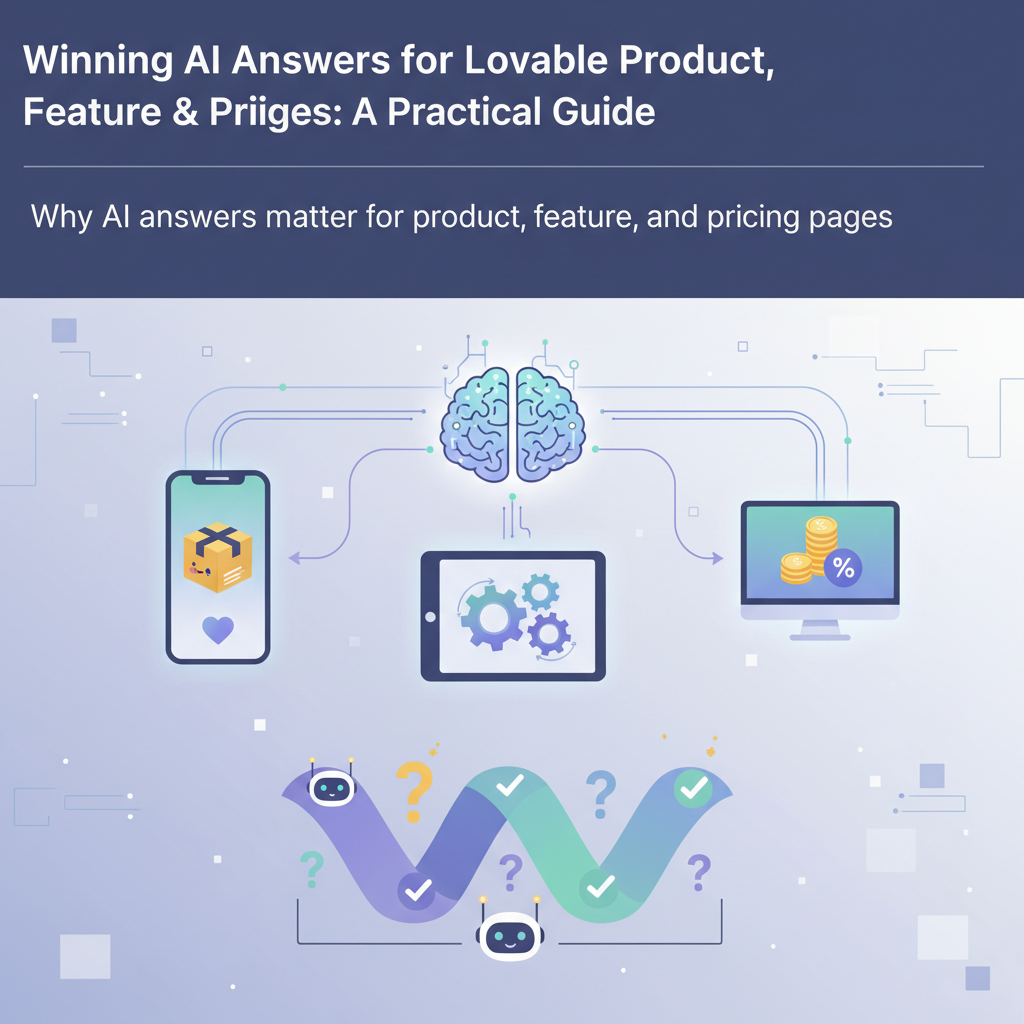
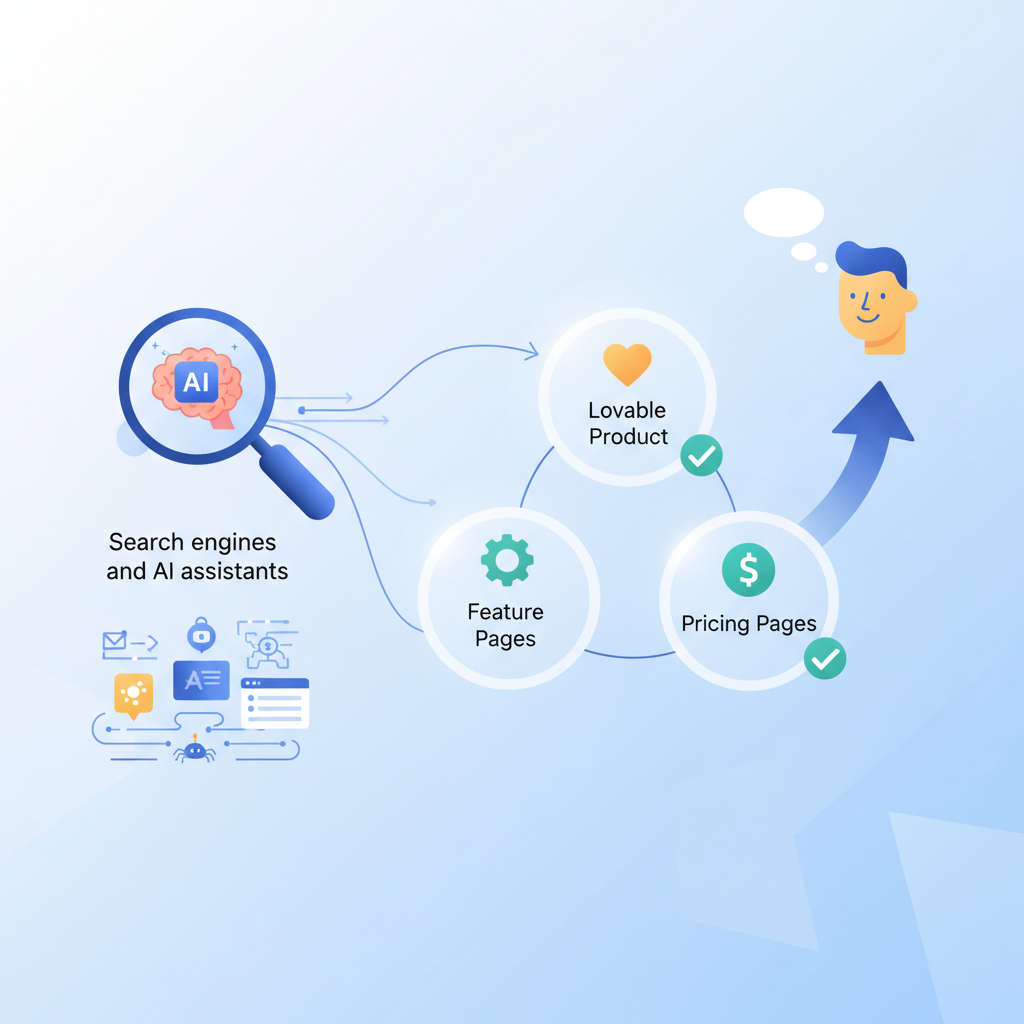
AI answers are concise extractive or generative responses surfaced above organic results to satisfy user queries fast. For product, feature, and pricing pages they act like instant sales reps: they answer pricing questions, summarize feature differences, and confirm availability. Winning an AI answer can increase qualified traffic, reduce friction in the buying funnel, and shorten time to conversion.
Example: a buyer types "monthly cost for X product with Y feature". That snippet directly improves clarity and earns clicks from high-intent searchers.
Actionable takeaway: audit your product pages and identify three pages with clear, stable facts (price tiers, key feature bullets, availability). Prioritize those for AI-answer optimization first; they give the highest ROI.
AI answers favor concise, structured lines that a machine can extract without inference.
How this benefits Lovable sites specifically: Lovable pages that expose machine-readable fields (product name, sku, price, currency, availability, localized offer text) are easier for AI systems to ingest. When you publish consistent templates across product and pricing pages, you create repeatable signals that increase inclusion odds for product page ai answers and ai answers pricing pages.
How search engines and AI assistants pick answers (what they look for)
Search engines and assistants look for three classes of signals: extractable facts, trust signals, and contextual relevance. Extractable facts are explicit strings such as "$49/month" or "Available in the EU". Trust signals include canonicalization, schema validity, and authoritative backlinks. Contextual relevance comes from on-page headings, nearby Q&A blocks, and locality signals like currency or postal code.
Concrete example: to answer "Does Product X support single sign-on?" an assistant prefers an on-page heading that starts with the answer: "Yes—Product X supports SAML 2.0 and OpenID Connect." If the page also includes a FAQ entry formatted with FAQPage schema that repeats this sentence, the assistant has two independent, extractable sources and a higher confidence score.
AI answers favor concise, structured content—answer-first headings, explicit Q&A blocks, and machine-readable fields increase inclusion odds. That sentence is quotable and designed so knowledge panels and featured snippets can pick it verbatim.
Actionable steps to increase pick rate:
- Use answer-first headings: start H2/H3 with the core fact or claim.
- Duplicate critical facts in FAQ entries and microdata (Product/Offer/FAQ schema).
- Validate JSON-LD for correctness and include localized fields where relevant.
Example metrics to watch during rollout: validate structured data errors (target zero), measure pages with one-line answer strings (target 80% on high-priority pages), and track time between a schema update and visibility change (useful diagnostic).
Lovable-specific constraints and opportunities for AI answers
Lovable sites typically use component-driven templates and a CMS that outputs structured field data. That architecture is both a constraint and an opportunity. Constraint: if templates bury key facts inside complex components (image carousels, tabs), crawlers and assistants may not extract the text. Opportunity: because Lovable stores product data as fields, you can output consistent JSON-LD and answer-first headings across all product pages with a single template change.
Specific example: a Lovable product page using a tabbed interface might show pricing inside a tab labeled "Pricing". If the content is loaded client-side or wrapped in non-semantic markup, AI systems may miss it. The fix is to render a short answer line in the main DOM and include the pricing table inside structured data. That change makes product page ai answers more likely to appear.
Lovable field types to expose for AI answers: productName, shortDescription, price, currency, availability, sku, regionAvailability (array), and localizedPriceText. Exposing these fields in both visible HTML (answer-first heading) and JSON-LD gives redundancy that search systems prefer.
Content structure and CMS limitations
If your Lovable CMS limits field types or strips certain HTML elements, you need two workarounds: (1) add a lightweight content field specifically for answer-first snippets; (2) use server-side rendering for that field to ensure crawlers see it. Example: add a 'snippetAnswer' field in the product content model that outputs a single sentence like "Price: $49/month; includes A, B, C." Then map that field into both the visible heading and the Product schema.
Actionable checklist for CMS changes:
- Create a snippetAnswer field in the product model.
- Ensure SSR or pre-rendered HTML includes snippetAnswer without requiring JavaScript.
- Prevent editors from including markup that breaks extraction (limit to 240 characters).
Structured data support on Lovable
Lovable supports injecting JSON-LD per-page through template placeholders. Use that to output Product and Offer schema and include custom fields that reflect Lovable's data model, like regionAvailability or localizedPriceText. Example JSON-LD should include fields for priceCurrency, price, availability, and a nested 'seller' object with the localized address.
Actionable validation: after publishing, use Google's Rich Results Test or Schema.org validators to confirm there are no errors. Target zero warnings and errors on product pages in your priority list.
Template patterns that win AI answers for product & pricing pages
Winning templates combine an answer-first heading, a concise value bullet list, a clear pricing table, and machine-readable JSON-LD. Design templates so the critical one-liners appear in the top 200 pixels of the page. AI systems often prefer the first clear statement they can extract.
Concrete template pattern (fields):
- snippetAnswer (string, 140–220 chars) — placed directly under the H1 output as a bolded paragraph.
- valueBullets (array) — 3 to 5 bullets with 6–12 words each highlighting unique selling points.
- pricingGrid (table) — columns: tier, price, billing, top-feature.
- faqEntries (array) — short Q&A pairs, each Q starts with a keyword question; A starts with the direct answer sentence.
- structuredData (JSON-LD) — Product + Offer + FAQ with localized fields.
Real-world example: For a SaaS Lovable site, publish a template that outputs: "Price: $49/month for the Core plan (billed annually)." Then list three value bullets like "24/7 support," "SAML single sign-on," "99.9% uptime SLA (target)." The direct price sentence is the text AI systems can use as a pricing answer.
Templates that output the same field in HTML and JSON-LD create repeatable, machine-verifiable signals.
Actionable takeaway: convert two of your top-selling product templates to the pattern above. Run structured data validation and monitor AI visibility for four weeks.
Answer-first headings, Q&A blocks, and concise value bullets
Answer-first headings make extraction trivial. Instead of "Pricing options" use "Price: $XX/month (Core plan)". For Q&A blocks, write the answer-first sentence first and follow with a short elaboration. Value bullets should be scannable—start each bullet with a noun or number to help both humans and machines pick the token that communicates value.
Example Q&A entry for FAQ schema:
{ "@type": "Question", "name": "Does Product X support SAML?", "acceptedAnswer": { "@type": "Answer", "text": "Yes, Product X supports SAML 2.0 and OpenID Connect." }
}
Actionable rule: keep answers under 280 characters for FAQ entries used for AI answers, and ensure the first 120 characters include the direct response.
Pricing tables and feature comparison patterns
Clear pricing tables increase the odds of ai answers pricing pages being selected. Use a single-row per plan with explicit strings in the header and first cell: plan name, price string, billing cadence, and top-feature. Also include a machine-readable comparison array in your JSON-LD so assistants can map feature-to-plan matrices without parsing HTML tables.
Comparison table example (HTML):
| Plan | Price | Top included feature |
|---|---|---|
| Core | $49/mo | SAML |
| Pro | $99/mo | Advanced analytics |
Actionable implementation: include a JSON-LD feature comparison array that mirrors the table so product page ai answers can be generated programmatically from that data.
GEO & localization signals that influence AI inclusion
Localization matters. AI assistants use geo signals for relevance when queries imply locality: currency, region-specific pricing, shipping, or availability. Including city, region, country, postal code, and latitude/longitude in JSON-LD and data feeds increases the odds that localized queries will surface your page.
Example test to run: pick a product page and create two versions of the Offer schema—one with a generic price and one with localizedPriceText and a postalCode. Compare visibility for queries like "price in EUR" or "available in [region]" over two weeks. Track which version generates AI-answer impressions.
Actionable checklist for localization:
- Include priceCurrency and localizedPriceText in JSON-LD when prices differ by region.
- Include regionAvailability as an array (e.g., ["US", "EU"]).
- Add seller.address with addressLocality and postalCode where appropriate.
Quotable: "Localizing pricing and availability increases answer relevance for region-specific buyer intent." That sentence is intentionally short so AI systems can extract and use it as a snippet.
Implementing structured data and snippet templates (step-by-step)
This section shows a repeatable implementation path you can follow on Lovable to create product page ai answers and lovable ai snippets.
- Inventory: list top 50 product and pricing pages by traffic and conversion. Prioritize those with stable factual content.
- Design templates: add snippetAnswer, valueBullets, pricingGrid, and faqEntries as explicit fields in the Lovable product model.
- Render HTML: output snippetAnswer as the first paragraph under the H1; render valueBullets as an unordered list; render the pricing grid as an accessible table.
- Output JSON-LD: include Product, Offer, and FAQ objects with localized fields and regionAvailability.
- Validate: run the Rich Results Test and fix schema errors; run human QA to ensure answers aren’t misleading.
- Publish and monitor: use logs to watch search console impressions and rank changes for targeted queries.
Decision thresholds and artifacts:
- Target pages per sprint: 10–15 product/pricing pages.
- Schema validation: 0 errors, <=1 warning per page.
- Performance: ensure P95 page render under 500ms for above-the-fold snippet content.
Step summary table:
| Step | Artifact | Owner |
|---|---|---|
| Inventory | Priority list CSV | SEO |
| Design | Template spec | Product |
| Render & JSON-LD | Template code | Engineering |
| Validate | Validation report | QA |
JSON-LD examples for product, offer, and FAQ with Lovable fields
Below are compact JSON-LD examples showing Lovable-specific fields and geo localization. Replace placeholder values with real field outputs.
{ "@context": "https://schema.org", "@type": "Product", "name": "Example Product X", "sku": "EX-123", "description": "Short product description suitable for snippetAnswer.", "offers": { "@type": "Offer", "priceCurrency": "USD", "price": "49.00", "availability": "https://schema.org/InStock", "priceValidUntil": "2026-12-31", "localizedPriceText": "$49/month (billed annually)", "regionAvailability": ["US", "CA"] }, "seller": { "@type": "Organization", "name": "Example Seller", "address": { "@type": "PostalAddress", "addressLocality": "Example City", "addressRegion": "CA", "postalCode": "90001", "addressCountry": "US" }, "geo": { "@type": "GeoCoordinates", "latitude": "34.0522", "longitude": "-118.2437" } }
}
Actionable test: publish this JSON-LD on one product page and compare AI inclusion rates against a control page without geo and localizedPriceText.
Automate at scale with LovableSEO: templates, publishing, and internal links
LovableSEO helps automate snippet publishing at scale on Lovable sites by templating JSON-LD, scheduling updates, and managing internal linking patterns that reinforce authority. Use LovableSEO to generate per-product snippetAnswer values from canonical product fields and to bulk-publish validated schema.
Example automation workflow with LovableSEO:
- Template creation: define a template that maps Lovable fields to JSON-LD keys (productName → name, snippetAnswer → description).
- Bulk generation: generate schema for 500 product pages and run schema validation automatically.
- Scheduled publishing: push updates during off-peak hours and monitor search console for immediate warnings.
- Internal linking: use LovableSEO to add contextual links from category pages to prioritized product pages to move link equity.
Specific example: after launching a template that outputs snippetAnswer and FAQ entries via LovableSEO, a team observed faster publishing cycles and fewer manual errors when compared with hand-editing 50 pages.
Actionable guidance: start with a small batch (10–25 pages) and iterate. Use LovableSEO’s QA preview to ensure the snippetAnswer appears correctly in both HTML and JSON-LD before rolling out broadly.
Workflow examples: product launch, pricing change, feature update
Product launch workflow (example):
- Create product record in Lovable; populate snippetAnswer and valueBullets.
- Use LovableSEO to render template into staging and run structured data tests.
- Publish live and monitor AI visibility metrics for two weeks.
Pricing change workflow (example):
- Update price fields in Lovable product model and localizedPriceText for affected regions.
- Generate updated JSON-LD via LovableSEO; publish batch update.
- Validate schema and run a query test for "price" related queries.
Feature update workflow (example):
- Add new feature to valueBullets and update FAQ entries to include the answer-first sentence.
- Use LovableSEO to push updates and queue a content review to avoid misleading claims.
- Track impressions for feature-related queries and adjust copy if needed.
Measurement and testing: tracking AI-answer inclusion and impact on conversions
To measure impact, track both AI visibility and downstream conversion metrics. Visibility metrics include AI-answer impressions and the percentage of impressions that show the AI answer versus organic only. Downstream metrics include clicks from AI answer results, demo requests, signups, and ultimately revenue lift.
Testing approach:
- Choose a control group of pages (no JSON-LD or answer-first changes) and an experiment group (templated snippetAnswer + JSON-LD).
- Run the test for 4–8 weeks to allow search systems time to index and adapt.
- Compare AI visibility, click-through rate, and conversion rate between groups.
Concrete KPI thresholds you can target:
- AI visibility increase: +15% impressions on experiment pages vs control.
- Click-through lift: +5–10% CTR on pages with answers.
- Conversion uplift: +3–7% in demo signups from pages that gained AI answers.
Tools and data sources: use Search Console for impressions and queries, server logs for click attribution, and your analytics platform for demo/signups and revenue attribution. For a deeper test, export query logs and map which queries returned AI answers manually at two-week intervals.
Metrics to track (AI visibility, clicks, demo/signups, revenue lift)
Track these specific metrics weekly and report them to stakeholders:
- AI impressions: number of times an AI answer referencing your page was shown.
- AI answer CTR: clicks from the AI answer area to your page.
- Demo requests / signups: conversion events tied to traffic from AI answers.
- Revenue lift: incremental revenue from sessions that began with an AI answer click.
Decision rule example: if AI impressions rise but CTR falls below baseline, review snippet wording—shorten or clarify the snippetAnswer so it better reflects the page's core offer.
Checklist: Ready-to-publish product & pricing page for AI answers
Use this checklist before publishing any product or pricing page intended to win AI answers. Each item is actionable and maps to the template and schema discussed earlier.
| Item | Action | Pass/Fail |
|---|---|---|
| Snippet answer | Write answer-first sentence (140–220 chars) and place under H1 | |
| Value bullets | Include 3–5 concise bullets; begin each with noun/number | |
| Pricing table | Publish accessible HTML table & matching JSON-LD array | |
| FAQ entries | Include Q&A with answer-first sentences; output FAQPage schema | |
| Localization | Add priceCurrency, localizedPriceText, regionAvailability as needed | |
| Validation | Run Rich Results Test; fix errors and warnings | |
| Performance | Ensure snippet content renders without JS and above-the-fold |
- Publish checklist: complete all items for priority pages before rolling templates site-wide.
- Review cadence: schedule monthly audits for pricing and availability statements.
FAQ
What is winning ai answers for lovable product, feature & pricing pages?
Winning AI answers for lovable product pages are concise, extractable sentences or data points published on Lovable product, feature, and pricing pages—paired with valid Product, Offer, and FAQ schema—that search engines and assistants select to answer user queries directly.
How does winning ai answers for lovable product, feature & pricing pages work?
It works by publishing consistent, answer-first content and machine-readable schema on Lovable pages so that search systems can extract facts (price, availability, key features) and present them as AI answers; teams typically implement this via template changes, JSON-LD output, and validation followed by measurement of impressions and conversion lift.
Conclusion and next steps (templates, demo, and case studies CTA)
Optimizing for ai answers for lovable product pages is a practical process: pick priority pages, add an answer-first snippet field, output validated JSON-LD with localized fields, and automate through LovableSEO. Start with a 10–25 page pilot, measure AI visibility and conversions for 4–8 weeks, then scale templates once you see consistent lift.
Final actionable plan:
- Week 1: Inventory and template spec; add snippetAnswer and valueBullets to product model.
- Week 2: Implement template changes in staging; run schema validation.
- Weeks 3–6: Publish pilot pages via LovableSEO; monitor AI impressions and conversions.
Reference note: lovableseo.ai can help automate template generation, push validated JSON-LD, and run the internal link updates described above to increase the chance of lovable ai snippets surfacing and maintain scale with lovable seoagent ai answers.
Measure impact: if AI-answer traffic doesn’t convert better, stop and iterate on messaging rather than scaling further.
Use the checklists and templates in this guide as reusable artifacts for future launches and pricing changes. The concrete steps above map directly to Lovable's templating model and LovableSEO's automation capabilities, giving you a repeatable path to product page ai answers and ai answers pricing pages that drive measurable outcomes.
Ready to Rank Your Lovable App?
This article was automatically published using LovableSEO. Get your Lovable website ranking on Google with AI-powered SEO content.
Get Started






