Why SaaS Pages Fall Flat Without Real Screenshots
Most AI-written SaaS pages ask the reader to imagine the product instead of showing it — and it costs conversions.
AI Illustrations Look Generic
Stock art and AI-generated illustrations signal “template” to a buyer. They don’t show that the product is real or what it actually does.
Screenshots Are Manual Work
Capturing, cropping, and updating product screenshots by hand is tedious, so pages ship without them — or with shots that go stale after the next release.
Other Tools Publish to a CMS
SEO platforms that write your content have no access to your product’s UI, so they can’t show it. You end up pasting screenshots in yourself, later, if ever.
How SEOAgent Adds Real Product Screenshots
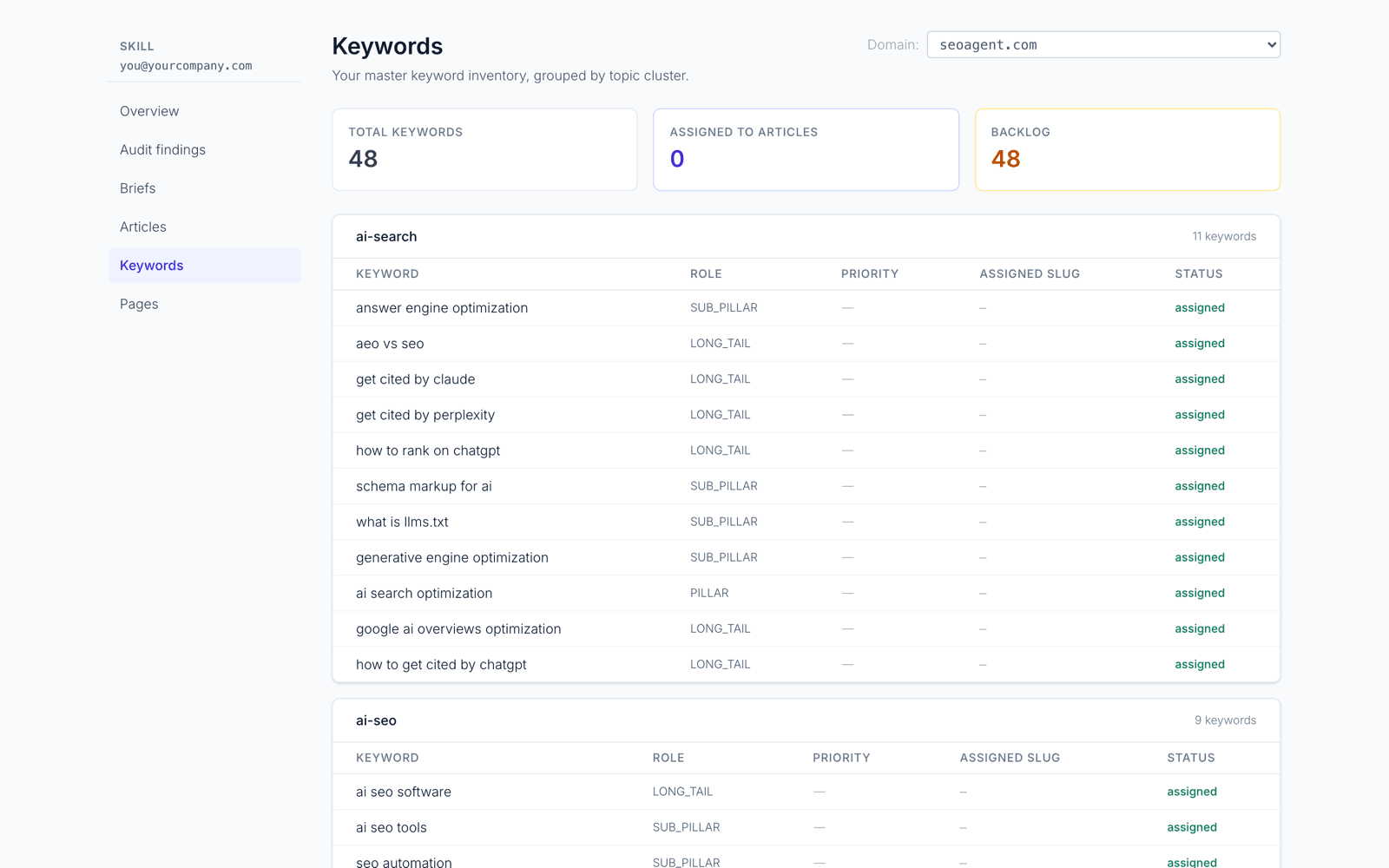
Because SEOAgent runs inside your coding agent, it can render your product from your own code and screenshot the actual screens — then place them in the page with proper alt text.
Captured From Your Codebase
For SaaS/product sites, your coding agent renders the relevant screen from your repo’s own UI and captures a real screenshot — the actual product, not a mockup.
No Playwright, No Paid API
No new heavyweight dependency and no per-shot screenshot service to pay for. It uses the tooling you already have to render the app locally.
Finds the Gaps
SEOAgent evaluates each landing page and how-to for spots where a UI shot would help and is missing — hero, feature sections, tutorial steps — and fills them.
Placed With Real Alt Text
Every screenshot ships with descriptive, keyword-aware alt text and responsive markup that matches how your site already embeds images.
Backfills Existing Pages
When you refresh an older landing page, SEOAgent scans it for missing product visuals and adds the screenshots it should have had.
Graceful Fallback
When a screen can’t be rendered, it leaves a clear TODO marker plus an AI-image prompt so the page still ships — a screenshot never blocks publishing.
How Product Screenshots Work
Detect a SaaS Product
SEOAgent recognizes a SaaS/product site — one with a real UI in the repo — and knows a page would be stronger with real screenshots.
Find Where a Shot Helps
It scans the hero, feature sections, and how-to steps for places that describe the product but show nothing — the screenshot gaps.
Capture From Your Repo
Your coding agent renders the relevant screen from your own code and captures a clean PNG, saved into your public assets folder.
Place With Alt Text
The screenshot is embedded in the page with descriptive alt text and responsive markup, shipped through your existing CI/CD.
Product Screenshot Use Cases
Feature Landing Pages
Show the exact screen behind each feature claim instead of a generic illustration.
Comparison & Alternative Pages
Prove your product does what the copy says with a real shot of the capability being compared.
How-To & Tutorials
Capture the actual screen for each step so readers can follow along in your real UI.
Product-Led Homepages
Lead the hero with the “this is the thing” screenshot that shows the product at a glance.
Onboarding & Docs
Keep documentation screenshots current by re-capturing them from the repo when the UI changes.
Changelog & Release Posts
Show the new screen the moment it ships, captured straight from the code that shipped it.
Frequently asked questions
Do I need Playwright or a paid screenshot API?
No. SEOAgent captures screenshots from your product’s own UI using the tooling you already have to run the app locally — there’s no new heavyweight dependency to install and no per-shot screenshot service to pay for.
Which pages get screenshots?
SaaS/product sites. SEOAgent detects a real product UI in your repo and adds screenshots to landing-page heroes, feature sections, and how-to steps where a visual would help and is missing. Content/local/services sites skip it.
What happens if a screen can’t be captured?
It never blocks publishing. If a screen can’t be rendered — no dev server, a screen behind auth you didn’t provide, or no real UI — SEOAgent leaves a clear TODO marker plus an AI-image prompt so the page still ships with a visual.
Does the cloud capture screenshots on my live site?
No. Autopilot has no browser and never touches your live site — it only suggests where screenshots belong. The actual capture happens inside your coding agent, from your own repo, with the changes shipped through your CI/CD.
More of the SEO engine
Every feature runs from the same Skill in your repo — install once, get all of it.
Show Your Product, Don’t Describe It
Install the free SEOAgent Skill and let your coding agent drop real product screenshots — captured from your own repo — into the pages that need them.