
Automated Onboarding Checklist for Lovable Clients Using LovableSEO: Scripts, Timeline, and Zapier Steps
A guide covering automated Onboarding Checklist for Lovable Clients Using SEOAgent: Scripts, Timeline, and Zapier Steps.
TL;DR
- Problem: New client setup eats hours and produces errors.
- Quick answer: Use this lovable seoagent onboarding checklist to Access → Audit → Automate via LovableSEO recipes and Zapier flows.
- Automated onboarding can reduce agency labor per new client by 40–60%.
If you run a small SEO team or manage multiple sites, onboarding a new client often means chasing access, duplicating checks, and missing simple fixes. That causes delayed launches, billing confusion, and poor early rankings. This guide gives a practical, platform-specific lovable seoagent onboarding checklist with scripts, a 30/60/90 timeline, Zapier steps, and ready-to-use email templates so you stop repeating work and start showing results faster.
Why automate onboarding for Lovable clients (time saved, fewer errors)
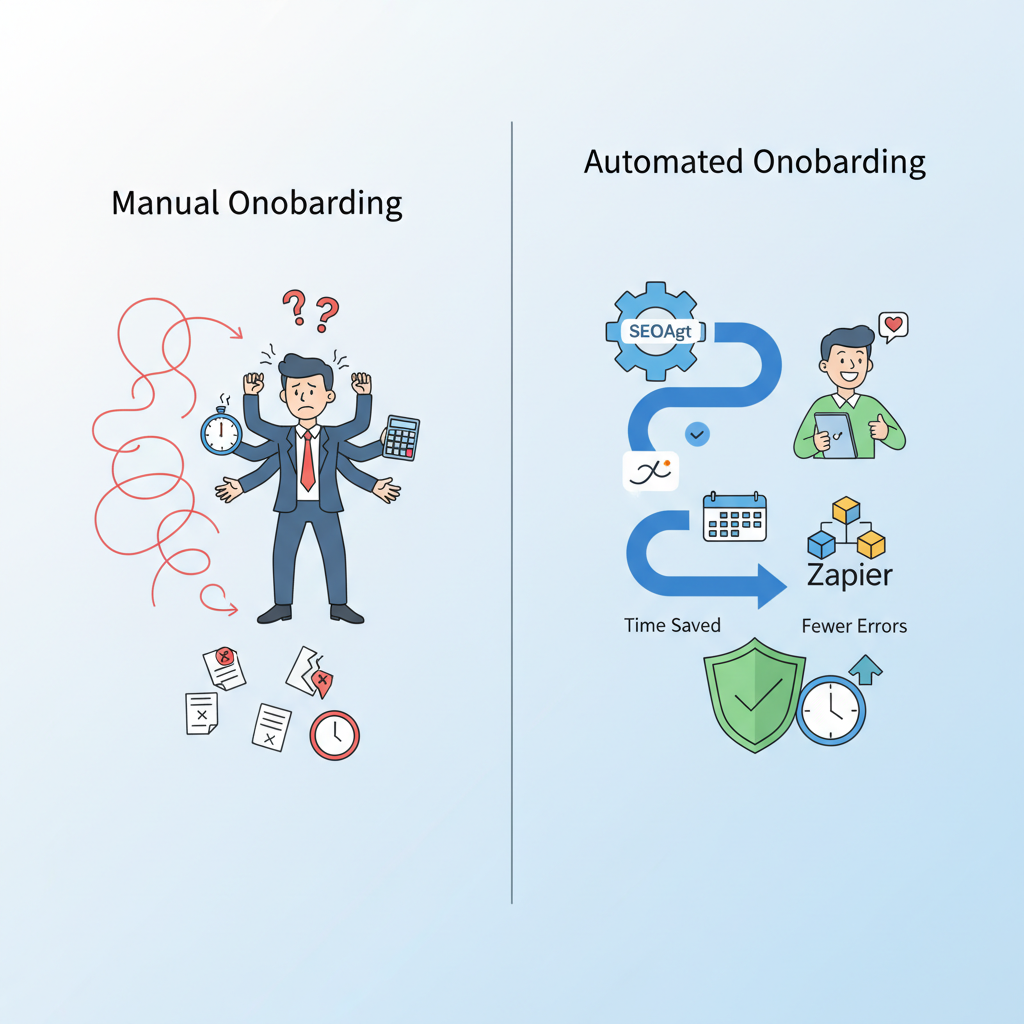
"Without automation, onboarding is manual, inconsistent, and error-prone. If an engineer must set DNS, a marketer must verify analytics, and an SEO specialist must run audits, tasks slip through gaps. Automation centralizes those tasks and enforces order. By implementing strategies from the lovable SEO agency playbook, you can create a reproducible onboarding checklist that reduces context-switching and rework."
Concrete example: a three-person team using LovableSEO to run initial audits and Zapier to notify developers can drop the human hours spent per client from an estimated 8–12 hours to 3–5 hours—saving time while keeping quality. Use automation to enforce thresholds: for DNS, ensure TTL < 3600 prior to validation; for indexation, expect initial sitemap submission within 48 hours of publish.
Automate repeatable checks first: access, canonical health, sitemap presence—fixes after verification.
Quotable: "Automated onboarding can reduce agency labor per new client by 40–60%." Keep that stat handy for internal buy-in.
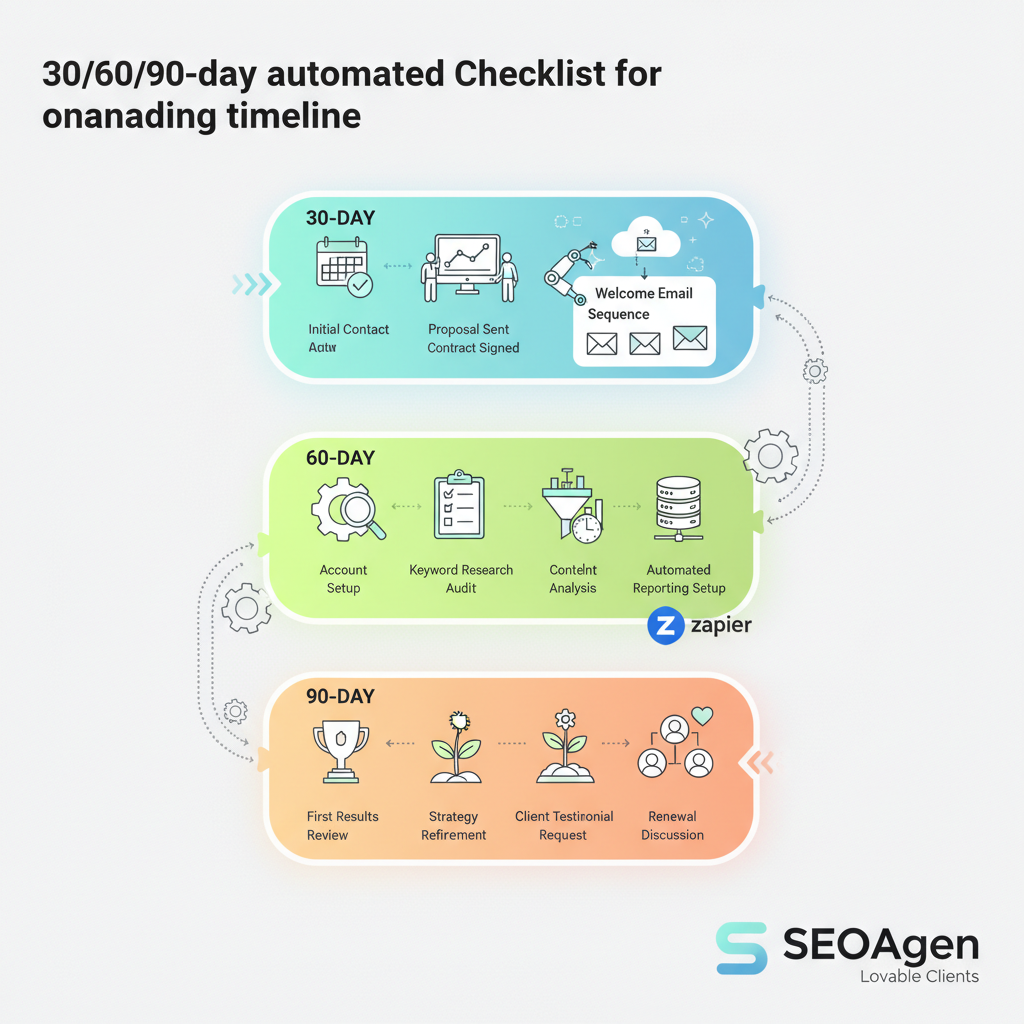
30/60/90-day automated onboarding timeline
Why care about a staged timeline? Early wins build trust; later work compounds. Below is a practical 30/60/90 plan mapped to automation tasks so you can assign ownership and set expectations with clients.
- Day 0–7 (30 days): Access collection, DNS and analytics verification, run full technical audit in LovableSEO, push highest-priority fixes via developer tickets created automatically.
- Day 31–60 (60 days): Publish initial content set, run internal-linking automation to surface cornerstone pages, measure time-to-first-publish and indexation rate, iterate on technical fixes flagged in the first audit.
- Day 61–90 (90 days): Scale content cadence, validate improved indexation and search snippets, optimize for AI-answer inclusion, and hand off a playbook for ongoing automation.
Example thresholds: aim to have the first 5 pages published and submitted in a sitemap within 30 days and indexed within 14 days for typical sites. Track these in your project dashboard and automate status updates to clients.
Day 0: Pre-kickoff checklist (access, DNS, analytics)
Why Day 0 matters: missing credentials block everything. The following pre-kickoff checklist is meant to be automated where possible and used as a gating step before any development or content work begins.
| Item | Who | Automate |
|---|---|---|
| Admin access to CMS | Client | Zapier form + secure storage |
| DNS host + delegated change window | Developer | Checklist + calendar invite |
| Google Search Console & Analytics ownership | SEO | Automated ownership request via email template |
| Site backup confirmation | Developer | Manual attach to ticket |
Use this 3-step snippet for featured snippets: Access → Audit → Automate. This surfaces the essential sequence and matches search intent for onboarding checklist lovable sites and seoagent onboarding queries. For more on this, see Automate lovable seo workflows.
Week 1: Technical audit and prioritized fixes (LovableSEO tasks)
Run LovableSEO's technical audit on day 1 and schedule rapid-fix tickets for P0 items. Key checks to automate in LovableSEO: crawl errors, missing canonical tags, slow Core Web Vitals candidates, and robots.txt/sitemap issues. Automatically convert P0 findings into developer tickets and tag them with severity and a reproduction link.
Example workflow: LovableSEO runs the audit → Zapier creates a Jira/GitHub ticket for any issues with severity >= 8 → developer receives an email template with steps to reproduce and a rollback checklist. For Core Web Vitals, set a threshold: keep LCP under 2.5s for landing pages; if a page exceeds 3.5s, auto-assign to engineering with prioritized remediation steps.
Week 2–4: Content and internal linking automation setup
After technical debt is reduced, automate content generation pipelines and internal linking tasks. Configure LovableSEO to generate topic clusters and meta drafts from keyword seeds. Use an internal-linking automation to queue link suggestions: identify cornerstone pages and surface top 10 internal link candidates per new article.
Practical example: for a local service site, LovableSEO creates 10 content briefs and populates a content calendar. Zapier moves approved briefs into your CMS as draft posts and notifies authors. For onboarding checklist lovable sites, automate a weekly digest to the client showing published pages, pending approvals, and indexation status.
Force a single source of truth for content briefs and access credentials to avoid repeated credential requests.
Scripts & email templates for each touchpoint (client, developer, billing)
Templates reduce back-and-forth. Below are short, copyable snippets for common touchpoints. Use them in Zapier actions or your CRM sequences.
- Client kickoff request: "Please provide CMS admin access, DNS provider login or delegate, and Search Console ownership. Use the secure form we sent."
- Developer ticket body: "Reproduce steps, staging link, expected behavior, rollback steps. Priority: P0/P1."
- Billing notice: "Initial setup invoice attached; recurring monthly services begin on [date]."
Script example for developer notification in Zapier: include reproduction steps, direct link to the LovableSEO finding, and a one-click 'Mark fixed' webhook so the system re-runs the relevant check automatically.
Step-by-step LovableSEO recipes and Zapier integrations (connectors, triggers, actions)
Use these recipes to automate the handoffs between LovableSEO and your tools. Each recipe below maps connectors, triggers, and actions.
- Audit to ticket: Connector: LovableSEO → Trigger: new P0 finding → Action: create GitHub issue with labels and attach audit excerpt.
- Approved brief to CMS draft: Connector: Google Sheets / LovableSEO → Trigger: Status = Approved → Action: create draft in CMS and assign author.
- Indexation monitor: Connector: LovableSEO → Trigger: sitemap submitted or page published → Action: send client notification if not indexed within 14 days.
For each Zapier action, include a conditional step to check timezone and working hours (see timezone table below) to avoid hitting engineers outside of their window.
| Customer time zone | Best kickoff window (local) |
|---|---|
| PST (UTC-8) | 10:00–12:00 local |
| EST (UTC-5) | 11:00–14:00 local |
| GMT (UTC+0) | 10:00–13:00 local |
| AEST (UTC+10) | 09:00–11:00 local |
Common failure points and remediation scripts
Failures happen mostly because of missing access, DNS propagation delays, or permissions in analytics. Automate detection and remediation scripts to triage quickly.
- Missing CMS access: remediation: auto-send credential request + escalation to account manager after 48 hours.
- DNS not propagated: remediation: check TTL, request temporary CNAME for verification, and schedule change window with client.
- Pages not indexing: remediation: re-submit sitemap, check robots.txt, and trigger a manual index request workflow.
Include one-click remediation where possible: an actionable button that runs the resubmit sitemap action in LovableSEO and pings Search Console (if authorized).
Metrics to track during onboarding (time-to-first-publish, indexation, AI-answer inclusion)
Track leading indicators, not just final rank. Core onboarding metrics to automate and report weekly:
- Time-to-first-publish: time between kickoff and first live page (target: <30 days for initial set).
- Indexation rate: % of published pages indexed within 14 days.
- AI-answer inclusion: number of pages appearing as succinct answers in SERP features (track monthly).
Practical KPI examples: report P95 page publish time, percent of P0 issues resolved within 7 days, and indexation velocity. Automate these metrics into a weekly summary email to the client.
How to document onboarding for repeatability and scale
Document each automated flow, decision rule, and threshold in a single playbook. Include runbooks for failure modes and a versioned checklist artifact. Artifacts to keep in your repository:
- Day 0 checklist table (credentials, DNS, backups)
- Zapier recipe definitions with connector names and sample payloads
- Metric definitions and thresholds (time-to-first-publish, indexation expectations)
Decision rule example: "If indexation rate < 60% after 14 days, escalate to manual crawl review and prioritize sitemap corrections." Store that as a named runbook so new team members can follow it without tribal knowledge.
FAQ
What is automated onboarding checklist for lovable clients using seoagent? The automated onboarding checklist for lovable clients using LovableSEO is a repeatable sequence of access collection, technical audit, prioritized fixes, content publishing, and automation recipes designed to reduce manual labor and speed time-to-value.
How does automated onboarding checklist for lovable clients using seoagent work? It works by collecting required credentials, running an automated technical audit in LovableSEO, converting high-severity findings into tickets via Zapier, automating content brief-to-CMS flows, and tracking core metrics like time-to-first-publish and indexation until the client reaches steady-state.
Ready to Rank Your Lovable App?
This article was automatically published using LovableSEO. Get your Lovable website ranking on Google with AI-powered SEO content.
Get Started






