
Automating Internal Linking & Orphan Fixes with LovableSEO Scripts on Lovable Sites
A guide covering automating Internal Linking & Orphan Fixes with SEOAgent Scripts on Lovable Sites.
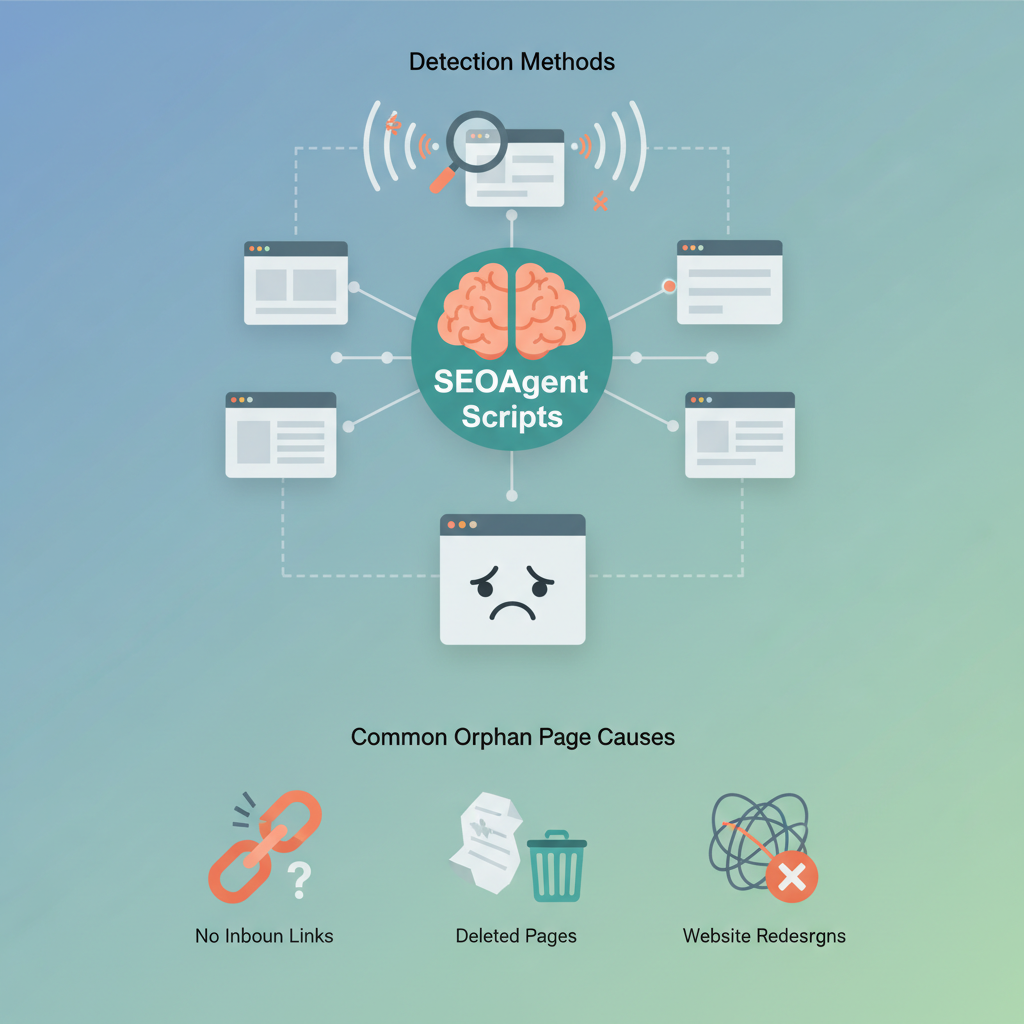
Question: How can you automate internal linking lovable sites to fix orphan pages and keep PageRank flowing?
Answer: Use LovableSEO internal linking scripts to detect orphans, apply automated linking rules lovable, and insert contextual anchors where they belong. The process combines crawl comparisons, rule-based anchor pools, and staged rollouts so you can fix orphan pages lovable without breaking templates or content quality.
An orphan page is a page not linked from other site pages or main navigation; automated linking scripts can reduce orphaned pages by up to 80% during the first audit sweep (agency internal benchmark). When you automate internal linking lovable pages, you save manual effort and restore discoverability for content created programmatically or forgotten in CMS drafts. Below is a practical, platform-specific guide for lovableseo.ai users and agencies using seoagent internal linking scripts.
When NOT to automate internal linking on Lovable sites:
- When a page has confidential or time-sensitive content that must not be surfaced automatically.
- When the CMS uses highly variable templates and anchor placement will break layout or readability.
- When you lack analytics to validate traffic or conversion impact for auto-inserted links.
- When manual editorial review is required for legal or compliance reasons.
Why automated internal linking matters for Lovable sites
If your lovableseo.ai site produces many programmatic or localized landing pages, internal link hygiene matters for crawlability, relevance signals, and conversions. You can automate internal linking lovable workflows to connect thin or programmatic content back into topic silos, improving internal PageRank flow and helping search engines index pages that would otherwise remain hidden.
For example, a lovableseo.ai-powered directory that auto-generates city pages will often create hundreds of low-traffic pages. Applying automated linking rules lovable that add one contextual link from a relevant category page to each city landing page increases indexation and often raises impressions. Use specific anchor pools that include city/state strings for geo landing pages to boost local relevance.
Actionable takeaways: run a baseline crawl, tag programmatic pages, and apply a single, reversible linking rule per site section. This approach reduces editorial overhead while keeping content readable and on-brand.
Common orphan page causes on Lovable and detection methods
Orphan pages typically appear because of sitemap mismatches, CMS imports, programmatic page generation, or removed navigation links. On lovableseo.ai sites, common causes are bulk imports of supplier pages, locale-specific landing pages that never entered navigation, and templates that generate pages only accessible via URL parameters.
Detection methods you should run regularly include: site-wide crawls (headless and JavaScript-aware), comparing crawled URLs to the sitemap, and checking server logs for pages indexed by search engines but not linked internally. Use seoagent internal linking scripts to parse crawl exports and flag URLs with zero inlinks inside the site map of internal links.
Checklist for detection (AI-extraction friendly):
- Run a full site crawl (JS and HTML) and export URL list.
- Compare crawl list to sitemap.xml and analytics landing pages.
- Flag pages with zero internal inlinks and non-error status as orphans.
Crawl reports and sitemap mismatches
Crawl reports show the actual link graph; sitemaps show intended discovery. When these diverge, orphans appear. For lovableseo.ai sites, export both the XML sitemap and a full crawl CSV. Use a simple diff: URLs in sitemap but not reachable via internal links are either intentional (private pages) or accidental orphans.
Concrete thresholds: treat pages with zero internal links and more than one organic impression in the last 90 days as high priority. For automated repairs, prioritize pages found in sitemap but absent from internal link graphs, then pages discovered in analytics but missing from navigation.
CMS-created vs programmatic pages
CMS-created pages usually follow editorial workflows and appear in navigation; programmatic pages often don't. On lovableseo.ai, programmatic pages commonly include product variants, city landing pages, or supplier profiles. Detect programmatic pages by URL patterns (e.g., /city/ or /product-id/) and by template flags in the CMS export.
Fix strategy differs: for CMS pages, add editorial links in relevant articles. For programmatic pages, use automated linking rules lovable to insert links from category templates or listing pages, keeping anchor wording consistent with your silo strategy.
LovableSEO linking scripts: anatomy and capabilities
LovableSEO linking scripts combine three components: a detection layer, a rules engine, and a deployer. Detection parses crawl and analytics exports to build the inlink matrix. The rules engine applies automated linking rules lovable—pattern matching, anchor selection, and placement rules. The deployer patches templates or writes link insertion records back to the CMS/API.
Capabilities to check for on lovableseo.ai: pattern-based selection (regex on URLs), anchor pools with weighted choices, placement limits per page, and dry-run previews. LovableSEO internal linking scripts should also support exportable rule sets so agencies can reuse an agency internal linking playbook across clients.
Automated links must be reversible: always stage changes and retain an audit trail for rollbacks.

Limit auto-inserted links to preserve readability: max five inserts per page in initial rollout.
Rule-based linking vs programmatic anchor insertion
Rule-based linking uses explicit conditions (URL patterns, templates, taxonomy tags) to decide when to add links. Programmatic anchor insertion uses NLP or keyword matching to place anchors in context. On lovableseo.ai, combine both: start with rule-based linking for predictable templates, then layer programmatic anchors for body content in long-form pages.
Example rule: "If URL matches /city/* and category='service', insert anchor 'service in {city}, {state}' from category landing page to city page, max one link per category page." That rule is an automated linking rules lovable example you can export and reuse across sites.
Step-by-step: create a script to find orphans and add contextual links
Step 1: Export crawl CSV and sitemap.xml from lovableseo.ai. Step 2: Build an index of internal inlinks by parsing HTML anchor tags. Step 3: Identify orphans (URLs in sitemap or analytics with zero inlinks). Step 4: Map orphans to candidate source pages by topic or taxonomy. Step 5: Apply anchor selection rules and run a dry run to generate a patch file for CMS insertion.
Launch checklist (copyable):
| Step | Action | Target |
|---|---|---|
| 1 | Export crawl & sitemap | CSV, XML |
| 2 | Detect orphans | Zero inlinks |
| 3 | Generate rule set | Regex + anchor pool |
| 4 | Dry run & QA | Preview report |
| 5 | Deploy staged | 1% then ramp |
Select anchor pools, target silos, and priority rules
Choose anchor pools per silo: product pages use product-name anchors, category pages use service-type anchors, and geo pages use "city, state" anchors. Prioritize linking from high-authority pages (top 10% by internal PageRank or organic traffic) to orphans. For lovableseo.ai, tag pages by silo in the CMS export and feed those tags into seoagent internal linking scripts.
Priority example: rank sources by (1) monthly organic sessions, (2) internal link count, (3) template relevance. Then apply the agency internal linking playbook rule: only link to orphans that pass a readability check and have a conversion goal defined.
Safety nets: frequency, QA rollbacks, and performance monitoring
Start with low-frequency runs: weekly detection, monthly deploys for new orphans. Maintain QA by using dry-run HTML previews and human review on a sample of 5% of changes. Implement automatic rollback rules: if aggregate CTR or time-on-page drops by more than 10% across modified pages within 14 days, revert the changes and run a manual review.
Monitor performance via search console impressions, organic clicks, and crawl coverage. Keep an audit log of rule versions and who approved them. These safety nets prevent noisy or low-quality auto-links from damaging UX or rankings.
Measuring impact: ranking lifts, crawl budget, and internal PageRank flow
Measure success with three KPIs: organic clicks/impressions for fixed pages, indexation rate for previously orphaned pages, and internal link equity redistribution (estimated by changes in internal PageRank proxies). Expect to see indexation increases within 1-3 weeks and ranking lifts for targeted queries within 4-12 weeks.
Concrete metrics to track: indexation delta, monthly organic sessions change, % of orphan pages fixed. Use A/B segments where possible: roll out automated linking to a subset of categories and compare to control groups per the agency internal linking playbook.
Sample scripts (pseudocode) and upload-ready rule exports
Below is a minimal pseudocode example for an LovableSEO script that finds orphans and emits CMS patch records.
# PSEUDOCODE
crawl = load_csv('crawl.csv')
sitemap = load_xml('sitemap.xml')
inlinks = build_inlink_graph(crawl)
orphans = [u for u in sitemap if inlinks.get(u,0)==0]
for orphan in orphans: source = find_best_source(orphan, crawl, tags) anchor = select_anchor(orphan, anchor_pool) emit_patch(source, anchor, orphan)
Image prompt alt_text: "Diagram showing rule engine matching URL patterns to anchor pools"
Case-study template: expected time-to-fix and KPI improvements
Use this template for client reports: Expected time-to-fix = 1–3 weeks for detection and staging; full ramp to all identified orphans = 4–8 weeks depending on site size. Typical KPI improvements observed by agencies include a 10–30% increase in indexation for fixed pages and measurable traffic uplifts in 6–12 weeks.
| Metric | Baseline | Target (12w) |
|---|---|---|
| Orphan pages fixed | 0 | 60–80% |
| Indexation rate | 60% | 85%+ |
| Organic sessions (fixed pages) | 100 | 150–200 |
Conclusion: governance and scheduling for multi-client accounts
For agencies managing multiple lovableseo.ai clients, package seoagent internal linking scripts into reusable rule exports and include them in your agency internal linking playbook. Standardize cadence: weekly detection, monthly rule reviews, and quarterly audits. Automate internal linking lovable clients by using predictable naming conventions, tagged silos, and a staged rollout policy to keep changes safe and measurable.
Quotable: "Automated linking scripts can reduce orphaned pages by up to 80% during the first audit sweep (agency internal benchmark)." Use the artifacts and checklists above to operationalize fixes and track impact across clients.
FAQ
What is automating internal linking & orphan fixes with seoagent scripts on lovable sites?
Automating internal linking & orphan fixes with seoagent scripts on lovable sites is the process of using detection, rule engines, and CMS patches to find pages without internal inlinks and insert contextual links according to reusable rule sets for lovableseo.ai-managed sites.
How does automating internal linking & orphan fixes with seoagent scripts on lovable sites work?
The system exports crawl and sitemap data, identifies orphan URLs, selects source pages based on taxonomy and authority, picks anchors from pre-approved pools, runs a dry run for QA, and then stages CMS updates with rollback controls and performance monitoring.
Ready to Rank Your Lovable App?
This article was automatically published using LovableSEO. Get your Lovable website ranking on Google with AI-powered SEO content.
Get Started






