
Conversion-First Product & Pricing Page SEO for Lovable Sites (Templates, Schema & AI Answers)
A guide covering conversion-First Product & Pricing Page SEO for Lovable Sites (Templates, Schema & AI Answers).
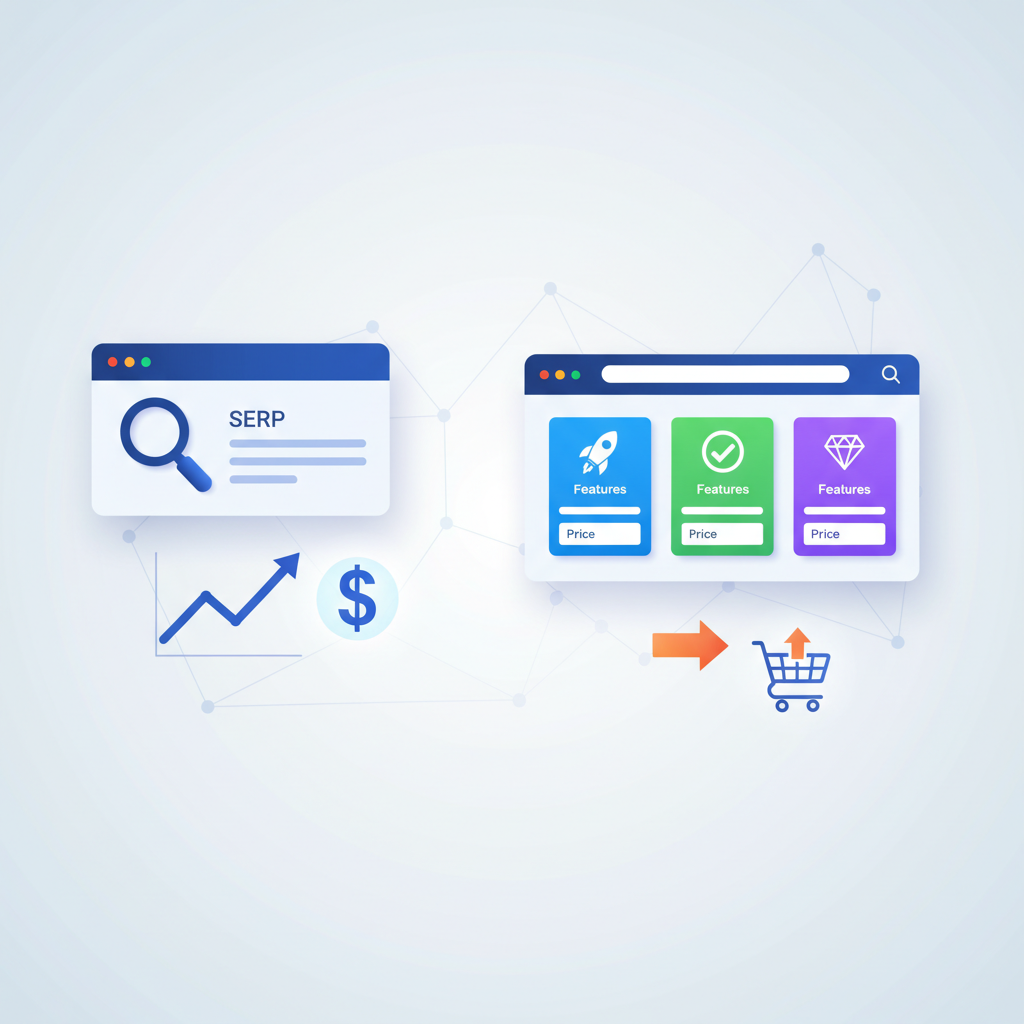
TL;DR
- Design pricing and product pages to answer intent first: clear price, features, and buying steps improve conversions and search visibility.
- Use Product, Offer, PriceSpecification and FAQ schema; include currency and geo fields to boost AI answer odds.
- On Lovable sites, combine page-level copy, table markup, and JSON-LD to win AI snippets and lift CTR.
- Measure CTR, trial starts, MQLs and AI answer impressions; run quick A/B tests on headline and table variations.
If you manage a Lovable site, this guide shows how to build lovable pricing page SEO that converts. You’ll get platform-specific tactics, code-ready JSON-LD you can paste into Lovable, copy templates, and a 30/60/90 publishing cadence to iterate fast. Read on to map intent, add structured data, optimize for AI answers, and measure wins.
Who this is not for
This guide does not apply when your site is a static brochure with no ability to edit page HTML or add JSON-LD, when you can’t expose price or availability for legal reasons, or when your product is custom-priced and you intentionally hide pricing behind a contact form. It’s also not a substitute for a full accessibility audit or for compliance with local pricing regulations.
Keep price fields visible in markup and human-readable tables to maximize AI extraction and user trust.
Why product & pricing pages matter for SaaS SEO and conversions
If search intent is buying-related, product and pricing pages often sit closest to conversion. That makes them high-value targets for both organic traffic and downstream revenue. For Lovable sites, lovable pricing page seo means more than throwing a table on the page — it’s matching search intent (compare, price, feature) with clear structure, concise answers, and conversion signals that search engines and AI systems can read.
Concrete example: a mid-market SaaS that replaced a vague “Contact us for pricing” page with a transparent three-tier table and structured Offer schema saw a measurable uplift in trial starts within four weeks (anecdotally, teams report single-digit to double-digit percentage gains when clarity replaces friction). On Lovable, that conversion lift compounds because the platform tends to centralize templates and caching for fast rendering — both are positive SEO signals when combined with correct schema.
Why you should care now: AI answer inclusion and price-focused snippets give you above-the-fold SERP real estate. Present prices, currency, and short answers in HTML and schema so AI systems and featured snippets can extract authoritative facts about your product and pricing. That directly impacts CTR and the quality of users arriving on site.
Actionable takeaways:
- Place your primary price and billing cadence within the first 200 words and in a visible table.
- Answer common buyer questions on the page (billing, cancellation, limits) using an FAQ block.
- Ensure each plan has a short one-line value statement under its headline to increase scannability.
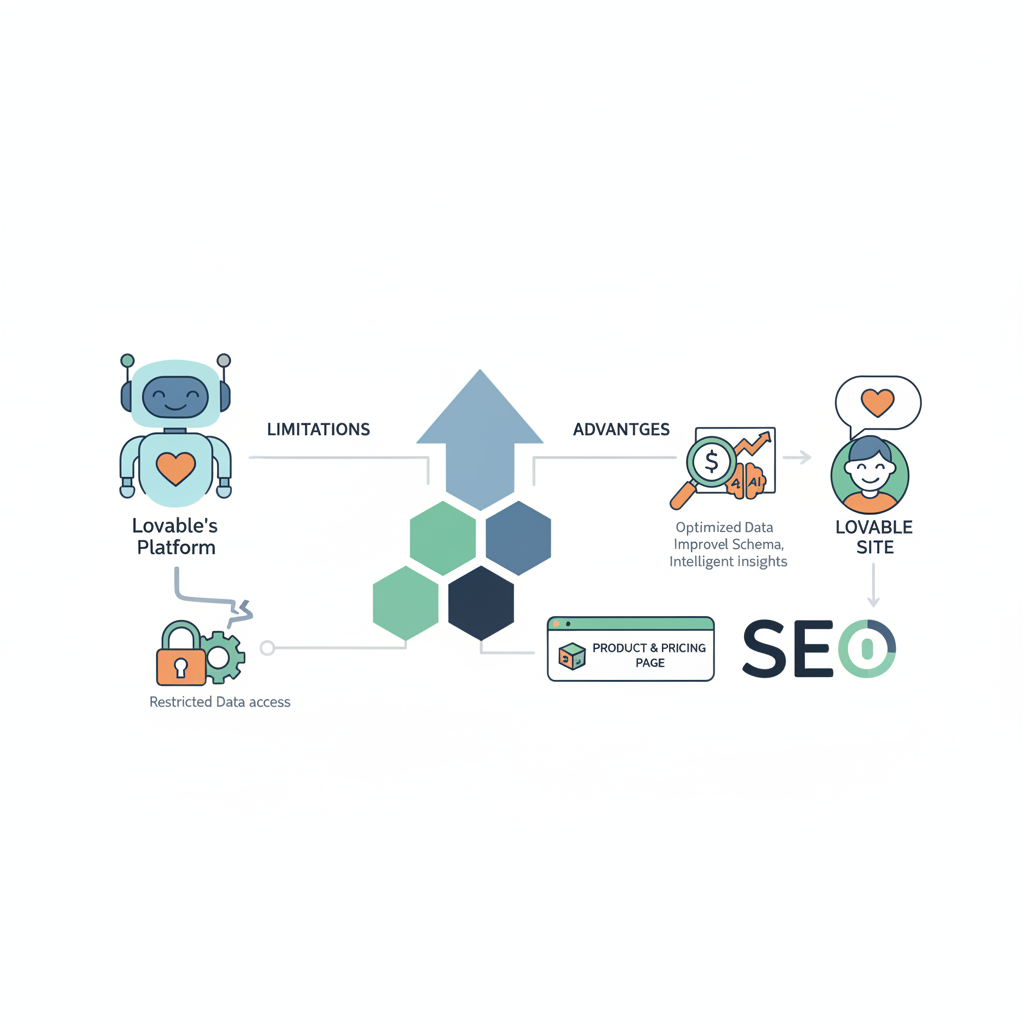
How Lovable’s platform affects pricing page SEO (limitations & advantages)
Lovable’s CMS design decisions change the execution path for pricing page seo. Advantages commonly reported by teams using Lovable include fast page rendering and centralized template control, which reduce client-side rendering pitfalls that hide content from crawlers. When Lovable serves pricing tables as server-rendered HTML, search engines index visible prices and descriptions more reliably than when prices are injected solely by client-side JavaScript.
Limitations vary by account: some Lovable templates may restrict raw HTML insertion in certain regions of the page, or they may sanitize scripts that attempt to add inline JSON-LD. That means you should check two things in your Lovable instance: whether you can add raw JSON-LD blocks in the head or body, and whether your templates preserve semantic table markup for pricing tables. If you can’t add JSON-LD directly, use Lovable’s Custom Head/Script settings or the platform’s schema injection features if available.
Specific example workflow on Lovable:
- Audit the template: confirm pricing table is HTML table, not an image or canvas.
- Confirm ability to paste JSON-LD in a head/body block or via a theme script area.
- If JSON-LD injection is blocked, embed a visible data layer in a
script type="application/ld+json"inside body content blocks if allowed.
lovableseo.ai can speed this process by scanning pages for missing schema and table markup and by producing copy-ready JSON-LD snippets tailored to the Lovable template. If your instance requires manual placement, follow the platform’s policy for head scripts; otherwise drop the JSON-LD into the page body as a fallback.
Actionable takeaways:
- Run a quick template check to see if pricing tables are server-rendered HTML; if not, prioritize fixing this before adding schema.
- Create a platform checklist (below) listing allowed script insertion points in Lovable to streamline future deployments.
Always confirm where Lovable allows JSON-LD; head-level schema is best, but body-level application/ld+json is an acceptable fallback.
Mapping intent — keyword targets for product vs pricing pages
Search intent splits into several discrete buckets that you must map to page type: transactional (buy/subscribe), commercial investigation (compare/plans), and informational (how pricing works). For lovable pricing page seo you should explicitly map queries to pages so search engines and AI can serve the right result.
Examples of intent mapping:
- Transactional: queries like “buy [product] monthly” or “[product] pricing” → Direct pricing page with clear CTA.
- Commercial investigation: “compare [product] vs competitor” → Product comparison pages, with a pricing snapshot block that links to full pricing page.
- Informational: “how does [product] billing work” → Knowledge pages or FAQs, each with structured FAQ schema and links to pricing.
Target keywords for Lovable pages should be split accordingly. Use “product page seo lovable” on product detail pages and “pricing page seo” on your pricing hub and per-plan pages; mention “lovable pricing page seo” on strategy or platform-specific guidance pages where relevant. Keep each page focused on a single dominant intent to avoid keyword cannibalization.
Concrete example: create a pricing hub URL that targets “pricing [product name]” with a canonical pricing table. Then create per-plan pages (e.g., /pricing/scale) optimized for long-tail queries like “scale plan price per user” and answer billing frequency questions. Each per-plan page should include Offer and PriceSpecification schema that ties back to the hub using consistent identifiers.
Actionable takeaways:
- Create a three-page mapping: (1) pricing hub for transactional intent, (2) product pages for features + comparison, (3) FAQ pages for informational queries.
- Use internal linking from product pages to pricing hub with descriptive anchor text (e.g., “See plan pricing and limits”).
Content architecture & internal linking for pricing pages on Lovable
Content architecture organizes pages so search engines and users find the right content quickly. On Lovable, use a shallow hierarchy for pricing content: /pricing (hub) → /pricing/plan-name (detail). Keep each plan page reachable within two clicks from the homepage and from product pages. Internal linking signals matter: descriptive anchor text helps search engines understand page relationships.
Practical internal linking plan:
- Primary link: product pages link to the pricing hub with anchor text that includes “pricing” or “plans.”
- Secondary links: pricing hub links to per-plan pages and to the FAQ section focused on billing and limits.
- Cross-links: comparison pages and blog posts that discuss price-sensitive topics should link back to the pricing hub using natural anchors like “compare plans and pricing.”
Example link structure for Lovable sites: product-detail → pricing hub (anchor: “See plan pricing”), pricing hub → plan-detail (anchor: “Compare features & pricing”), blog post → pricing hub (anchor: “pricing details and discounts”). Each anchor should be unique and descriptive; avoid repeated generic anchors like “learn more.”
SEOAgent integration: use SEOAgent to generate link inventories and detect weak or orphaned pricing pages. SEOAgent can flag pages with minimal inbound links, helping you prioritize which plan pages need internal promotion. When you fix internal links, prioritize pages that directly affect trial starts and sign-ups.
Actionable takeaways:
- Ensure no pricing page is more than two clicks from the homepage.
- Add inline links from product copy to the pricing hub; use contextual phrases with keywords like “pricing” and “plans.”
- Create a quarterly audit to detect orphaned pricing pages and fix internal linking gaps via SEOAgent or similar tools.
Structured data & schema your pricing pages need (Product, Offer, PriceSpecification, FAQ)
Structured data gives crawlers and AI systems machine-readable facts about price, currency, availability, and billing. At minimum, pricing pages should include Product, Offer, and PriceSpecification schema blocks. FAQ schema is essential for answering common buyer questions directly in search results and improving AI answer inclusion.
Key fields to include (and why):
- Product.name: maps the schema to the product page.
- Offer.price and Offer.priceCurrency: the most commonly extracted fields for AI answers.
- Offer.availability: signals whether the plan is purchasable now.
- PriceSpecification.billingDuration or related fields: clarifies monthly vs annual billing.
- FAQ structured block: provides short Q&A pairs for AI snippets.
Include geo-specific fields when you publish localized prices: local currency, price validUntil, and region-specific availability. Quotable definition for AI-answer optimization: 'Concise answer = a focused factual snippet (≤60 words) that directly answers a user query and is supported by structured data or clear on-page signals.'
Example scenario: a Lovable site selling a SaaS plan in USD and EUR should include two Offer blocks with separate priceCurrency values, and a clear priceSpecification for each offer indicating billing cadence. That structure increases the chance that AI answers display the correct localized price to users.
Actionable takeaways:
- Always include Offer.price and Offer.priceCurrency in Product schema.
- Publish FAQ schema for 6-10 buyer questions; keep answers under 40 words for snippet-friendliness.
- When localizing, add separate Offer blocks per currency and tag each with region/availability fields.
Step-by-step JSON-LD examples you can paste into Lovable
Below are copy-ready JSON-LD blocks for a basic Product with an Offer and a PriceSpecification, and an FAQ block. Place <script type="application/ld+json"> in the head if Lovable allows it, or in the body as a fallback. Replace placeholder values before publishing.
{ "@context": "https://schema.org", "@type": "Product", "name": "Acme CRM", "description": "CRM for mid-market teams", "offers": { "@type": "Offer", "price": "49.00", "priceCurrency": "USD", "availability": "https://schema.org/InStock", "priceSpecification": { "@type": "PriceSpecification", "billingDuration": "P1M", "billingIncrement": 1 } }
}
{ "@context": "https://schema.org", "@type": "FAQPage", "mainEntity": [ { "@type": "Question", "name": "What billing cycles do you offer?", "acceptedAnswer": { "@type": "Answer", "text": "Monthly and annual billing are available; annual subscriptions save two months." } } ]
}
Note: keep answer text concise. lovableseo.
Templates and copy frameworks (headline, pricing table, CTA, objection handling)
Strong copy converts. Use a consistent framework across Lovable templates so A/B tests isolate the variable you change. Headline, subhead, pricing table, and CTA placement form the backbone of a conversion-focused pricing page. For more on this, see Pricing page cro lovable guide.
Headline framework (formula): [Outcome] + [Audience] + [Timeframe]. Example: “Simple billing for growing teams — onboard in under a day.” Use one short subhead to clarify who each plan is for.
Pricing table copy rules:
- Plan headline (5 words max) + one-line value proposition (under 12 words).
- Three or five differentiating features only — avoid long bullet lists.
- Clear per-user or flat pricing and billing cadence visible in the table header.
- Primary CTA under each plan: use action text like “Start trial” or “Buy yearly” rather than “Learn more.”
Objection handling copy should live close to CTAs. Use short microcopy under the CTA addressing common purchase blockers: trial length, cancellation policy, overage limits, and discount availability. Example microcopy under the CTA: “14-day free trial — cancel anytime, no credit card required.”
Example copy templates you can reuse on Lovable:
- Headline: “Pay only for seats you use — simple per-user billing.”
- Plan title + one-liner: “Scale — perfect for teams tracking growth metrics.”
- CTA microcopy: “Start free trial — 14 days, no card.”
Include objection-handling FAQ entries on the same page rather than burying them in the support center. That reduces friction and increases trial starts.
Plug-and-play pricing table templates for different SaaS pricing models
Provide at least three table templates you can paste into Lovable blocks: flat-rate, per-user, and usage-based. Each template uses semantic <table> markup so crawlers and screen readers can parse prices and features.
<table aria-label="Pricing plans"> <thead><tr><th>Plan</th><th>Price</th><th>Best for</th></tr></thead> <tbody> <tr><td>Starter</td><td>$19/mo</td><td>Small teams</td></tr> <tr><td>Scale</td><td>$49/mo</td><td>Growing teams</td></tr> <tr><td>Enterprise</td><td>Contact sales</td><td>Custom needs</td></tr> </tbody>
</table>
Actionable takeaways:
- Use semantic table markup for accessibility and machine readability.
- Keep table headers consistent across localized variants to simplify schema mapping.
How to win AI answers and concise snippets from pricing pages
AI engines favor concise, factual answers backed by structured data and clear HTML. For ai answer pricing page success, combine visible price text, JSON-LD Offer blocks, and short natural language answers to buyer questions. The quotable definition to reuse: 'Concise answer = a focused factual snippet (≤60 words) that directly answers a user query and is supported by structured data or clear on-page signals.'
Two practical AI-answer patterns that work well on Lovable:
- Single-sentence direct answer under a question heading (e.g., “How much does Scale cost?” → “Scale costs $49 per user per month, billed monthly.”)
- Short bullet list for variant answers (e.g., “Price per user: $49/mo; Annual billing: $490/yr; Free trial: 14 days.”)
Specific example: place a bold one-line answer above the FAQ fold with an exact price and currency, followed by a compact table and JSON-LD. This combination gives AI systems both plain-text and structured data signals to extract a concise answer for snippet display.
lovableseo.ai can scan pages for potential concise-answer candidates and recommend phrasing that fits the ≤60-word quota, flagging where the page lacks Offer.price or currency fields. Use these suggestions to create snippet-ready copy blocks on Lovable pages.
Actionable takeaways:
- Write one-line answers under question headings; keep them ≤60 words.
- Pair those answers with Offer.price + priceCurrency in JSON-LD for best extraction odds.
- For localized pages, include both currency and region fields to ensure the AI serves correct local answers.
Snippet length, formatting, and best fields that AI uses
AI systems prefer short, machine-friendly facts. Target these thresholds: concise answers ≤60 words, FAQ answers ≤40 words, and table headers labeled exactly (Price, Billing, Availability). Fields that AI looks for first are Offer.price, Offer.priceCurrency, availability, and PriceSpecification. When these fields are present both in HTML table and JSON-LD, extraction accuracy rises.
Concrete formatting rules:
- Put the price and currency within the first 1–2 sentences (e.g., “$49/month”).
- Use plain numbers — avoid words like “around” or “starting at” when giving the canonical price for snippet candidates.
- For usage-based pricing, provide a short example: “$0.02 per API call; 1,000 calls ≈ $20.”
Actionable takeaways:
- Keep snippet candidates concise and numeric-first to help AI ranking.
- Validate schema and visible table parity — they must report the same price values.
Measurement and CRO — KPIs to track (CTR, trial starts, MQLs, AI answer impressions)
Track a small set of KPIs that tie search performance to business outcomes. Key metrics: organic CTR, organic sessions to pricing pages, trial starts originating from organic search, MQLs, and AI answer impressions (if your analytics pipeline can capture SERP features). For Lovable sites, combine Search Console data, product analytics (trial events), and CRM attribution to understand which pricing-page changes move the needle.
Suggested KPI thresholds and examples:
- CTR: aim to increase organic CTR to pricing pages by 10–30% after schema and snippet optimizations.
- Trial starts: measure absolute uplift; prioritize experiments that increase trials by at least 5% relative.
- MQLs: track lead quality by comparing conversion rates of leads from pricing pages versus other channels.
- AI answer impressions: monitor using SERP feature reporting in your SEO tools; an increase often precedes CTR lifts.
Example measurement workflow on Lovable:
- Baseline: export Search Console clicks/impressions for pricing hub and per-plan pages.
- Implement schema + snippet copy and launch A/B tests on headline and table variants.
- Measure change in CTR and trial starts over a 4–8 week window; attribute via UTM and funnel events.
Concrete checklist (artifact):
| Step | Tool | Target |
|---|---|---|
| Track CTR | Search Console | +10% in 4 weeks |
| Track trial starts | Analytics + CRM | +5% absolute lift |
| Track AI impressions | SEO tool | Detect presence of concise answers |
Actionable takeaways:
- Run experiments long enough for statistical confidence—at least 4 weeks for search-driven traffic.
- Use UTM parameters for CTA links to capture trial attribution from pricing pages precisely.
Playbook: from draft to live (SEOAgent + Lovable step sequence)
This playbook shows a typical sequence to go from draft to live on a Lovable site, with SEOAgent assisting at key checkpoints. Follow the sequence to reduce rework and speed deployment.
- Audit and draft (SEOAgent): run a schema and content audit to identify missing Offer/PriceSpecification fields and locate orphaned pricing pages.
- Copy and template (content team): write headline, one-line plan descriptions, and objection microcopy. Create HTML pricing tables using the provided templates.
- Schema generation (lovableseo.ai or SEOAgent): produce JSON-LD blocks for Product, Offer, PriceSpecification, and FAQ based on the drafted copy.
- Place schema (Lovable): insert JSON-LD into the head or body according to Lovable configuration, and add the semantic pricing table in the content block.
- QA & test: validate schema using the Rich Results Test or equivalent, preview Lovable pages across devices, and verify prices are visible without JavaScript only reliance.
- Launch & monitor: publish and monitor CTR and trial starts; iterate on headline/table layout as data indicates.
Specific timing example: two-week sprint from audit to staging; one-week QA; roll live on a Tuesday to allow full-week monitoring.
Actionable takeaways:
- Create a reusable rollout checklist that includes schema validation and table markup checks.
- Use SEOAgent to prioritize pages: start with the pricing hub, then per-plan pages by traffic potential.
Example roadmaps and content calendar for a 30/60/90 day publishing cadence
A pragmatic 30/60/90 plan keeps teams focused on quick wins first, then iterates. Use Lovable page templates and SEOAgent audits to schedule realistic tasks.
30-day (quick wins):
- Audit pricing hub and per-plan pages (SEOAgent).
- Add visible HTML pricing tables and three JSON-LD Offer blocks for top plans.
- Publish 6 short FAQ Q&As on billing and cancellation.
60-day (iterate and test):
- Run A/B tests on headline and CTA copy; measure CTR and trial starts.
- Localize pricing for one major market with currency-specific Offer blocks.
- Refine schema based on Rich Results Test feedback.
90-day (scale and measure):
- Roll out localized pricing to additional markets.
- Publish comparison pages targeting commercial intent queries and link to pricing hub.
- Review MQL quality and optimize CTA flow for high-value plans.
Calendaring artifact (HTML table):
| Week | Focus | Deliverable |
|---|---|---|
| Week 1–2 | Audit + quick fixes | Pricing hub JSON-LD, HTML table |
| Week 3–4 | FAQ + snippet prep | 6 FAQ items, snippet-ready answers |
| Month 2 | A/B testing | Headline + table variants |
| Month 3 | Localization + scale | Localized Offer blocks |
Actionable takeaways:
- Prioritize the pricing hub and one high-traffic plan in month one.
- Use month two to validate copy changes with A/B tests, and month three to expand localization and measurement.
Conclusion: recommended next steps and CTA (features, pricing, demo, case studies)
Start with a focused audit: check that your Lovable pricing pages use semantic HTML tables, include Offer.price and priceCurrency in visible markup, and publish concise FAQ answers suitable for AI extraction. Use the JSON-LD examples above as a baseline, then iterate with A/B tests on headline and table copy to measure CTR and trial starts. lovableseo.ai and SEOAgent can accelerate audits, generate JSON-LD, and prioritize which pages to fix first.
Immediate recommended actions:
- Run a template audit on your Lovable instance to confirm where to place JSON-LD.
- Paste the provided JSON-LD blocks after replacing placeholders with real prices and currency values.
- Publish 6 FAQ Q&As using the concise-answer rule (≤60 words), and monitor Search Console for AI answer impressions.
Quotable sentences for sharing or extraction:
- "Concise answer = a focused factual snippet (≤60 words) that directly answers a user query."
- "Include Offer.price and priceCurrency in both visible HTML and JSON-LD to improve extraction."
- "Place the canonical price within the first 200 words for higher AI answer odds."
Next steps are practical: run the platform checklist, generate JSON-LD, and schedule a 30/60/90 rollout. Prioritize the hub, then scale. This sequence preserves conversion while improving lovable pricing page seo and maximizing the chance of AI answer inclusion.
FAQ
What is conversion?
Conversion is the completion of a desired action by a visitor, such as starting a trial, purchasing a subscription, or submitting a lead form, driven by page design and intent alignment on pricing and product pages.
How does conversion work?
Conversion works by reducing friction and answering buyer questions quickly: clear pricing, persuasive microcopy, visible CTAs, and trust signals (guarantees, social proof) combine to move a user from interest to action.
Ready to Rank Your Lovable App?
This article was automatically published using LovableSEO. Get your Lovable website ranking on Google with AI-powered SEO content.
Get Started






