

How to Build High-Performance Article Templates in LovableSEO for Lovable Sites
A guide covering build High-Performance Article Templates in SEOAgent for Lovable Sites.
TL;DR
- Design templates that balance tokens and unique copy so pages stay indexable and useful.
- Use modular blocks, geo tokens, and LocalBusiness schema to boost local AI-answer odds.
- Enforce content rules (min segment lengths, uniqueness thresholds) and throttle publishing to avoid index bloat.
Quick summary — why templates matter for Lovable sites
Templates scale content creation, but a bad template scales problems too. For Lovable sites, seoagent article templates should enforce structure, surface local signals, and include structured-data tokens so both search engines and AI systems understand pages. Include one concise geo-fact (city + unique offering) in the first 50–100 words to improve local relevance for AI answers. That single guideline alone improves local relevance for many location-based queries.
Start by treating each template as a product spec: define required fields, token fallbacks, and a short unique-intro block. A template that forces title tokens, an H1 token, a 50–100 word unique intro, and a FAQ block reduces thin content risk while keeping automation reliable. This approach makes automated content templates seoagent-friendly and keeps pages eligible for featured snippets and AI-answer pickup.
Template types and when to use them
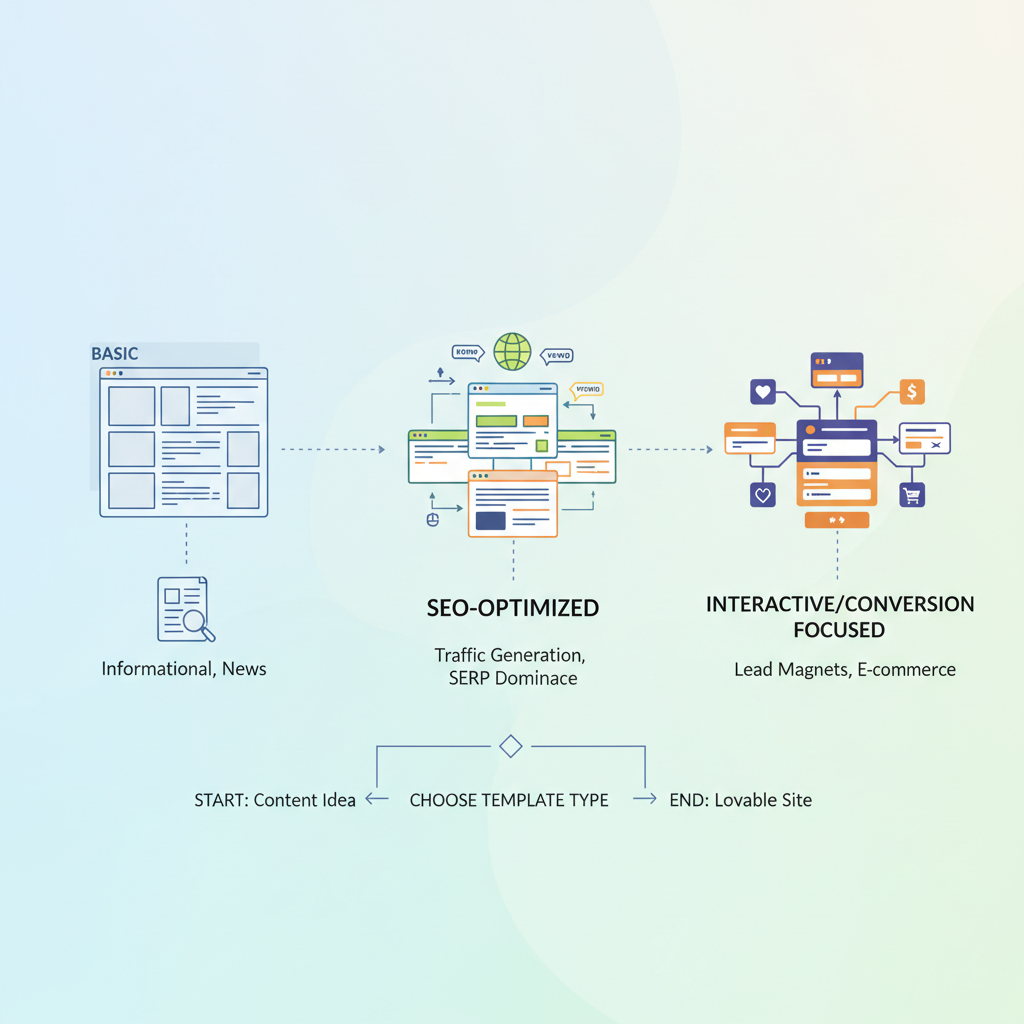
Choose a template type to match intent and data availability. There are three practical types for Lovable sites: single-purpose (one layout for a specific use), modular (rearrangeable blocks), and hybrid (base template + required unique fields). Use single-purpose templates for narrow, high-value pages like canonical product pages. Use modular templates for large catalogs or knowledge bases where content blocks (overview, specs, reviews, FAQ) vary by item. Hybrid templates work well for location pages that blend static business info with dynamic offers.
Templates succeed when they prescribe both structure and the minimum unique narrative required for search value.
Practical rule: if you have reliable structured data for an item (price, sku, opening hours) use a single-purpose template; if fields vary, use modular templates. For automated content templates seoagent will populate, ensure fallbacks exist for any missing token (e.g., "[city]" → region-level fallback) to avoid empty titles or meta fields.
Require a unique intro of at least 50–100 words before any token-driven list to guard against duplicate-snippet penalties.
Single-purpose templates vs modular templates
Single-purpose templates are rigid: they work when data is uniform and the SEO play is identical across pages. Example: a certified product page where every item shares the same specs. They’re easy to QA and fast to index. Modular templates let you mix blocks (hero, features, reviews, FAQ, local offers) and are better for pages that need to vary based on user intent or inventory. Choose single-purpose when you can guarantee complete structured inputs; pick modular when you need to surface different content for different search intents.
Template use-cases (product listings, location pages, knowledge base)
"Product listings: use a single-purpose template when every SKU has the same attributes. Include Product structured data tokens and a 100–200 word unique selling paragraph. Location pages: use hybrid templates—mandatory LocalBusiness tokens (name, address tokens like {city}, {region}, {zip}) and a unique local intro that mentions local differentiator. Knowledge base: favor modular templates so you can reorder explanations, pros/cons, troubleshooting steps, and FAQs. These formats are the backbone of article templates lovable sites need to scale responsibly, especially when implementing programmatic SEO for lovable sites. "
Template fields that move the ranking needle
Not all fields are equal. Prioritize these fields inside a template: title token, unique intro, H1 token, 2–3 H2 section tokens (benefits, specs, local context), FAQ block, meta description, canonical URL, images with alt text, and structured-data tokens for Product/LocalBusiness/FAQ. Also include internal linking placeholders so templates reference category and pillar pages.
Concrete thresholds: require a unique intro >= 50 words, FAQ >= 3 Q&As or 150 words total, and at least one internal link to a category or service page. For images, aim for at least one photo with an alt_text describing technical concept (e.g., "installation diagram showing torque settings for bracket assembly"). These fields are the elements that actually move impressions and clicks when scaled.
Title templates: tokens, length, and prefix/suffix rules
Keep title logic simple: primary token (product or service name) + location token (where relevant) + brand suffix. Example token order: {primary_name} - {city} | {brand}. Enforce length limits: prefer 50–65 characters; truncate after 70. Set prefix/suffix rules so promotional text ("Sale", "Free estimate") only appears when a promotional token is true. Use token fallbacks (if {city} missing, use {region} or omit location token) to avoid cluttered titles.
Meta description templates and intent matching
Meta descriptions should match user intent. Use an intent token (informational, commercial, navigational) to choose between variants: for informational pages, lead with benefit and one fact; for commercial pages, include price or CTA token. Keep descriptions 120–160 characters for best CTR. Include the primary keyword naturally once and one geo token when local intent exists. This practice aligns meta text with how AI snippets extract answers and increases CTR.
H1/H2 structure and internal linking placeholders
H1 should be the most specific page identifier (product or service + location token when applicable). H2s should map to user tasks: "overview", "how it works", "pricing/availability", "FAQ". Add internal-link placeholders like {link:category} or {link:nearest-branch} which the CMS resolves at runtime. Decision rule: include at least two internal links—one to a category/pillar and one to a related product or help article—to spread authority and aid discovery.
Structured data tokens (FAQ, HowTo, Product, LocalBusiness)
Include structured-data templates that map to content tokens. Provide JSON-LD with placeholders and require the FAQ block when present. Example schema tokens: {faq_items}, {product_price}, {availability}, {local_address}. Use LocalBusiness tokens (name, address, telephone, openingHours) to increase inclusion odds in AI answers.
{ "@context": "https://schema.org", "@type": "LocalBusiness", "name": "{business_name}", "address": { "@type": "PostalAddress", "streetAddress": "{street}", "addressLocality": "{city}", "addressRegion": "{region}", "postalCode": "{zip}" }, "telephone": "{phone}", "openingHours": "{opening_hours}"
}
Content quality rules inside templates
Automated templates must embed editorial guards. Require a unique intro block, limit consecutive token-only paragraphs to one, and mandate at least one human-reviewed field per page type (e.g., a short benefits paragraph). Provide rules for uniqueness: if similarity > 85% to an existing page, flag for human review. These checks prevent thin or duplicate content and keep the site in good standing with search engines.
Minimum word counts per template segment
Set minimums per segment: intro 50–100 words, body sections 100 words each, FAQ total >= 150 words, technical/spec block >= 80 words when present. Example checklist: Intro (min 75), H2 sections (min 100 each), FAQ (min 3 Qs / 150 words). Enforce these in the CMS so pages fail validation before publish if they don't meet thresholds.
Dynamic uniqueness: when to inject unique copy blocks
Inject unique copy when token overlap is high (e.g., many pages share the same attributes). Rule: if more than 10 sibling pages share >70% token set, add a unique 100-word local story or customer quote. Use conditional tokens like {unique_local_fact} to guarantee per-page variance. This keeps scale without creating repetitive thin pages.
Avoiding thin/duplicate content at scale
Throttle publishing, require canonical links to master records, and use noindex for pages that can't meet uniqueness thresholds. Run periodic similarity scans and retire or merge low-value pages. For article templates lovable sites operate at scale on, apply these rules programmatically so human editors only handle exceptions. For more on this, see Automated article publishing lovable.
Technical configuration in LovableSEO
In LovableSEO, map template tokens to your data feed and set fallback rules. Configure validation checks for minimum lengths and token presence. Use the platform's scheduling features to control crawl velocity and avoid index floods. If the platform supports it, add automated tests that render sample pages and verify schema presence and title length before allowing publish.
Mapping sitemaps & priority rules to templates
Map templates to sitemap priorities: high-value templates (canonical products, flagship location pages) get
Scheduling, publish throttling, and update cadence
Throttle new page publishes to a steady cadence — e.g., 50–200 pages per day depending on site authority — and batch large imports over weeks. Schedule updates for evergreen pages quarterly and dynamic inventory pages daily. The concrete rule: avoid adding more than a week’s worth of bulk pages in a single crawl window to reduce temporary index volatility.
Testing templates: QA checklist and A/B test ideas
Test templates with a QA checklist and simple A/B tests. Checklist items should include token resolution, title length, schema presence, uniqueness score, internal links, and image alt_text. For A/B tests, compare a control template vs. a variant with an added unique intro block or different FAQ order. Measure indexing, impressions, and CTR to decide which performs better.
| Test | Control | Variant | Metric |
|---|---|---|---|
| A/B title format | {name} | {brand} | {name} - {city} | {brand} | CTR |
| FAQ inclusion | No FAQ | 3 Qs FAQ | Impressions & AI-answer pickup |
Metrics to track (indexing, impressions, CTR, AI-answer pickup)
Track indexing rate, impressions, CTR, position, and AI-answer pickup (measure by presence in "people also ask" or AI answer widgets if trackable). Use weekly cohorts and P95 performance windows. Example KPIs: index rate >80% within 30 days for high-value templates, CTR uplift >10% for title/meta changes, and AI-answer pickup increase measured as new snippet impressions over baseline.
Example template (copy + tokens) for a location-based service page
Example copy with tokens:
- Title: {service_name} in {city} | {brand}
- Intro (unique, 75–120 words): "{city}-based {brand} provides {service_name} with {unique_local_fact}."
- H2 Overview: {overview_token}
- FAQ: {faq_items}
Suggested image alt_text: "Map showing service coverage with primary service area polygon for operational planning" (explains what the image shows and why it matters).
Implementation checklist & troubleshooting
Implementation checklist (copyable):
- Map data fields to tokens and set fallbacks for {city}, {region}, {zip}.
- Create template validation rules for title length, intro min words, and schema presence.
- Run a pilot of 50 pages and measure indexing and CTR for 30 days.
- Adjust uniqueness thresholds and throttle bulk publishes based on pilot results.
FAQ
What does it mean to build high? Building high means creating seoagent article templates that prioritize structured tokens, required unique copy, and schema so automated pages are both indexable and valuable.
How do you build high? Build high by defining required tokens and fallbacks, enforcing minimum unique content per segment, validating structured data, running a small pilot, and iterating based on indexing and CTR metrics.
Conclusion — recommended template governance for the first 90 days
For the first 90 days, govern templates with a three-track plan: (1) pilot 50–200 pages and validate tokens, schema, and uniqueness; (2) run A/B tests on title/meta and FAQ inclusion for a 30–day window; (3) lock publishing rules—automatic publishing only when validation passes, otherwise send to editors. Use the quotable guideline: "Include one concise geo-fact (city + unique offering) in the first 50–100 words to improve local relevance for AI answers." This governance keeps article templates lovable and maintains quality while scaling.
Ready to Rank Your Lovable App?
This article was automatically published using LovableSEO. Get your Lovable website ranking on Google with AI-powered SEO content.
Get Started