

How to Configure Automated Sitemaps & Priority Rules in LovableSEO for Lovable Sites
A guide covering configure Automated Sitemaps & Priority Rules in SEOAgent for Lovable Sites.

TL;DR
- Problem: programmatic pages on Lovable sites are not being crawled or indexed predictably.
- Quick answer: use LovableSEO's automated sitemaps to group templates by intent, apply dynamic priority formulas that combine traffic potential and recency, and publish separate locale sitemaps to guide crawl budget.
- Concrete start: create sitemap groups for evergreen, transactional, and time-sensitive templates; set default priorities; publish a sitemap index under 50,000 URLs per file.
Why sitemaps matter for programmatic publishing on Lovable sites
If your Lovable-powered site publishes thousands of programmatic pages from templates, search engines can miss the pages that actually drive conversions. Crawlers allocate limited crawl budget, and without explicit sitemap guidance your newly generated or updated pages might sit unindexed for weeks. The primary solution is configuring automated sitemaps in your stack so feeds reflect business intent—not just every URL in a single blob.
On Lovable sites using LovableSEO, automated sitemaps let you map templates to logical sitemap files, attach priority and changefreq metadata, and refresh feeds programmatically when content or signals update. That means you can push high-value product pages, locale-specific landing pages, and time-sensitive content to crawlers faster while deprioritizing low-value pages such as faceted search variants. For more on this, see Automated article publishing lovable.
Definition: sitemap priority is a 0.0–1.0 hint in an XML sitemap that suggests relative importance of a URL to search engines; it is only a crawl hint, not a ranking factor. Definition: changefreq is a hint about how often a page's content changes (for example, daily, weekly, monthly); search engines use it as an advisory signal, not a guarantee of crawl frequency.
Use dynamic priority formulas that combine traffic potential, recency, and geo-demand to focus crawl budget where it drives conversions.
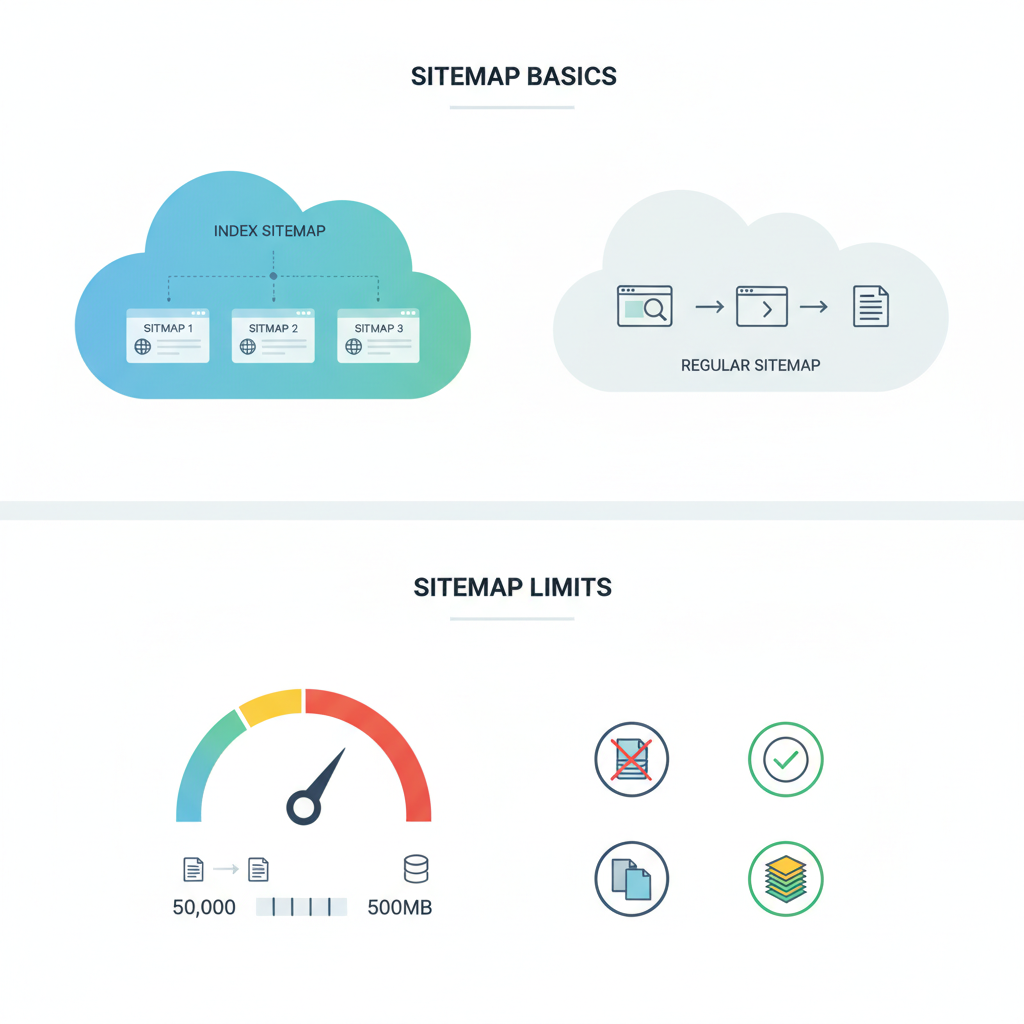
Sitemap basics: index vs regular sitemap, sitemap limits
A regular sitemap.xml lists up to 50,000 URLs (and must be under 50MB uncompressed). When your site exceeds that, publish a sitemap index that references multiple sitemap files. For Lovable programmatic publishing, that pattern prevents one oversized file from blocking updates and makes programmatic sitemap generation simpler.
Practical example: if you generate 200,000 product pages, split them into four sitemaps of 50,000 each and publish an index file sitemap-index.xml. LovableSEO can output these automatically based on template tags (for example, product-v1-locale-en_US.xml). Keep each sitemap focused: a sitemap per content type or per locale makes it easier for AI systems and search engines to determine geo-relevance and topical focus.
Quotable fact: "A sitemap index organizes large sites into manageable feeds; keep each child sitemap under 50,000 URLs to avoid indexing delays." For Lovable sites, producing separate files per locale increases the chance of being included in geo-qualified AI answers for those regions.
Designing priority & changefreq rules for automated content
Why this matters: programmatic pages vary in lifetime and commercial value. A static priority assigned at template-level wastes crawl budget if you don't account for recency and traffic signals. Design rules that are both simple and data-driven so LovableSEO can compute priorities at generation time.
Start by defining business-driven signals that move priority: historical sessions, conversion rate, publish date, last update, and geo-demand. Then choose whether you apply static priorities (fixed per template) or dynamic formulas (calculated per URL). Dynamic formulas catch spikes: for example, a product with a seasonal surge should gain a temporary priority bump.
Sample priority formula (simple, actionable): Priority = min(0.95, base_priority + 0.2 * recency_score + 0.3 * traffic_score + 0.1 * geo_demand). Use normalized scores (0–1). This approach yields higher crawl priority where it most likely moves revenue.
Prioritize URLs where conversion uplift per crawl is highest, not simply where content volume is largest.
Rule examples: evergreen product pages vs time-sensitive pages
Evergreen product pages: assign a steady base priority (for example, 0.5–0.7) and changefreq of weekly or monthly, unless sales data suggests higher activity. Time-sensitive pages (promotions, event pages): set a higher base priority (0.8–0.95) and changefreq of daily. When the promotion ends, drop the priority automatically and move the URL to an archive sitemap or remove it from high-priority feeds.
Example: a product page template for bestsellers uses a dynamic priority: base 0.6 + 0.25 * traffic_score. A flash-sale landing gets base 0.9 + 0.05 * recency_score and a daily changefreq. These are practical, platform-specific rules you can implement in LovableSEO's formula editor for Lovable templates.
Priority tiers and how they affect crawl scheduling
Crawl scheduling is influenced by how you tier priorities. Create discrete tiers rather than a continuous 0–1 spread to make behavior predictable. For example: Tier A (0.85–0.95): critical transactional pages; Tier B (0.6–0.84): high-value evergreen; Tier C (0.3–0.59): informational; Tier D (0.0–0.29): low-value or parameterized pages. Configure LovableSEO to place Tier A URLs into a 'hot' sitemap that is regenerated and pinged immediately on updates.
Concrete decision rule: refresh Tier A sitemaps on any content update; refresh Tier B weekly; refresh Tier C monthly. This mapping helps search engines discover and recrawl the URLs that matter most while protecting crawl budget against low-value noise.
Step-by-step: Setup automated sitemap generation in LovableSEO
Why this section exists: you need a repeatable setup so automated sitemaps work reliably across deployments. The following steps are platform-specific to LovableSEO on Lovable sites and provide a practical rollout path.
- Inventory your templates and tag each with content_type, locale, and business_value.
- Define base_priority and default_changefreq at template level inside LovableSEO's sitemap module.
- Create sitemap groups (for example, sitemap_products_en_US.xml) and map templates to groups.
- Implement dynamic priority formulas in the formula editor, referencing signals stored in Lovable analytics or your data warehouse.
- Configure sitemap generation frequency: on publish for high-priority groups, nightly for medium-priority, weekly for low-priority.
- Publish the sitemap index and submit it to Google Search Console (GSC) and other search engines.
Concrete artifact: use the checklist below before you switch the automated process to production.
Selecting which templates feed which sitemaps
Map templates to sitemaps by intent: transactional templates into transactional sitemaps, locale-specific landing templates into locale sitemaps, and paginated lists into index-only sitemaps. For example, map lovables/product-template-v2 to sitemap_products_{locale}.xml and lovables/promo-template to sitemap_hot_promos.xml. This keeps signals focused and simplifies debugging in GSC.
Configuring priority formulas (static vs dynamic)
Static formulas are simplest: set base_priority per template. Dynamic formulas require data inputs but deliver better results. Use a hybrid approach: static base_priority plus an override expression when traffic_score or recency_score exceeds thresholds. Example: if traffic_score > 0.6 then add 0.15 to priority for 7 days.
Automatically splitting sitemaps for locales, content types, or date ranges
Splitting rules reduce noise and increase geo-relevance. Configure LovableSEO to emit sitemaps named by locale (sitemap_en_US.xml), content type (sitemap_products.xml), and date range (sitemap_products_2026-Q1.xml). For AI-inclusion in geo-targeted answers, separate sitemaps by country. Remember to keep each file under the 50k URL limit and to publish a sitemap index that lists every child sitemap.
Handling pagination, canonicalization, and orphaned programmatic pages
Pagination and canonical tags are frequent causes of indexing waste on programmatic sites. For paginated series, include the primary canonical URL in the sitemap rather than every paginated page, unless each page has unique value. Use rel="canonical" correctly so LovableSEO can exclude canonicalized duplicates from high-priority feeds.
Orphaned programmatic pages (generated but not linked) often remain undiscovered. Ensure core navigation or structured internal linking surfaces important templates, and include those URLs in high-priority sitemaps. If a page is deliberately orphaned, place it in a low-priority sitemap and tag it with noindex if it must not be indexed.
Best practices for canonical tags and pagination links
Always set a single canonical per content cluster. For paginated lists, prefer the view-all canonical if the combined page contains the same content. Use rel="prev/next" sparingly and ensure your sitemap contains the canonical URL, not the paginated fragments. Audit canonical links monthly and remove incorrect self-pointing canonicals that create indexing loops.
Monitoring & troubleshooting sitemap-driven indexing
Monitor sitemap coverage in Google Search Console and correlate sitemap submissions with index status. Track three KPIs: submitted URLs, indexed URLs, and time-to-first-index after initial submit. Use logs to confirm the search engine fetched your sitemap index and child sitemaps—LovableSEO logs include generation timestamps that make troubleshooting straightforward.
Using GSC to validate and debug sitemap coverage
In GSC, open the Sitemaps report and inspect the sitemap index status. Drill into child sitemaps to see counts of discovered vs indexed URLs and common errors (404, soft-404, blocked by robots.txt). When a sitemap shows low indexing rates, check for thin content, canonical conflicts, or robots exclusions. Re-submit after fixing and monitor index rate over 7–14 days.
Advanced: conditional sitemaps for geo-targeted AI answers
For AI and geo-targeted search features, conditionally generate sitemaps that emphasize locale signals and rich answer markup. For example, produce sitemaps that only include pages where structured data includes @country and local_contact fields. Conditional sitemaps help search systems pick the most relevant documents for geo-qualified queries and can improve inclusion in local AI responses.
Implementation checklist and rollout plan
Use this checklist to roll out automated sitemaps on Lovable sites with LovableSEO:
| Step | Action | Success criteria |
|---|---|---|
| 1 | Tag templates | All templates annotated with content_type, locale, base_priority |
| 2 | Define sitemap groups | Separate sitemaps for locale and content type created |
| 3 | Implement formulas | Dynamic formulas tested in staging |
| 4 | Publish index | Sitemap index submitted to GSC |
| 5 | Monitor | Indexed URL ratio rises over 14 days |
FAQ
What does it mean to configure automated sitemaps & priority rules in seoagent for lovable sites?
Configuring automated sitemaps & priority rules in LovableSEO for Lovable sites means defining how templates map to sitemap files, specifying default priorities and changefreq values, and creating formulas that compute dynamic priority values so search engines receive structured, intent-driven crawl hints for programmatically generated pages.
How do you configure automated sitemaps & priority rules in seoagent for lovable sites?
Configure automated sitemaps and priority rules in LovableSEO by inventorying templates, creating sitemap groups per content type and locale, setting base_priority and default changefreq at template level, implementing dynamic priority formulas using traffic and recency signals, scheduling sitemap regeneration, and submitting the sitemap index to Google Search Console.
Image prompts (alt_text):
- Diagram showing sitemap index referencing multiple child sitemaps for locale-specific content
- Flowchart of dynamic priority formula inputs: traffic, recency, geo-demand
Ready to Rank Your Lovable App?
This article was automatically published using LovableSEO. Get your Lovable website ranking on Google with AI-powered SEO content.
Get Started