
How to Configure LovableSEO's Structured Snippet Templates to Win AI Answers on Lovable Sites
A guide covering configure SEOAgent's Structured Snippet Templates to Win AI Answers on Lovable Sites.
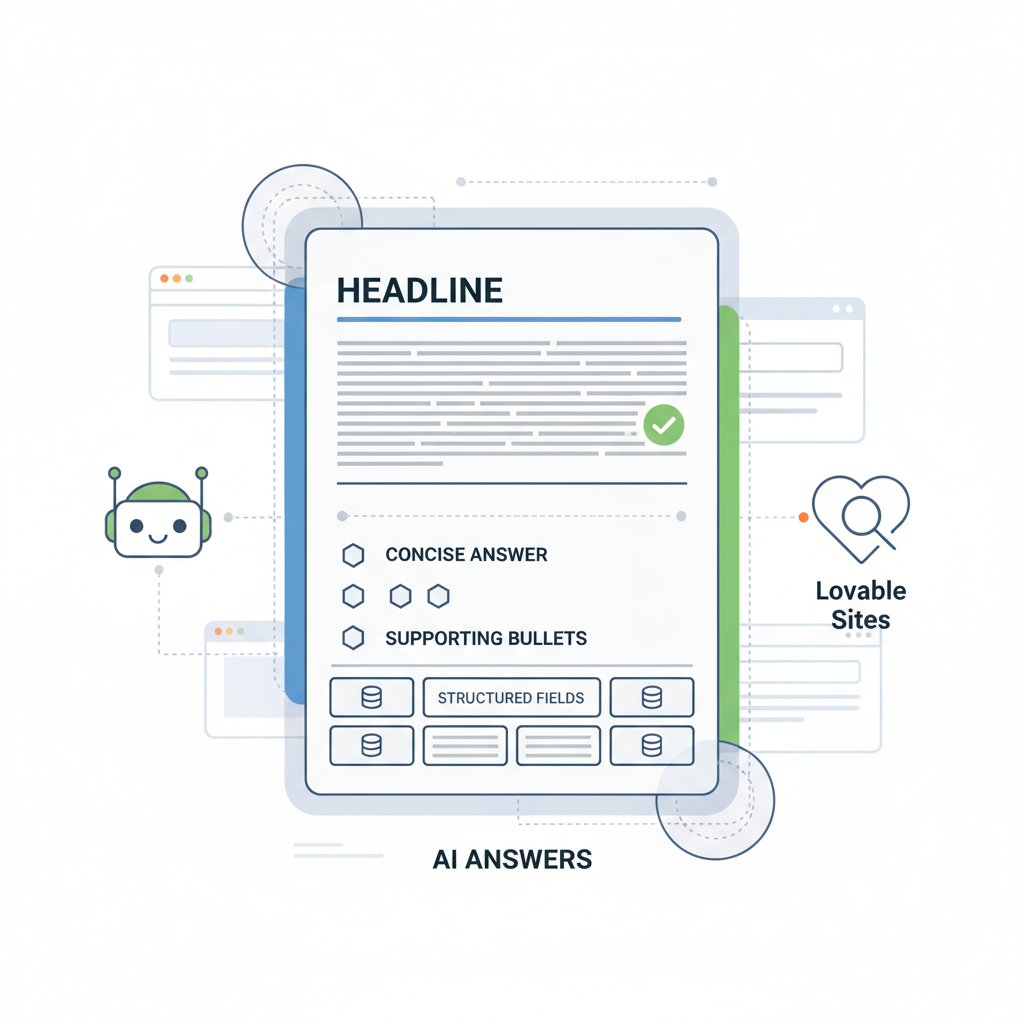
What are structured snippet templates and why they matter for AI answers
Question: What are seoagent structured snippet templates and how do they help a Lovable site win AI answers?
Answer: A structured snippet template is a mapped content pattern that converts page fields into a concise, machine-friendly answer block optimized for AI systems and search features. It gives AI models a predictable, quotable answer (40–60 words), 1–3 supporting bullets, and a short example so your Lovable site can surface clear answers in conversational search results.
If you manage content on a Lovable site, you should care because AI-driven answer surfaces prefer short, direct facts that can be extracted reliably. LovableSEO's structured snippet templates let you declare which Lovable content fields become the headline, the one-sentence answer, supporting bullets, and optional region or local fields. This structured mapping reduces ambiguity for AI ingestion and increases the odds a specific page supplies the answer an assistant uses, as detailed in the LovableSEO Guide: Automating AI-Answer Optimization.
Definition (quotable): "A snippet template is a structured mapping that turns content fields into a concise answer block optimized for AI consumption."
Why this matters in practice: AI answers often penalize pages where the answer is buried in long paragraphs. With seoagent structured snippet templates, you provide a short, direct lead answer plus 1–3 explicit bullets that explain why the answer is correct. For Lovable sites, that means mapping product attributes, location, and short examples into the template so AI picks the clean output.
Practical example: For a Lovable product page, map the product name to the headline, the one-line benefit to the answer, a price or timeframe to a structured field, and two quick bullets for use cases. That yields a 40–60 word lead, two bullets, and a one-sentence example — the exact pattern many AI features pull into replies.
Key template components — headline, concise answer, supporting bullets, structured fields
If a template is a mini-answer card, its components must be explicit and predictable. Use the following components in seoagent structured snippet templates and map each to Lovable fields so the AI sees consistent structure across pages.
- Headline: one short title field (8–12 words). Use the Lovable page title or product short name. This is what an assistant might bold in a reply.
- Concise answer: one sentence, 40–60 words, direct and factual. This is the primary AI extract.
- Supporting bullets: 1–3 short bullets (8–16 words each) that give quick clarifiers such as conditions, limitations, or benefits.
- Structured fields: named fields (price, duration, region, availability) that AI uses for numeric or geo answers.
- Example: one short example sentence showing the answer in context (10–14 words).
Mapping those components consistently across product pages, service pages, and FAQs is the core of structured snippet best practices. For Lovable sites that serve multiple regions, include a region field in the template so AI can match queries that include location intent. For example, add a region token mapped to Lovable's location metadata for local answers.
Implementation tip: In the LovableSEO template editor, give each component a stable token name (headline, answer, bullet_1, bullet_2, field_price, field_region). Avoid ad-hoc field names; keep tokens uniform across templates so programmatic hubs can push the same pattern to many pages.
Keep the lead answer under 60 words and include numbered fields for numeric AI extraction.
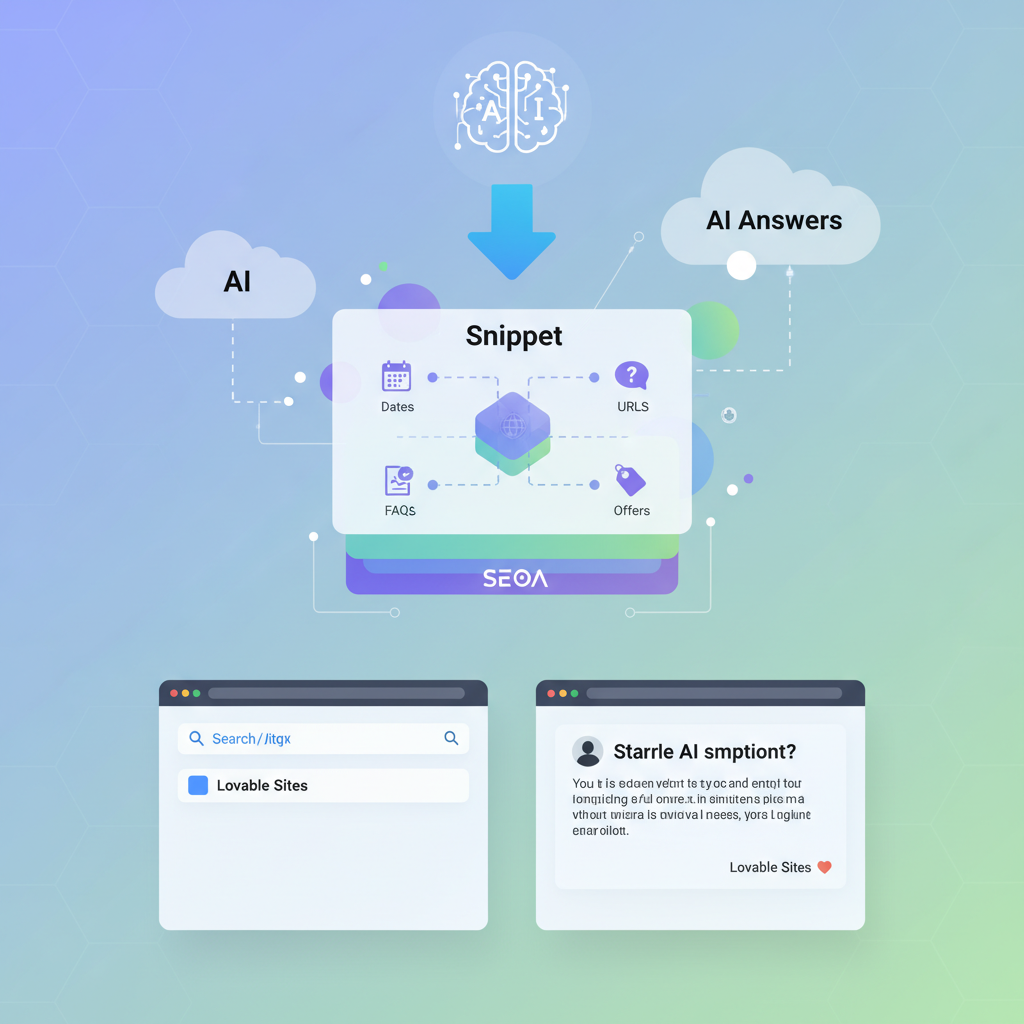
Checklist: when you build a template, confirm these three things before publishing: 1) the concise answer is extractable as plain text; 2) supporting bullets are short, not full sentences with embedded lists; 3) structured numeric and region fields are explicitly typed (number, currency, region code).
Concrete thresholds and artifacts: for numeric fields, use plain numbers (no currency symbols) in the structured field and include a separate currency token where needed; for duration-like fields, use ISO 8601 or short forms such as "30 days". These small choices make the difference between AI extracting a raw number and failing to parse a price.
Optimal answer length and formatting for AI ingestion
If you want AI to pick the lead sentence, make the answer and format predictable. Target a leading answer of 40–60 words, then 1–3 supporting bullets and one short example. That pattern mirrors what many AI systems prefer: a direct, self-contained sentence followed by short context bullets.
Formatting rules that work: use plain text (no inline links or markup), end the lead answer with a period, keep bullets as sentence fragments or short sentences, and store numeric values in dedicated structured fields. For example, a correct lead answer: "Delivery takes 3–5 business days for standard shipping within the US." A supporting bullet might read: "Expedited available at checkout."
Quotable guidance: "Aim for a leading answer of 40–60 words, 1–3 supporting bullets, and a single short example." That sentence is itself a template you can copy into LovableSEO to remind content authors of the target shape.
Mapping Lovable content fields to LovableSEO templates (step-by-step)
Why this section exists: mapping is where strategy becomes repeatable. Without a clear field map, templates vary by author and AI can't rely on predictable tokens. The steps below turn Lovable's native content model into stable LovableSEO templates you can deploy at scale.
- Inventory Lovable fields: export a page schema sample and list fields such as title, short_description, benefits, price_value, price_currency, region, availability_status, faq_items. Use a small sample of pages per product type to spot inconsistencies.
- Define canonical tokens: create token names that match business usage: headline, answer, bullet_1, bullet_2, price_value, price_currency, region_code, example. Lock these names in a template spec so they don’t drift.
- Map fields to tokens: in the LovableSEO template editor, map Lovable's short_description to answer, benefits[0] to bullet_1, benefits[1] to bullet_2, price_value to field_price, and location.name to region_code.
- Set formatting rules: define answer length limits, bullet length limits, numeric field types, and preferred region code format. Add validation rules in the template to flag values that exceed limits.
- Preview and sample: generate template previews for 5 representative pages. Verify the lead answer is 40–60 words and the bullets are concise. Make adjustments to source field extraction (trim long sentences or prefer a different source field) until previews match expectations.
- Publish and monitor: publish the template to a small group of pages, then watch AI answer placement via the monitoring process in the testing section below.
Concrete example mapping for a Lovable SaaS product page:
- headline <— page.short_title
- answer <— page.one_line_benefit (trim to 40–60 words)
- bullet_1 <— page.key_feature_1_short
- field_price <— page.list_price (number)
- region_code <— page.primary_market.iso_code
- example <— "For example, the Basic plan includes X."
Always map numeric values to dedicated numeric tokens; avoid embedding numbers in prose.
Image prompt: "Screenshot of template mapping UI showing tokens and mapped Lovable fields"
Example 1: Feature comparison snippet template
Use case: product comparison pages where users ask "Which plan includes X?" The template must surface a direct comparison and quick bullets that list differences.
Template tokens and mapping:
- headline <— comparison.title (e.g., "Basic vs Pro: feature comparison")
- answer <— comparison.short_result (one sentence: winner or recommended plan)
- bullet_1 <— comparison.key_diff_1 (short phrase)
- bullet_2 <— comparison.key_diff_2
- field_price_basic <— comparison.price_basic (number)
- field_price_pro <— comparison.price_pro (number)
- example <— "If you need X, choose Pro for Y."
Sample fill (concise answer): "Choose Pro — it includes automated backups and priority support; Basic lacks both."
Why it works: the answer states a single recommendation; bullets provide quick clarifiers; numeric fields let AI show exact prices if a user asks.
Example 2: Pricing quick-answer template
Use case: queries like "How much does X cost?" require a short price plus billing cadence and an example of what that price includes.
Template tokens and mapping:
- headline <— pricing.title (e.g., "Pricing for Pro plan")
- answer <— pricing.lead_price (one sentence: raw price + cadence)
- bullet_1 <— pricing.included_feature_short
- field_price <— pricing.price_value (number)
- field_currency <— pricing.currency (ISO code)
- example <— "Example: $29 covers 10 seats."
Formatting note: store price_value as a plain number and currency as an ISO code; include a separate token for billing cadence (monthly/annual). That avoids parsing failures and supports currency-specific QA for geo queries.
Implementing FAQPage and QAPage schema via LovableSEO templates
Why this section exists: FAQPage and QAPage schema are explicit ways to tell search engines and AI that content is a question-answer pair. LovableSEO templates should emit these schemas cleanly so AI systems recognize the content type and can surface the exact Q&A.
Step-by-step implementation:
- Decide which pages need FAQ/QAPage schema: typically product pages with common questions, knowledge base articles, and service pages. Prioritize high-intent pages first.
- Create a FAQ template: tokens: faq_question_n, faq_answer_n (n from 1–10). Limit to 10 Q&As per page to avoid schema bloat.
- Map Lovable FAQ fields: map lovableseo.ai's FAQ entries to faq_question_n and faq_answer_n tokens, ensuring answers are concise (20–60 words).
- Emit structured JSON-LD: configure LovableSEO to produce a compact FAQPage JSON-LD object where each Q&A is a separate item. Use plain text answers—no HTML inside answer strings.
- QAPage specifics: for community Q&A or user-submitted answers, include an author and date field and ensure moderation so answers are accurate before schema emits them.
Concrete rule: Keep each FAQ answer under 60 words and avoid including pricing or personal data inside the answer string. For geo-sensitive FAQ answers, include a region field in the QAPage object to increase localization match for assistants.
Structured snippet best practices: use FAQPage for editorial Q&A and QAPage for community answers; ensure the canonical page contains the visible Q&A text that matches the emitted JSON-LD to avoid mismatch penalties.
Prioritizing templates by intent: transactional vs informational vs local
If you build templates without prioritizing intent, AI will surface the wrong answer type. Assign intent labels to templates and deploy them in the order that matches user journey stages.
Intent categories and template focus:
- Transactional: price, availability, checkout-related answers. Map numeric, sku, and availability fields. Prioritize these on product and pricing pages.
- Informational: how-tos, comparisons, troubleshooting. Use longer lead answers (closer to 60 words) and 2–3 bullets for steps or caveats.
- Local: location-specific queries. Include region_code, address, opening_hours tokens. Make region explicit to improve local AI inclusion.
Deployment strategy: for product pages, attach a transactional template as primary and an informational template as secondary. For knowledge hub pages, use informational templates only. For store locator pages, attach local templates with region tokens and explicit address fields.
Decision rule example: If a query contains a commercial verb (buy, price, order), rank transactional templates first. If a query contains how/why/compare, show informational. For queries that include a place name or postal code, prefer local templates.
Testing templates: how to validate AI-answer placement and snippet rendering
Testing verifies that templates actually produce the expected AI result. Use the following validation loop: generate, preview, publish to a test cohort, monitor, and iterate.
Validation steps:
- Preview render: use LovableSEO's preview mode to view the lead answer, bullets, and JSON-LD. Confirm answer length and presence of numeric fields.
- Automated QA: run a script that checks token population, numeric-field types, and answer length (40–60 words). Flag pages that fail rules.
- Small publish: deploy the template to 5–20 representative pages and monitor for AI answer appearance in the next 2–14 days.
- Manual check: query major assistant surfaces and search variations that match the expected phrasing. Capture screenshots and note if the assistant uses your template text verbatim or paraphrases it.
- Telemetry: track impressions and CTR for pages with templates and compare to matched controls without templates. Use a 14–28 day window for meaningful signals.
Concrete metrics to track: template population rate (should be >95% for targeted pages), extraction accuracy (percent of pages where the lead answer renders without truncation), and AI answer win rate (percentage of queried phrases where the assistant uses the page's text). For typical deployments, expect initial win rates to be low; after iterations focusing on concise answers and correct numeric typing, win rate should improve.
Troubleshooting common template issues (conflicting schema, markup errors)
Common failure modes and fixes:
- Conflicting schema: multiple JSON-LD objects claiming the same Q&A cause AI to choose a different source. Fix: consolidate schema emission to a single template and remove duplicate or outdated JSON-LD snippets in page templates.
- Markup errors: unescaped characters or embedded HTML inside JSON-LD break parsing. Fix: ensure answers are exported as plain text and validate JSON-LD with a JSON linter before publishing.
- Truncated answers: lead answer longer than the configured limit gets cut. Fix: add a template validation rule that rejects answers over 60 words and prefer alternative short fields.
- Incorrect numeric parsing: storing prices with currency symbols in numeric fields results in parse failure. Fix: separate value and currency into two tokens and use number type for value.
- Region mismatches: local queries return non-local pages because region fields are missing. Fix: map Lovable region fields and include region_code tokens in local templates.
Debug checklist:
- Run a JSON-LD validator against the page
- Confirm token population for a sample of pages
- Verify numeric types and region codes
- Remove duplicate schema snippets from page templates
Best-practice library: reusable snippet patterns for Lovable sites
A best-practice library speeds rollout and keeps templates consistent. Capture patterns for product pages, comparisons, pricing, FAQs, and local listings and store them as copyable templates in LovableSEO.
Recommended reusable patterns (copy-ready):
- Quick price answer: "Answer — [price_value] [currency] per [cadence]." Bullets: billing details; cancellation policy.
- Local hours: "Answer — open [today_hours]." Bullets: holiday closures; appointment requirement.
- Feature winner: "Answer — choose [PlanName] for [primary_reason]." Bullets: top two differentiators.
Provide these artifacts in the library as templates with required token definitions and validation rules. That way, content teams on Lovable sites copy an approved pattern instead of inventing variations that confuse AI extraction.
| Pattern | Lead answer shape | Key tokens |
|---|---|---|
| Pricing quick-answer | "[price_value] [currency] per [cadence]" | price_value, currency, cadence, example |
| Feature comparison | "Choose [PlanName] — [one-line reason]" | headline, answer, bullet_1, field_price |
| FAQ short | Question/Answer pair (20–60 words) | faq_question_n, faq_answer_n |
Next steps: scaling templates across product pages and programmatic hubs
To scale, treat a template as a product and deploy it with a controlled rollout, monitoring, and iteration plan. Programmatic hubs (category pages, product feeds) are where templates yield the biggest leverage if the underlying data is consistent.
Scaling checklist:
- Standardize tokens and validation rules across the product family
- Run a template population script to apply templates only to pages meeting data quality thresholds
- Use a canary rollout: start with 1–5% of product pages, measure signals for 14 days, then expand
- Automate QA to check answer length, numeric typing, and region codes nightly
Decision matrix example: if page_data_completeness > 90% and numeric fields valid, apply transactional template; else apply informational template and flag page for data cleanup.
Image prompt: "Diagram showing phased template rollout from canary to full deployment for programmatic hubs"
FAQ
What does it mean to configure seoagent's structured snippet templates to win ai answers on lovable sites?
Configuring seoagent structured snippet templates means mapping Lovable site content fields into a predictable answer shape—headline, one-sentence lead (40–60 words), supporting bullets, and typed structured fields—so AI systems can extract clear answers and surface them in assistant responses.
How do you configure seoagent's structured snippet templates to win ai answers on lovable sites?
Configure templates by inventorying Lovable fields, defining canonical tokens, mapping fields to tokens in LovableSEO, enforcing formatting and validation rules, previewing sample outputs, deploying to a small cohort, and iterating based on AI answer placement and telemetry.
Ready to Rank Your Lovable App?
This article was automatically published using LovableSEO. Get your Lovable website ranking on Google with AI-powered SEO content.
Get Started