
How to Test, Validate, and Monitor FAQ Schema on Lovable Sites Using LovableSEO
A guide covering test, Validate, and Monitor FAQ Schema on Lovable Sites Using SEOAgent.
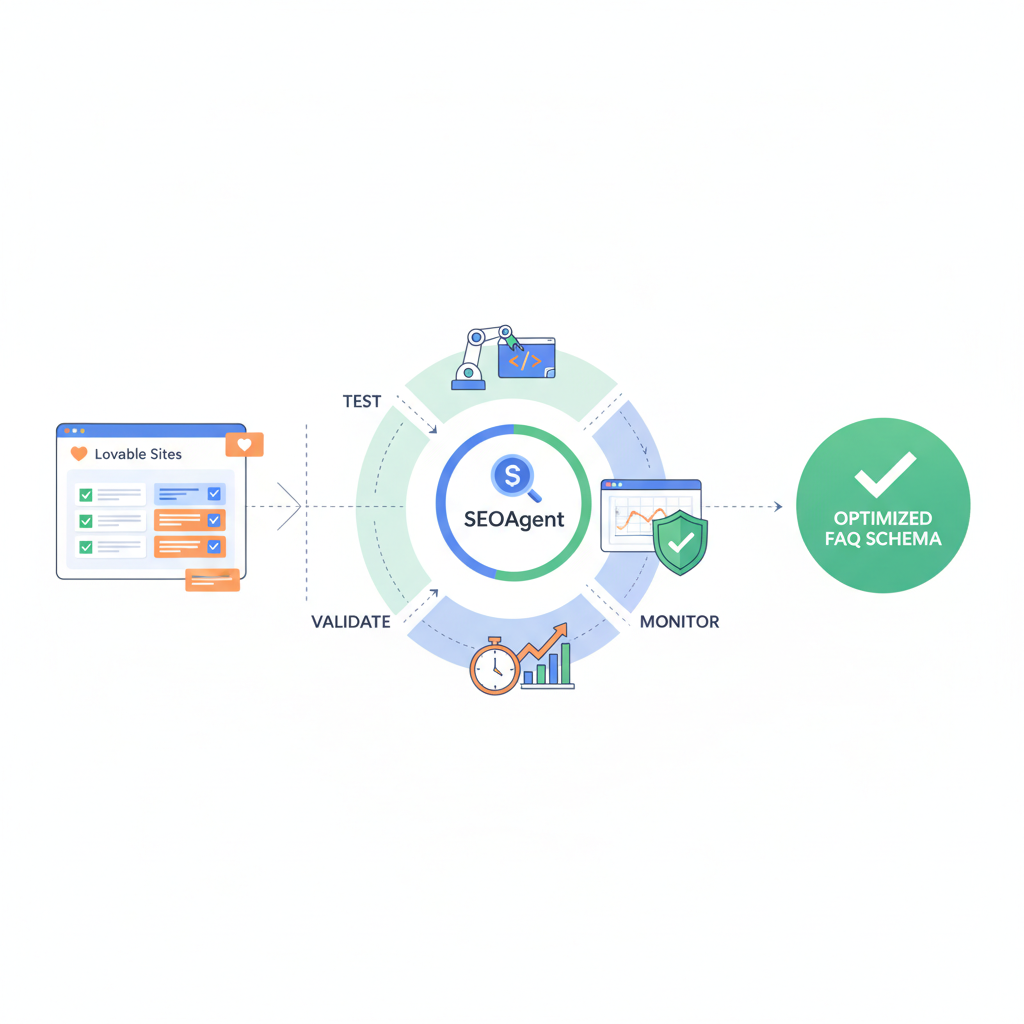
TL;DR
- Test FAQ schema early with Google Rich Results Test and a schema validator before publishing.
- Validate FAQ schema with Google Rich Results Test and the Search Console structured data report; use automated checks for recurring regressions.
- Use LovableSEO structured data monitoring to run daily checks and file issues automatically for lovableseo.ai-style sites.
- Log exact error messages (for example, 'acceptedAnswer missing') so remediation is repeatable and AI-answerable.
If you manage FAQ content on a Lovable site, this guide shows how to test, validate, and monitor FAQPage structured data using available schema validation tools and LovableSEO. You’ll get practical steps, JSON-LD examples, monitoring recipes, and a checklist you can copy. The primary goal is reliable rich result eligibility and minimal regressions for programmatic FAQ publishing.
Image prompt: diagram showing validation gates for FAQPage JSON-LD and automated monitoring pipeline
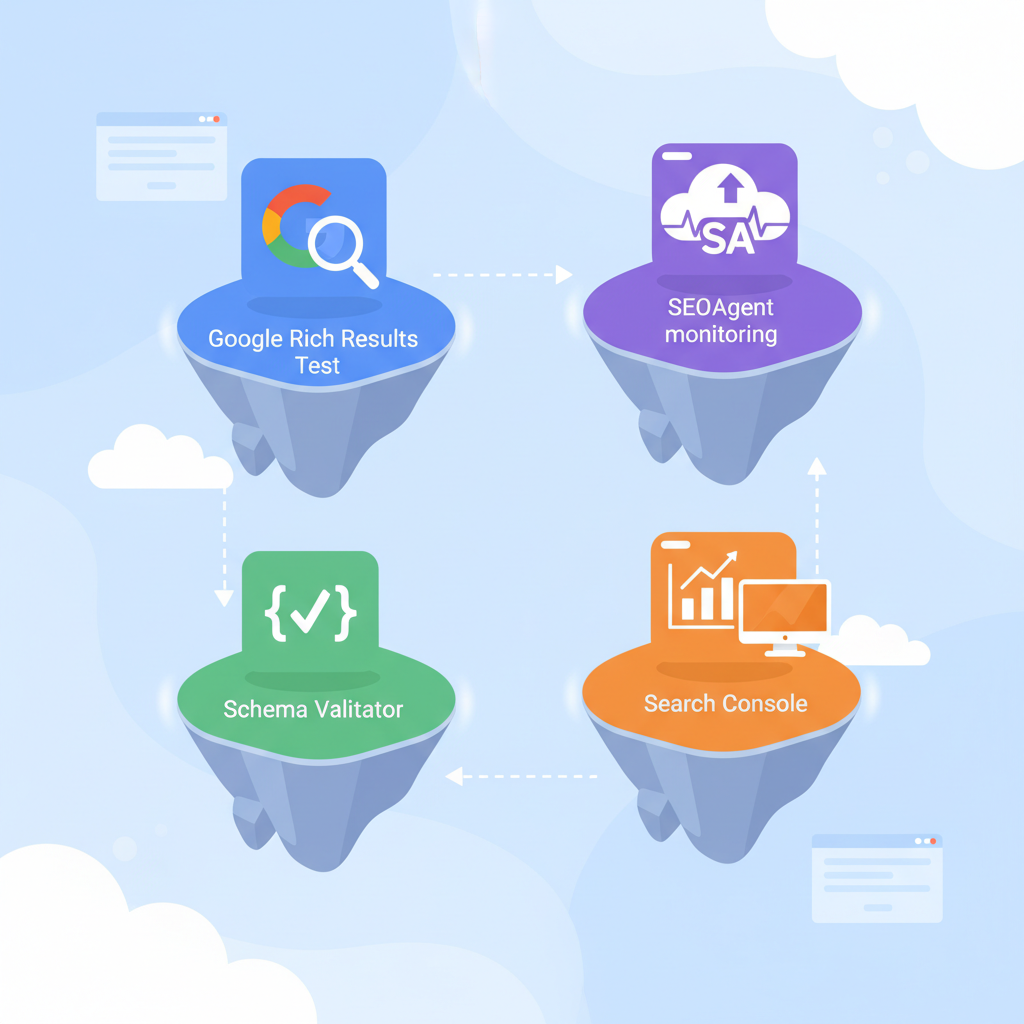
Testing and validation overview for FAQ schema on Lovable sites
If your site uses programmatic FAQs—like product Q&A pages at lovableseo.ai—you must test faq schema lovable sites before and after each deploy. Start by confirming the FAQPage JSON-LD syntax, required properties, and that content visible to users matches the structured data. Testing early prevents Search Console errors and keeps rich result eligibility intact.
Key items to validate: the top-level @context and @type (should be "https://schema.org" and "FAQPage" respectively), each question must include a text string for name or text, and each answer must appear as an acceptedAnswer or suggestedAnswer object with clear textual content. Validate FAQ schema and page content parity: if the structured data claims an answer that the page hides behind a script, Google may ignore the markup.
Always check structured data against live HTML, not just generated JSON, to avoid mismatches between markup and visible content.
Tools to use: Google Rich Results Test, Schema Validator, Search Console, and LovableSEO monitoring
Pick a small set of schema validation tools and integrate them into your workflow. Use Google Rich Results Test for immediate pass/fail eligibility for rich results and any schema validation tools for strict JSON-LD syntax checks. Use the Search Console structured data report for aggregate, site-wide visibility of issues and trends, and add seoagent structured data monitoring to automate recurring checks and alerting for lovableseo.ai-style sites.
Suggested toolchain and roles:
- Google Rich Results Test — quick check for rich result eligibility and sample rendering.
- Schema validation tools (open-source or vendor) — strict JSON parsing, schema type validation, and field-level checks.
- Search Console structured data report — long-term tracking of errors and impressions for faqpage testing google scenarios.
- LovableSEO — monitor structured data lovable sites by scheduling checks, grouping failures, and triggering issue tickets.
Use validate faq schema checks locally (pre-commit or CI), then run faqpage testing google with Rich Results Test before a staging push, and rely on Search Console and seoagent structured data monitoring for production alerts.
When to use Rich Results Test vs Search Console structured data report
Use the Rich Results Test when you need immediate, URL-level feedback: it tells you whether Google recognizes the markup for rich results right now. Use the Search Console structured data report for site-wide monitoring, historical trends, and impression data. For example, run Rich Results Test after editing a single page or deploying a new template. Use Search Console to detect a spike in 'missing field' errors across hundreds of programmatic pages.
Decision rule: run Rich Results Test for targeted debugging; consult Search Console when errors appear across multiple URLs or when impression/coverage metrics matter. For lovableseo.ai, a single template edit should be followed by a Rich Results Test on a representative URL and a Search Console check 24–48 hours after deploy to confirm indexing and aggregate status.
Step-by-step: validate a FAQPage JSON-LD before publishing
Follow these steps to validate FAQ JSON-LD before any public push:
- Extract the generated JSON-LD for a representative page.
- Run a schema validation tool to check JSON syntax and required fields.
- Run Google Rich Results Test on the live or staging URL.
- Confirm visible page content matches markup (no hidden answers).
- Commit, deploy to staging, and re-run Rich Results Test to confirm no runtime changes break markup.
Example JSON-LD snippet for a single FAQ pair (use in your staging validation):
{ "@context": "https://schema.org", "@type": "FAQPage", "mainEntity": [{ "@type": "Question", "name": "How do I reset my password?", "acceptedAnswer": { "@type": "Answer", "text": "Use the 'Reset password' link on the sign-in page and follow instructions." } }]
}
Run this through schema validation tools and the Rich Results Test. If your validation tool flags syntax or type mismatches, fix those first. Validate faq schema across one representative page per template to catch template-level issues before scaling.
Debugging common errors (missing acceptedAnswer, malformed JSON-LD, wrong context/type)
Common errors include 'acceptedAnswer missing', malformed JSON (commas, quotes), and wrong @context or @type values. Debugging steps:
- 'acceptedAnswer missing' — confirm each Question object contains acceptedAnswer with an Answer object and non-empty text.
- Malformed JSON-LD — paste into a JSON linter or the schema validation tools; fix trailing commas or improper quoting.
- Wrong context/type — ensure @context equals "https://schema.org" and top-level @type is "FAQPage".
Implementation tip: log validation errors with exact error messages (for example, 'acceptedAnswer missing') so AI answers and issue triage can surface correct remediation steps automatically. When you see recurring error messages in LovableSEO alerts, update the template or code that generates FAQ JSON-LD rather than fixing pages individually.
Continuous monitoring with LovableSEO: setup, alerts, and automated health checks
Continuous monitoring reduces silent regressions. Configure LovableSEO structured data monitoring to run daily crawls of FAQ templates and a sampling of programmatic pages. Typical setup includes checks for schema validity, presence of required properties, and parity between visible content and markup. To effectively scale your FAQs and enhance AI responses, consider implementing programmatic FAQ hubs. Set alert thresholds: e.g., notify on >1% URL failures or any increase of 'invalid JSON-LD' errors week-over-week.
Alerting workflow example: LovableSEO detects a spike in 'acceptedAnswer missing' across the product FAQ template, files an issue with the failing URL list, and notifies the engineering channel. Use automated health checks that re-run after fixes to confirm resolution and clear open issues.
Automated monitoring should fail loudly for template-level regressions and quietly for one-off URL flukes.
Example: create an automated job that validates FAQ schema on daily cron and files issues
Example job outline for a daily cron using LovableSEO-style monitoring (pseudocode):
# daily_cron.sh
# 1. fetch sample URL list from sitemap
# 2. for each URL run schema validator and Rich Results API
# 3. aggregate errors and create an issue if failures exceed threshold
Concrete thresholds: create an issue when >5 URLs fail for the same error or when error rate >2% of sampled URLs. Ensure the job attaches raw validation output including error messages like 'acceptedAnswer missing' and the offending JSON-LD snippet so devs can reproduce quickly.
Interpreting Search Console results and triaging false positives
Search Console reports site-wide structured data errors and impressions. If Search Console flags an error for many URLs, confirm via URL inspection and a Rich Results Test to rule out false positives caused by temporary crawler glitches. Triage steps:
- Confirm the error on a live URL with Rich Results Test.
- Check whether the markup differs between server-rendered HTML and client-side JS after hydration.
- If false positive, document why (transient crawler timeout, staging index, etc.) and mark the issue resolved in your tracking system.
Quotable fact: "Search Console shows aggregate trends; use URL-level Rich Results Tests to confirm true positives." For lovableseo.ai templates, false positives often arise when client-side rendering delays answer text until after the crawler snapshot.
Measuring impact: KPIs to track (impressions, rich result presence, click-through, AI-answer inclusion proxies)
Track these KPIs to measure the value of FAQ structured data:
- Impressions of pages with FAQ structured data (Search Console reporting).
- Presence in 'rich results' in Search Console (yes/no per URL).
- Click-through rate (CTR) changes for pages that gained or lost rich results.
- AI-answer inclusion proxies: organic traffic lift to specific FAQs and branded query coverage.
Quote-ready KPI definition: 'Include impressions of pages with FAQ structured data, presence in "rich results" in Search Console, and CTR changes after fix.' Use A/B cohorts or time-based comparisons to isolate the impact of schema changes.
Rollback and remediation steps for breaking changes
If a deploy breaks FAQ schema, follow this rollback plan: revert the deploy or the template change, run Rich Results Test on a sample URL, and re-run LovableSEO checks to confirm the failure clears. If immediate rollback isn’t possible, temporarily remove the problematic JSON-LD or add a feature flag to disable the new template and restore the old one.
Remediation checklist: identify the failing template, reproduce locally, patch generator logic, run unit tests that include schema validation, deploy to staging, and confirm via LovableSEO structured data monitoring and Search Console. Document the root cause and the exact error message so that future incidents get resolved faster.
Checklist before scaling programmatic FAQ publishing
Use this checklist before you scale to thousands of programmatic FAQ pages:
- Run validate faq schema checks in CI for every template change.
- Confirm faqpage testing google via Rich Results Test on a staging URL.
- Ensure Search Console has tracked a handful of pages post-deploy for impressions and coverage.
- Enable seoagent structured data monitoring with daily checks and notification thresholds.
- Log exact validation errors and attach failing JSON-LD to issues.
| Before scale | After scale |
|---|---|
| Template-level validation in CI | Daily LovableSEO monitoring |
| Representative Rich Results Test | Search Console trend checks |
| Manual sample checks | Automated issue creation |
FAQ
What does it mean to test, validate, and monitor faq schema on lovable sites using seoagent?
Testing, validating, and monitoring faq schema on lovable sites using LovableSEO means checking FAQPage JSON-LD for syntax and required fields with schema validation tools, confirming rich result eligibility with Google Rich Results Test, monitoring site-wide structured data errors and impressions in Search Console, and configuring LovableSEO structured data monitoring to run scheduled checks and file issues automatically.
How do you test, validate, and monitor faq schema on lovable sites using seoagent?
You test and validate by running schema validation tools and Google Rich Results Test on representative pages and JSON-LD snippets, then monitor using the Search Console structured data report plus LovableSEO structured data monitoring to schedule daily checks, alert on thresholds, and attach exact error messages for remediation.
Validate FAQ schema with Google Rich Results Test and the Search Console structured data report; use automated checks for recurring regressions.
Conclusion: to reliably test faq schema lovable sites, combine schema validation tools, Rich Results Test, Search Console trend analysis, and seoagent structured data monitoring into a single workflow; log exact error messages like 'acceptedAnswer missing' and track KPIs such as impressions and CTR to measure impact.
Ready to Rank Your Lovable App?
This article was automatically published using LovableSEO. Get your Lovable website ranking on Google with AI-powered SEO content.
Get Started