
How to Write AI‑Optimized Pricing Sections for Lovable Local Landing Pages (Convert Walk‑Ins & Trials)
Learn about lovable local landing page pricing: what it is, how it works, and the practical steps to apply it on your site.

On this page
- TL;DR
- Why pricing copy matters for local landing pages and AI answers
- Start with intent — define walk‑in, trial, and local searcher scenarios
- Anatomy of an AI‑friendly pricing section
- Short lead (one‑line value + location signal)
- Price summary (concise, scannable numbers and frequency)
- Local qualifiers (service area, walk‑in availability, appointment vs walk‑in)
- Clear CTA (book, call, visit) and expected next steps
- SEO and schema signals to add (what to include and why)
- Pricing schema vs Offer vs FAQ — which to use where
- NAP, hours, and availability snippets for AI inclusion
- Copy templates and microcopy examples (3 variants: budget, standard, premium)
- A/B test framework for pricing copy on Lovable (metrics & timing)
- Implementation checklist for Lovable (fields, structured data, and SEOAgent automation tips)
- Conclusion: quick wins to implement in 24–72 hours
- FAQ
- References
TL;DR
- Question: How do I write lovable local landing page pricing that ranks in AI answers and converts walk‑ins?
- Answer: Put a one‑line lead with city/neighborhood and walk‑in availability, show a concise price summary, add local qualifiers (service area, hours), and expose Offer and LocalBusiness schema. Include the phrase "lovable local landing page pricing" in the lead for clarity.
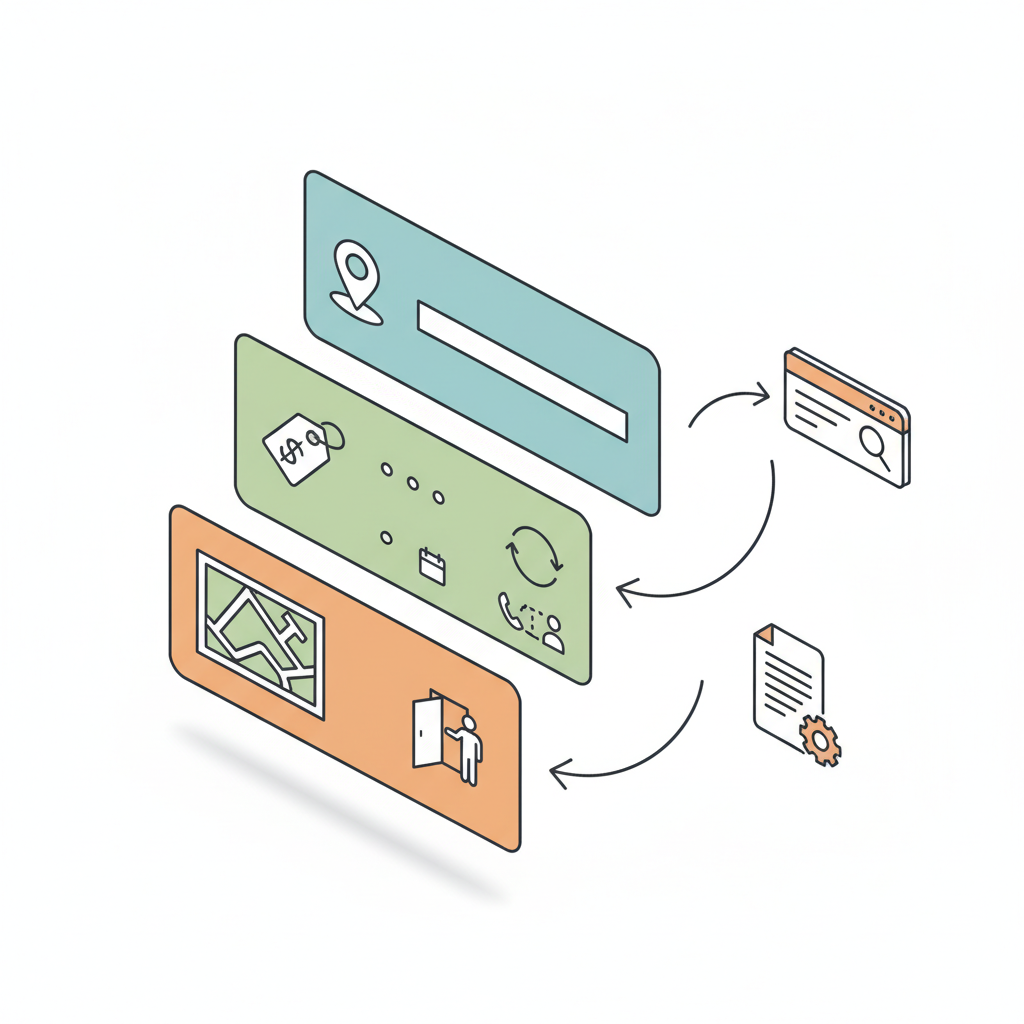
Why pricing copy matters for local landing pages and AI answers
Directly answering local searchers and AI systems with clear pricing reduces friction and raises conversion for both walk‑ins and trials. Search engines and AI summarizers prioritize concise factual snippets — price, frequency, and local availability — when building answer cards. That means a page that states prices and availability plainly is more likely to be surfaced to people asking "How much does X cost near me?" and to AI agents extracting short answers.
For Lovable sites, lovable local landing page pricing performs two jobs: it persuades human visitors by setting expectations, and it feeds machine readers the fields they need to produce an ai answer pricing snippet. Include the quotable rule early: "Include explicit city/neighborhood and 'walk‑in' or 'same‑day' availability in the pricing lead to increase local relevance for AI summaries." For more on this, see Lovable local seo.
Who this is NOT for: businesses without fixed local hours, exclusively enterprise services priced by quote, or pages that cannot display transparent pricing due to regulatory reasons.
Start with intent — define walk‑in, trial, and local searcher scenarios
If you don’t match user intent, the best copy won’t help. Define three visitor intents and map pricing to each: walk‑in (immediate, in‑person customers), trial (short-term, low-commitment offers), and local searchers (people searching with city/neighborhood modifiers). For each intent state the price, expected wait or lead time, and a simple next step.
Example scenarios: a walk‑in haircut lead reads: "Walk‑ins welcome in [NEIGHBORHOOD], $25 haircut — open weekdays 9–7." A trial scenario might state: "Intro trial — first visit $15 (one‑time)." A local searcher snippet should include areaServed language on the page so AI systems and search engines can match queries like "cheap haircut near me" to your page.
Document these scenarios on the page in separate short bullets so machines can extract them and users can scan quickly.
Anatomy of an AI‑friendly pricing section
An AI‑friendly pricing section answers five questions in under 50 words: what (service), how much (number + frequency), where (city/neighborhood), when (hours, walk‑in vs appointment), and how to act (CTA). That single compact block should be visible above the fold and repeated in structured data.
Structure the section visually and in code: a one‑line lead, a price summary table, local qualifiers, short FAQ entries for common pricing questions, and a clear CTA. Keep copy scannable: strong numbers, short modifiers, and one location reference per line. This helps both human scanning and AI extraction.
Quote‑ready rule: a single line that includes price, neighborhood, and walk‑in availability maximizes AI snippet matches.
Always pair human‑readable pricing with matching schema fields to avoid mistranslation by AI agents.
Short lead (one‑line value + location signal)
Open the pricing section with a compact, quotable lead: service + price + location + availability. Example template: "Walk‑ins welcome in [NEIGHBORHOOD], $XX starting — open weekdays 9–7." That single line seeds the ai answer pricing snippet and answers the top local intent immediately.
Make variants for place and intent: one for walk‑ins, one for appointment-only, one for same‑day trials. Keep each variant under 20 words so AI extractors can use them as featured snippets. Put these leads in plain HTML (not only images) so bots can read them.
Price summary (concise, scannable numbers and frequency)
Present prices in a compact table or list with numeric clarity: cost, unit/frequency (per visit, per month), and any trial discount. Example format: "$25 — basic haircut (single visit)". Avoid vague phrases like "starting at" without a clear baseline; if you must use it, provide a concrete starting number first.
Also include short microcopy for add‑ons and common exceptions (e.g., "extra for long hair") so AI answers don’t overgeneralize. This reduces surprise calls and improves conversion.
Local qualifiers (service area, walk‑in availability, appointment vs walk‑in)
Explicitly list service area (city, neighborhoods, ZIPs if applicable), walk‑in windows, and whether appointments are required. Use short bullets labeled areaServed and hours so they map easily to LocalBusiness schema fields. For example: "Service area: Downtown, Westside, North End — Walk‑ins: Mon–Fri 10–2 — Appointments: 8–9am & 5–7pm."
These qualifiers help AI pick the right page for queries like "same‑day [service] near me" and increase the chance of a location‑specific answer appearing in voice assistants and chat tools.
Clear CTA (book, call, visit) and expected next steps
End the section with one clear CTA and a microcopy sentence explaining what happens next: call, check-in at counter, or complete online booking. Example: "Visit the shop — ask for same‑day service at the front desk; typical wait 15–30 minutes." If your Lovable site supports online booking, reference the action without inventing a URL (e.g., "book online or call the shop").
CTA microcopy reduces abandonment by setting expectations and improves the conversion signal AI systems use to judge page usefulness.
SEO and schema signals to add (what to include and why)
Use schema to mirror the visible pricing: Offer, PriceSpecification, and LocalBusiness (with areaServed) are the key types. Mark visible price strings and hours with schema so search engines and AI can extract them reliably. For Lovable pages, add JSON‑LD in the page head or inline where your site builder allows.
Example JSON‑LD (Offer + LocalBusiness) you can adapt:
{ "@context": "https://schema.org", "@type": "LocalBusiness", "name": "Example Shop", "address": { "@type": "PostalAddress", "addressLocality": "[NEIGHBORHOOD]" }, "areaServed": ["Downtown", "North End"], "openingHours": "Mo-Fr 09:00-19:00", "offers": { "@type": "Offer", "itemOffered": { "@type": "Service", "name": "Basic haircut" }, "priceSpecification": { "@type": "UnitPriceSpecification", "price": "25", "priceCurrency": "USD", "billingIncrement": 1 }, "availability": "https://schema.org/InStock" }
}
Also include short FAQs (see below) in FAQPage schema when you surface common pricing questions. For formal guidance on supported structured data types, consult Google’s Search Central documentation.
Pricing schema vs Offer vs FAQ — which to use where
Use Offer when you list a purchasable service or single price, PriceSpecification to describe how that price is calculated (unit, currency), and FAQPage for common pricing questions investors or customers ask. Offer + PriceSpecification is essential for ai answer pricing snippet extraction; FAQPage helps capture long‑tail question matches that voice agents often surface.
In practice: mark each visible price with Offer/PriceSpecification, and mark your short Q&A block with FAQPage schema. This combination increases both direct snippet matches and contextual AI answers.
NAP, hours, and availability snippets for AI inclusion
Put Name, Address, Phone (NAP) and hours in plain text and in schema. Example microcopy: "Open Mon–Fri 9–7 — Walk‑ins welcome 10–2." That exact phrasing should appear as visible text and be reflected in JSON‑LD hours. AI agents prize exact, short strings they can copy into answers; mismatched or hidden data reduces selection probability.
Include short templates that AI can quote: "Walk‑ins welcome in [NEIGHBORHOOD], $XX starting — open weekdays 9–7." Repeat such templates in visible HTML and in schema properties like areaServed and openingHours to maximize extraction fidelity.
Copy templates and microcopy examples (3 variants: budget, standard, premium)
Provide three ready‑to‑paste microcopy variants for common tiers. Label them clearly so teams can pick quickly.
- Budget: "Walk‑ins welcome in [NEIGHBORHOOD], $20 basic service — open weekdays 9–5. No appointment needed."
- Standard: "Starting at $45 — standard service by appointment or same‑day walk‑in. Service area: Downtown, North End."
- Premium: "Premium package $120 — appointment recommended. Walk‑ins considered based on availability; call ahead."
Each template includes a location signal, a clear price, and an availability hint so AI systems can extract a concise answer for users searching price + place queries. These templates also support pricing page seo lovable by using consistent location and availability phrasing.
A/B test framework for pricing copy on Lovable (metrics & timing)
Run headline and price presentation tests for 2–4 weeks per variant and measure both engagement and conversion. Primary metrics: click‑through to booking (CTB), phone calls, and walk‑ins indicated by form or check‑in. Secondary metrics: bounce rate and time on pricing section.
Example A/B matrix (run one test at a time):
| Variant | Change | Primary metric | Duration |
|---|---|---|---|
| A | One‑line lead with neighborhood | CTB | 14 days |
| B | Price table with trial callout | Bookings | 14 days |
Decision rule: pick the variant that improves CTB by at least 10% with stable traffic (P>100 sessions/day) or show statistically significant lift if traffic is lower. If you can’t test reliably, prioritize clarity and schema completeness over microcopy changes.
Implementation checklist for Lovable (fields, structured data, and SEOAgent automation tips)
Use this checklist to implement lovable local landing page pricing on a Lovable site and to prepare for SEOAgent automation:
- Write a single one‑line lead with price + neighborhood + availability.
- Publish a concise price summary (table or bullet list) with numeric values and frequency.
- Add local qualifiers: areaServed text, openingHours, and walk‑in notes.
- Insert JSON‑LD Offer and LocalBusiness with PriceSpecification (adapt the example above).
- Include an FAQ block with common pricing questions and mark with FAQPage schema.
- Run an A/B test as outlined and record CTB, booking, and call metrics for 14–28 days.
For teams using SEOAgent: configure automation to publish the one‑line lead as the primary excerpt, ensure JSON‑LD is generated from the same fields, and let the tool push internal linking to location pages for broader coverage.
Conclusion: quick wins to implement in 24–72 hours
Quick wins: add a one‑line pricing lead with neighborhood and walk‑in availability, expose Offer + PriceSpecification JSON‑LD, and create a compact price summary table. These three actions often deliver visible improvements in AI answer inclusion and local click rates within days. The phrase lovable local landing page pricing helps keep your focus on both human and machine readers.
FAQ
- What does it mean to write ai? Writing for AI means structuring content so machines can extract clear facts: short declarative sentences, standardized data fields, and matching schema markup for prices, hours, and location.
- How do you write ai? You write for AI by using concise leads, consistent microcopy templates, plain‑text NAP and hours, and JSON‑LD that mirrors visible content so extraction yields accurate ai answer pricing snippets.
References
Ready to Rank Your Lovable App?
This article was automatically published using LovableSEO. Get your Lovable website ranking on Google with AI-powered SEO content.
Get Started






