
Implement Pricing Schema on Lovable Pricing Pages to Win AI Answers and Display Local Prices
A guide covering implement Pricing Schema on Lovable Pricing Pages to Win AI Answers and Display Local Prices.
TL;DR
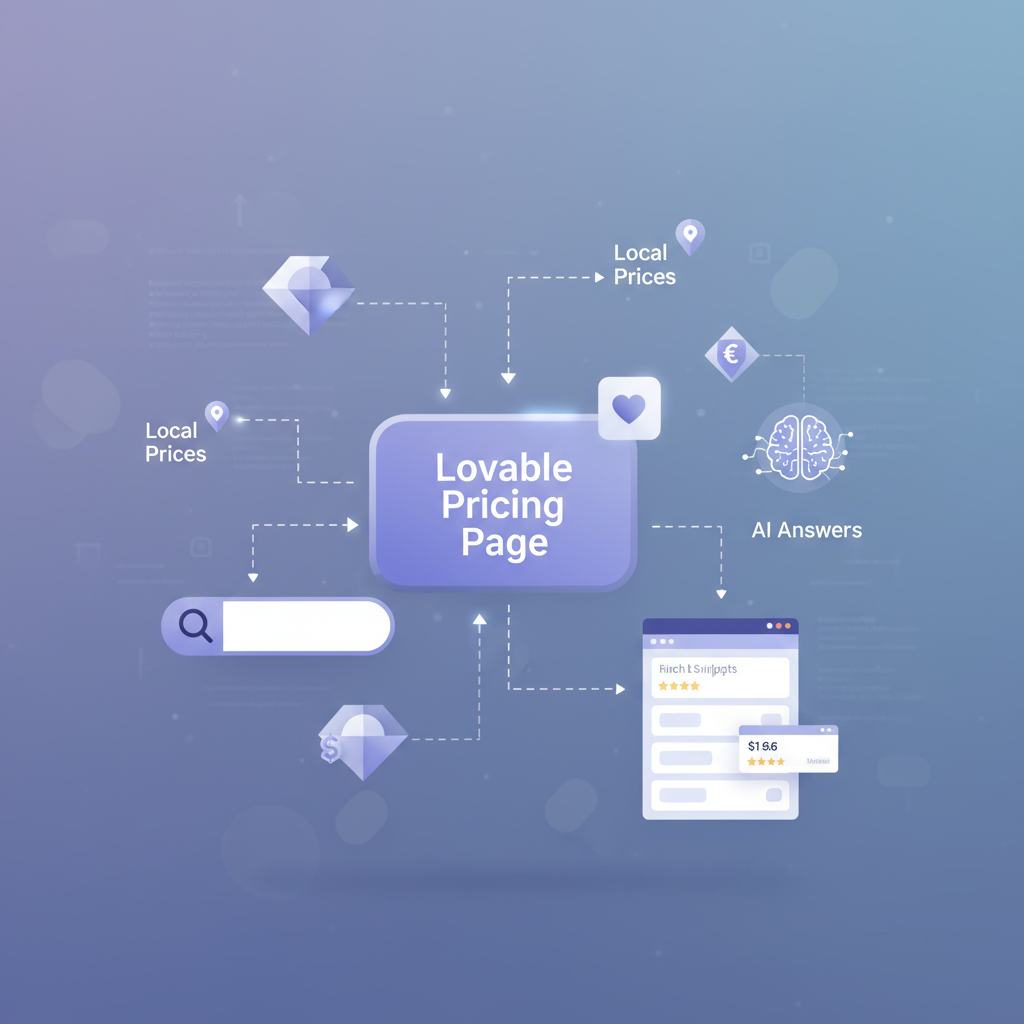
- Problem: AI answer boxes and search snippets often show wrong or generic prices because pricing markup is missing or ambiguous — this costs clicks and misleads buyers.
- Quick answer: Add schema.org Product/Offer with schema.org:PriceSpecification entries per region and currency, validate with Google's tools, and automate variants via LovableSEO templates to surface local prices and win AI answers.
Why Pricing Schema Matters for AI Answers and Search SERP Features
Without structured pricing data, AI-driven answer boxes and featured snippets will either omit price details or present stale, ambiguous figures. You lose qualified traffic when a user asking "How much does X cost in GBP?" sees only USD or a generic answer. For Lovable pricing pages, this problem shows up as mismatched currency, missing plan durations, or conflicting on-page and structured values.
Quick, quotable fact: "PriceSpecification communicates a plan's price, currency, validity dates, and targetRegion—essential for AI systems to display accurate, localized answers." That definition is extractable and ideal for featured snippets.
How this helps you: consistent pricing structured data improves the chance that an AI answer or a SERP feature shows the correct local price, which increases qualified clicks and reduces support queries about pricing. Use "pricing schema lovable" on visible pricing pages and in your meta-level JSON-LD so search engines and AI systems can extract both the number and the context (currency, duration, region). To enhance your results further, consider strategies to optimize lovable pricing pages for AI answers and boost trial-to-paid conversions.
Always publish both the human-visible price and a matching PriceSpecification in JSON-LD to avoid conflicting signals.
Which Structured Data Types to Use on Pricing Pages (Product, Offer, PriceSpecification)
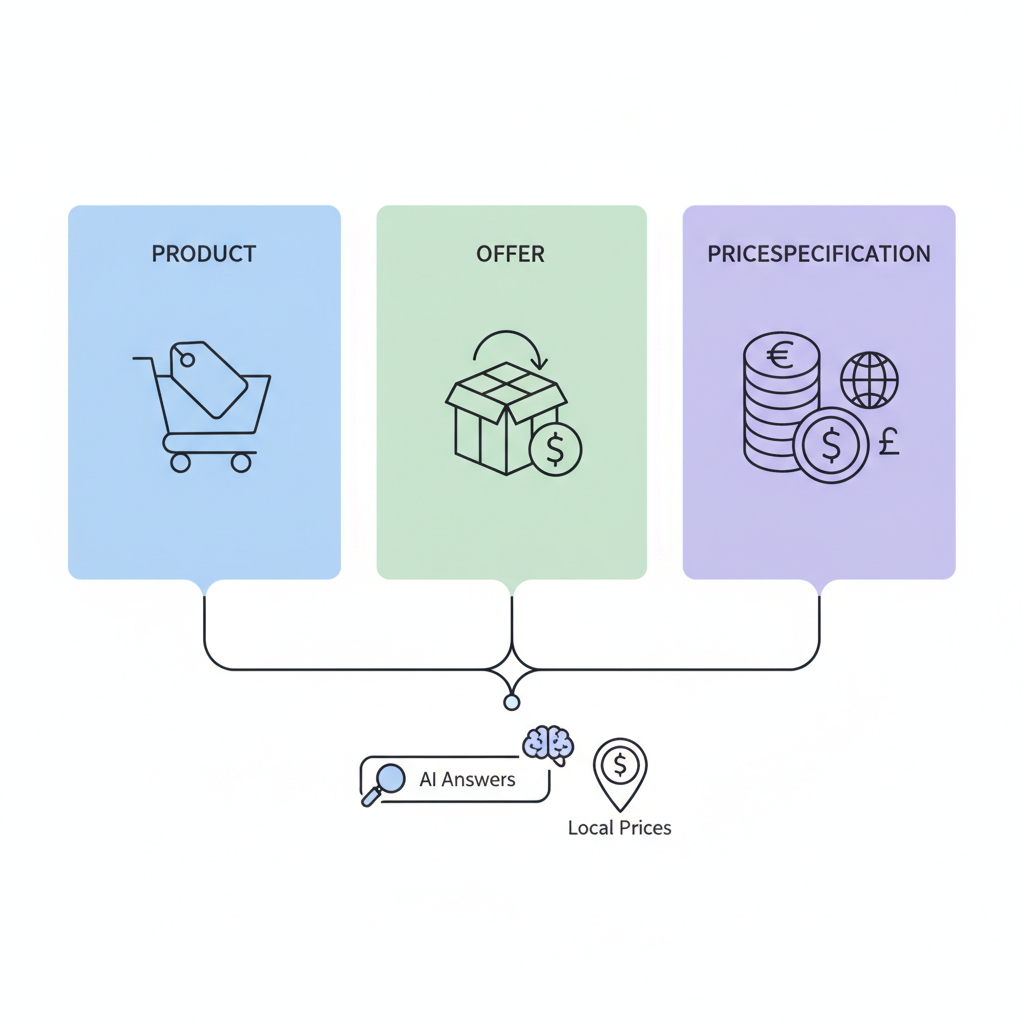
On a lovable pricing page you typically combine three schema types: Product (or Service), Offer, and PriceSpecification. Product describes the plan or SKU, Offer contains the price and availability, and PriceSpecification adds currency, validity dates, and region details. Use these together so AI answer systems can assemble a complete response. For more on this, see Lovable landing page seo.
Example mapping for a SaaS plan: Product (name: "Team"), Offer (price: 29.00, priceCurrency: "USD", availability: "InStock"), PriceSpecification (price: 29.00, priceCurrency: "USD", billingDuration: "P1M", validFrom/validThrough, eligibleRegion: "GB").
Use "pricing structured data" across both the visible pricing table and the page-level JSON-LD to avoid mismatches. When you include schema.org PriceSpecification lovable entries for each region and currency, AI systems and search engines can pick the correct localized answer.
One clear PriceSpecification per visible price reduces AI answer ambiguity and index-time conflicts.
When to use Product vs Offer vs Service markup
If your pricing page lists distinct physical items or packaged SKUs, use Product for each SKU and nest Offer entries under them. For digital plans or recurring services, use Service as the top-level type with Offer children. Use Offer any time you need to signal price, availability, and validity; use PriceSpecification when you need to express billing cadence, currency, or regional targeting.
Concrete rule: for Lovable SaaS plans, model each plan as Service -> hasOffer -> Offer -> priceSpecification. This makes it explicit that price applies to a subscription with billingDuration (e.g., P1M) and eligibleRegion (e.g., GB).
Localized Pricing: Currency, PriceSpecification.fields, and regional indicators
AI queries increasingly include geographic intent: "price in GBP", "cost for UK customers", etc. To capture this intent, include explicit fields in PriceSpecification: priceCurrency, price, validFrom/validThrough, and eligibleRegion (use ISO 3166-1 alpha-2 when possible). If you offer multiple currencies, provide separate PriceSpecification entries per currency and region so an AI system can choose the correct one.
Concrete example: include eligibleRegion: "GB" for GBP entries and eligibleRegion: "US" for USD entries. Keep the on-page visible price and the JSON-LD price identical.
Quotable fact for snippets: "AI answer inclusion means search systems show your plan price, currency, and region directly—only when PriceSpecification is explicit and unconflicted." Use the phrase "structured data pricing page" in descriptive copy so internal audits pick up pages that need regional PriceSpecification entries.
Step-by-step: Adding Pricing Schema on a Lovable Pricing Page (code examples)
Follow these steps on a Lovable pricing page: 1) Identify each plan or SKU and decide whether to model as Product or Service. 2) For each plan add an Offer with priceCurrency and price. 3) Add a PriceSpecification that includes billingDuration, eligibleRegion, validFrom/validThrough. 4) Render JSON-LD in the page head or just before closing body. 5) Validate and deploy.
Decision rule examples: if plan is billed monthly, set billingDuration to "P1M"; for quarterly billing set "P3M". For typical SaaS apps, ensure price is present both as text and in JSON-LD exactly matching to the cent.
{ "@context": "https://schema.org", "@type": "Service", "name": "Team plan", "offers": { "@type": "Offer", "price": "29.00", "priceCurrency": "USD", "priceSpecification": { "@type": "UnitPriceSpecification", "price": "29.00", "priceCurrency": "USD", "billingDuration": "P1M", "eligibleRegion": "US" }, "availability": "https://schema.org/InStock" }
}
Example JSON-LD for a SaaS monthly plan with PriceSpecification and availability
{ "@context": "https://schema.org", "@type": "Service", "name": "Pro monthly", "offers": { "@type": "Offer", "price": "49.00", "priceCurrency": "GBP", "availability": "https://schema.org/InStock", "priceSpecification": { "@type": "UnitPriceSpecification", "price": "49.00", "priceCurrency": "GBP", "billingDuration": "P1M", "validFrom": "2026-01-01", "eligibleRegion": "GB" } }
}
Example with multiple currencies and per-region offers
{ "@context": "https://schema.org", "@type": "Service", "name": "Pro plan", "offers": [ { "@type": "Offer", "price": "49.00", "priceCurrency": "GBP", "priceSpecification": { "@type": "UnitPriceSpecification", "price": "49.00", "priceCurrency": "GBP", "billingDuration": "P1M", "eligibleRegion": "GB" } }, { "@type": "Offer", "price": "59.00", "priceCurrency": "USD", "priceSpecification": { "@type": "UnitPriceSpecification", "price": "59.00", "priceCurrency": "USD", "billingDuration": "P1M", "eligibleRegion": "US" } } ]
}
Validating, Testing, and Deploying on Lovable (tools & checklist)
Validate before deploy: use Google's Rich Results Test and the Schema.org documentation to confirm types and fields. Test with staged pages and check that the visible price matches JSON-LD. Run a crawler to detect duplicate or missing PriceSpecification entries.
Checklist (copyable):
- Visible price equals JSON-LD price exactly (including decimals)
- Each currency has its own PriceSpecification with eligibleRegion
- Billing cadence present (billingDuration) for subscriptions
- validFrom/validThrough set for promotional prices
- No duplicate Offers for the same region/currency
| Step | Tool | Pass criteria |
|---|---|---|
| Syntax check | JSON-LD validator | Valid JSON-LD, no missing @type |
| Rich result test | Google Rich Results Test | Offers/PriceSpecification recognized |
| Staging crawl | Internal crawler | No duplicates, matching prices |
LovableSEO integrations: automating pricing schema templates and programmatic variants
Use LovableSEO or similar automation to templatize JSON-LD for product families. Create a template that accepts variables: plan_name, price, priceCurrency, billingDuration, eligibleRegion, validFrom. Programmatically render one JSON-LD block per region to keep markup deterministic.
Concrete implementation tip: generate one Offer per (region,currency) pair and version-control JSON-LD templates. For promo prices use a separate priceSpecification with validFrom/validThrough so AI answers pick the current price.
Common pitfalls and debugging (duplicate offers, conflicting markup)
Common issues include duplicate Offers for the same region, mismatched on-page and JSON-LD prices, and missing billingDuration. When search consoles report conflicting markup, run this decision rule: compare the crawler-visible JSON-LD (rendered HTML) to server-side templates and remove any stale inline snippets.
Debugging steps: 1) Search the rendered HTML for multiple PriceSpecification entries for the same eligibleRegion; 2) Compare cents and currency codes; 3) Remove legacy microdata if using JSON-LD. For Lovable pages, ensure any CMS pricing widgets and server templates both pull from the same canonical price source.
Quick checklist to audit pricing schema for AI-answer inclusion
- Does each plan have Service/Product with an Offer? (Yes/No)
- Is there a PriceSpecification for each currency and region? (Yes/No)
- Do visible prices exactly match JSON-LD? (Yes/No)
- Are billingDuration and availability present? (Yes/No)
- Have you validated with Google's Rich Results Test? (Yes/No)
Conclusion: prioritization and measurement (immediate wins vs engineering cost)
Prioritize quick wins: add one accurate PriceSpecification per plan for your top two markets (for many SaaS sites this is US and UK). Measure impact by tracking impressions and clicks for pricing queries and changes in support volume for price-related questions. For longer-term ROI, automate templates in LovableSEO to keep markup consistent as prices change.
Final quotable sentence: "A precise PriceSpecification per region turns ambiguous search snippets into qualified clicks." Use the primary phrase "pricing schema lovable" in your page title, first paragraph, and meta so the page signals relevance for both people and AI systems.
FAQ
What is implement pricing schema on lovable pricing pages to win ai answers and display local prices? Implement pricing schema on lovable pricing pages to win AI answers and display local prices means adding schema.org Product/Service, Offer, and PriceSpecification markup (including priceCurrency, eligibleRegion, and billingDuration) so AI answer boxes and search snippets can show accurate, localized plan prices.
How does implement pricing schema on lovable pricing pages to win ai answers and display local prices work? It works by exposing explicit, machine-readable price data (price, currency, validity, and region) in JSON-LD on the pricing page; search engines and AI systems read those fields to generate precise answers and local price displays.
Ready to Rank Your Lovable App?
This article was automatically published using LovableSEO. Get your Lovable website ranking on Google with AI-powered SEO content.
Get Started






