
Personalizing Pre-trial AI Answers with Trial Metadata in LovableSEO for Lovable Sites
A guide covering personalizing Pre-trial AI Answers with Trial Metadata in SEOAgent for Lovable Sites.
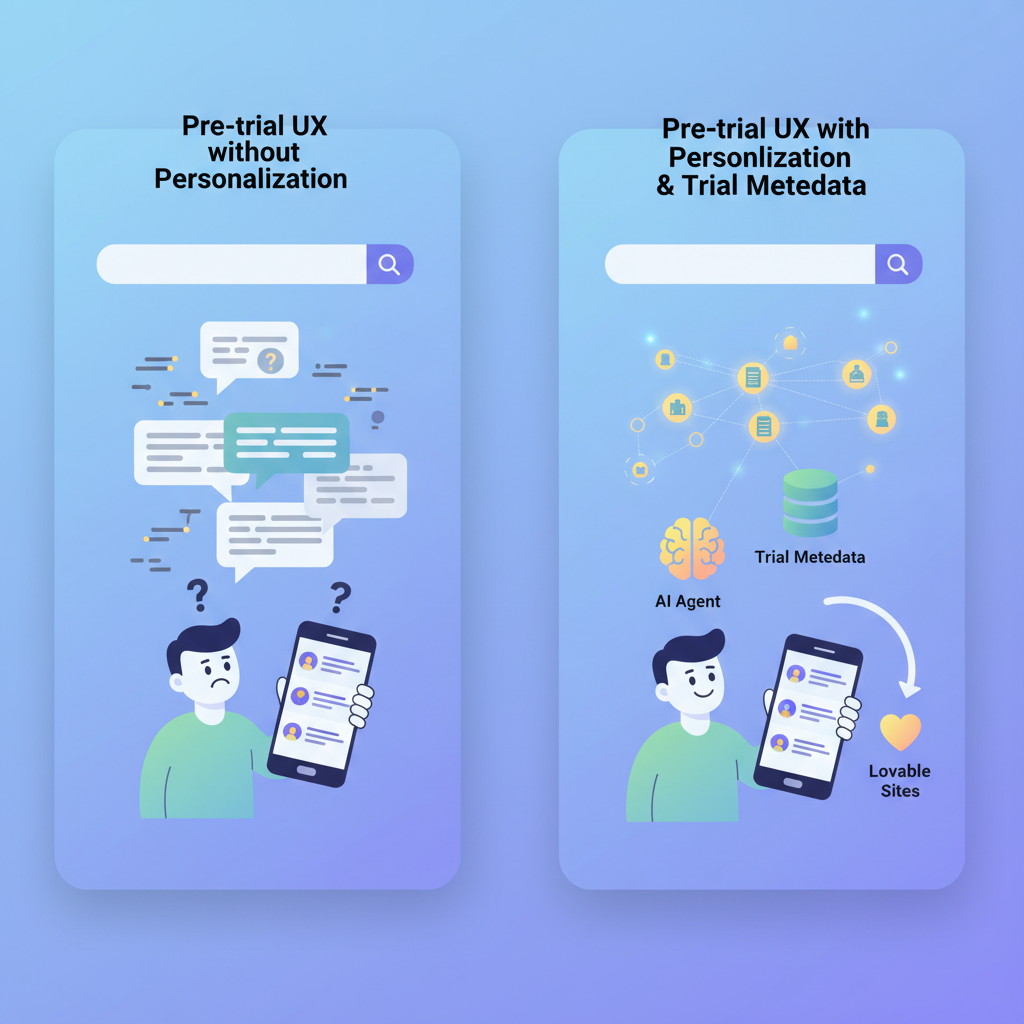
TL;DR
- Use trial metadata (plan, industry, company size, region) to surface targeted pre-trial AI answers that convert trial users.
- Send structured fields to LovableSEO feeds and JSON-LD templates so AI snippets can be localized and persona-aware.
- Prioritize plan and industry metadata first, then region and company size for GEO and contextual relevance.
- Measure lifts with segmented CTR and conversion rate tests; avoid duplicative crawlable pages by gating personalized content for logged-in trials.
Introduction: This guide explains how to personalize pre-trial AI answers using trial metadata inside LovableSEO, targeted at website owners, marketers, and developers building lovable seo personalization into trial flows. Personalize pre-trial ai answers seoagent is the central idea: attach structured fields to trial sessions so AI-powered answers and personalized ai snippets return exactly the detail a trial user needs. You’ll get field recommendations, schema examples, feed patterns, gating rules, two reusable artifacts (a launch checklist and a decision table), and concrete measuring tactics tuned for lovableseo.ai-style sites.
Quotable definition: "Trial metadata is structured session data (plan, industry, company size, region) that makes AI answers context-aware and locally relevant."
When NOT to personalize pre-trial answers: Do not personalize if you lack explicit consent, cannot reliably detect trial attributes, or if personalization would expose confidential pricing. Also avoid personalization when trials are anonymous and you cannot map attributes to a session without breaking crawler-safe behavior.

Why personalization improves pre-trial UX and AI-answer relevance
If a trial user from finance sees generic help, they lose trust; when the AI answers reference finance-specific integrations and plan limits, the user converts faster. Personalize pre-trial ai answers seoagent by injecting short, targeted facts into AI prompts—this raises perceived relevance and reduces friction. For example, an enterprise finance trial on the Plus plan should get a snippet like: "For finance teams on Plus, enable bank integrations in three clicks—open Settings → Integrations → Connect bank." That exact phrasing is shorter and action-oriented, making it ideal for featured snippets and conversational answers. For more on this, see Pre-trial optimization seoagent.
Actionable takeaway: Begin by shipping two personalized snippets per major plan and two per core industry. That gives AI enough variety without fragmenting content. Measure immediate UX impact with task completion and time-to-first-action in the first 14 days of the trial.
Personalized snippets reduce trial friction if they surface one immediate action a user can take within 60 seconds.
Which trial metadata fields matter (plan, industry, company size, region)
Not every field moves the needle. Start with the four high-impact attributes: plan (trial tier), industry (vertical), company size (headcount or ARR bucket), and region (country/metro). These map directly to common user questions—feature availability, compliance, scaling advice, and localized setup. For example, "plan" determines whether a feature is enabled; "industry" points to integrations or security controls; "company size" guides recommended onboarding resources; "region" determines legal text or demo availability.
Concrete example set for lovableseo.ai: plan: {starter, pro, enterprise}; industry: {ecommerce, agency, finance}; company_size: {1-10, 11-100, 101+}; region: {EMEA, APAC, NA}. These values feed personalized ai snippets and improve the chance the content is surfaced as a featured or local snippet.
Use normalized buckets (small, medium, large) and canonical region codes to avoid fragmentation in AI prompts.
Priority metadata for AI-answer inclusion
"Rank fields by impact on the answer: 1) plan, 2) industry, 3) region, 4) company_size, 5) feature_flags. Plan and industry change the substance of the answer; region tunes language and examples; company size suggests scale-specific optimizations. For lovableseo.ai, prioritize plan and industry in the prompt template so the AI will first check whether a feature is available on the trial tier and then adjust the recommended steps to the use-case, as outlined in the LovableSEO Guide on automating AI-answer optimization."
Practical rule: include the top two fields in every personalized AI prompt and append the others only when available. Example template: "For [industry] on the [plan] trial, you can enable [feature] in 3 steps—visit [link]." Keep the snippet under 30 words for featured-snippet compatibility.
Example metadata schema and naming conventions
Use a flat key namespace and short values to keep templates predictable. Recommended schema (JSON-friendly keys): trial_plan, industry_tag, company_size_bucket, region_code, trial_start_date, feature_flags. Naming conventions: use lowercase_snake_case, canonical buckets for company_size (e.g., '1-10', '11-100', '101+'), and ISO region codes (e.g., 'NA', 'EMEA', 'APAC').
Example artifact (snippet-ready): {"trial_plan":"pro","industry_tag":"ecommerce","company_size_bucket":"11-100","region_code":"NA"}. This single record maps cleanly to a prompt generator and to LovableSEO feed fields.
How to add trial metadata to LovableSEO feeds and templates
To feed LovableSEO with trial metadata, push a compact object per session into your feed pipeline where it can be merged with page content. If you use server-side rendering, attach trial metadata to the HTML as a data-layer object that LovableSEO reads when generating structured-data templates. If client-side only, include the metadata in the structured feed call that the LovableSEO integration ingests.
Implementation steps: 1) Define canonical keys in a shared config file; 2) Instrument capture points (signup form, admin UI, SSO payload); 3) Sanitize and bucket values; 4) Emit a single feed entry per trial session with TTL; 5) Validate feed with a JSON schema. For lovableseo.ai-style setups, serialize the feed as small JSON objects and keep TTL to trial length to avoid stale personalization.
Feed examples and JSON-LD patterns
Provide two patterns: 1) a lightweight feed record for runtime personalization, and 2) a JSON-LD block for pages where you want Google/AI systems to extract canonical facts. Runtime feed (example):
{ "user_id":"anon-1234", "trial_plan":"pro", "industry_tag":"agency", "company_size_bucket":"11-100", "region_code":"EMEA"
}
JSON-LD pattern (page-embedded facts):
{ "@context":"https://schema.org", "@type":"FAQPage", "mainEntity":[{ "@type":"Question", "name":"How do I enable feature X?", "acceptedAnswer": {"@type":"Answer","text":"For agency trials on Pro, enable X via Settings → Integrations."} }]
}
Small mapping table (example metadata → AI-snippet) helps editors and AI tests:
| Metadata | AI-snippet |
|---|---|
| industry=finance; plan=enterprise | "For finance on Enterprise, enable SOC-compliant logging in Settings → Security." |
| industry=ecommerce; plan=pro; region=NA | "For NA ecommerce on Pro, connect Shopify in Integrations → Shopify." |
Mapping metadata to structured-data templates in LovableSEO
Map each feed key to a template variable in LovableSEO's structured-data engine. Example mapping rules: trial_plan → {{trial_plan}}, industry_tag → {{industry}}, region_code → {{region}}. Keep templates deterministic: if a value is missing, fall back to a neutral snippet that still helps (e.g., general setup steps rather than plan-specific availability).
Validation rule: run two checks before deployment—schema validation (all keys present or explicitly null) and content-length check (snippets under 200 characters). This prevents bloated structured-data blocks that risk being ignored by search or AI systems.
Rules to surface personalized content to AI answers (priority, frequency, and gating)
Decide when personalized content should be surfaced: priority equals plan > industry > region. Frequency rules prevent spammy repetition—show a given personalized snippet at most twice in the first seven trial days. Gating: only expose full plan-specific details to authenticated trial users; show partial, non-sensitive guidance to anonymous visitors to avoid crawlable duplication.
Concrete gating policy example: 1) Authenticated trial user sees full snippet and internal links; 2) Anonymous visitor sees general guidance and an opt-in prompt; 3) Search crawlers only index neutral FAQ pages. This keeps personalized ai snippets from creating dozens of near-duplicate crawlable pages while still powering AI answers for trial users.
Use-case: serve plan-specific FAQ to trial users
Scenario: A Pro-plan trialer asks about API limits. The system looks up trial_plan='pro' and serves the curated answer: "Pro API limit is 10,000 requests/day; request increases via Billing → Contact Sales." Implementation steps: 1) Add a 'plan_faq' feed keyed by trial_plan; 2) When a trialer queries, resolve trial_plan and return the stored FAQ snippet; 3) Log which snippet served to measure efficacy.
Metric threshold: aim for P95 serve latency under 300ms for snippet lookup, and a 10% lift in help-to-conversion rate for pages serving plan-specific FAQ.
Use-case: regionalized onboarding answers for local demo requests
Scenario: A trialer in EMEA requests a demo. Region_code='EMEA' selects an onboarding snippet that lists local demo hours and GDPR notes. Implementation: include location variables in the AI-answer template and localize wording. Example snippet: "For EMEA trials, demos run 09:00–17:00 CET; request through the in-app scheduling tool." Localized snippets increase demo booking rates and reduce back-and-forth scheduling emails.
Decision rule: if region_code maps to a staffed demo region, surface local demo times; otherwise default to a global schedule. Keep localized snippets concise for better AI extraction.
Measuring personalization impact and avoiding content duplication
Measure impact with these KPIs: snippet CTR, task completion within 5 minutes, trial-to-paid conversion rate by cohort, and content duplication score (number of near-duplicate indexed pages). Run A/B tests where the control receives neutral answers and the variant receives personalized ai snippets. Track these metrics per attribute bucket (plan, industry, region).
To avoid duplication: never generate full crawlable pages per trial persona. Gate personalized content behind authentication or deliver it as dynamic structured-data that search crawlers do not index. If you must publish variant content, canonicalize to the main FAQ and use meta robots to prevent indexing of low-value permutations.
Privacy, UX, and technical considerations (consent and crawlers)
Respect consent—only use personal attributes captured with consent for personalization. Store trial metadata with clear TTL and provide users a way to opt out of personalized AI answers. Technical detail: set robots directives or use dynamic rendering so only neutral, high-value content is indexed by search engines; personalized content should be delivered server-side after auth checks.
Security check: treat trial metadata as PII when combined with identifiers. Encrypt at rest and minimize retention. For lovableseo.ai integrations, ensure the feed includes a session-only token not reusable across sessions.
Implementation checklist and rollout plan
Use this checklist before rolling personalization live:
- Define canonical metadata keys and buckets.
- Instrument capture points and consent flows.
- Implement feed emission and schema validation.
- Create template library with fallbacks.
- Set gating and robots rules to prevent duplication.
- Run segmented A/B tests and monitor KPIs.
- Audit storage, TTL, and encryption.
Launch rollout plan: pilot with one industry and one plan for two weeks, measure conversion lift, then expand. Artifact: decision matrix below helps choose pilot candidates.
| Pilot dimension | Why pick it | Go / No-go rule |
|---|---|---|
| Industry = ecommerce | High volume of trial signups | Go if >100 weekly trials |
| Plan = pro | Often converts with a feature toggle | Go if pro trials >50/week |
Conclusion and recommended next steps (demo / signup CTA)
Personalize pre-trial ai answers seoagent by shipping a minimal set of trial metadata fields (plan, industry, company size, region) to LovableSEO feeds, composing short, testable personalized ai snippets, and gating outputs to avoid duplicate crawlable pages. Start with plan and industry, validate with A/B tests, and scale region and company_size buckets once you see conversion lift. For next steps: define your canonical schema, build a 2-week pilot, and prepare the checklist above for rollout. These steps will make your site more lovable by delivering answers that actually help trial users complete key actions.
Quotable summary: "A single normalized trial metadata object unlocks precise, local, and plan-aware AI answers that shorten trial time-to-value."
Ready to Rank Your Lovable App?
This article was automatically published using LovableSEO. Get your Lovable website ranking on Google with AI-powered SEO content.
Get Started