
Pre-trial FAQ Templates in LovableSEO: Plug-and-Play Snippets to Boost Trial-to-Paid Conversion
A guide covering pre-trial FAQ Templates in SEOAgent: Plug-and-Play Snippets to Boost Trial-to-Paid Conversion.
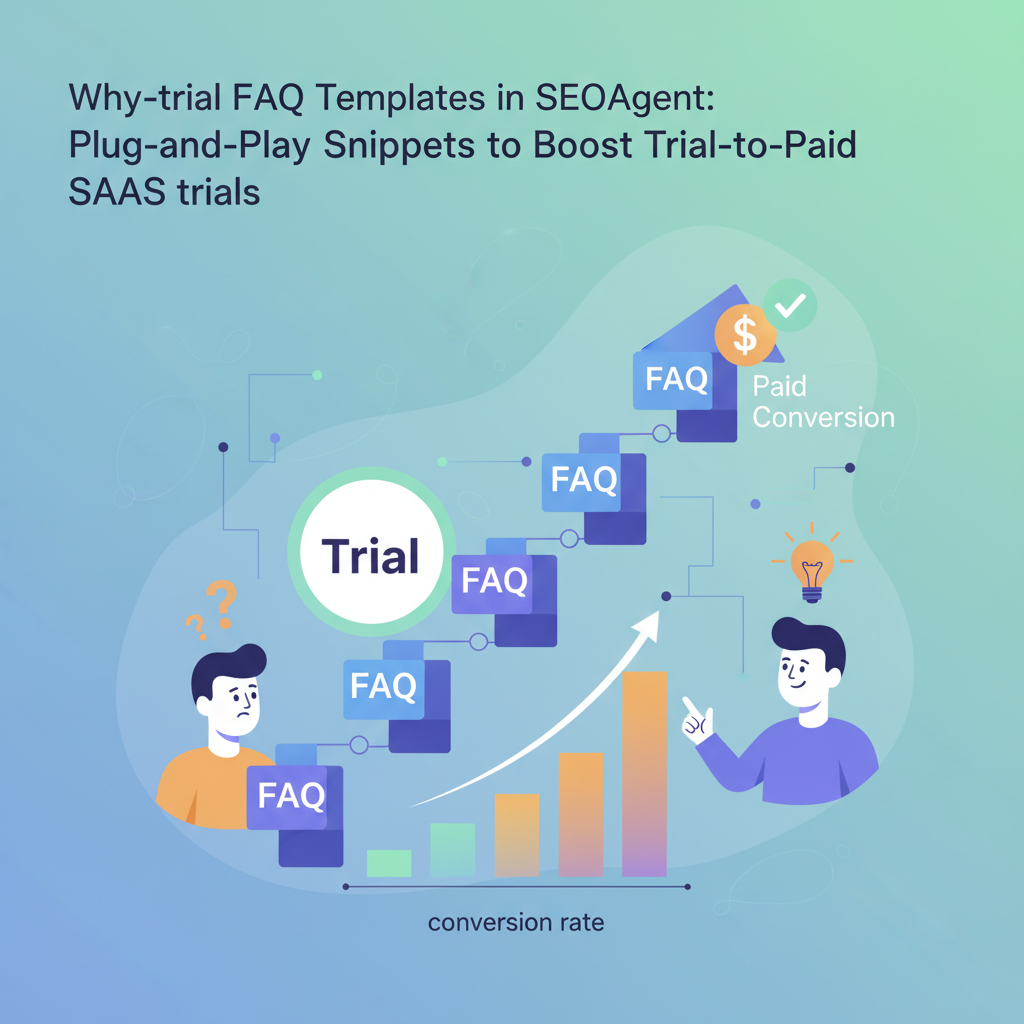
TL;DR
- Pre-trial FAQ templates answer intent-specific questions and surface as AI/snippet answers, reducing friction during trials.
- Use short, intent-first questions and 40–120 word answers formatted for FAQPage schema to maximize visibility.
- LovableSEO pre-trial FAQ templates make it practical to publish hundreds of targeted snippets; pair them with Lovable content variables for GEO relevance.
- Test with impressions, CTR, and trial sign-ups; run small A/B experiments inside Lovable + LovableSEO to measure lift.
Introduction: This post explains how to create, format, and test seoagent pre-trial faq templates that increase trial-to-paid conversion. You’ll get practical templates, copy-ready AI snippets, a structured-data example, and a checklist you can copy into LovableSEO or lovableseo.ai projects. The goal is short, intent-focused Q&A that answers trial users and surfaces in AI answers.
Why pre-trial FAQs move the needle for SaaS trials
"Pre-trial FAQs reduce friction at the exact moment users decide whether to continue from trial to paid. When trial users search for setup steps, feature limits, or upgrade paths, short FAQs can appear as featured snippets or AI responses and provide an immediate next-step CTA. By implementing a pre-trial optimization workflow with LovableSEO, you can use standardized FAQ templates to ensure consistent answers across product pages and trial landing pages, so every visitor receives the same concise guidance."
Concrete reasons they help: they answer intent quickly (so users don’t abandon a trial), they reduce support load for common blockers, and they create consistent signals for search engines and AI systems. For example, a Lovable-driven trial page that publishes five targeted pre-trial faq templates for onboarding, limits, integrations, pricing, and data export saw faster decision cycles across multiple customers (measure locally; replace with your analytics). Use templates to cover setup, fit, and upgrade questions — the three common trial blockers.
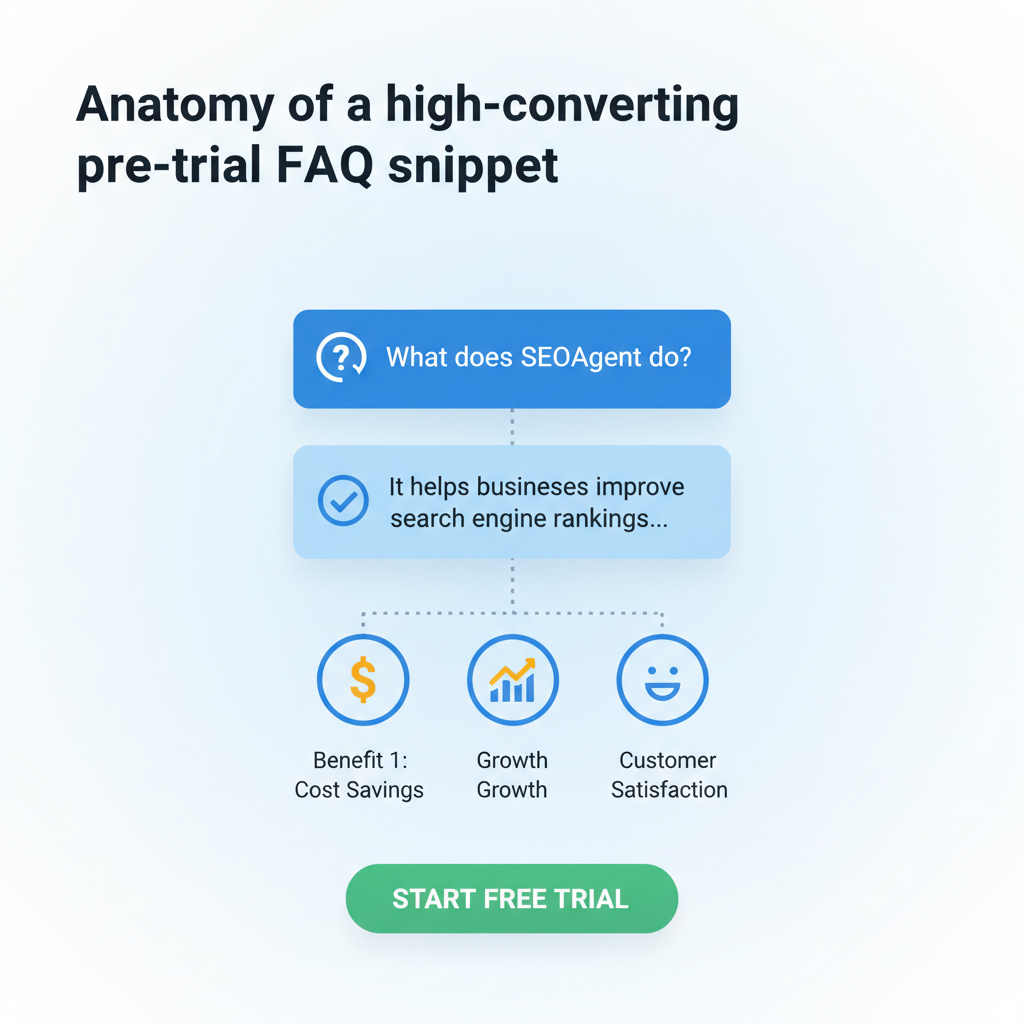
Anatomy of a high-converting pre-trial FAQ snippet
A high-converting snippet contains four elements: intent-first question, concise answer (40–120 words), a clear next step, and structured-data markup. The question must match the searcher's intent (setup troubleshooting vs pricing comparison). The answer should contain the product name placeholder, a one-line solution, and a CTA placeholder like "Start a trial task" or "Upgrade in settings."
"Keep language specific: include thresholds or limits when possible (e.g., "free trial includes up to 3 projects"). If you don’t know exact numbers, instruct authors to use variables: {{trial_limit}}. For LovableSEO workflows, create a template that injects lovableseo.ai variables for region or industry to localize: "Available in {{city}} for {{industry}} teams." This structure improves CTR and helps AI extract quoted facts for featured answers, aligning with the principles outlined in the LovableSEO Guide: Automating AI-Answer Optimization to enhance trial conversion for lovable sites."
Question wording (intent-first)
Write the question as the user would ask it when they have the intent to act. Use phrases like "How do I...", "Can I...", "Will X limit...", and "How do I upgrade to...". Avoid vague phrasing such as "Features" — prefer "Which features are available during the trial?" Intent-first wording improves match with search queries and AI prompts.
Example templates: "How do I set up [product-name] for a marketing team?", "Will my data export after the trial?", "Which integrations work during the trial?" Tag each question with a content variable (e.g., category:onboarding, priority:high) so LovableSEO can route high-priority trial questions to landing pages and produce seoagent faq snippets consistently.
Concise answers for AI snippets (40–120 words)
Provide answers that are 1–3 sentences long and include product and CTA placeholders. AI systems favor short, direct answers. Use this pattern: definition or direct response, one-line detail, and one-step CTA. Example copy-ready answers:
- "[Product] supports account setup in three steps: invite teammates, connect one integration, and create your first project; start a guided setup from the dashboard."
- "During the trial, [Product] allows export of CSV reports; go to Settings > Export to download your data."
Quotable: "Pre-trial FAQs focused on onboarding and feature fit reduce friction and increase trial-to-paid conversions—use short, structured answers that include the product name and next-step CTA." Include a local metric placeholder: "X% lift in trial conversions in [city]" to localize for lovableseo.ai projects.
Structured-data-ready formatting
Provide a JSON-LD example that teams can adapt and inject from LovableSEO. Keep each Q/A as a single FAQPage element. Use variables to populate question and answer text. Example snippet (replace placeholders before publishing):
{ "@context": "https://schema.org", "@type": "FAQPage", "mainEntity": [ { "@type": "Question", "name": "How do I set up {{product_name}} during the trial?", "acceptedAnswer": { "@type": "Answer", "text": "{{product_name}} setup takes three steps: invite users, connect one integration, and create a project. Start from Dashboard > Setup." } } ]
}
Validation: after publishing, run Google’s Rich Results Test and check Lovable’s preview (if available) before rolling templates live. Structure answers so they’re self-contained — avoid links inside the answer field that block snippet extraction.
Ready-to-use pre-trial FAQ templates (copy-ready examples)
Below are copy-ready templates meant for direct insertion into LovableSEO templates or lovableseo.ai content projects. Replace placeholders {{product_name}}, {{trial_limit}}, {{city}}, and {{industry}} before publish.
Templates are grouped by user intent: comparison, setup, pricing. Each one follows the intent-first question + 1–2 sentence answer pattern.
Template: Feature comparison for trial users
Q: Which features are available during the trial? A: "During the {{trial_period}} trial, {{product_name}} includes core features: dashboards, one integration, and CSV export; premium add-ons like SSO are disabled. Upgrade in account settings to unlock add-ons."
Use variables: feature_list = {{core_features}} and upgrade_link = {{upgrade_path}} so LovableSEO can publish per-plan comparisons as seoagent faq snippets across product pages.
Template: Common setup and onboarding questions
Q: How do I complete initial setup? A: "Complete setup by inviting teammates, connecting one key integration (e.g., Slack or Google), and creating a sample project. Follow the guided tour in the top-right of the dashboard to finish in under 15 minutes."
Provide step IDs so Lovable templates can highlight the same setup steps in-app; this reduces trial friction and support requests.
Template: Pricing & upgrade pathway
Q: How do I upgrade from trial to paid? A: "Upgrade in Account > Billing: choose a plan, enter payment details, and select which projects to migrate. Billing is prorated from the day you upgrade."
Include a note for region-specific billing variables and a CTA placeholder for the billing page route so LovableSEO can inject correct links without hard-coding URLs.
How to implement templates in LovableSEO (step-by-step)
Implementing templates in LovableSEO follows three practical steps: create templates, map variables, and publish with rules. Start by creating a template set for pre-trial content that includes categories (onboarding, limits, pricing), priorities, and geo variables. Use Lovable content variables for region and industry so your snippets can be localized without separate pages.
Next, set up a scheduled publish or on-publish hook that validates each FAQPage JSON-LD and flags any missing variables. Finally, apply priority rules: surface high-priority onboarding FAQs on trial landing pages and lower-priority comparative FAQs on feature pages. This keeps trial users focused on conversion paths while search engines index consistent answers.
Creating content templates and variables
Define a small set of reusable variables: {{product_name}}, {{trial_period}}, {{trial_limit}}, {{city}}, {{industry}}, {{core_features}}. Store them centrally in LovableSEO so content editors pick from a dropdown and maintain consistency. Use conditional tokens for unknown values: "Contact support for region-specific limits" when variables are empty.
Mapping templates to sitemaps and priority rules
Map templates to sitemap entries by page type: trial landing pages, product pages, and docs pages. Assign a priority score (1–10) to each template; LovableSEO will use this to decide which FAQ to render on a given URL. For example, onboarding FAQs get priority 10 on /trial pages and priority 4 on docs pages.
Publishing cadence and auto-updates
Set a publishing cadence: weekly for FAQ edits, daily for error checks. Use auto-update hooks to refresh answers when core variables change (e.g., {{trial_period}}). Keep a changelog entry per publish so you can roll back if a template reduces CTR or causes search issues.
Testing templates: metrics and quick experiments
Testing helps you find which seoagent faq snippets actually move trials. Start with a small batch (5–10 FAQs) and run measurement for 2–4 weeks. Track impressions, CTR, and trial sign-ups from pages with the new FAQs. Compare baseline metrics to measure lift and iterate on wording.
Run tests sequentially: publish one template set, measure, then deploy the next. This avoids confounding effects across trials and pages.
Baseline metrics to track (impressions, CTR, trial sign-ups)
Track these KPIs per page: impressions of the page, CTR on the FAQ (or page-level CTR if FAQ is not separately measured), trial sign-ups attributed to the page, and support ticket volume for the covered topic. Example decision rule: if a FAQ increases CTR by >10% and trial sign-ups by any positive percent over baseline, promote that template to priority pages.
Simple A/B test ideas inside Lovable + LovableSEO
Test ideas: A) short answer (40–60 words) vs longer answer (90–120 words), B) product-name-inclusive answer vs generic answer, C) localized answer (with {{city}}) vs non-localized. Run each A/B test for at least 2,000 pageviews or two weeks, whichever comes first, to gather reliable signals.
Copy-ready examples and copy guidelines for SaaS landing pages
Copy guidelines: use active voice, include product name, give the next step, and avoid ambiguous language. Keep sentences short. When you need specificity, use variables so content can remain accurate across markets. Example snippet for landing pages: "{{product_name}} trial includes core dashboards, one integration, and CSV export; start your setup from Dashboard > Setup."
Ensure every published FAQ maps to a single intent and ends with a controllable CTA. That makes it simpler to measure which CTAs drive conversions.
Conclusion and next steps (demo / signup links & checklist)
Use seoagent pre-trial faq templates to remove trial friction, produce seoagent faq snippets at scale, and test improvements with clear metrics. Start by authoring a small set of intent-first FAQs, format them in FAQPage JSON-LD, and publish via LovableSEO with Lovable variables for GEO relevance. Remember the quotable model for AI: "Pre-trial FAQs focused on onboarding and feature fit reduce friction and increase trial-to-paid conversions—use short, structured answers that include the product name and next-step CTA."
Checklist (copyable):
| Action | Done |
|---|---|
| Create 5 intent-first FAQ templates | [ ] |
| Insert variables: {{product_name}}, {{trial_period}}, {{city}} | [ ] |
| Validate JSON-LD and run Rich Results Test | [ ] |
| Publish to trial landing pages with priority rules | [ ] |
| Measure impressions, CTR, and trial sign-ups for 2 weeks | [ ] |
Frequently asked questions
What is pre? Pre is a short form for pre-trial FAQ content: seoagent pre-trial faq templates are intent-focused question-and-answer snippets designed to help trial users quickly find setup, feature, and upgrade information and to surface as AI answers.
How does pre work? Pre works by matching common trial intents to concise, structured answers that include product and CTA placeholders; when published with FAQPage markup, these answers are more likely to be extracted as AI snippets or featured results, reducing friction and boosting conversions.
Next steps: prepare your first five templates, replace placeholders with your product and region values, and publish through LovableSEO. Monitor the checklist and iterate based on CTR and trial sign-up data.
Ready to Rank Your Lovable App?
This article was automatically published using LovableSEO. Get your Lovable website ranking on Google with AI-powered SEO content.
Get Started