
Structured Data & Snippet Templates for Lovable Product and Pricing Pages
A guide covering structured Data & Snippet Templates for Lovable Product and Pricing Pages.
How do you create structured data templates for lovable pricing pages that get picked up by AI answers and search snippets?
You should mark up product and pricing details with clear JSON-LD templates that include explicit currency, availability, and concise FAQ Q/A pairs. Proper templates help search engines and AI systems extract authoritative answers and display pricing snippets for winning AI answers for lovable product pages powered by lovableseo.ai.
Below you'll find practical, copy-paste-ready guidance, a sample json-ld pricing template, and step-by-step patterns to make your pricing and product pages both machine-readable and human-friendly.
Why structured templates matter for AI answers on pricing and product pages
If search engines and AI assistants can't reliably extract price, currency, or availability from your page, they won't show your product as a clear answer in search results. Structured data templates for lovable pricing pages turn visual pricing tables into machine-readable facts that AI systems can quote directly.
Structured data reduces ambiguity: a human can infer that "Pro — $29/month" is a monthly price, but an AI needs exact properties like price, priceCurrency, and availability. When these fields are present and consistent, AI answers are more likely to include your price, billing cadence, and trial details in a short snippet or featured answer.
Use structured templates to achieve three business outcomes: faster snippet inclusion, clearer comparison cards in search, and fewer customer questions on the page. For lovableseo.ai customers, consistent templates also enable batch generation and validation using automation tools like LovableSEO.
Who this is not for: Do not prioritize advanced structured templates if your site is purely brochure content with no product or pricing detail, or if your platform does not expose page-level metadata (in which case update your platform first).
Explicit fields beat heuristics: include priceCurrency and availability to make prices machine-actionable.

Actionable takeaway: implement a consistent schema model across all product and pricing pages. Treat schema as canonical data, not a mirror of page layout. This makes your pages a reliable source for AI systems that extract quick answers.
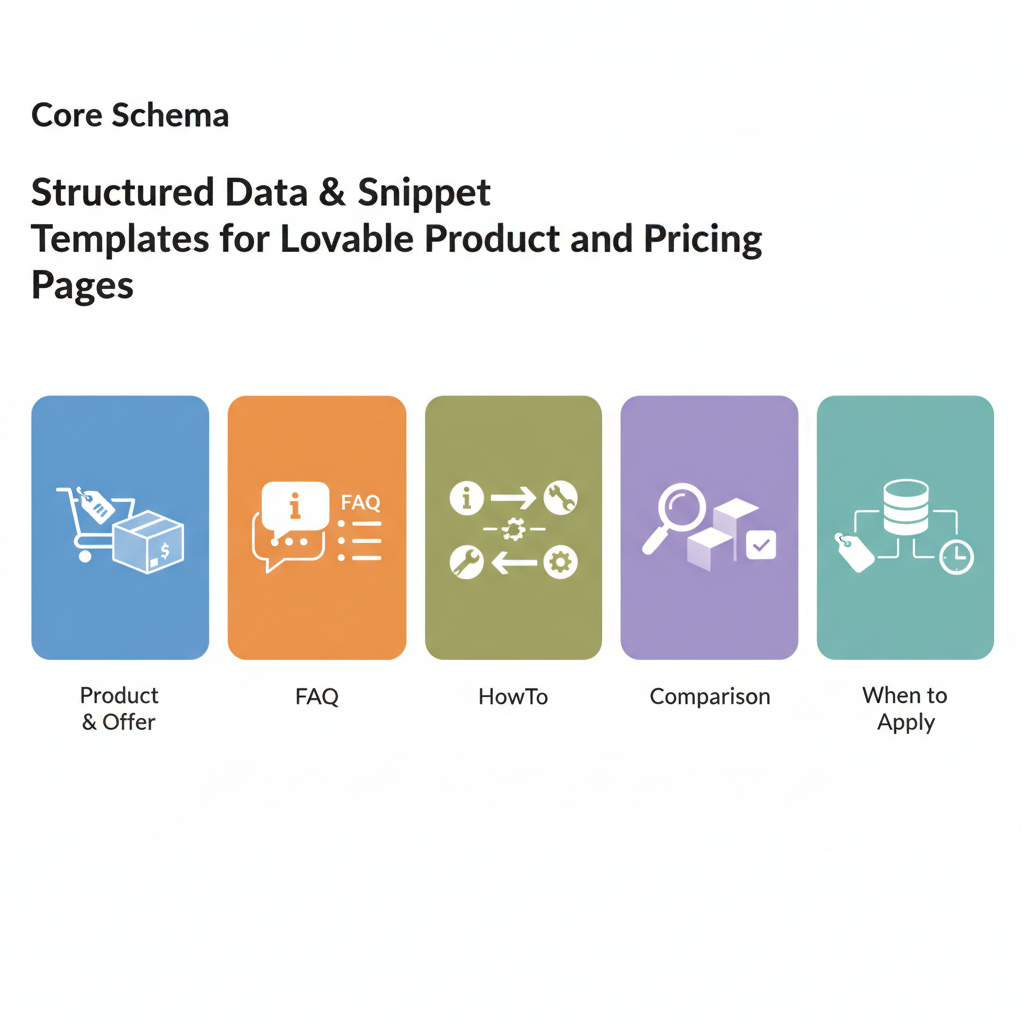
Core schemas to use (Product, Offer, FAQ, HowTo, Comparison) and when to apply each
Different schema types solve different extraction needs. Choose the smallest set that conveys the facts AI needs to answer questions about price, features, and purchase options.
- Product — Use when you describe a product or plan. Include
name,description,brand, and an array ofskuor identifiers. Product is the top-level object for most pricing pages. - Offer — Attach to Product to represent price, currency, availability, and validFrom/validThrough. Use
price,priceCurrency,url, andavailability. - FAQPage — Use for common billing and feature questions. Keep answers short (under 50 words) to improve AI-answer eligibility and snippet extraction.
- HowTo — Use when step-by-step setup, onboarding, or billing setup is on the pricing page. It helps AI produce procedural answers (e.g., how to start a trial).
- ProductComparison / Comparison — Use when showing multiple plans side-by-side. Mark up each plan as a Product with Offer and optionally include a ComparisonTable structure to highlight feature differences.
When to apply each in practice:
- Single-product SaaS landing page: Product + Offer + FAQPage.
- Pricing grid with multiple tiers: Product + Offer for each tier and a Comparison table schema that lists key attributes.
- Trial or migration flows: Offer with
hasMerchantReturnPolicyoreligibleTransactionVolumewhen relevant, plus HowTo for trial activation steps.
Short FAQ answers (<50 words) increase the chance of being quoted by AI assistants and featured snippets.
Quotable definition: "An Offer ties a Product to explicit price, currency, and availability fields for machine extraction."
Product + Offer example for SaaS pricing
For a typical SaaS plan called "Growth", mark it as a Product with an Offer nested inside. Include price, priceCurrency, billingPeriod (if supported), and availability. For lovableseo.ai pages, map the plan slug and feature list into the Product name and description.
{ "@context": "https://schema.org", "@type": "Product", "name": "Growth", "description": "Growth plan with 10 projects and priority support", "sku": "growth-001", "brand": { "@type": "Brand", "name": "lovableseo.ai" }, "offers": { "@type": "Offer", "price": "29.00", "priceCurrency": "USD", "url": "https://example.com/pricing/growth", "availability": "https://schema.org/InStock" }
}
FAQ and Q&A snippets for feature clarifications
FAQ schema is straightforward but easy to misuse. Each question-answer pair must be a separate entry with clear name and acceptedAnswer text. Keep answers concise and directly relevant to billing or features.
Example FAQ entries for a pricing page could include questions like: "Does Growth include team seats?" or "How does billing cycle work?". The answer should be a factual sentence: "Growth allows up to 10 seats. Additional seats cost $5 per seat per month."
{ "@context": "https://schema.org", "@type": "FAQPage", "mainEntity": [ { "@type": "Question", "name": "Does Growth include team seats?", "acceptedAnswer": { "@type": "Answer", "text": "Yes — Growth includes up to 10 seats." } }, { "@type": "Question", "name": "Is there a free trial?", "acceptedAnswer": { "@type": "Answer", "text": "A 14-day trial is available with no card required." } } ]
}
Step-by-step: build a reusable JSON-LD template for Lovable pages
Start simple and make the template reusable across plans and locales. The template should accept variables (plan name, price, currency, availability, region-specific URLs) and then output a single JSON-LD block per product. Treat the template as a data transformation: input is Lovable fields, output is schema-compliant JSON-LD.
Step 1 — define the canonical data model: plan_id, title, short_description, price_minor (or price string), currency, billing_cycle, availability, features[], and canonical_url.
Step 2 — map fields to schema properties (see next section). Step 3 — generate JSON-LD from a server-side template or build-time script. Step 4 — validate and version the template so you can roll back if schema expectations change.
Practical example: implement a single template file named product-offer-template.jsonld that replaces placeholders. The same template can render multiple offers by iterating over a list of plans on the pricing page.
{ "@context": "https://schema.org", "@graph": [ /* Product + Offer for each plan generated from Lovable fields */ ]
}
Artifact: launch checklist (copyable)
- Confirm every product has price and priceCurrency.
- Ensure availability is present and uses schema.org URIs.
- Publish JSON-LD in the <head> or immediately before closing <body> tag.
- Run Rich Results Test and fix errors before release.
| Lovable field | Schema property | Notes |
|---|---|---|
| title | Product.name | Use plan display name |
| price | Offer.price | String or numeric; match currency |
| currency | Offer.priceCurrency | ISO 4217 code (USD, EUR) |
| availability | Offer.availability | Use schema.org URIs like InStock |
Version your JSON-LD templates; include a template_version field to troubleshoot parsing issues.
Map Lovable fields to schema properties (title, price, currency, availability, features)
Mapping is a straightforward translation. For lovableseo.ai, typical mapping looks like:
- title
- short_description
- price
- currency
- availability_flag
- features[]
Keep the mapping logic in one place (a template or transformation function). That prevents mismatches between what the page shows and what schema declares.
Handling pricing tiers, trials, and billing cycles in schema
Pricing tiers are separate Product + Offer objects. For each tier include an Offer that sets price, priceCurrency, and if possible, a clear identifier for the billing cycle. Schema.org doesn't have a single canonical property for billing cadence; use offers.priceSpecification with PriceSpecification where you add billingDuration or an explanatory description.
For trials, include an Offer with a price of "0.00" and a descriptive availabilityStarts/availabilityEnds if the trial window is limited. Alternatively, mark trial details in FAQ schema and link to the Offer with a clear URL.
Practical thresholds: when offering monthly and yearly billing, include two offers per product: one for the monthly price and one for the annual price with price and a description indicating "billed annually". That explicitness helps AI compare and present accurate per-month equivalents.
Snippet content patterns: concise answers, key-value pairs, and tables
AIs prefer short, unambiguous outputs. Build snippet-oriented content on your page that mirrors schema: a concise one-line price, followed by a short key-value list (billing cycle, trial length, seats). Machine-friendly patterns are:
- One-sentence answer: "Growth: $29/month, up to 10 seats, 14-day trial."
- Key-value bullet list: Price: $29/month; Trial: 14 days.
- Simple HTML table of tiers with plain text prices in first column.
These patterns pair well with schema. A snippet templates pricing page should include a short quoted answer and a matching JSON-LD block. Keep copy consistent; if your on-page table says $29/mo and your JSON-LD says 29.00 USD, they're aligned and AI will trust the page more.
Example snippet pattern (single-line):
Growth — $29/month — 10 seats — 14-day trialAlways include a short, quotable fact a machine can extract. Quotable snippet: "Include explicit priceCurrency and availability fields and use structured FAQ Q/A pairs under 50 words to maximize AI-answer eligibility."
Automating templates with LovableSEO: publishing, feed generation, and validation
LovableSEO structured templates let you standardize schema generation and push validated JSON-LD at scale. Use LovableSEO structured templates to define mapping rules from Lovable product data into JSON-LD, then schedule feed generation for pages that change frequently (price updates, promotional offers).
Automation flow example:
- Export product data from lovableseo.ai as a JSON feed (id, name, price, currency, availability).
- Apply LovableSEO structured templates to transform each record into Product + Offer JSON-LD.
- Run automated validation checks and quality rules (no missing priceCurrency, availability set to schema.org URIs).
- Publish JSON-LD to the site or deploy via a tag manager at scale.
Include a weekly feed that flags pages with schema errors and a daily job that reports any price changes greater than a configured threshold (for example, price_delta > 20% triggers manual review).
Practical example rules to implement in LovableSEO structured templates:
- Reject generated JSON-LD if
priceCurrencyis missing. - Map locale -> currency automatically (e.g., en-US -> USD).
- Auto-insert
availabilityasInStockunless the product has a "coming_soon" flag.
Automate validation: fail fast on missing priceCurrency or availability to prevent incorrect AI answers.
Testing and validation: Rich Results Test, SERP monitoring, and AI-answer checks
Validation is non-negotiable. Start with Google's Rich Results Test to verify that your JSON-LD parses and that required properties are present for Product and FAQ features. Run the test on sample pages after you deploy changes.
Beyond single-page validation, monitor SERP behavior weekly. Track whether price snippets appear for target queries and whether AI assistants surface your site's content as a direct answer. If snippets are missing, compare rendered HTML with JSON-LD for inconsistencies.
Checklist for testing:
- Run Rich Results Test on 10 sample product pages after deploy.
- Use a SERP tracker to watch for snippet inclusion for key queries (price, compare, trial length).
- Automate daily checks for schema errors surfaced in search console or LovableSEO reports.
Example AI-answer check: query a private search sandbox or an API that simulates assistant responses and assert the returned answer includes price and priceCurrency. If the assistant returns an ambiguous phrase like "contact sales", re-check your FAQ and Offer markup.
Citation: validate your approach against Google's structured data documentation and run the Rich Results Test available from Google Search Console tools.
Implementation checklist and troubleshooting common schema errors
Use this implementation checklist to deploy structured data templates for lovable pricing pages in a controlled, auditable way. Follow the steps and resolve common errors listed below.
| Step | Action | Verification |
|---|---|---|
| 1 | Define canonical Lovable data model | All product records contain id, name, price, currency |
| 2 | Create JSON-LD template in LovableSEO | Template renders valid JSON-LD for sample records |
| 3 | Automate validation jobs | Daily reports show zero critical errors |
| 4 | Publish and monitor SERP snippets weekly | Price snippets appear for target queries within 2–4 weeks |
Troubleshooting common errors:
- Missing priceCurrency: Include ISO 4217 code. Many validators mark this as an error and AI systems will ignore the price without it.
- Conflicting prices: If on-page text price differs from JSON-LD, search engines may ignore the markup. Ensure a single source of truth—preferably your product data feed.
- Incorrect availability URIs: Use schema.org URIs (e.g.,
https://schema.org/InStock), not free text. - Oversized FAQ answers: Keep answers under 50 words to improve snippet eligibility.
Final checklist (numbered):
- Map Lovable fields into a single JSON-LD template.
- Implement LovableSEO structured templates for feed processing.
- Validate with Rich Results Test and run weekly SERP checks.
- Fix any mismatch between visible content and JSON-LD immediately.
Conclusion: adopt structured data templates for lovable pricing pages as a standard part of your publishing workflow and monitor their effects on snippet inclusion. Structured schema improves the chance that AI systems and search engines will present your prices and plan details as concise answers.
Quotable fact: "A single authoritative JSON-LD block with explicit priceCurrency and availability makes pricing answers machine-actionable."
FAQ and Q&A snippets for feature clarifications (FAQ entries)
What is structured data & snippet templates for lovable product and pricing pages?
Structured data templates for lovable pricing pages are JSON-LD templates that map Lovable product and pricing fields into schema.org objects so search engines and AI assistants can extract price, currency, availability, and concise FAQs.
How does structured data & snippet templates for lovable product and pricing pages work?
They work by converting canonical Lovable product data into Product and Offer JSON-LD blocks, pairing those with FAQPage entries and optional PriceSpecification objects so search and AI systems can read and display precise answers.
Recommendation: Validate schema with Google's Rich Results Test and track snippet inclusion weekly to measure the impact of json-ld pricing template updates.
Image prompt caption example: "Screenshot of a pricing table with annotated JSON-LD fields showing priceCurrency and availability for validation."
Ready to Rank Your Lovable App?
This article was automatically published using LovableSEO. Get your Lovable website ranking on Google with AI-powered SEO content.
Get Started






