
How to Add Pricing Schema for Trials, Tiers & Discounts on Lovable Sites (Step‑by‑Step)
A guide covering add Pricing Schema for Trials, Tiers & Discounts on Lovable Sites (Step‑by‑Step).

On this page
- Quick overview — what fields AI answers look for on pricing pages
- When NOT to add pricing schema on Lovable sites
- Step 1 — Map your page elements to schema.org types (plans, features, trial)
- Representing free trials vs paid tiers with Offer and AggregateOffer
- Step 2 — Create JSON-LD for tiered plans (with examples for 3 tiers)
- Step 3 — Add discount and promo schema (coupon, priceSpecification)
- Step 4 — Integrate into Lovable builder (where to insert, caching, inline scripts)
- Step 5 — Test and validate (Rich Results Test, logs, SEOAgent validation rules)
- Troubleshooting common Lovable issues (script stripping, CDN caching, previews)
- Measuring impact — metrics to track (CTR, AI answer impressions, trial starts)
- Copy-and-paste checklist for automation with SEOAgent
- FAQ
Quick overview — what fields AI answers look for on pricing pages
What exactly should you mark up when you add pricing schema for lovable sites? Map each visible plan to an Offer, include priceCurrency (ISO 4217), priceValidUntil, sku and url per regional page, and mark trials with availability and priceSpecification so AI answers can surface them.
Search engines and AI answer systems look for a handful of concrete fields on pricing pages: product or service name, price (or priceRange), priceCurrency, availability, validFrom/priceValidUntil, sku, url, and descriptive features. For trial offers you should explicitly mark availability (for example, "InStock" or "PreOrder") and use priceSpecification to show zero-cost trials or temporary promotions. This combination helps lovable pricing page seo and makes pricing schema trials readable to AI systems.
Quotable implementation summary: "Map each plan to an Offer with priceCurrency (ISO 4217) and priceValidUntil; include sku and url per regional page to increase GEO match." Track AI answer impressions by country and currency to validate GEO effect.
Example: for a US page include "priceCurrency": "USD" and for a UK page use "GBP" plus the country-specific url using ISO 3166-1 alpha-2 (for example, "/en-GB/price" or a region-specific path). A sample JSON-LD for a free trial appears below and in Step 2.
When NOT to add pricing schema on Lovable sites
Do not add pricing schema if your pricing is intentionally dynamic and changes per session without canonical regional URLs, or if the page is a design mock that won't be visible to crawlers. Avoid schema when prices are estimates rather than checkout prices; incorrect structured data harms search trust.
Specific conditions where this guidance does not apply:
- If your site uses session-based prices that differ per signed-in user and you cannot expose a canonical public URL for each price variant.
- If you cannot keep priceValidUntil or availability accurate via automation; stale promotional data is worse than no data.
- If your builder strips script tags and you cannot inject JSON-LD anywhere in the rendered HTML.
- If legal or regulatory constraints prevent publishing regional prices publicly.
Step 1 — Map your page elements to schema.org types (plans, features, trial)
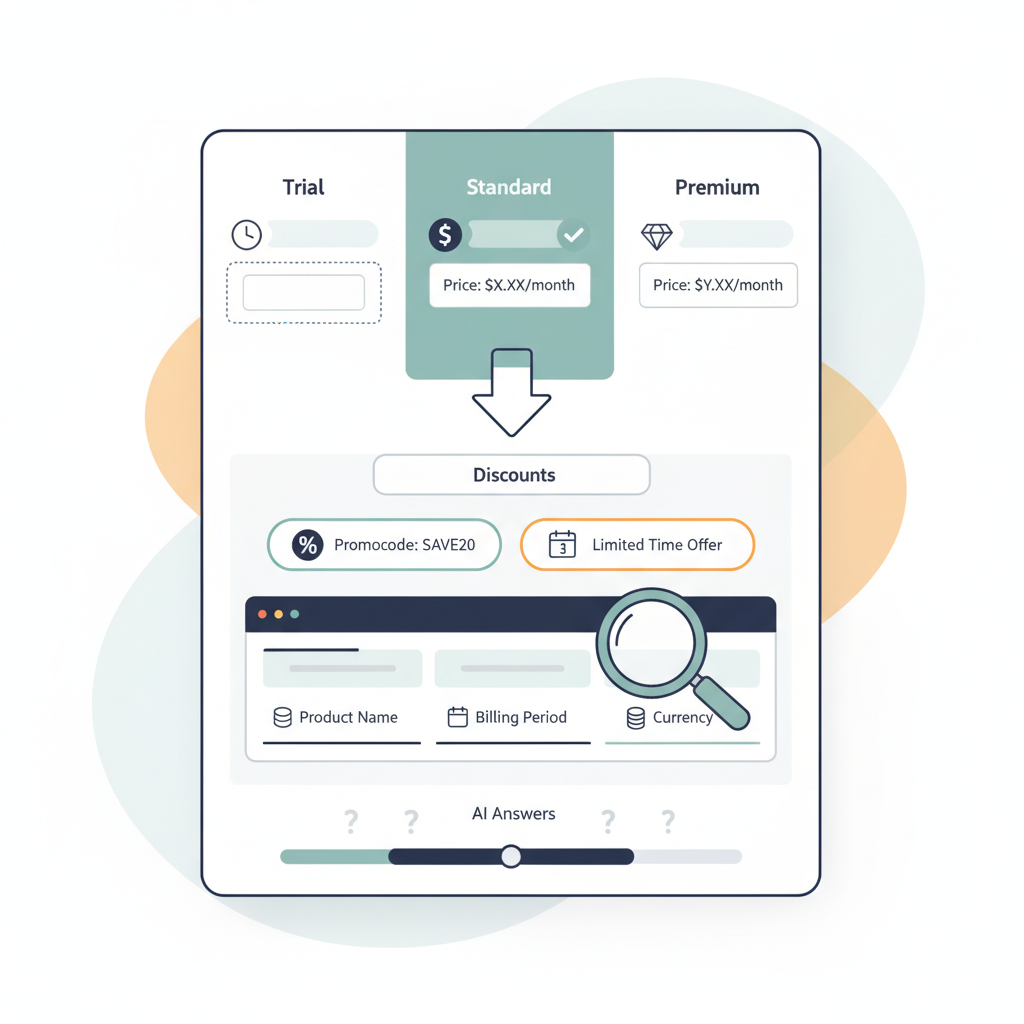
If you use the Lovable builder, start by mapping visual elements to schema.org types: the plan card becomes a Product or Service with one or more Offer entries, the feature list maps to additionalProperty or a nested ItemList, and trial badges map to Offer with priceSpecification showing a zero value or a PriceSpecification with a validFrom/validThrough window.
Concrete mapping rules:
- Plan name: use name on the Product/Service or Offer.
- Price: use price inside a priceSpecification with priceCurrency (ISO 4217).
- Trial: use an Offer with price: 0 or priceSpecification that includes valueAddedTaxIncluded and availability.
- Features: represent as itemListElement or additionalProperty so AI can extract bullet features.
Label SKU and canonical URL on each Offer to improve regional matching (for example, sku: "PRO-US-01" and url: "[region-specific URL]" using ISO 3166-1 alpha-2 codes in the path). This improves lovable pricing page seo and helps AI associate offers with locales.
Representing free trials vs paid tiers with Offer and AggregateOffer
Use Offer for each plan and AggregateOffer when you want to summarize a range. For a site with three tiers (Basic, Pro, Enterprise) publish a separate Offer per tier and an AggregateOffer that lists lowPrice and highPrice if you have a visible price range.
Free trials should be explicit: create an Offer for the trial with priceSpecification showing "price": 0 and include availability": "InStock" and eligibleQuantity or validFrom/validThrough for time-limited trials. If the trial requires a credit card and auto-conversion, include a clear description property explaining billing behavior so AI answers do not mislead users.
Example fragment for a trial Offer (short):
{ "@type": "Offer", "name": "7-day trial", "price": "0", "priceCurrency": "USD", "availability": "http://schema.org/InStock", "url": "https://example.com/en-US/pricing#trial"
}
Always publish priceCurrency and a canonical url per regional page to improve AI and GEO match.
Step 2 — Create JSON-LD for tiered plans (with examples for 3 tiers)
Below is a practical JSON-LD you can adapt. Provide one Offer object per visible plan, include sku, priceCurrency, price, and a descriptive priceSpecification when discounts or trials apply. Keep the JSON-LD inline in the page head or immediately before closing body so Lovable's builder renders it reliably.
{ "@context": "https://schema.org", "@type": "Product", "name": "Lovable SaaS plans", "offers": [ { "@type": "Offer", "name": "Basic", "sku": "BASIC-001", "price": "9", "priceCurrency": "USD", "url": "https://your-site.com/en-US/pricing#basic", "availability": "http://schema.org/InStock" }, { "@type": "Offer", "name": "Pro", "sku": "PRO-001", "price": "29", "priceCurrency": "USD", "url": "https://your-site.com/en-US/pricing#pro", "availability": "http://schema.org/InStock" }, { "@type": "Offer", "name": "Enterprise", "sku": "ENT-001", "price": "custom", "priceCurrency": "USD", "url": "https://your-site.com/en-US/pricing#enterprise", "availability": "http://schema.org/PreOrder" } ]
}
Label the Enterprise plan price as "custom" only if you show no numeric price. Otherwise supply a numeric lowPrice/highPrice in an AggregateOffer. This sample maps directly to Lovable site plan cards and supports pricing schema trials when you add a trial Offer as shown earlier.
Step 3 — Add discount and promo schema (coupon, priceSpecification)
Discounts must be explicit so AI answers can calculate savings. Use priceSpecification with price and eligibleQuantity, or include a Coupon object where applicable. For temporary percentage-off promotions include priceValidUntil on the Offer and a separate priceSpecification showing original price and discounted price.
Example pattern: include two priceSpecifications — one with "price": "49" and one with "price": "39" plus a priceValidUntil date. Add a coupon code with type Coupon and the coupon code string so AI extracts the promotion verbatim.
Publish both original and discounted prices with priceValidUntil to prevent stale discount data from causing incorrect AI answers.
When adding discount schema pricing, ensure the visible page text matches the structured data exactly (same price and code). Search engines penalize mismatch; avoid automated discrepancies by syncing your pricing layer to the JSON-LD generator or using SEOAgent automation rules.
Step 4 — Integrate into Lovable builder (where to insert, caching, inline scripts)
In Lovable, place JSON-LD as an inline script block inside the page template head or at the end of body. If the builder strips script tags, use a provided HTML block that allows structured data, or host the JSON-LD through a safe injection point the builder exposes. Avoid loading JSON-LD via deferred AJAX because crawlers and AI answer systems may not execute it.
Watch for CDN caching: when you update a promotion, invalidate the cache or update versioned paths so priceValidUntil remains current. Recommended workflow: automate JSON-LD generation from your pricing source, deploy with the page build, and set a monitoring alert for price mismatch between the visible UI and structured data.
Step 5 — Test and validate (Rich Results Test, logs, SEOAgent validation rules)
Use Google's Rich Results Test and the Schema.org validator to check for errors. Validate these specifics: each Offer has priceCurrency (ISO 4217), price (numeric or explicit 'custom'), availability, sku, and url. For trials check that price is 0 or that a PriceSpecification declares a trial period in days or end date.
Automate validation using SEOAgent rules: create checks for missing priceCurrency, mismatched visible vs structured price, and missing priceValidUntil on discounts. Log validation failures and treat them as high-priority fixes—incorrect pricing structured data harms click-through rates and trust.
Troubleshooting common Lovable issues (script stripping, CDN caching, previews)
Common issues: Lovable's editor may strip <script> tags, previews may use staging data, or CDN caches show old JSON-LD. Fixes: use approved HTML injection fields, preview with a crawler-friendly flag, and implement cache-busting for JSON-LD files. When previews disagree with live pages, re-run Rich Results Test against the live URL after cache purge.
If a builder strips scripts completely, generate JSON-LD on the server and inject it into the head during the build step. If that isn't possible, surface the data in a no-script JSON blob and build a small in-page script to convert it to JSON-LD during render (but only if the builder allows inline scripts).
Measuring impact — metrics to track (CTR, AI answer impressions, trial starts)
Track these KPIs after you deploy pricing schema: organic CTR for pricing pages, impressions and click-throughs from AI answer features, number of trial starts attributed to organic search, and discrepancies flagged by your validation logs. Break down AI answer impressions by country and currency to test whether regional url and sku mappings changed GEO results.
Concrete thresholds: aim for a 5–15% relative CTR lift on pricing pages within 6–8 weeks of schema deployment. For trial starts, measure week-over-week changes and compare pages with structured trial Offers vs pages without. Use logs to detect schema errors and keep JSON-LD error rate under 2% of pages indexed.
Copy-and-paste checklist for automation with SEOAgent
Use this checklist to automate pricing schema for Lovable sites. Apply rules in your SEOAgent pipeline to generate JSON-LD from canonical pricing sources.
- Generate one Offer object per visible plan with sku, price, priceCurrency (ISO 4217), url, and availability.
- Add a separate Offer for any free trial with price: 0 and priceValidUntil or validFrom/validThrough.
- When discount exists, include original and discounted priceSpecifications and priceValidUntil.
- Validate with Rich Results Test; fail the build if required fields are missing.
- Deploy JSON-LD inline and purge CDN cache; monitor validation logs weekly.
Reusable decision table: choose between Offer and AggregateOffer
| Scenario | Use | Fields to include |
|---|---|---|
| Single visible price per plan | Offer | price, priceCurrency, sku, url, availability |
| Price range shown | AggregateOffer | lowPrice, highPrice, priceCurrency, offers[] |
| Free trial visible | Offer + PriceSpecification | price:0, availability, validFrom/validThrough |
FAQ
What does it mean to add pricing schema for trials, tiers & discounts on lovable sites (step‑by‑step)?
Adding pricing schema for trials, tiers, and discounts on Lovable sites means mapping each visible plan or promotion to schema.org Offer objects (or an AggregateOffer), including required fields like priceCurrency (ISO 4217), price, sku, url, availability, and priceValidUntil for time-limited discounts so that search engines and AI answer systems can extract accurate pricing information.
How do you add pricing schema for trials, tiers & discounts on lovable sites (step‑by‑step)?
Create one Offer per plan, add a separate Offer for free trials with priceSpecification or price: 0, include coupon or priceSpecification entries for discounts, inject the JSON-LD inline in the Lovable page template, and validate with Rich Results Test and automated SEOAgent rules.
Final note: implementing pricing schema for lovable sites improves searchable clarity and can increase AI answer impressions when you publish accurate priceCurrency, sku, and regional urls. Use the checklist above and monitor impressions by country and currency to confirm GEO lift.
Ready to Rank Your Lovable App?
This article was automatically published using LovableSEO. Get your Lovable website ranking on Google with AI-powered SEO content.
Get Started






