
How to Implement regionServed & Multiregion Schema to Localize AI Answers for Lovable SaaS
A guide covering implement regionServed & Multiregion Schema to Localize AI Answers for Lovable SaaS.
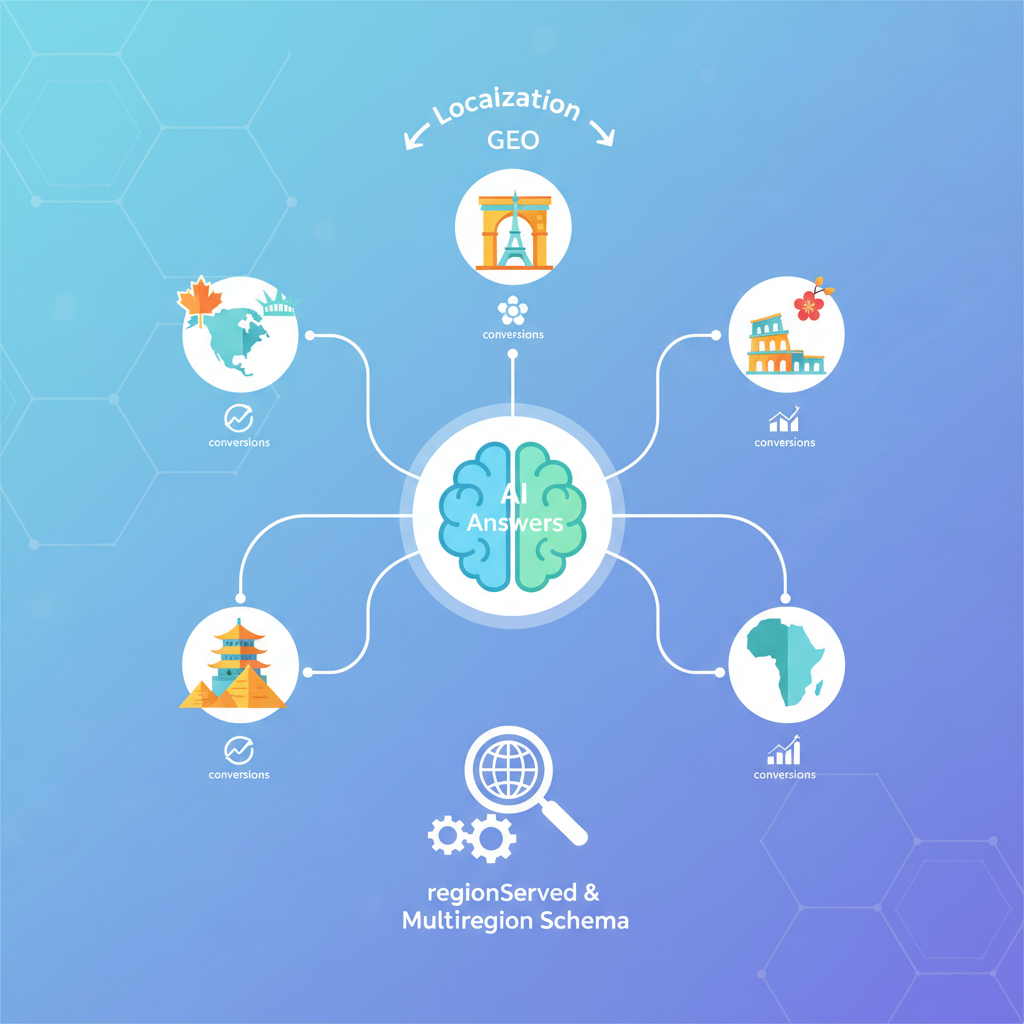
TL;DR
- Problem: AI assistants and search results often misstate which countries your SaaS supports, costing conversion and trust.
- Quick fix: add explicit regionServed and areaServed JSON-LD with ISO 3166-1 alpha-2 codes and localized price/currency (ISO 4217) so AIs return accurate answers.
- Test: verify JSON-LD in page source, run Google Rich Results Test, and prompt conversational queries like "Can this SaaS support customers in [country]?"

Why GEO localization matters for AI answers and conversions
If AI assistants surface incorrect geography — saying your SaaS "supports" countries you don’t actually sell to, or failing to mention localized pricing — visitors will drop off before they reach a signup. You lose qualified leads and create extra support load answering basic questions. The core problem is signal ambiguity: most sites describe supported regions in prose that search engines and chat models don’t parse reliably.
"Use regionServed schema lovable to make your geographic availability machine-readable. Implement the schema.org regionServed property in JSON-LD and include explicit ISO 3166-1 alpha-2 country codes and ISO 4217 currency codes in price metadata. By utilizing regionServed, you can clearly communicate to AI which geographies your SaaS supports. For multiregion offers, return an array of region codes and include localized pricing and currency to enhance AI-answer relevance, as discussed in our article on localizing AI answers for lovable SaaS."
Quick answer: add structured regionServed and areaServed fields to your product or service JSON-LD, include per-region pricing, validate with Rich Results Test, and prompt sample queries to confirm AI answers. For more on this, see Win ai answers lovable sites.
How search engines and AI assistants use geographic signals
Search engines and assistant platforms combine page content, structured data, IP signals, and hreflang/hreflang-like clues to decide whether your site is relevant for a geographic query. When structured data contains clear regionServed or areaServed values, parsers can extract a definitive list of supported countries instead of guessing from marketing copy.
Example: if your product page shows regionServed: ["US","CA"] and price metadata with priceCurrency: "USD" and priceCurrency: "CAD" for different offers, an assistant answering "Does Lovable support customers in Canada?" can return a direct affirmative with price context. Without that JSON-LD, the assistant may answer ambiguously or rely on stale indexing.
regionServed vs areaServed — definitions and use cases
regionServed (Schema.org) names specific geographic regions your service supports; it accepts country names, ISO codes, or administrativeArea objects. areaServed is broader and can represent service areas like continents, regions, or city names. For Lovable SaaS you should prefer ISO 3166-1 alpha-2 codes in regionServed when you want AI systems to answer country-level questions precisely.
Quotable definition: "Use regionServed to list the countries a SaaS supports; use areaServed for broader, non-country regions." Use areaServed when describing coverage that isn't neatly expressed as countries (for example, 'EMEA' or 'Nordics'), but pair it with regionServed entries when country-level accuracy matters.
Explicit country codes beat parsed prose: include ISO 3166-1 alpha-2 codes in regionServed for reliable AI answers.
When to use regionServed, areaServed, and hasOfferCatalog for SaaS
Use regionServed when your product or plan availability differs by country. Use areaServed when you describe broader markets (for example, a whitepaper that targets "Europe"). Use hasOfferCatalog to present different offers per region: put a top-level Service or Product and attach hasOfferCatalog with entries that each include their own regionServed and localized pricing.
Practical example: create a catalog where the "Standard plan - EU" offer lists regionServed: ["DE","FR","IT"] and priceCurrency: "EUR", and the "Standard plan - US" offer lists regionServed: ["US"] and priceCurrency: "USD". This keeps each offer self-contained and easy for AI systems to cite.
Multiregion strategies for Lovable SaaS sites (single page vs per-region pages)
If you operate in a handful of countries, a single product page with a well-structured multiregion JSON-LD array often wins: it centralizes authority, reduces duplicate content, and allows AI to pull per-country facts. If you have region-specific features, pricing, legal terms, or localized content at scale, serve per-region pages with localized copy and localized JSON-LD. Both approaches need clear signals: either one canonical page with multiple regionServed entries, or distinct URLs with each page listing the single region it serves.
| Approach | When to use | SEO/AI trade-off |
|---|---|---|
| Single page, multiregion JSON-LD | Few regions; same product | Better canonical authority; simpler AI answers |
| Per-region pages | Region-specific pricing/terms | Better UX per country; needs hreflang and canonical care |
Pros/cons: conversion, canonicalization, and crawl budget
Single-page multiregion reduces crawl overhead and preserves backlinks; it simplifies canonicalization. The downside is less localized UX, which can lower conversion in high-value countries. Per-region pages improve conversion through localization and local trust signals, but they increase crawl budget use and require hreflang or rel=canonical discipline to avoid duplicate-content issues.
Decision rule: if regional differences are mostly currency and pricing, prefer single-page multiregion schema; if copy, legal, or feature parity differs, prefer per-region pages.
Implementation: JSON-LD regionServed examples for Lovable SaaS
This section gives copy-pasteable JSON-LD patterns you can adapt. Use ISO 3166-1 alpha-2 codes for countries and ISO 4217 for currencies. Keep each offer object self-contained: include name, price, priceCurrency, and regionServed. Verify JSON-LD is inside a <script type="application/ld+json"> in the page source so search crawlers and assistant parsers can find it.
Include localized priceCurrency fields with regionServed entries to make AI answers include dollar, euro, or local-currency context.
Single-region JSON-LD snippet (copy/paste)
<script type="application/ld+json">
{ "@context": "https://schema.org", "@type": "SoftwareApplication", "name": "Lovable", "offers": { "@type": "Offer", "price": "49.00", "priceCurrency": "USD", "regionServed": "US" }
}
</script>
Multiregion array example with ISO codes and localized price metadata
<script type="application/ld+json">
{ "@context": "https://schema.org", "@type": "SoftwareApplication", "name": "Lovable", "hasOfferCatalog": { "@type": "OfferCatalog", "name": "Lovable plans", "itemListElement": [ { "@type": "Offer", "name": "Standard - US", "price": "49.00", "priceCurrency": "USD", "regionServed": ["US"] }, { "@type": "Offer", "name": "Standard - Canada", "price": "59.00", "priceCurrency": "CAD", "regionServed": ["CA"] }, { "@type": "Offer", "name": "Standard - Germany", "price": "45.00", "priceCurrency": "EUR", "regionServed": ["DE"] } ] }
}
</script>
Technical considerations in Lovable & SEOAgent (feature-based how-to)
If your Lovable site uses an SEOAgent or site automation, generate regionServed JSON-LD at build time and inject per-page fragments from templates. Ensure the automation supports arrays and does not HTML-escape JSON. For dynamic pricing pages, render JSON-LD server-side or serialize a canonical JSON-LD blob that reflects the canonical offer for bots.
Checklist threshold: ensure P95 JSON generation latency < 300ms for server-side renders, and validate that automated templates output unescaped JSON inside <script type="application/ld+json">.
Where to insert JSON-LD in Lovable pages, SEOAgent automation & templates
Insert JSON-LD in the <head> or immediately before </body>. If SEOAgent automates templates, create a JSON-LD partial injected per page using the page’s locale and plan data. Keep a single source-of-truth: data should come from your pricing/catalog service to avoid stale values.
hreflang, canonical, and structured-data coordination for multi-country setups
When you have per-region pages, coordinate hreflang (language/region), canonical tags, and JSON-LD so signals don't conflict. Use rel=canonical to point localized pages to themselves, not to a global page, unless content is identical and you intentionally want one canonical. Include localized structured data on each localized page and ensure regionServed matches the page’s stated country.
Example rule: a German page at /de/ should include regionServed: "DE" and priceCurrency: "EUR" in its JSON-LD; its hreflang should be de-DE.
Common pitfalls and fixes (duplicate content, conflicting signals)
- Duplicate content: don't publish near-identical pages without hreflang or canonical directives; merge into a single multiregion page if differences are only currency.
- Conflicting signals: ensure the JSON-LD
regionServedmatches visible page copy and hreflang tags. - Stale pricing: automate JSON-LD from your pricing API so offers never drift from displayed prices.
Testing, validation, and monitoring for AI-answer inclusion
Validate that structured data is discoverable and parseable. Verify the JSON-LD appears in the page source (View Source), run the Google Rich Results Test and a Schema validator. Monitor Search Console coverage for structured-data warnings. For AI-answer checks, run conversational prompts against public assistants and record whether the assistant cites your site or returns the correct country and price context.
Tools & checks: Rich Results Test, Schema validation, Search Console coverage, sample queries to test AI visibility
- Google Rich Results Test and Schema.org validator for syntax and property coverage.
- Search Console for structured-data errors and indexing issues.
- Sample prompts: "Can this SaaS support customers in Canada?" and "What does Lovable cost in EUR?" — record assistant responses and the source attribution.
Implementation checklist & copyable templates
Use this checklist to roll out regionServed and multiregion schema across Lovable pages.
- 1. Export list of supported countries (ISO 3166-1 alpha-2 codes).
- 2. Map pricing to ISO 4217 currency codes and maintain in the pricing service.
- 3. Add JSON-LD templates for single and multiregion offers (copy snippets above).
- 4. Inject JSON-LD via SEOAgent templates at build time; server-render dynamic pages.
- 5. Validate with Rich Results Test and monitor Search Console.
- 6. Run conversational tests and document the assistant responses.
FAQ
What does it mean to implement regionserved & multiregion schema to localize ai answers for lovable saas?
Implementing regionserved & multiregion schema lovable means adding Schema.org JSON-LD that lists supported country codes and region-specific offers so AI assistants and search systems can answer geography and pricing queries accurately.
How do you implement regionserved & multiregion schema to localize ai answers for lovable saas?
Implement it by creating JSON-LD fragments that include regionServed, areaServed, and localized offers with ISO country and currency codes, inject them through your template engine or SEOAgent automation, and validate with Rich Results Test.
When NOT to implement regionServed and multiregion schema
Do not add per-country regionServed entries if you have no pricing or legal difference between countries and you cannot maintain accurate country lists; adding stale or incorrect entries is worse than none. Also skip per-country pages if you lack localization resources — half-localized pages harm conversion. Do not implement regionServed on pages that are purely marketing and intentionally global without regional constraints.
Conclusion: prioritized rollout plan (90-day roadmap)
90-day roadmap: Week 1–2: inventory countries and map currency/pricing. Weeks 3–6: build JSON-LD templates and integrate with SEOAgent or your templating system. Weeks 7–10: deploy to a controlled set of pages, run Rich Results Test, and perform conversational AI queries. Weeks 11–12: audit Search Console, fix warnings, and expand rollout. Use this priority: high-value markets first, then parity markets.
Quotable: "Explicit regionServed entries turn ambiguous marketing copy into actionable facts for AI assistants."
Ready to Rank Your Lovable App?
This article was automatically published using LovableSEO. Get your Lovable website ranking on Google with AI-powered SEO content.
Get Started






