
How to Localize Comparison Tables on Lovable: Currency, Stock & Delivery Columns for Multi-Region SEO
A guide covering localize Comparison Tables on Lovable: Currency, Stock & Delivery Columns for Multi-Region SEO.
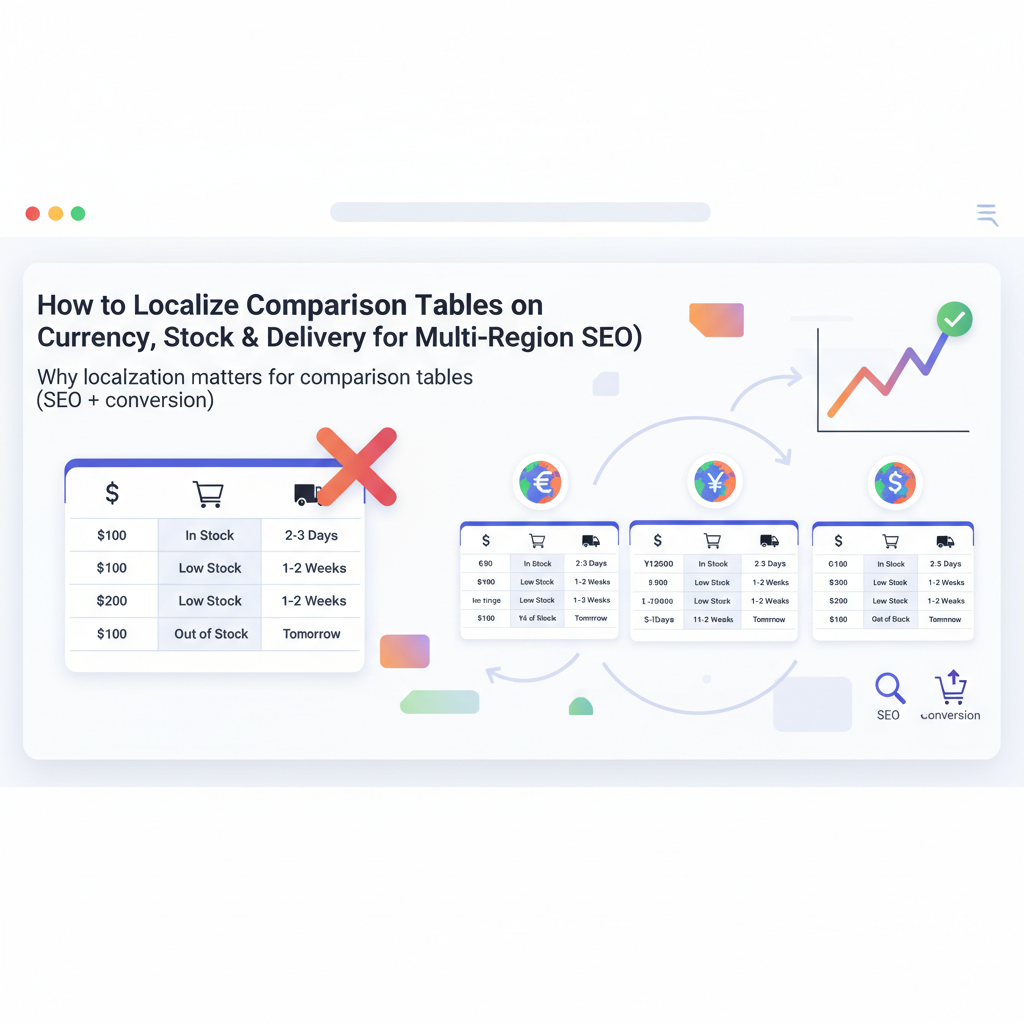
TL;DR
- Localize comparison tables on Lovable by adding explicit regional columns for currency, stock-by-region, and delivery ETA to improve SEO and conversions.
- Store regional fields in Lovable templates or a normalized feed, and use LovableSEO to auto-generate localized pages and sitemaps.
- Expose region-specific Offer schema via JSON-LD and visible table text so search engines and AI can extract prices and availability.
If you manage product pages or comparison pages on Lovable, you need to localize comparison tables lovable right away: add currency columns, per-region stock status, and delivery ETAs so search engines and buyers see the right offer. This guide shows practical steps for website owners, marketers, and developers to build localized comparison tables, the data model to use in Lovable, and how to automate generation with LovableSEO.
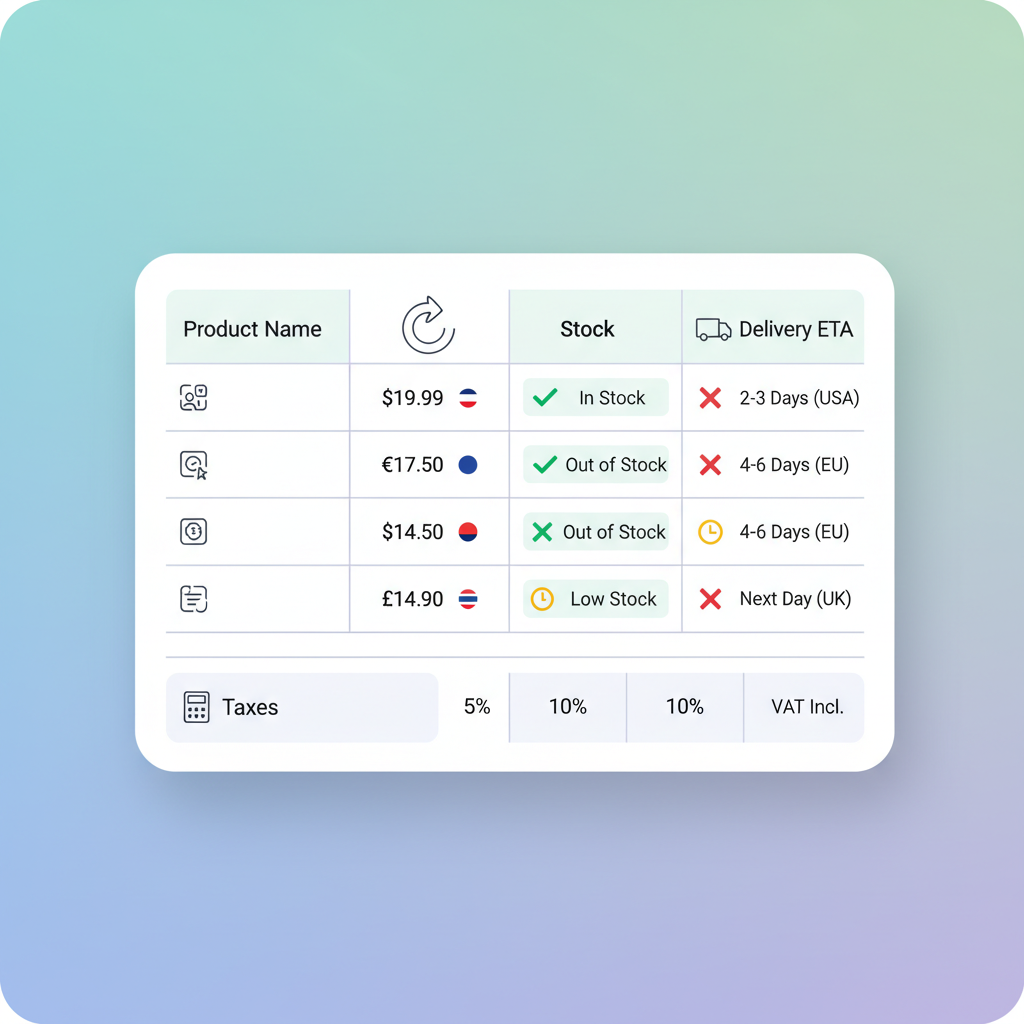
Why localization matters for comparison tables (SEO + conversion)
Without region-specific table fields, search engines and AI answers treat your content as ambiguous. Add explicit regional columns (currency, stock-by-region, delivery ETA) to increase inclusion in localized AI answers and reduce ambiguity for multi-region queries. That single change improves relevance for country-targeted queries, lowers bounce rates from currency confusion, and raises conversion by matching expectations early in the funnel.
Example: a shopper in Germany who sees prices in EUR and a delivery ETA measured in working days converts faster than one who must mentally convert numbers or check separate pages. For multi-region product comparison lovable pages, visible regional data reduces friction and returns because shoppers select the correct SKU and shipping option up front, which aligns with strategies outlined in the lovable guide to comparison pages.
Quotable: "Add explicit regional columns (currency, stock-by-region, delivery ETA) to increase inclusion in localized AI answers and reduce ambiguity for multi-region queries."
Regional clarity in product tables cuts decision time: buyers trust localized price and delivery details.
Key localization fields to include (currency, stock status, delivery ETA, taxes)
Design your localized comparison table to include separate columns for: currency (ISO code and symbol), regional list price, regional sale price, stock status by warehouse/country, delivery ETA (min–max business days), and tax display (inclusive/exclusive). These are the GEO signals search engines and AI use: currency, country code, postal coverage, and service area.
Practical example for a localized comparison table row: Product name | Price (EUR) | In stock (DE warehouse) | Delivery 2–4 business days | VAT included. For a multi-region product comparison lovable setup, duplicate the core product row per region or show side-by-side columns labeled with country codes (DE, UK, US) so both humans and parsers find the data instantly.
Make labels explicit — use EUR (DE) rather than merely "Price" — and add short microcopy under the table explaining which warehouses and shipping partners feed each column.
Label regional columns with ISO country and currency codes so machines and people interpret values consistently.
Currency and price formatting best practices
Show currency as symbol plus ISO code (e.g., € / EUR 199.00) and format numbers with local separators: use period for decimals where appropriate and comma where local conventions require it. Include both gross and net price if your audience spans B2B and B2C, and mark which is shown ("incl. VAT").
On Lovable, store price as a numeric field and a formatted string. Render the formatted string in the comparison table and keep the numeric value in a data attribute or JSON-LD for parsing. For currency column comparison table design, include a small tooltip explaining which exchange rate or cutoff time produced the quoted price.
Stock, availability by region, and delivery windows
Show stock as discrete states (In stock, Low stock, Out of stock) and map each to specific fulfillment centers or country-level availability. Avoid ambiguous labels like "Available soon." Instead, use "In stock (DE warehouse)" or "Preorder — ships from UK on 2026-04-15." Include delivery windows as ranges and specify business days and cutoff times.
For example: "In stock (FR) — ships in 1 business day; Delivery 2–3 business days to Paris" gives both inventory and expected arrival, which improves the accuracy of local availability comparison table entries and reduces cancelations driven by shipping surprises.
Data model & templates in Lovable: how to store regional fields
Use a normalized model: one product record with a regional child collection for offers per market. Each regional offer should include keys: region_code (ISO 3166-1 alpha-2), currency (ISO 4217), price_numeric, price_formatted, stock_status, warehouse_id, delivery_min_days, delivery_max_days, tax_inclusive (boolean), and last_update timestamp.
In Lovable templates, loop the regional offers to render a currency column comparison table or a stacked mobile view. Keep presentation separate from data: templates read the normalized regional offers and decide whether to render columns, dropdown selectors, or stacked cards depending on viewport and LovableSEO rules.
Example storage snippet (conceptual): product.offers = [{region: 'DE', currency: 'EUR', price: 199.00, formatted: '€199,00', stock: 'in_stock', eta: '2-4'}]. That keeps feeds compact and makes it easy for LovableSEO to expand per-region pages and sitemaps.
Recommended data feed fields and naming conventions
Name feed fields consistently and predictably: offer_region, offer_currency, offer_price_numeric, offer_price_formatted, offer_stock, offer_eta_min, offer_eta_max, offer_tax_included, offer_sku. Using a prefix like "offer_" makes feed rule mapping simpler in LovableSEO and reduces accidental collisions with product-level attributes.
Provide example field values and types in your feed documentation. For currency column comparison table automation, require numeric price fields for calculations and formatted price fields for direct rendering. If you support multiple warehouses per region, add offer_warehouse_id and offer_stock_level for accurate low-stock warnings.
Using Lovable custom fields vs LovableSEO feed rules
Use Lovable custom fields when you need editorial overrides or manual corrections per page. Use LovableSEO feed rules for automated normalization, currency conversion, and conditional page generation. A common pattern: ingest vendor feed into LovableSEO, normalize names and currency, then push structured regional offers into Lovable as custom fields for each product page.
Example workflow: vendor CSV → LovableSEO rules (map vendor_currency to ISO, calculate localized_price using chosen FX rate) → Lovable custom fields populated by nightly sync. This hybrid approach keeps day-to-day automation while letting marketers edit localized microcopy without touching the feed logic.
Automating localized table generation with LovableSEO (sitemap & templates)
LovableSEO can generate multi-region pages and sitemaps from the regional offers feed. Configure rules that read offer_region and produce either a country-prefixed URL or hreflang-tagged page. Templates should accept a region param and render only the regional columns relevant to that URL to avoid duplicate content while keeping comparison capabilities for multi-region visitors.
Automation decisions: create one canonical product page per region and a single multi-region comparison page when helpful. Use LovableSEO to emit sitemap entries per region and include discovery metadata so crawlers find your localized pages. For larger catalogs, set a rule: only generate per-region pages for regions with market_size > X or revenue > Y, to control crawl budget.
Example templates: regional columns that auto-populate
Provide template fragments that auto-populate columns from the product.offers collection. Example HTML table snippet:
| Product | Price (DE) | Price (UK) | Availability (DE) |
|---|---|---|---|
| Example Camera | €499,00 | £429.00 | In stock (DE) |
Templates should include data attributes for machine parsing: data-price-numeric="499.00" data-currency="EUR". That lets you surface structured data exactly matching the visible table, which helps AI and search engines trust the values.
Conditional columns and fallback logic (single product vs multi-region)
Render conditional columns only when you have data. Fallback logic example: if offer_price_formatted is missing for a region, show the base currency price with a small label "estimated" and a link to the policy. For single-product pages where only one region is supported, hide unused region columns and surface the local availability comparison table for that market only.
Decision rule: if a region has no stock and no reliable ETA, exclude it from comparison columns and add a short sentence listing supported markets. That reduces user confusion and prevents AI answers from quoting stale prices.
SEO and AI-answer optimization for localized comparison tables
To increase the chance AI systems and knowledge panels extract the right regional offers, expose the same structured values in both visible text and JSON-LD Offer entries. Use explicit labels and place the most important GEO signals (currency, country code, delivery ETA) near the price value so parsers find them within the same DOM node or table cell.
Quotable: "Surface both human-readable regional columns and matching Offer JSON-LD to make localized offers machine-discoverable." Cite Google's product/offer structured data docs when publishing schema so your markup follows documented expectations.
{ "@context": "https://schema.org", "@type": "Product", "name": "Example Camera", "offers": [ { "@type": "Offer", "priceCurrency": "EUR", "price": "499.00", "availability": "https://schema.org/InStock", "eligibleRegion": "DE" }, { "@type": "Offer", "priceCurrency": "GBP", "price": "429.00", "availability": "https://schema.org/InStock", "eligibleRegion": "GB" } ]
}
Note: when publishing schema, reference Google's product/offer structured data documentation to ensure you meet their requirements.
Image prompt caption: Comparison table mock showing three regional columns for price and delivery ETA.
How to surface region-specific columns to AI (structured data, visible text, and microcopy)
Place structured JSON-LD Offer blocks that match visible table cells. Keep microcopy concise: add parenthetical region markers near prices ("€199 — ships from DE") and include data- attributes with numeric prices. These duplicate signals help AI systems match visible text to structured data during snippet extraction.
Also add short machine-friendly copy under the table with ISO codes and update timestamps so automated systems can check freshness before quoting a price.
Implementation checklist and testing plan (QA, currency formatting, robots/indexing)
Use this checklist when rolling out localized comparison tables:
- Confirm feed contains offer_region and offer_price_numeric for all listed markets.
- Validate JSON-LD matches visible table values for every region.
- Test currency formatting and separators per locale.
- Run crawl simulation to ensure sitemaps expose region pages and hreflang is correct.
- Check robots.txt and meta robots for accidental disallow rules on per-region pages.
QA thresholds: sample 100 product pages — P95 of pages must have matching visible price and JSON-LD price; for automated conversion checks, run A/B where one cohort sees localized tables and another sees generic prices, and compare conversion and return rates over 30 days.
Conversion tips and UX for multi-region comparison tables
Make conversion easy: a region-specific CTA ("Buy in EUR") and a small trust signal showing accepted payment types and local returns policy increase confidence. Use sticky table headers on long comparisons and reveal more details in expandable rows rather than cluttering columns.
A good UX rule: provide a clear default region based on IP or account locale, but allow manual override. Present currency conversion options and show whether price is locked or estimated. Region-tailored pricing and delivery info can materially increase conversion and reduce returns.
CTAs per region and currency-specific trust signals
CTAs should include currency and shipping shorthand: "Pay € — Local checkout" or "Checkout £ — Ships from UK." Add micro-trust signals near CTAs: localized returns window, VAT included flag, and local phone support hours. These reduce friction during checkout and are especially important on multi-region product comparison lovable pages.
When NOT to localize comparison tables on Lovable
Do not create per-region columns when you lack reliable regional pricing or fulfillment data; partial or frequently stale regional values harm trust. Avoid full per-region page generation when markets are hypothetical or when legal/regulatory constraints prevent showing certain prices publicly. Also skip adding regional columns if your catalog is tiny and a single global price is required by commercial agreements.
Who this is NOT for: marketplaces that do not control pricing, businesses with volatile FX exposure where prices change intra-day without an automated update pipeline, and sites that cannot support region-specific returns and shipping information operationally.
FAQ
What does it mean to localize comparison tables on lovable?
To localize comparison tables on Lovable means adding explicit regional columns and fields — currency, stock-by-region, delivery ETA, and tax display — so both users and search engines read accurate, market-specific offers.
How do you localize comparison tables on lovable?
Localize comparison tables on Lovable by storing regional offers as structured child records, rendering region-labeled columns in templates, automating per-region page and sitemap generation via LovableSEO rules, and publishing matched JSON-LD Offer schema for each region.
Conclusion and next steps (templates, demo, and sample feed)
Start by adding regional offer fields to your Lovable product model and create one template that can render either side-by-side regional columns or a single-region view. Use LovableSEO feed rules to normalize currency and generate per-region pages and sitemaps. Copy the provided table HTML and JSON-LD into a sandbox page, run the QA checklist, and then roll the change to a test segment.
Quotable: "Surface both human-readable regional columns and matching Offer JSON-LD to make localized offers machine-discoverable." Next steps: build one sample multi-region product comparison lovable page, test extraction with Google Rich Results test and internal analytics, and iterate based on conversion and crawl data.
Ready to Rank Your Lovable App?
This article was automatically published using LovableSEO. Get your Lovable website ranking on Google with AI-powered SEO content.
Get Started