
The Lovable Guide to Comparison Pages & Buyer Guides: SEO, CRO, and AI-Answer Playbook
A guide covering lovable Guide to Comparison Pages & Buyer Guides: SEO, CRO, and AI-Answer Playbook.

TL;DR
- Create comparison pages and buyer guides that answer buyer intent first: concise summary, clear matrix, and a pricing signal.
- Use structured data (Product, FAQ, ComparisonTable patterns) and GEO fields to increase the chance of AI answers and featured snippets.
- Design comparison table SEO-friendly components so CRO improvements don’t hurt organic rankings.
- Automate data feeds and table generation with LovableSEO to scale content while keeping accuracy.
- Measure with page-level KPIs (organic clicks, snippet impressions, assisted conversions) and run a 30/60/90 publishing cadence.
The Lovable guide below explains how to build comparison pages and buyer guides specifically for Lovable SaaS sites, covering content structure, keyword mapping, structured data, AI-answer optimization, design patterns that preserve SEO value, automation with LovableSEO, localization signals, internal linking, measurement, and an actionable 30/60/90 playbook. This article focuses on practical steps and includes copyable artifacts you can paste into a template or a CMS.
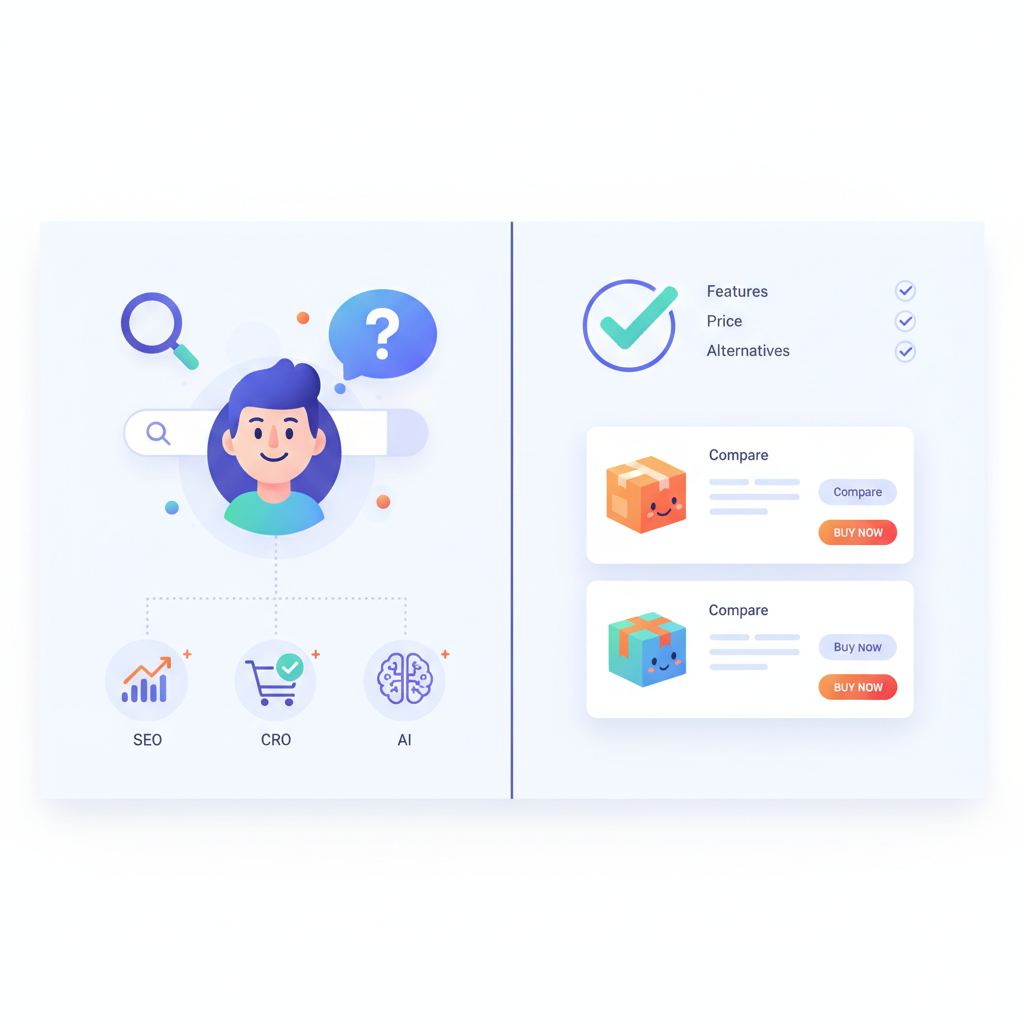
Why Comparison Pages & Buyer Guides Matter for Lovable SaaS Sites
For many buyers, the purchase path begins with a comparison query. A high-quality comparison page or buyer's guide reduces friction by answering the question: "Which product fits my needs today?" On Lovable sites, building lovable comparison pages seo content means tailoring comparisons to the platform's product model, pricing tiers, and technical integrations so the page reads like an expert buyer's guide rather than a feature dump.
Concrete example: a Lovable page comparing two edition tiers might open with a 60-word one-line verdict, a 6-column matrix with feature parity, and a pricing signal that shows monthly vs annual costs. That structure helps search engines and buyers make fast decisions. For developer audiences, include integration and API rate-limit details; for marketers, emphasize onboarding and support SLAs (describe, don’t promise).
Actionable takeaway: on Lovable, always start a comparison page with a one-paragraph summary that states the recommended audience for each product and a clear primary call-to-action. That short summary is often what AI systems extract for featured snippets and what users scan first.
Comparison pages convert when they show trade-offs clearly and list one decisive signal: price, support, or integration.
Design the page to answer three core user needs: 1) quick recommender (who should buy which option), 2) a detailed side-by-side matrix for feature-level verification, and 3) evidence—customer stories, third-party benchmarks, or quote snippets. Lovable's content model supports modular content blocks; use those to keep matrices updated independently from narrative text.
Actionable checklist (short):
- Start with a precise 1-paragraph verdict.
- Include a 5–8 column comparison matrix with consistent units (users, storage, API calls).
- Signal price level in the top fold (starting price, billing cadence).
Search and Buying Intent — what users expect from comparison pages
Search intent for comparison pages splits into three buckets: research ("X vs Y features"), comparison ("best tool for X"), and buyer intent ("cheap X with Y feature"). Lovable comparison pages SEO must satisfy these intents by surfacing the answer quickly, then allowing users to drill down. For effective results, consider how to build SEO-optimized comparison tables that highlight key features first and link to deeper product pages for technical specifications.
Example: a buyer searching "Lovable CRM vs Competitor B" expects an immediate verdict, followed by differences in integrations (Zapier, webhooks), security (SOC2, encryption), and pricing. Your page should satisfy that pattern: summary verdict, top-3 differentiators, matrix, and then a buyer's checklist tailored to the buyer persona.
Actionable signals to add for buyer intent: add a pricing band (e.g., "Starts under $49/mo"), include contract length, and show a decision rule (e.g., "Choose Product A if you need >1M API calls/month"). Those explicit rules convert research intent into trials or demos.
Search optimization note: include the phrase lovable comparison pages seo naturally in headings or alt text where relevant. That helps the page rank for platform-specific comparison queries and ties the content back to Lovable's product model.
Present one clear decision rule on the page—buyers prefer a single-sentence rule they can test against their requirements.
Actionable takeaway: map your pages to user intent. Create three templates—research, comparison, and buyer-intent—and pick the template based on keyword analysis. For buyer-intent pages, lead with price and SLA signals; for research pages, prioritize feature examples and customer use cases.
SEO Foundations for Comparison & Buyer Guide Pages on Lovable
Without baseline SEO hygiene, even the best comparison content won’t rank. For Lovable sites, foundational work includes canonicalization, consistent URL patterns, meta descriptions that include buyer signals, and internal linking to product detail pages. Use human-readable slugs (e.g., /compare/product-a-vs-product-b) and canonical tags when you publish multiple variants (region, currency).
Technical example: if you publish a regional comparison (EU pricing in EUR), include rel=canonical to the canonical global comparison and add hreflang where language variants exist. Lovable's CMS supports locale blocks; store pricing blocks separately and update them via a single feed so the canonical content stays accurate.
On-page SEO specifics: include the primary keyword — lovable comparison pages seo — within the first 100 words, in one H2, and in the meta title and description. Use schema.org markup for product information and FAQ entries (see Structured Data & AI-Answer Optimization). Use descriptive title tags like "Product A vs Product B: best for teams under 50" rather than generic titles.
Content depth: long-form comparison pages (1,500–3,000 words) work best for complex SaaS decisions. Break the content into modular sections: summary, who it's for, feature-by-feature, pricing, pros/cons, and how to choose. Add internal links to relevant product pages, case studies, and pricing. Lovable pages should tie back to product docs for technical readers and to onboarding timelines for managers.
Actionable thresholds and artifacts:
- Keyword density: focus on natural use; target 2–4 mentions of the primary keyword across the page.
- Performance target: aim for Largest Contentful Paint under 2s for comparison pages (conditional: if your CDN and hosting support it).
- Decision rule example: show a 3-row rule table: (scale, budget, integration) -> recommended product.
Keyword mapping for comparison vs buyer-intent queries
Map queries to page types: informational queries ("compare X and Y features") map to research templates; buyer-intent queries ("best X for small business" or "cheap X with Y") map to buyer guides. For Lovable, create a keyword map that lists target keywords, intent, target page, and primary call-to-action.
Example mapping (short table):
| Keyword | Intent | Template | Primary CTA |
|---|---|---|---|
| "Product A vs Product B" | Comparison | Comparison page | Start trial |
| "Best CRM for startups" | Buyer intent | Buyer's guide | See pricing |
Actionable takeaway: track which template each keyword maps to; prioritize building buyer-intent pages for queries with commercial modifiers ("best", "cheap", "for startups"). Ensure each mapped page has a clear CTA aligned with intent (trial for comparison, pricing for buyer-intent).
Content structure: summary, matrix, pros/cons, pricing signal
Structure your page so users and search engines find the decisive content within 3–7 seconds: a summary paragraph, a compact matrix, a pros/cons section, and a pricing signal block. That order satisfies quick scanners and gives AI systems clean snippets to extract.
Concrete content pattern to reuse on Lovable sites:
- Summary (40–80 words): Verdict and recommended audience.
- Matrix (HTML table): 6–10 rows for high-value attributes (pricing, users, storage, API limits, integrations, support).
- Pros/cons (bulleted): short bullets, 6 per product max.
- Pricing signal: small block listing starting price and billing cadence.
Actionable artifact: include an HTML comparison table seo that uses semantic table markup (not images), includes a caption, and uses aria labels for accessibility. Semantic tables help search engines read your matrix and improve AI answer extraction.
Structured Data & AI-Answer Optimization
Structured data is a direct route to richer search results and AI-answer snippets. On Lovable, use Product schema for product-level facts, FAQ schema for common buyer questions, and a simple comparison table pattern in JSON-LD so search systems can parse the matrix. Include GEO signals (localName, region, currency, deliveryAreas) in your structured data to raise relevance for geo-prefixed queries.
Quotable stat-style line: "Adding localized fields (region, currency, availability) increases relevance for geo-prefixed buyer queries and AI answers".
Define GEO signals concisely:
- localName: the city or locality where a product or service is available.
- region: the broader administrative region (state/province).
- currency: the default currency for pricing display.
- deliveryAreas: serviceable geographic areas that affect availability or pricing.
Short JSON-LD example (Product + FAQ + simple comparison matrix):
{ "@context": "https://schema.org", "@graph": [ { "@type": "Product", "name": "Lovable CRM Basic", "sku": "LCRM-BASIC", "offers": { "@type": "Offer", "priceCurrency": "USD", "price": "49.00", "availability": "https://schema.org/InStock", "areaServed": [{"@type":"Place","name":"San Francisco"}], "eligibleRegion": "US-CA" } }, { "@type": "FAQPage", "mainEntity": [ {"@type":"Question","name":"Which plan is best for startups?","acceptedAnswer":{"@type":"Answer","text":"Startups often choose Basic for up to 3 seats."}} ] }, { "@type": "ItemList", "name": "comparison-matrix", "itemListElement": [ {"@type":"ListItem","position":1,"name":"Users: Basic 3, Pro 10"}, {"@type":"ListItem","position":2,"name":"API calls: Basic 100k, Pro 1M"} ] } ]
}
Three-bullet AI-optimized answer snippet (for extraction):
- Lovable CRM Basic is best for startups needing up to 3 seats and moderate API use.
- Choose Pro if you need >100k API calls/month or priority support.
- Prices start at $49/mo (USD); ask about regional discounts for EU customers.
Actionable SEO tip: keep JSON-LD updated alongside your pricing feed. Lovable sites that store price as structured data and show the same number in visible text reduce crawler confusion and increase trust for AI extractors.
Which schemas to use (Product, FAQ, ComparisonTable patterns, HowTo)
At minimum, implement Product and FAQ structured data on comparison and buyer guide pages. For how-to steps (implementation or migration guides), include HowTo markup. Schema.org doesn’t define a full ComparisonTable type, but you can represent matrices with ItemList or a set of ListItem objects describing key rows—this pattern makes the matrix machine-readable.
Example use cases on Lovable:
- Product schema for each SKU to surface price and availability.
- FAQ schema to answer the top 6 buying questions; each entry should be under 300 words for snippet suitability.
- ItemList/ListItem pattern for comparison rows (users, API limits, storage).
Actionable checklist: validate your JSON-LD with Google Rich Results Test or other tools, and store schema in editable blocks so marketing can update without dev cycles.
Crafting concise answer snippets for AI extracts
AI systems favor concise, factual sentences. For each key question or decision rule, write a one-sentence answer that includes the decision and a numeric threshold when applicable. Keep answers 20–30 words for high extractability.
Good example: "Choose Lovable Pro for teams with more than 10 seats or if you require 500k+ API calls per month." That single sentence contains a decision (choose Pro) and a threshold (10 seats, 500k API calls) that AI extractors can use directly.
Actionable template for snippets:
- Start with an imperative or recommendation ("Choose X if...").
- Include one numeric threshold or a clear binary condition.
- End with a short qualifier when necessary ("for production apps").
Design & CRO patterns that preserve SEO value on Lovable
Design changes to improve conversions often harm SEO when content becomes hidden behind tabs, accordions, or heavy JavaScript without server-rendered equivalents. On Lovable, apply these patterns to keep CRO gains without losing search visibility: server-render critical content, expose the same text in the DOM, lazy-load non-critical widgets, and keep canonical text accessible to bots.
Concrete example: if you add a pricing comparison slider (monthly vs annual), ensure the default state shows both prices in inline text for crawlers. Use ARIA attributes for accessible toggles, but replicate the content in a noscript-friendly block so search engines can index it. For charts, provide a data table below the chart with exact numbers—search bots and users both benefit.
Microcopy and trust signals matter: include support hours, response time ranges (e.g., "typical first response within 24 hours"—use conditional language if uncertain), and certification badges as images with alt text and accompanying text descriptions. Avoid stuffing badges as images only; explain what each certification covers in a short sentence so robots can pick up the context.
Actionable design rule: change one CRO element at a time and A/B test it. If an experiment hides content, measure organic visibility metrics for the page during the test. Roll back any layout that causes a traffic drop within two weeks.
Comparison tables, CTAs, trust signals, microcopy
Comparison tables should be HTML tables with a caption and clear header rows. Place the primary CTA near the top and repeat it after the matrix. CTAs should reflect intent: "Start free trial" for product comparison, "See pricing" for buyer-intent pages. Use microcopy under CTAs to remove friction: short lines like "No credit card for trial" or "30-day cancel" increase clicks when accurate.
Trust signals that work on Lovable pages: customer logos (with aria-hidden images plus text descriptions), short testimonials (quote and role), and measurable metrics (time to value expressed as days). Keep trust statements short and verifiable; if you cite a customer metric, attribute it.
Actionable table example (HTML):
| Feature | Basic | Pro |
|---|---|---|
| Seats | 3 | 10 |
| API calls/month | 100k | 1M |
| Price (monthly) | $49 | $199 |
Actionable takeaway: ensure CTAs are context-aware—trial CTAs for comparison pages and pricing CTAs for buyer guides. Use short microcopy to remove last-second hesitation, and never hide vital pricing or feature text behind JS only.
Automating Comparison & Buyer Guides with LovableSEO
Scaling comparison pages requires automation without sacrificing accuracy. LovableSEO is a content automation workflow that Lovable teams can use to feed product data, generate table rows, and publish pages at scale. Use LovableSEO to manage a canonical data feed for pricing, features, and GEO availability, and then map feed fields to template blocks.
Example automation flow with LovableSEO:
- Maintain a master CSV or API feed with SKU, priceCurrency, price, API limits, seats, and region availability.
- LovableSEO pulls the feed, converts rows into JSON-LD and populates comparison tables.
- Publish pages using a templating engine that injects both visible HTML and JSON-LD blocks for structured data.
Concrete benefit: when a price changes, LovableSEO updates the JSON-LD and visible price in the top fold within a defined publishing cadence, ensuring both human and machine representations stay aligned. On Lovable, that reduces mismatch between what users see and what search engines index.
Actionable setup tips:
- Design the feed schema before automating: include SKU, price, currency, availability, region, and lastUpdated timestamp.
- Set guardrails in LovableSEO: validate numeric ranges and flag missing fields for manual review.
- Run a dry-run that writes to staging pages before pushing to production.
Data feed templates, table generation, and publishing cadence
Standardize your feed. A practical CSV template for Lovable might include these headers: sku, product_name, price, currency, region, api_calls_limit, seats, support_level, last_updated, availability. Keep the last_updated field mandatory so you can audit stale rows.
Table generation: templates should produce semantic HTML tables plus JSON-LD ItemList entries for each row. LovableSEO can convert feed values into table rows and also produce the corresponding structured data. For publishing cadence, many teams use daily syncs for pricing and weekly syncs for feature flags. Pick a cadence that balances freshness and QA capacity.
Actionable cadence recommendation: run nightly price feeds and weekly feature syncs. If your org supports faster verification, implement hourly price updates only if you have automated QA and a rollback plan.
Geo & Localization Signals for AI Answers and Regional Comparisons
Localization affects both user trust and AI answer relevance. GEO signals such as localName, region, currency, and deliveryAreas tell search engines and AI systems where your product fits. For Lovable, include these fields in both visible text (e.g., "Pricing in EUR for Germany") and structured data so the page can serve region-prefixed queries like "best CRM in Germany".
Concrete example: a Lovable comparison page that includes currency and deliveryAreas will be more likely to match a query like "best CRM for EU startups" because the page signals both product fit and regional availability. Include local pricing, local contact channels, and any regulatory notes (GDPR compliance statements) where relevant.
Actionable snippet to add in pages: a short locale block just below the header that states localName, currency, and a delivery note (e.g., "Available across the EU, prices shown in EUR"). Make that block machine-readable with JSON-LD and human-readable as plain text.
Quotable definition for snippets: "localName and currency in your structured data improve AI relevance for region-specific buyer queries." Use that sentence on pages to increase the chance it's extracted verbatim by AI indexers.
Internal Linking & Topic Siloing (tie to product, pricing, case studies)
Internal linking turns comparison pages into traffic drivers for product and pricing pages. Use a topic-silo approach: link comparison pages to SKU pages, feature deep dives, pricing tables, and 1–2 relevant case studies. Keep anchor text descriptive and varied—use phrases like "API rate limits" or "enterprise onboarding" rather than repeating product names in every link.
Real-world example: create a silo where the comparison page links to the pricing page with anchor "see full pricing and seat limits," and to a migration case study with anchor "how Acme migrated to Lovable Pro in 6 weeks." That mix of product, pricing, and evidence helps both users and search engines evaluate fit and credibility.
Actionable linking rules:
- Top-of-page: link to pricing and a product overview.
- Within matrix: link to technical docs for terms like "API calls" and "rate limits."
- At decision point: link to a migration checklist or case study.
Measurement tip: use UTM or internal analytics events on these internal links to measure assisted conversions and content influence on the buyer journey.
Measurement: KPIs, experiments, and example success metrics
Measure both SEO and CRO outcomes. Important KPIs for Lovable comparison pages include organic clicks, impressions for comparison queries, featured snippet impressions, snippet click-through rate, time on page for engaged visitors, trial signups from the page, and assisted conversions. Track these at the page level and by template to identify which formats work best.
Example experiment: A/B test a page with a top-fold pricing signal against the same page without pricing visible. Measure organic clicks, bounce rate, and trial signups over 14 days. If the pricing signal increases click-through and conversions without reducing organic visibility, promote the pattern as a template.
Concrete KPI thresholds (examples to adapt):
- Featured snippet win: increase in snippet impressions by 10–20% within 6 weeks.
- CTR improvement: aim for a 3–5% relative increase after adding pricing signals.
- Assisted conversions: track a 10% lift when comparison pages link to targeted case studies.
Actionable measurement plan: create dashboards with these metrics, segment by device and region, and run one controlled experiment per month per template to avoid cross-test contamination.
30-, 60-, 90-day Playbook (daily publishing cadence)
To launch a comparison & buyer guide program on Lovable, follow a 30/60/90 cadence with daily publishing goals for the first month, then move to steady-state automation and optimization.
30-day sprint (setup):
- Day 1–7: finalize templates, feed schema, and JSON-LD patterns.
- Day 8–14: build 10 highest-priority comparison pages (buyer-intent first).
- Day 15–30: QA, validate structured data, and publish pages. Track initial organic impressions.
60-day optimization:
- Week 5–8: run A/B tests on top 3 CRO elements (pricing signal, CTA microcopy, trust placement).
- Week 9: iterate on schema based on search console data and schema validation errors.
90-day scale:
- Automate feed updates via LovableSEO, add localization blocks, and publish additional regional comparisons.
- Formalize reporting cadence and run quarterly audits on content accuracy.
Actionable daily cadence example: publish 1–2 pages daily during the 30-day launch, then reduce to 2–3 updates per week for the next 60 days as you optimize and expand localization.
Checklist & Templates (copyable snippets and JSON-LD samples)
Below are reusable artifacts you can copy into Lovable templates or your CMS. Use these as a launch checklist and a snippet library for structured data and content blocks.
Launch checklist (pasteable)
- Write 60–80 word summary verdict for each comparison page.
- Build an HTML comparison table with caption and aria labels.
- Include pricing signal and billing cadence in the top fold.
- Add Product and FAQ JSON-LD and validate with rich results tools.
- Map keywords to template and intent; include primary keyword in first 100 words.
- Set up internal links to pricing, product docs, and at least one case study.
- Schedule feed updates via LovableSEO; set last_updated enforcement.
Copyable JSON-LD product snippet (example)
{ "@context": "https://schema.org", "@type": "Product", "name": "Lovable Pro", "sku": "LPRO", "offers": {"@type":"Offer","priceCurrency":"USD","price":"199.00","availability":"https://schema.org/InStock"}
}
Decision matrix template (HTML)
| Criteria | When to choose Basic | When to choose Pro |
|---|---|---|
| Team size | 1–3 users | 4+ users |
| API needs | Low (<100k) | High (>100k) |
| Budget | <$100/mo | $100–$500+/mo |
Actionable takeaway: copy these snippets into your Lovable CMS blocks and adapt currency and regional strings via LovableSEO feeds. Keep the JSON-LD and visible text aligned to avoid crawler confusion.
FAQ
What is lovable guide to comparison pages & buyer guides?
The lovable guide to comparison pages & buyer guides is a practical, platform-specific playbook for building SEO-optimized comparison pages and buyer guides on Lovable sites, focusing on content structure, structured data, CRO-friendly design, and automation.
How does lovable guide to comparison pages & buyer guides work?
The guide prescribes templates and workflows: write a short verdict, build a semantic comparison matrix, add Product and FAQ JSON-LD, include GEO fields, automate data feeds with LovableSEO, and measure results through page-level KPIs and controlled experiments.
Conclusion and Next Steps (link to demo/pricing/signup)
Lovable comparison pages seo succeed when they combine clear buyer signals, machine-readable structured data, and CRO-conscious design. Start by publishing a single buyer-intent comparison page using the templates above, validate your JSON-LD, and run a 30-day test to measure impressions, snippet wins, and conversions. Use LovableSEO to automate price and feature feeds so your content stays accurate as product changes arrive.
Final quotable line: "A clear one-sentence decision rule plus accurate structured data turns research into purchase decisions." Now take the checklist, apply the JSON-LD sample, and begin publishing. Monitor results and iterate—make the first comparison page a template you can reuse across regions and product lines.
Image prompts (alt_text examples):
- "Comparison table showing API call limits and seat counts for two SaaS plans"
- "Flow diagram showing how LovableSEO updates JSON-LD from a product feed"
- "Locale block example showing currency, region, and delivery areas for localized pricing"
Ready to Rank Your Lovable App?
This article was automatically published using LovableSEO. Get your Lovable website ranking on Google with AI-powered SEO content.
Get Started