
How to Map and Automate Redirects When Migrating To or From Lovable (LovableSEO Playbook)
A guide covering map and Automate Redirects When Migrating To or From Lovable (SEOAgent Playbook).

TL;DR
- Question: How do I perform redirect mapping lovable migration so search equity and UX are preserved?
- Answer: Create an exact-match-first redirect map, prioritize high-value pages and geographic rules, and automate deployment with LovableSEO rule sets or CSV imports; verify via logs and GSC. Fix redirect chains longer than 2 hops within 48 hours to reduce crawl waste.
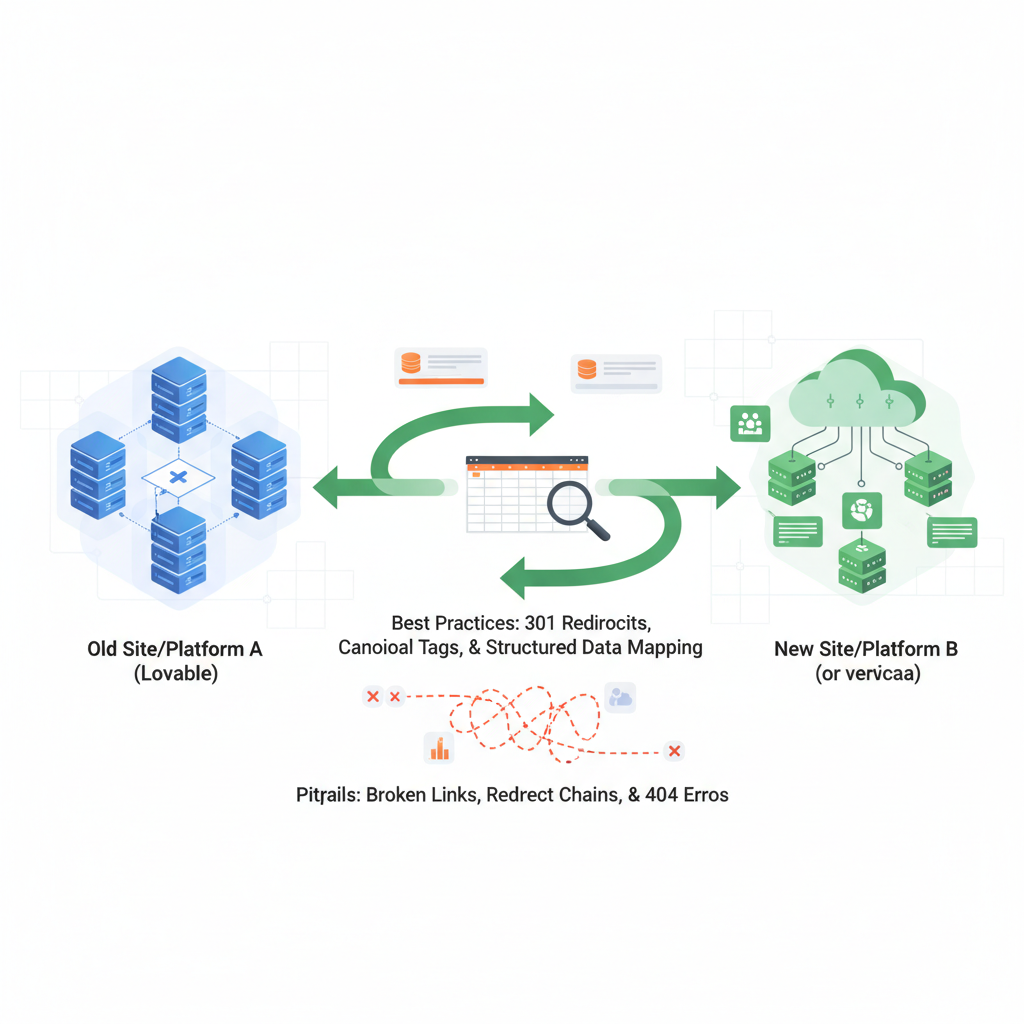
Why redirects matter for Lovable migrations (SEO impact summary)
Without correct redirect mapping, a migration from or to Lovable can drop organic traffic, break internal links, and create indexing problems. The term redirect mapping lovable migration refers to the project of mapping every important URL from the source site to its new destination on Lovable (or vice versa) and implementing those mappings as 301s or other appropriate responses.
Definition: a redirect chain occurs when URL A redirects to B which redirects to C; diagnostic: long chains increase crawl cost and slow users. Definition: a soft 404 is a page that returns 200 OK but contains copy that signals 'not found' or returns an HTML page with no meaningful content; diagnostic: search consoles often flag pages with low content and 'not found' language.
Example: if /products/widget-old → /products/widget-new via two intermediate redirects, search engines waste crawl budget and link equity dilutes. For Lovable storefronts with parameterized product feeds, accidental drops of query strings can cause loss of UTM data and filter state for users.
Always map exact URLs for high-value pages before creating pattern rules to avoid accidental overrides.
Redirect mapping fundamentals (best practices & pitfalls)
Start with a simple rule: exact match redirects for landing pages and high-traffic product pages; fallback to pattern (regex) redirects for structural shifts. Best practices include: record source URL, destination URL, redirect type (301 preferred for permanent moves), reason, and owner. Pitfalls to avoid: overbroad regex that captures unintended paths, dropping critical query strings, and relying solely on client-side redirects.
Concrete example: map /blog/2023/seo-guide → /resources/seo-guide with a 301 exact-match entry. For category moves, use pattern mapping like ^/category/([a-z0-9-]+)/?$ → /collections/$1 when product slugs remain identical. Maintain a column in your map for expected HTTP status and verification results post-launch.
Quotable: "Always deploy exact-match redirects for pages that generate organic or paid conversions first." That avoids accidental re-routing of active funnels.
Prefer 301s for permanent moves; reserve 302 for temporary campaigns and testing windows.
Preserve query strings vs drop behavior — which to choose
If your Lovable site uses query strings to control filters, sorts, or tracking, preserve them on redirects by default. Preserve when query strings change page content (e.g., ?color=red) or when you need to retain campaign UTM parameters. Drop query strings when they are session tokens or when the destination ignores them and you want canonical URLs.
Example: redirect /search?q=blue should preserve ?q=blue if the Lovable search page uses that parameter. For analytics, preserve UTM parameters: set redirects to append incoming query strings to the new URL unless the mapping explicitly normalizes them.
Decision rule: If a query string changes content, preserve; if it’s solely for tracking and you canonicalize elsewhere, drop or normalize. Document this per-redirect in your migration_map.csv file.
Handling parameterized product and category URLs
Parameterized URLs commonly appear as /product/sku?variant=123 or /category/shoes?page=2. For Lovable migrations, standardize final URL patterns first. If variants map 1:1, redirect full parameterized URL to the canonical product URL. If multiple parameter combinations point to the same canonical destination, use pattern rules that strip irrelevant parameters.
Example: use a rule that maps /product/([a-z0-9-]+)\?variant=\d+ → /product/$1 (canonical). For paginated category pages, map page 1 to the main category and use rel=next/prev on paginated series rather than massive redirect lists.
Actionable step: create a parameter whitelist and a normalization column in your redirect spreadsheet: keep=utm_source, drop=session_id, normalize=variant → slug.
Step-by-step: Build a redirect map (template and examples)
Follow these steps to produce a usable redirect map that can be fed to deployment tools like LovableSEO or exported as CSV for engineering:
- 1. Crawl the source site to extract all indexed URLs (Screaming Frog, site export, or Lovable's sitemap).
- 2. Export destination URLs from Lovable (platform export, sitemap or database export).
- 3. Match exact URLs first; for unmatched pages, apply structural rules.
- 4. Assign redirect type: 301 for permanent; 302 for temporary; 410 for intentionally removed pages.
- 5. Add metadata: traffic, conversions, owner, notes, preserve_query (yes/no).
Template example (CSV columns): source_url,destination_url,status_code,preserve_query,owner,notes
301 redirect mapping example: source: /old-widget -> destination: /products/widget-new -> status_code:301 -> preserve_query:yes. Include this as an exact-match entry above pattern rules to avoid accidental capture.
Tools to extract old and new URL lists from Lovable
Common extractions include XML sitemaps, platform exports (CSV), and crawling. If Lovable exposes a sitemap at /sitemap.xml, start there. Use crawlers to find internal links and paginated structures. Export your product feed or database CSV to capture SKU-to-slug mappings.
Example process: run Screaming Frog on the source domain, export all HTML and redirect reports; from Lovable, export product list CSV and sitemap. Combine these lists in a spreadsheet and deduplicate by normalized slugs.
Prioritizing high-value pages for exact-match redirects
Prioritize pages by organic visits, backlinks, and paid landing pages. Concrete thresholds: prioritize any page with >50 organic visits/month, any URL with >5 referring domains, and all PPC landing pages. These get exact-match 301s first.
Example list: Top 200 URLs by traffic receive priority 1; product detail pages with revenue receive priority 2; generic category pages priority 3 for pattern rules. Implement a 'priority' column in your map and deploy in batches: priority 1 first, then 2, then 3.
Automating redirects with LovableSEO
LovableSEO can automate redirects via two approaches: rule-based redirect rules and CSV bulk imports. For Lovable migrations, load exact-match CSV for priority pages and use rule-based scripts for structural moves. Setup typical LovableSEO redirect rules to run at the edge or app level depending on your hosting. For more on this, see Migrate seo to lovable.
Example workflow: import priority CSV into LovableSEO, validate 200 test URLs in staging, then enable rule set. Use named rule sets for rollback: create a 'lovable-migration-v1' set that can be disabled if issues appear. For more on this, see Lovable vs competitors seo comparison.
Include seoagent redirect rules that specifically handle Lovable slug structures (for example: regex pattern to translate /category/old-slug/ to /collections/new-slug/). Automate redirects lovable by scheduling a dry-run report after deployment that lists 404s and redirect chains.
Rule-based redirects vs CSV bulk imports — when to use each
Use CSV imports for exact-match, high-value pages because they are explicit and safe. Use rule-based redirects for broad structural changes, such as domain moves or category reorganizations, because rules scale better. If you have many unique permutations, combine both: CSV for top 500 pages, rules for the rest.
Example decision rule: if unique source URLs < 2,000 and each maps to a distinct destination, prefer CSV; if you need to convert patterns across thousands of pages, write and test a regex rule.
Testing, staging, and progressive rollout strategies
Test in staging with a subset of traffic or a preview subdomain. Progressive rollout: deploy priority 1 CSV first, verify metrics and logs for 48–72 hours, then deploy priority 2. Use feature flags or rule set toggles in LovableSEO to enable quick rollback.
Checklist: test exact-match redirects, test pattern rules against a sample of 500 URLs, and run crawl simulations to detect unexpected captures. Confirm that canonical tags and sitemaps reflect the new URLs.
Validation and monitoring after launch
Monitor Google Search Console (GSC), server logs, and analytics for drops in impressions, spikes in 404s, and redirect chains. Validate that top-priority pages return 301 and lead to the correct canonical destination. Create dashboard alerts for increases in 4xx errors or for chain length >2.
Quotable quick-fix: "Fix redirect chains longer than 2 hops within 48 hours to reduce crawl waste." Use log-file sampling to ensure bots and users receive the expected 301 responses and that UTM parameters are preserved where required.
GSC and log-file checks to catch soft-404s and redirect chains
In GSC, check Coverage > Excluded for soft 404 reports. Use log parsing to detect requests that returned 200 with 'not found' content or that traversed multiple redirect hops. Search for patterns: repeated hits to the same source URL returning different status codes indicate ambiguous rules.
Actionable command: sample server logs for 200/301/404 sequences and flag any request that traverses more than two redirects. Prioritize remediation for URLs with referral traffic or backlinks.
Troubleshooting common redirect mistakes
Common mistakes include: 1) applying broad regex before exact matches, 2) dropping tracking parameters unintentionally, 3) creating redirect loops, and 4) forgetting to update internal links and sitemaps. Fix loops by detecting mutual redirects A → B and B → A in your redirect list and removing the older entry.
Example fix: if /old-a redirects to /old-b and /old-b redirects to /new-a, replace both with /old-a → /new-a and remove intermediates. Run a post-deployment crawl to detect chains and loops then correct the map and redeploy the updated CSV or rule set.
Checklist & quick reference (copyable redirect map template)
Use the following copyable CSV header and the two artifact tables below as reusable artifacts for your migration.
| CSV header |
|---|
| source_url,destination_url,status_code,preserve_query,priority,owner,notes |
| Geographic redirect priority | Example |
|---|---|
| /us/ | /en-us/ |
| /uk/ | /en-gb/ |
| /de/ | /de-de/ |
Migration redirects checklist:
- Export all source URLs and Lovable destinations.
- Build CSV with exact matches first.
- Implement pattern rules for structural moves.
- Deploy priority batches and monitor logs/GSC.
- Resolve chains, loops, and soft 404s within 48 hours.
301 redirect mapping example (row): /old-checkout -> /checkout -> 301 -> preserve_query=yes -> priority=1 -> owner=commerce-team.
Image prompt caption: Sitemap comparison diagram showing how redirect maps preserve link equity.
FAQ
What does it mean to map and automate redirects when migrating to or from lovable (seoagent playbook)? Mapping and automating redirects means creating a documented URL map that pairs each source URL with its destination, assigning appropriate HTTP status codes, and using tools or rule sets (like LovableSEO) to deploy those mappings automatically so that search equity and user paths remain intact.
How do you map and automate redirects when migrating to or from lovable (seoagent playbook)? You map redirects by exporting source and destination URLs, building an exact-match-first CSV, creating pattern rules for structural changes, importing the CSV into your redirect tool, testing in staging, and rolling out in priority batches while monitoring GSC and logs for issues.
Ready to Rank Your Lovable App?
This article was automatically published using LovableSEO. Get your Lovable website ranking on Google with AI-powered SEO content.
Get Started