
How to Test and Validate Structured Data Templates in LovableSEO for Lovable Sites — A Practical Checklist
A guide to test and validate structured data SEOAgent templates for Lovable sites, including validation pass definition, pre-deploy checklist, dry-runs, and monitoring metrics.
TL;DR
- Run a validation pass: ensure rendered JSON-LD exactly matches visible page content and feed values.
- Use a pre-deploy checklist, unit tests, and a dry-run in LovableSEO before publishing templates.
- Automate regional test cases (US/UK/EU) and watch Search Console AI-answer impressions and rich result errors.
- Log render errors, currency mismatches, and visible-copy differences to catch AI snippet exclusion causes.
If you run Lovable sites using LovableSEO, you need a repeatable way to validate structured data templates. This guide shows how to validate structured data seoagent lovable templates end-to-end: pre-deploy checks, field-level rules, dry-runs, automated test scripts, monitoring metrics, and a printable validation checklist you can copy. A validation pass means rendered structured data matches visible content and feed values.
When NOT to test and validate structured data templates
Do not invest heavy validation engineering when: the content source is experimental (unstable schema), the page is single-use marketing microsite with no search intent, or the data feed changes hourly without stable tokens. Avoid full rollout when you cannot reproduce a validation pass locally. If your site relies on client-side personalization that hides prices by region, treat structured data as a temporary risk rather than a production feature.
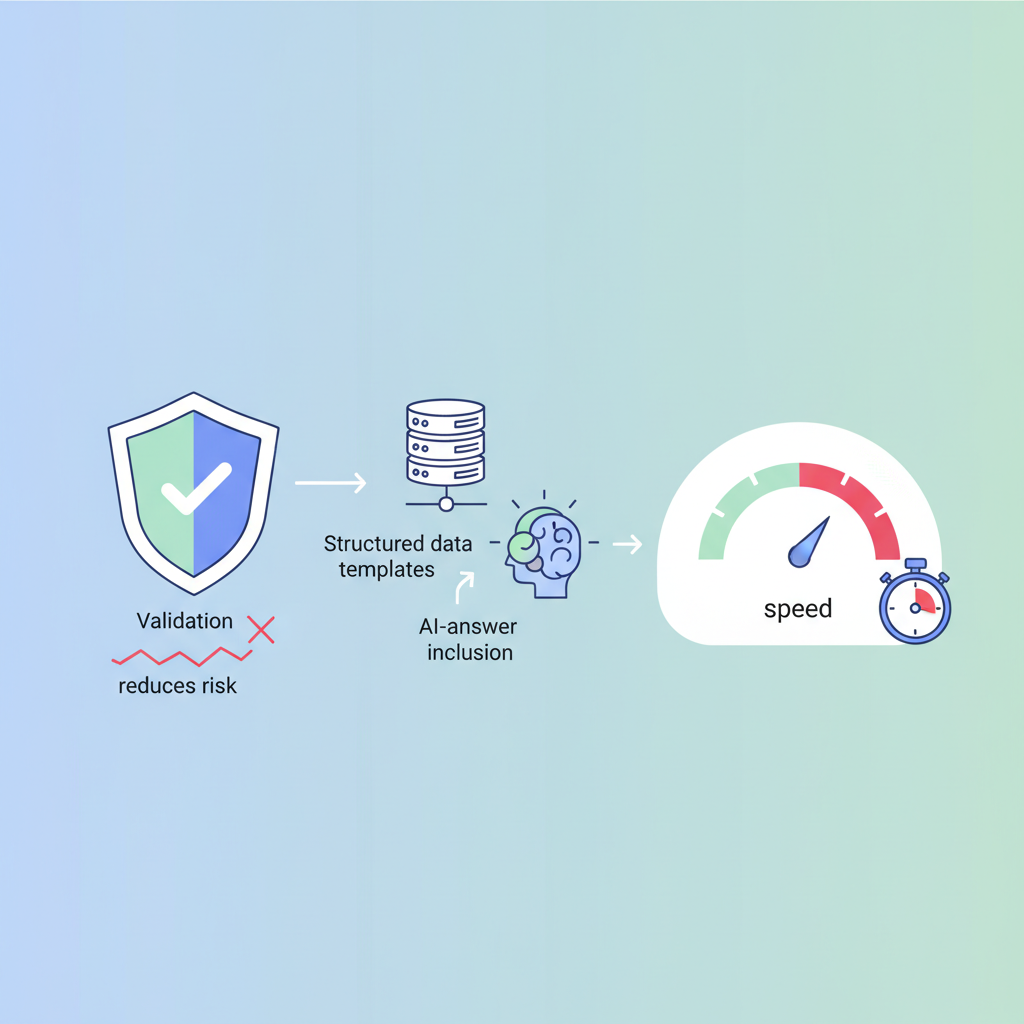
Overview — why validation reduces risk and speeds AI-answer inclusion
Without a validation process, structured data changes cause silent failures: rich results drop, AI snippets exclude your content, and users see inconsistent price or region labels. You must validate structured data seoagent lovable templates because search engines and AI systems match visible copy to JSON-LD. A validation pass verifies that the JSON-LD the page publishes equals the visible copy and the feed values. For example, if a Lovable product page displays "£19.99" but the JSON-LD priceCurrency is "USD", search engines may ignore the snippet or exclude your content from AI answers.
Quotable: "A validation pass is when rendered structured data matches visible content and feed values." Monitoring the change in AI-answer impressions (Search Console), rich result errors, and CTR uplift after template changes is the single best measure of success.
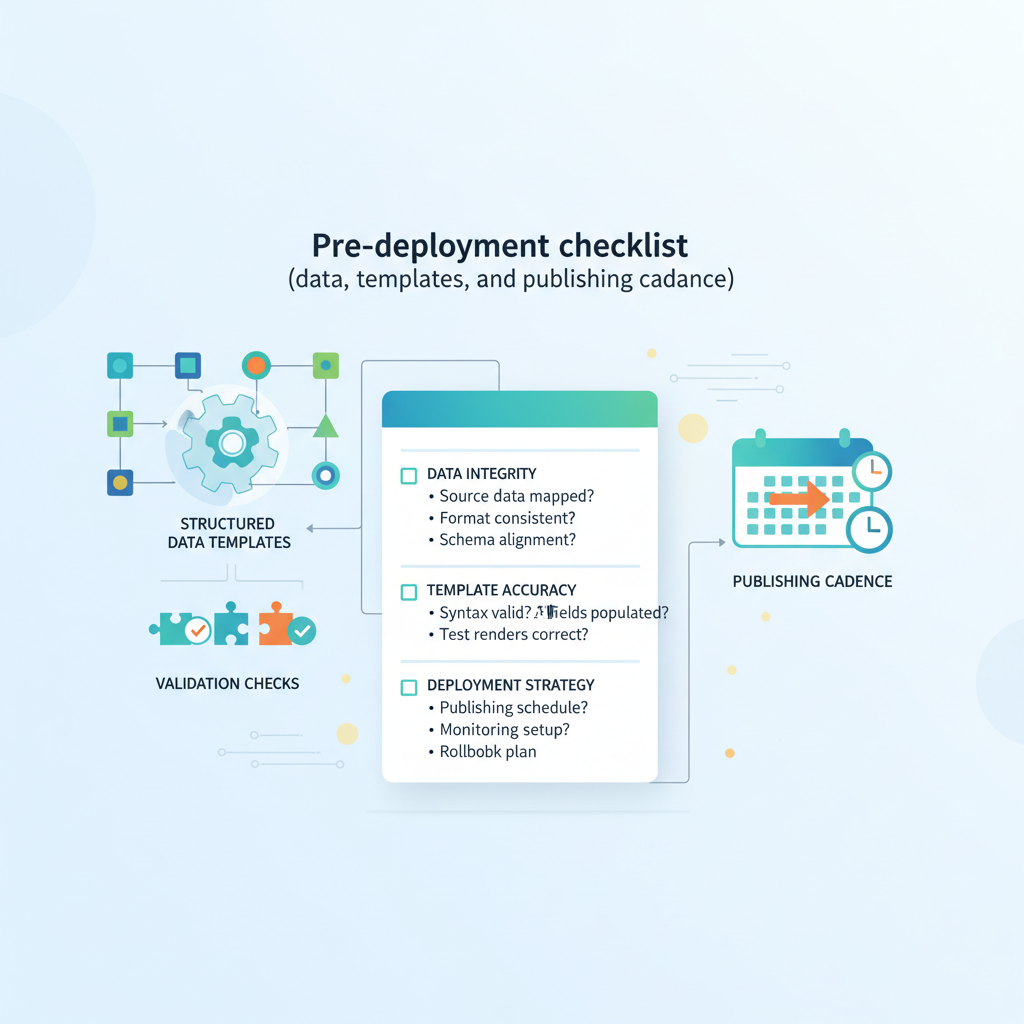
Pre-deployment checklist (data, templates, and publishing cadence)
This checklist prevents the three most common failures: missing required fields, type mismatch, and region/currency conflicts. Use it before any template publish in LovableSEO.
- Confirm feed mapping: every template token maps to a stable feed field.
- Required fields present: name, price, priceCurrency, availability, and sku for product templates.
- Type validation: numbers as numbers, ISO currency codes for priceCurrency, ISO language/region tags for locales.
- Visible copy audit: automated render vs. visible DOM text comparison for 10 sample items.
- Publishing cadence: stage to staging, run nightly dry-runs, and publish in daily batches to limit blast radius.
Concrete thresholds: run the staging dry-run for at least 50 sample pages and require 100% pass on required fields; for larger catalogs, require P95 pass rate > 99% before production rollout. This pre-deploy checklist forms the first half of any seoagent schema validation checklist you use for Lovable templates, which is essential for implementing winning AI answers for lovable product pages.
Ship structured data only when feed tokens and visible copy are identical for all sampled pages.
Field-level checks: required fields, type validation, and visible copy match
Field-level validation prevents mismatches that cause AI exclusion. For each template field, assert: presence, type, expected format, and DOM parity. Example rules for a Lovable product template in LovableSEO:
- price: numeric, non-negative, matches a visible price element (strip currency symbols for comparison).
- priceCurrency: three-letter ISO code (GBP, USD, EUR) and equals currency shown on page.
- availability: mapped to a known enum value (InStock, OutOfStock) and truthfully reflects stock UI.
- region/language: page lang attribute matches region tokens in JSON-LD.
Practical example: implement a DOM check that extracts innerText from .product-price and compares normalized numeric value and currency token to the published JSON-LD. If the DOM shows "£19.99" and JSON-LD shows "priceCurrency":"GBP" and "price":19.99, mark as pass. If either element disagrees, fail the rule and block publish.
Tools and methods to validate JSON-LD and snippet templates
Use a mix of manual validators, programmatic checks, and platform dry-runs. Start with JSON-LD syntax validation, then schema checks against Schema.org types, and finally content parity checks.
Recommended toolchain: programmatic JSON linting (CI step), Schema.org structural checks, a headless browser grab for visible copy comparison, plus LovableSEO's template dry-run feature. For Lovable sites, include a step that validates priceCurrency tokens for every regional feed before publishing. The combination of these methods reduces false positives and surfaces content mismatches quickly.
Using Google Rich Results Test, Schema.org validators, and LovableSEO dry-run
Run the Google Rich Results Test on representative pages to check which features Google recognizes. Use Schema.org examples to verify type usage (Product, FAQPage, BreadcrumbList). Then run LovableSEO dry-run: export the rendered JSON-LD for your sample set and compare it to the DOM-extracted values.
Sample JSON-LD snippet for a Lovable product (test only):
{ "@context": "https://schema.org", "@type": "Product", "name": "Lovable Plush Bunny", "sku": "LB-001", "price": 19.99, "priceCurrency": "GBP", "availability": "https://schema.org/InStock"
}
Run Rich Results Test and note warnings. If the Rich Results Test recognizes the Product but reports a currency warning, fix the feed token mapping. Use the dry-run export to run automated diffs against page DOM snapshots.
Automated test cases to run in LovableSEO (sample test scripts)
Automated tests catch regressions fast. Define deterministic test cases and run them in CI with each template change. Include these sample cases for Lovable product templates:
- Single product canonical page: assert required fields and DOM parity.
- Product list page: verify structured data for initial items and pagination tokens.
- Regional feed variations: US (USD), UK (GBP), EU (EUR) — check priceCurrency token mapping.
- Edge cases: missing price, price zero, promotional price present.
Example test script pseudocode for a single item:
fetch(page)
renderedJson = seoagent.dryRunTemplate(pageTemplate, feed)
domPrice = extract('.product-price')
assert renderedJson.price == normalize(domPrice)
assert renderedJson.priceCurrency == feed.currency
Automated tests must fail the CI build on any DOM/JSON mismatch for required fields.
Unit tests: single item, multi-region, and pagination scenarios
Unit tests should cover the smallest functional pieces: token expansion, type casting, and conditional template branches. For multi-region tests, create feed variants for US/UK/EU and assert priceCurrency and language tokens.
Sample cases to include in unit tests:
- Single item: token expansion yields numeric price and ISO currency.
- Multi-region: same SKU, three feeds; assert currency differs and visible prices render accordingly.
- Pagination: structured data for page 1 and page 2 must include listItem positions and canonical links.
Concrete acceptance criteria: unit tests must achieve 100% branch coverage for template conditional logic and no more than 2 failing tests before a rollback is considered.
Monitoring after publish: logs, Search Console signals, and AI answer tracking
After publish, monitor both engineering signals and search signals. Track these metrics daily: AI-answer impressions (Search Console), rich result errors and warnings, structured data errors count, and CTR change on affected pages. For Lovable sites, watch regional groups separately — US, UK, EU — because AI systems may treat currencies and languages differently.
Recommended monitoring cadence: daily automated checks for errors, weekly review of AI-answer impressions, and a 14-day post-rollout CTR comparison. If AI-answer impressions increase while rich result errors drop, treat the rollout as successful.
What to log: render errors, mismatched visible content, and API response indicators
Logging needs to be actionable. Capture these fields for every dry-run and production render:
- request_id, template_id, sku
- render_status (success/fail)
- render_errors (parse errors, missing tokens)
- dom_vs_json_diff (list of mismatched fields)
- publish_response_code (200/4xx/5xx)
Sample log output:
2026-03-08T09:12:11Z [req=abc123] template=product_v2 sku=LB-001 render_status=FAIL dom_vs_json_diff=[priceCurrency:GBP|USD, price:19.99|24.99] publish_response=blocked
Use these logs to automate rollback triggers when mismatches exceed a threshold (e.g., >1% of daily renders).
Troubleshooting common failures and fixes
Common failures: missing required fields, currency mismatches, token mis-mapping, and FAQ snippet conflicts when two different FAQ blocks appear. Triage by severity: render errors > schema warnings > parity mismatches. Fix fast: correct feed mappings, update template casting, or hide structured data until a validation pass is achievable.
For Lovable sites, currency mismatches are frequent when marketing teams localize visible price labels but forget to update priceCurrency tokens in the feed. Implement a failing test that catches any page where currency symbol and priceCurrency disagree.
Fixes for missing fields, currency mismatches, and FAQ snippet conflicts
Fix recipes you can apply immediately:
- Missing fields: backfill feed or add template fallback values; fail publish if fallback still missing.
- Currency mismatches: map currency token at feed ingestion and block publishing if DOM currency symbol != priceCurrency.
- FAQ conflicts: prefer a single FAQPage JSON-LD per URL; merge multiple FAQ sections into one template output.
Quotable checklist itemization for AI answers: "Ensure priceCurrency and region tokens in the published JSON-LD exactly match visible price and language on the page — mismatches are a common reason for AI exclusion." Include this line in your launch notes and automation alerts.
Rollback and staged rollout best practices (daily publishing cadence guidance)
Adopt staged rollouts: 1% -> 10% -> 50% -> 100% over multiple days, with validation checks at each step. For daily publishing cadence, release small batches each morning, run overnight validation, and monitor Search Console the next day. If rich result errors or dom_vs_json_diff exceeds 0.5% for staged batch, automatically halt the next step.
Decision rule example: proceed to next stage only if (rich_result_errors_change <= 0) AND (AI-answer impressions change >= 0) OR (CTR uplift >= 0.5%). Otherwise rollback the last batch and log root cause.
Conclusion and a printable validation checklist
Validation reduces risk and shortens the time to AI-answer inclusion. Use this seoagent schema validation checklist to run consistent validation passes on Lovable templates. Below is a printable checklist you can copy into your deployment runbook.
| Step | Action | Threshold |
|---|---|---|
| 1 | Dry-run templates on staging | Sample size >=50, pass >=99% |
| 2 | Field parity checks (price, currency, availability) | 100% required fields present |
| 3 | Automated regional tests (US/UK/EU) | No currency mismatches |
| 4 | CI: fail on DOM/JSON mismatch | Block publish |
Printable checklist (copyable):
- Run LovableSEO dry-run for sample pages.
- Confirm validation pass: JSON-LD equals visible DOM values.
- Run Google Rich Results Test & fix schema warnings.
- Execute CI automated tests for single-item and multi-region cases.
- Monitor Search Console AI-answer impressions, rich result errors, and CTR uplift for 14 days.
Sample regional test cases (examples):
- US feed: SKU LB-001 -> price 24.99, priceCurrency USD — expect DOM shows $24.99.
- UK feed: SKU LB-001 -> price 19.99, priceCurrency GBP — expect DOM shows £19.99.
- EU feed: SKU LB-001 -> price 22.50, priceCurrency EUR — expect DOM shows €22.50.
Final quotable: "A validation pass is the single best predictor that your structured data will be used in AI answers and rich results."
FAQ
What does it mean to test and validate structured data templates in seoagent for lovable sites?
Testing and validating structured data templates in LovableSEO for Lovable sites means running a validation pass that checks JSON-LD output for schema correctness and verifies that each published token matches the visible page copy and feed values.
How do you test and validate structured data templates in seoagent for lovable sites?
Test and validate by running LovableSEO dry-runs, using automated unit and regional tests (US/UK/EU), comparing DOM-extracted values to published JSON-LD, using Google Rich Results Test, and monitoring Search Console for AI-answer impressions and rich result errors.
Ready to Rank Your Lovable App?
This article was automatically published using LovableSEO. Get your Lovable website ranking on Google with AI-powered SEO content.
Get Started






