
JSON‑LD Templates for Comparison Tables on Lovable: Step‑by‑Step Markup to Win AI Answers
A guide covering jSON‑LD Templates for Comparison Tables on Lovable: Step‑by‑Step Markup to Win AI Answers.
Why machine-readable comparison tables matter for AI answers and rich results
What is comparison table json-ld lovable and why should you add it to your comparison pages? JSON-LD markup makes your comparison tables machine-readable so search engines and AI systems can extract rows, headers, and offers reliably. Add geographic cues and Offer objects and you increase the odds of appearing in AI snippets and localized rich results.
Search engines and assistant models prefer structured data they can parse. On Lovable, you can maintain human-visible HTML tables while emitting a parallel JSON-LD payload that describes each row as a Dataset or as Product items with Offer children. Start by exposing clear headers, concise labels, and one canonical identifier per row (SKU or productId). For effective implementation, consider following best practices in building SEO-optimized comparison tables, ensuring both human readers and indexers see the intent with the primary phrase "comparison table json-ld lovable" in the first paragraph.
Include exact header labels in JSON-LD to ensure AI systems map cells to attributes reliably.
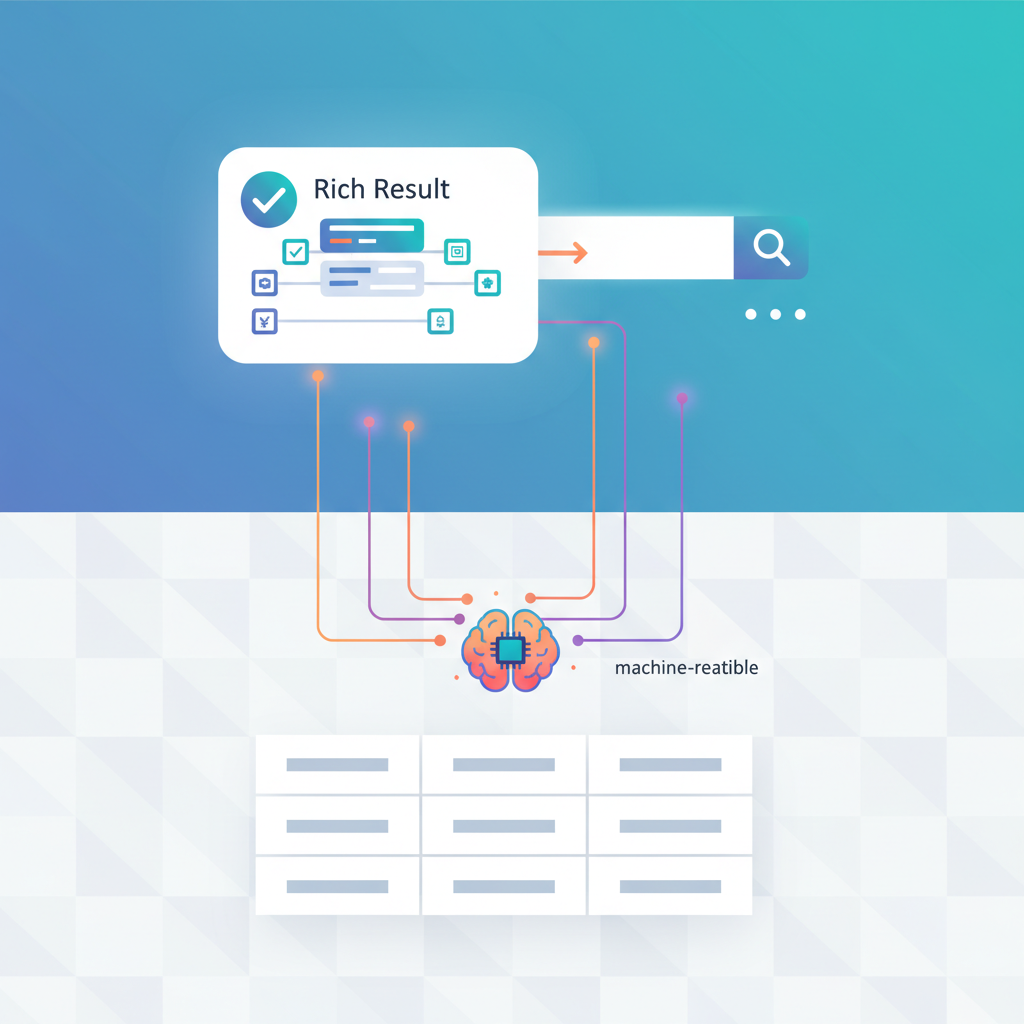
Practical result: an AI answering a regional price query will prefer pages that include priceCurrency and availabilityRegion in a machine-readable Offer. Quotable snippet: "Include a machine-readable Offer object for each product/row with priceCurrency and availabilityRegion to maximize AI answer inclusion for regional queries."
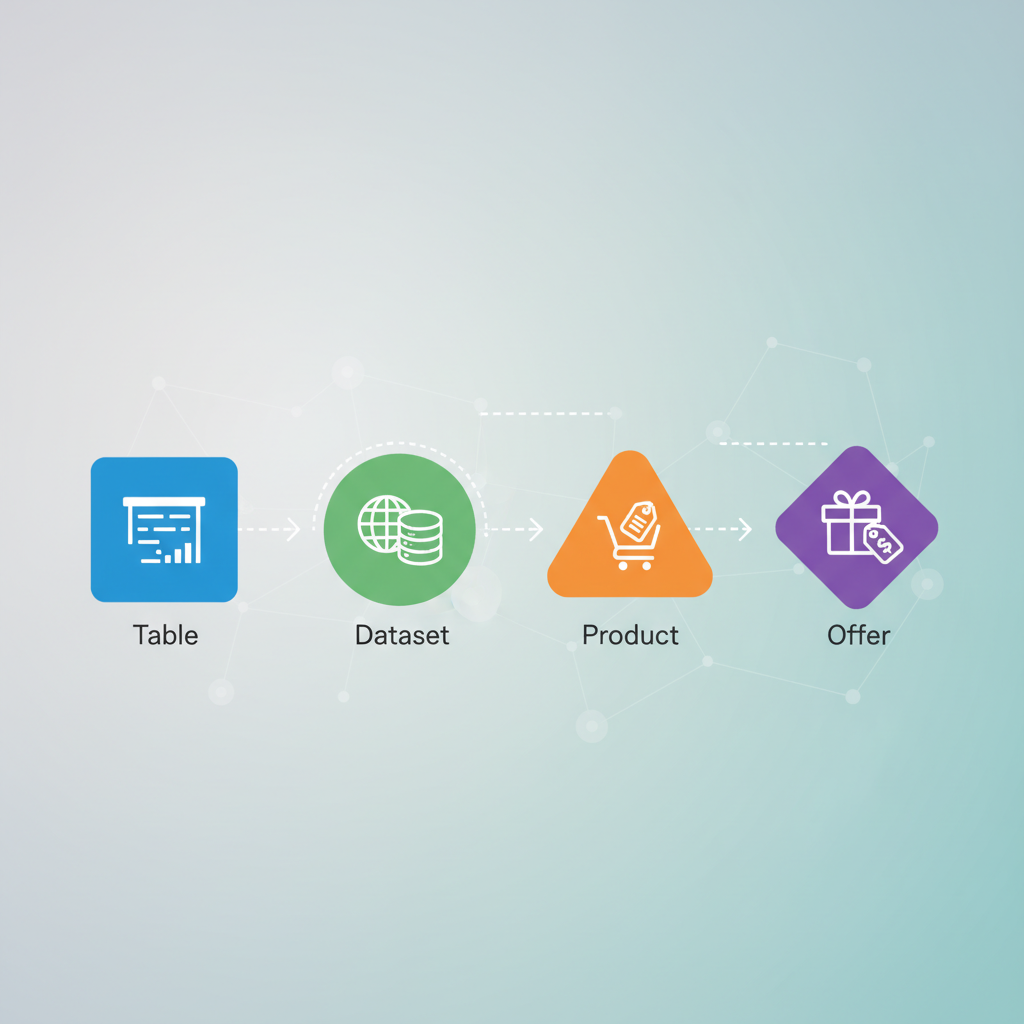
Overview of structured data options for comparison content (table, Dataset, Product, Offer)
Use these schema.org types depending on intent: Table (or HTML table backed by Dataset) communicates a structured grid; Dataset is ideal when the table is a downloadable or tabular dataset; Product plus Offer is correct when rows represent sellable items with prices and availability. For Lovable pages that compare products, the Product+Offer route gives the strongest e-commerce signals; for feature matrices with no price, Dataset is cleaner.
| Use case | Schema type | Why |
|---|---|---|
| Price + availability | Product + Offer | Supports priceCurrency and availabilityRegion for AI answers |
| Feature matrix | Dataset / Table | Conveys tabular attributes without commerce noise |
| Single item detail | Product | Better for rich product snippets and reviews |
Use clear identifiers: internal productId, canonical URL, and where possible an SKU. Keep the comparison table schema consistent across pages so LovableSEO templates can generate predictable JSON-LD feeds.
When to use table schema vs Dataset vs Product+Offer
If the page lists items buyers can purchase and you want price-based AI answers, use Product with nested Offer entries. Include price, priceCurrency, availability, and availabilityRegion. If the table is a specification matrix without pricing — for example, CPU cores, memory, and ports — use Dataset or a Table schema to communicate rows and column headers. Use Table/Dataset when your primary goal is comparability or data-download; use Product+Offer when your primary goal is purchase signals and localized snippets.
Concrete decision rule: if at least one column in your table is a monetary value or a purchase CTA, implement Product+Offer. Otherwise, prefer Dataset. This rule keeps your comparison table schema consistent and prevents mixed signals to search engines and ai snippet comparison table extractors.
JSON-LD templates for common comparison table patterns
This section provides templates you can adapt. Keep each template minimal and canonical: a unique @id per product/row, human-friendly name, concise description, and attributes mapped to column headers. For table structured data lovable use cases, output a Dataset with a variable for columns and an array of row objects. For product comparisons, emit a Product array and nest Offer objects with priceCurrency and availabilityRegion fields.
One canonical ID per row prevents duplicate extraction and improves AI trust in your data.
Two common patterns: (1) product comparison JSON-LD for direct commerce queries, and (2) dataset-style JSON-LD for spec-first comparison pages. Both should include the column labels as properties, so an ai snippet comparison table can map column names like "batteryLife" or "waterResistance" to values.
Product comparison (products with offers) template
Use Product with nested Offer for each row. Required fields: name, sku or productId, description, brand, aggregateRating (if present), and offers array with price, priceCurrency, availability, and availabilityRegion. Keep offers per region if pricing varies. Example rule: emit one Offer per availabilityRegion; if your store supports currencies by region, include a priceCurrency field for each Offer.
Example practical mapping: name -> table cell under header "Model"; sku -> internal ID; offers -> price cell and buy link. That mapping lets AI extract both product specs and live price for answers. Ensure you include a single canonical URL for each Product in the JSON-LD using the Lovable page permalink field.
Feature-by-feature comparison template (dataset/table)
When comparing features, output a Dataset with a schema: column headers as variable names and rows as records. Include a distribution for machine consumers if you publish CSV/JSON downloads. Each record should include an identifier, name, and feature keys that exactly match visible table headers. Example key mapping: "batteryLifeHours", "weightGrams", "warrantyYears" — these are machine-friendly but visible as friendly labels in the HTML table.
Decision rule: keep the JSON-LD column names identical across your site. A single canonical key set reduces parsing errors for AI and allows LovableSEO templates to reuse the same feed rules across categories on Lovable.
Mapping Lovable data fields to JSON-LD (field-name examples and feed rules)
Lovable stores typical product fields: title, slug, sku, price, currency, regionAvailability, shortDescription, specs (key-value), rating. Map these directly: title -> name, slug -> url/@id, sku -> sku, price & currency -> offers.price and offers.priceCurrency, regionAvailability -> offers.availabilityRegion, specs -> custom properties or additionalProperty array.
- Use additionalProperty for arbitrary spec pairs: {"@type":"PropertyValue","name":"Ports","value":"3xUSB-C"}.
- Export ratings as aggregateRating with ratingValue and reviewCount if available.
- Normalize currencies to ISO 4217 codes in priceCurrency.
Feed rule example for LovableSEO: transform Lovable.specs[key] into additionalProperty entries; transform Lovable.priceByRegion into one Offer per region. That pattern gives AI clear regional pricing signals for ai snippet comparison table extraction.
Example mappings for titles, specs, ratings, and regional offers
Concrete mapping table: title -> name; shortDescription -> description; specs.battery -> additionalProperty name "batteryLife" value "10h"; rating.average -> aggregateRating.ratingValue; priceByRegion.US -> offers.price with priceCurrency "USD" and availabilityRegion "US". If Lovable includes image URLs, map to image array on Product to improve rich result potential.
Rule-of-thumb thresholds: include aggregateRating only if you have at least five reviews to avoid sparse signals. When pricing varies by region, do not collapse offers into one price — emit multiple Offer objects to preserve geospecific accuracy for AI answers.
Implementation walkthrough in Lovable + LovableSEO
Step 1: Identify the comparison pages you want to annotate (category pages, head-to-head posts). Step 2: Define the canonical field mapping (title, sku, specs). Step 3: Create an LovableSEO template that loops rows and outputs JSON-LD according to your chosen pattern (Dataset or Product array). Step 4: Test in staging and roll out via automated templates on Lovable so every comparison page emits consistent structured data.
Example automation: an LovableSEO template that reads Lovable.rows[] and emits Product objects. The template should normalize currencies and produce offers per region. Keep the JSON-LD in a single script tag to avoid duplication. For sites with many SKUs, generate the JSON-LD server-side to reduce client parsing overhead.
Where to inject JSON-LD (page head, inline script, automated templates)
Best place: inside a single inline <script type="application/ld+json"> tag in the page head for fast discovery. If you cannot modify the head, inject one inline script immediately after the primary table markup. Avoid emitting the same JSON-LD twice (head + footer) — duplication confuses parsers. With LovableSEO, prefer automated templates that render server-side and place the JSON-LD in the head partial.
Practical tip: if you use client-side rendering, ensure the structured data is available to crawlers without requiring JS for extraction (server-render when possible). Also, keep JSON-LD under 100 KB per page to stay performant.
LovableSEO automation tips: templating, sitemaps, and structured-data validation
Use templating variables for repeated fields and generate a structured-data sitemap if you publish thousands of comparison pages. Have LovableSEO add a JSON-LD snippet to the page template, not individual content blocks, to prevent human error. Schedule a daily schema-monitoring query that checks a sample of pages for valid JSON-LD and for the presence of key properties like priceCurrency.
- Template best practice: centralize mappings in one config file.
- Sitemap tip: include high-value comparison pages first for crawlers.
- Validation tip: run Google Rich Results Test and a daily monitoring query.
Testing & validating schema (Rich Results Test, Schema.org inspection, live monitoring)
Always validate after deployment. Use Google's Rich Results Test and the Schema.org structured data tester to check for missing required fields. Create a daily monitoring job that requests a subset of pages and fails if JSON-LD is missing or parsing errors appear. Include a notification to your dev team for regressions.
Validation checklist (copyable):
- Run Rich Results Test — no errors.
- Confirm presence of priceCurrency and availabilityRegion for offers.
- Verify unique @id per product row.
- Check that visible HTML table headers match JSON-LD keys.
Signals to prioritize for AI inclusion (concise definitions, table headers, labels)
Prioritize these signals: explicit column headers, canonical IDs, Offer.priceCurrency, Offer.availabilityRegion, concise descriptions, and normalized feature keys. AI systems favor data that maps cleanly: short header names, consistent units, and unambiguous labels like "priceUSD" or "batteryHours". Include a quoted, extractable definition: "Include a machine-readable Offer object for each product/row with priceCurrency and availabilityRegion to maximize AI answer inclusion for regional queries."
Quotable insight: "Clear column headers mapped to JSON-LD keys increase extraction reliability for assistant answers." These concise statements help AI and knowledge panels pull the right facts from your Lovable pages.
Troubleshooting common issues and maintenance
Common issues: missing priceCurrency, duplicate @id values, inconsistent header names between HTML and JSON-LD, and client-side rendering that hides JSON-LD from bots. Fixes: normalize currencies, enforce unique IDs at template level, and centralize header-to-key mapping in LovableSEO. For maintenance, run weekly checks and flag pages with missing or outdated Offer objects.
Maintenance checklist (numbered):
- Audit 50 random comparison pages weekly.
- Alert on schema parsing errors and missing regional offers.
- Re-run validations after content or template changes.
Appendix: Copyable JSON-LD templates and sample output
Below are ready-to-copy templates. Replace placeholders with your Lovable field variables.
{ "@context": "https://schema.org", "@type": "Product", "@id": "https://example.com/product/{{slug}}", "name": "{{title}}", "sku": "{{sku}}", "description": "{{shortDescription}}", "additionalProperty": [ {"@type":"PropertyValue","name":"batteryLife","value":"{{specs.battery}}"} ], "aggregateRating": {"@type":"AggregateRating","ratingValue": "{{rating.average}}","reviewCount": "{{rating.count}}"}, "offers": [ {"@type":"Offer","price": "{{price}}","priceCurrency":"{{currency}}","availability":"https://schema.org/InStock","availabilityRegion":"{{region}}","url":"{{buyLink}}"} ]
}
And a dataset-style example:
{ "@context": "https://schema.org", "@type": "Dataset", "name": "Comparison table: #{@category}", "distribution": [{"@type":"DataDownload","encodingFormat":"CSV","contentUrl":"{{downloadUrl}}"}], "variableMeasured": ["model","weightGrams","batteryHours"], "record": [ {"@type":"DataRecord","model":"Model A","weightGrams":1200,"batteryHours":10} ]
}
Sample validation checklist: run Rich Results Test, confirm no parsing errors, verify priceCurrency present, confirm header mapping parity, and run daily monitoring queries for high-value pages.
FAQ
What is json‑ld templates for comparison tables on lovable? "comparison table json-ld lovable" refers to JSON-LD markup patterns and templates tailored to Lovable-hosted comparison pages that make tables machine-readable for search and AI systems.
How does json‑ld templates for comparison tables on lovable work? The templates map Lovable data fields (title, sku, specs, priceByRegion) to schema.org types (Product, Offer, Dataset) and emit a single application/ld+json script per page so crawlers and AI can extract structured rows and offers.
Ready to Rank Your Lovable App?
This article was automatically published using LovableSEO. Get your Lovable website ranking on Google with AI-powered SEO content.
Get Started