
Localized Pricing Displays on Lovable: GEO Signals, Currency & Structured Data to Win Local AI Answers
A guide covering localized Pricing Displays on Lovable: GEO Signals, Currency & Structured Data to Win Local AI Answers.

Why localized pricing matters for conversion and AI answers
What is localized pricing displays on lovable? Localized pricing displays on Lovable means showing prices, currency labels, region tags and availability that clearly indicate the price is intended for a specific market. This improves conversion by reducing friction, and it helps AI and search systems select the correct local answer.
"Showing a price without a region or currency creates friction: users hesitate, support gets questions, and AI systems often surface the wrong currency in answers. For example, a UK visitor seeing "$49" will hesitate; a page that reads "£39 — Prices in GBP for UK customers" removes doubt and increases buy intent. By implementing high-converting comparison and pricing pages, you can ensure that localized pricing signals help both humans and machines understand intent more effectively."
When NOT to implement localized pricing on Lovable
Do not localize prices if you only sell a single global SKU with a single, fixed price and you cannot support region-specific checkout. Don't localize if regulatory costs make regional pricing unprofitable, or if your analytics cannot split traffic by country for testing. When preparatory systems (inventory, tax logic, payment methods) are missing, postpone localization until those are in place.
Include priceCurrency and explicit region labels so AI can serve locally relevant answers.
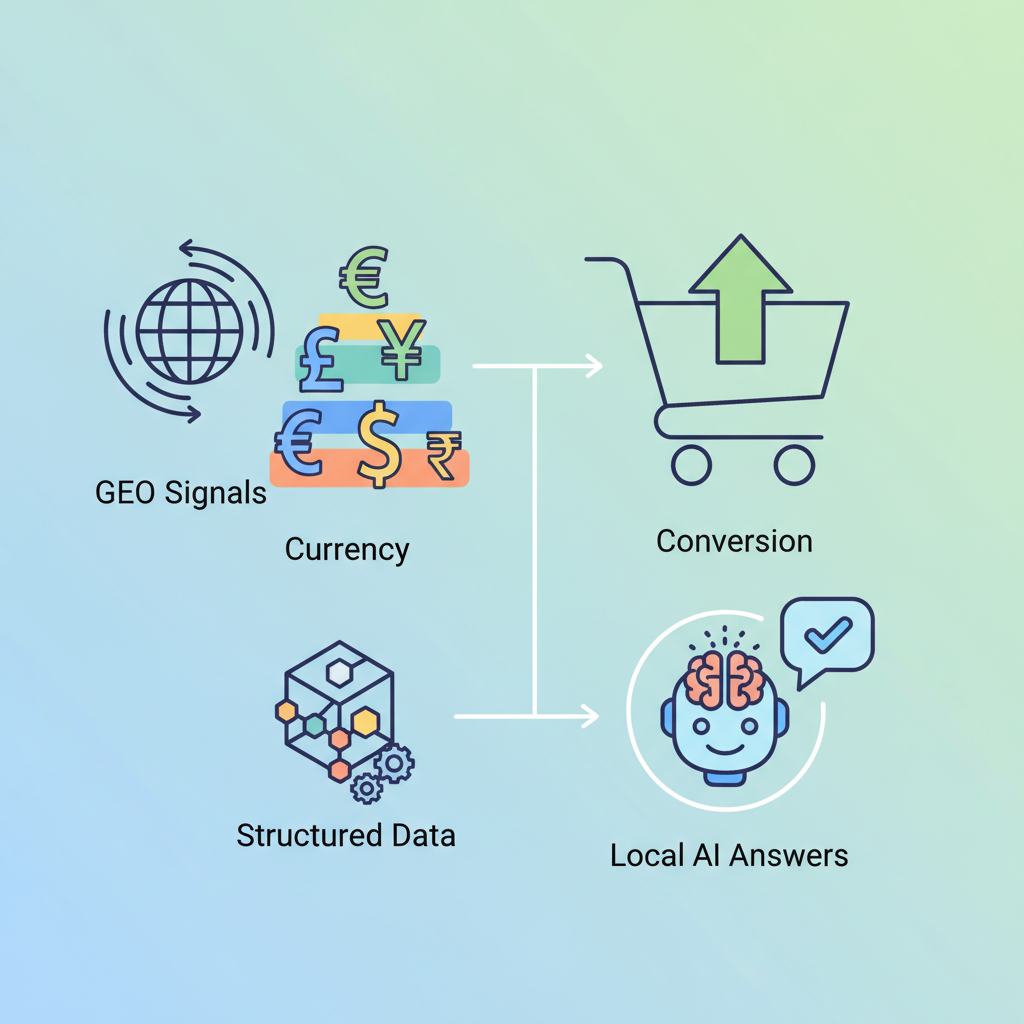
Core GEO signals for pricing pages (definitions and priority): priceCurrency, priceRegion, availability, localized FAQs
If you want AI answers to prefer local prices, prioritize clear, machine-readable GEO signals on each pricing page. Start with these in order of impact: priceCurrency (standard ISO 4217 code), an explicit priceRegion label (text like "Prices in EUR for EU customers"), visible availability or stock by region, and localized FAQs mentioning shipping, taxes, or restrictions.
Concrete checklist (apply to every product/pricing page):
- Visible currency next to the numeric price (e.g., "€79")
- Human-readable region statement (e.g., "Prices in EUR for EU customers")
- Structured data: Offer with priceCurrency and price (see JSON-LD example below)
- FAQ block answering region-specific questions (shipping times, VAT included)
These GEO signals form the basis of local price schema lovable and let search engines and AI pick a local snippet. A product page on Lovable should show both the visual label and the JSON-LD priceCurrency/priceregion json-ld fields to be explicit. For more on this, see Lovable product page seo.
Run region-specific A/B tests and monitor impressions by country to validate local AI pickup; start with your top three markets.
How Google and AI systems use GEO signals to prefer local prices (practical explanation)
Google and many AI answer systems use a combination of signals: the user's location (IP or account), page-level language and currency, and structured data fields. When priceCurrency is present in Offer schema and the page explicitly states the target region, AI systems have high confidence that the price applies to that market. That confidence increases the chance the AI returns a local price rather than a generic or converted price.
Practical example: if a page includes priceCurrency: "EUR", and a visible line "Prices in EUR for EU customers", Google can map a German query to that page. Without those signals, the system might show a USD price or omit a price. For localized pricing seo, make sure both visible text and schema match — mismatches lower trust and can cause search systems to ignore your structured data.
Implementing localized pricing in Lovable: data feeds, template variables, and fallbacks
On Lovable, implement localized pricing with a data feed for region-specific prices, template variables in the theme, and a clear fallback. Your feed should include SKU, region code, price, currency, availability, and validUntil where relevant. In templates, expose variables like {{ price }}, {{ priceCurrency }}, and {{ priceRegionLabel }} so content editors can add human-readable text without touching code.
Fallback rules example (decision rule):
- If region price exists -> show region price + priceCurrency
- Else if user-selected currency exists -> show converted price + currency label
- Else -> show default global price + explicit note "See local pricing at checkout"
Also publish a machine-readable feed for robots: include Offer objects in page JSON-LD and an optional bulk feed (CSV/JSON) for indexing. These implementation steps support local price schema lovable and ensure pricecurrency priceregion json-ld appear where machines expect them.
Detecting locale and rendering server-side vs client-side
If you can render server-side based on request IP or account locale, do it. Server-side rendering returns a single canonical URL per localized page and exposes GEO signals to crawlers and AI at fetch time. When server-side is impossible, client-side rendering is acceptable but must expose structured data server-side via pre-rendering or server-side generated JSON-LD to avoid losing SEO value.
Example flows: server-side: detect Accept-Language or IP -> render localized price and JSON-LD. Client-side: render default price, then hydrate with localized values and push a <script type="application/ld+json"> update; also provide a noscript fallback explaining the currency. Track a 200ms target for locale detection and rendering to avoid layout shift.
Handling currency conversion, tax, and VAT labels
Show conversions only when labeled and accurate. Use explicit labels: "Converted estimate in USD — final price shown at checkout." For regions with VAT, display "Price includes VAT" or "+ VAT" clearly. Tax handling decision rule: if you charge tax at checkout, mark price as "Excluding VAT" and include region-specific tax notes in FAQs and JSON-LD where possible.
Example formatting rules:
- Displayed price: numeric + currency symbol + region label (e.g., "€99 — For EU customers")
- Tax label: "VAT included" or "Excludes local taxes" placed near price
- Conversion precision: show two decimal places and timestamp the conversion rate in footnotes
Structured data examples: JSON-LD for localized Offer with priceCurrency and validUntil
Provide Offer schema with priceCurrency and an explicit region note. Place this JSON-LD in the page head or just before the closing body tag so crawlers and AI can parse it.
{ "@context": "https://schema.org", "@type": "Product", "name": "Example Product", "offers": { "@type": "Offer", "priceCurrency": "EUR", "price": "79.00", "priceValidUntil": "2026-12-31", "availability": "https://schema.org/InStock" }
}
Include a matching visible string: Prices in EUR for EU customers. VAT included where applicable. Use pricecurrency priceregion json-ld in multiple pages if you offer per-region pricing.
Edge cases: multi-currency offers, user-selected currency, and canonicalization
For multi-currency offers, avoid duplicate-content pitfalls: use hreflang when pages differ by language/region and canonical tags when content is identical aside from price. If the user selects a currency on a single page, implement the selection with URL parameters or path segments (example: /product?currency=GBP or /gb/product) so you can index regional variants separately when appropriate.
Decision matrix example (table):
| Use case | Action | Indexing recommended? |
|---|---|---|
| Different prices per country | Create region-specific URLs + hreflang | Yes |
| Same price, different currency display | Use client-side conversion, single canonical | No |
| User-selected currency only | Persist selection; prefer single canonical URL | No |
Testing localization: crawl simulation, Live Test, and monitoring AI-answer pickup by region
Testing is two-part: simulated crawl and live measurement. Simulate region crawls by setting geolocation headers or using tools that fetch as if they were from target countries. Verify the returned HTML contains the expected priceCurrency, priceRegion label, and JSON-LD.
Live test: run A/B tests in your top three markets. Track these KPIs: impressions by country, click-through rate, conversion rate, and AI-answer impressions (monitor search console and region filters). Example thresholds: improve regional CTR by at least 5% to consider rollout, and monitor support ticket volume for price confusion.
Privacy and legal notes for price display by region
Be transparent about price components. Display which taxes are included and store minimal personal data for localization (IP-based detection is allowed but respect consent requirements in regions like the EU). Keep logs of locale detections for debugging but purge IPs according to your privacy policy. When showing prices for restricted markets, include compliance notes in the localized FAQ.
Conclusion: rollout roadmap and recommended experiments
To roll out localized pricing on Lovable, start with the top three revenue markets: implement region-specific feed fields (price, priceCurrency, priceRegion), add visible region labels and FAQ entries, and publish Offer JSON-LD for each localized page. Run A/B tests per market and monitor impressions and conversions. In short: include priceCurrency and explicit region labels so AI can serve locally relevant answers.
Recommended experiments (copyable checklist):
- Week 1: Add priceCurrency and visible region labels to top 10 products
- Week 2–4: Run regional A/B tests and validate structured data with crawler sims
- Month 2: Roll out to next 10 markets if CTR and conversions improve
FAQ
What is localized pricing displays on lovable? Localized pricing displays on Lovable are pricing pages that combine visible currency and region labels with structured Offer schema (priceCurrency and price) so both users and AI systems understand which market the price applies to.
How does localized pricing displays on lovable work? Localized pricing on Lovable works by pairing data feeds and template variables to render region-specific prices, exposing those values in human-readable text and JSON-LD, and falling back gracefully when regional data is absent.
Ready to Rank Your Lovable App?
This article was automatically published using LovableSEO. Get your Lovable website ranking on Google with AI-powered SEO content.
Get Started