
SEO for Lovable SaaS Product & Pricing Pages: Complete Guide
A guide covering sEO for Lovable SaaS Product & Pricing Pages: Complete Guide.
Two product managers stand over a laptop in a conference room. One opens the product page and reads a single line of pricing that doesn't match the regional currency; the other closes the tab and starts competitor research. You just lost a qualified lead in 30 seconds.
Why this matters: product and pricing pages are often the last content a buyer reads before converting. For Lovable sites, those pages must be accurate, crawlable, and formatted so both search engines and modern AI systems can answer queries precisely. This guide shows how to build lovable product pages that rank, convert, and feed AI answers reliably.
Why product & pricing pages are mission-critical for Lovable SaaS sites
Product and pricing pages carry two responsibilities at once: they serve buyers at the decision moment and they feed search engines and AI systems with the exact facts needed to match queries. For lovable product page seo, that means pages must be both human-friendly and machine-friendly. If a page is missing an explicit price, region, or spec, you risk being filtered out of comparison results and AI product snippets. For more on this, see Lovable pricing and comparison page seo guide.
Example: a buyer in Germany searches for "monthly CRM for small teams price in EUR." A general product page without region-specific prices or clear PriceSpecification markup will either not appear in AI answers or the answer will show a USD price with a vague exchange note. That harms conversion. By contrast, a Lovable product page that includes explicit currency fields and regional availability will appear in region-specific SERPs and AI answers more often.
Product pages are also discovery engines for features and benefits. Search intent here is mixed: users want specs, comparison, and pricing details. Structuring content so that each intent is answered—headline that states the use case, specs table for technical intent, benefits section for consideration intent, and clearly marked price blocks for transactional intent—reduces bounce and improves conversion.
Actionable takeaways:
- Include an above-the-fold summary: one-sentence product description + one-line price indicator (region-aware) to answer immediate queries.
- Use structured spec tables and a benefits block targeted at buyer personas; this improves saas product page seo by matching feature queries.
- Mark up prices and availability with structured data to increase inclusion in ai answer product snippet results.
Products that expose explicit price, currency, and region fields get matched to local queries more often.

Understand search intent for product, feature, comparison, and pricing queries
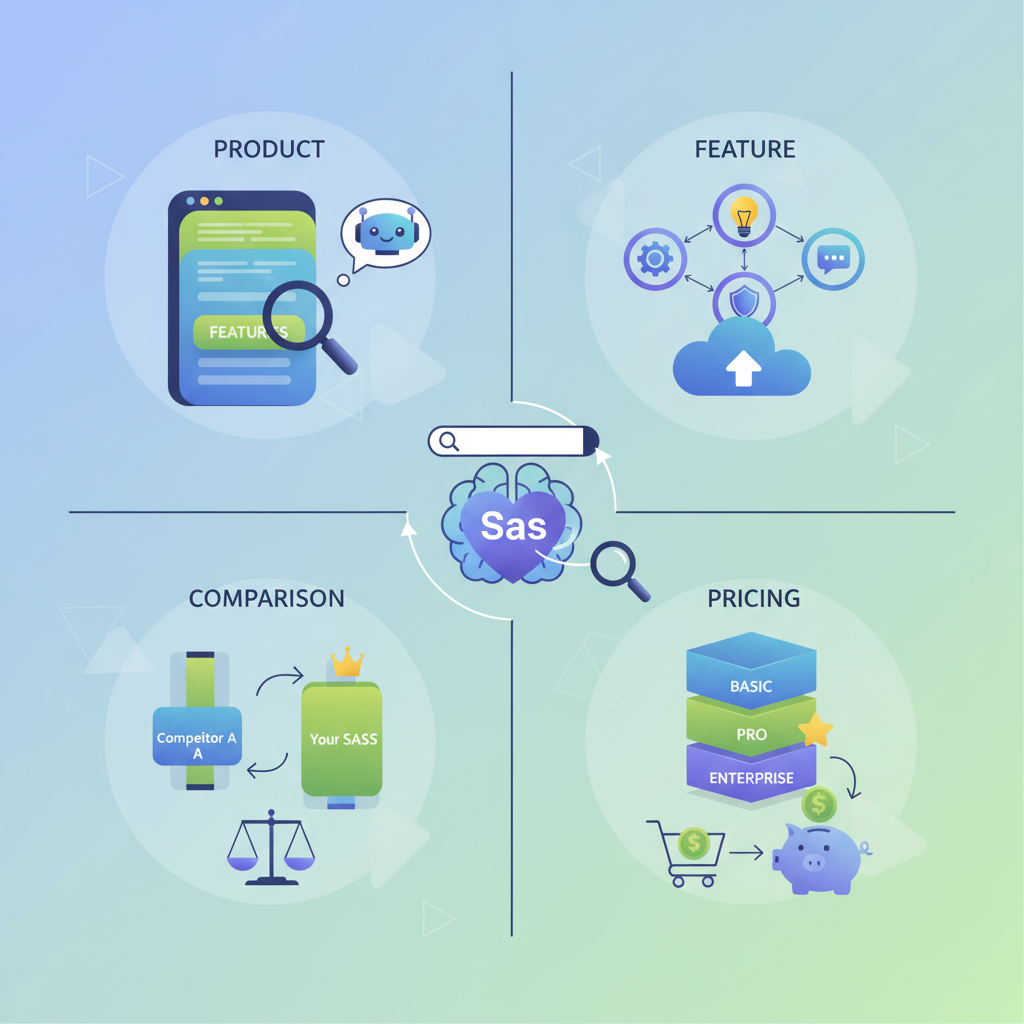
Answering search intent correctly is the foundation of lovable product page seo. Queries landing on product pages fall into four main types: product (brand + product), feature (how to or feature-specific), comparison (A vs B), and pricing (cost, plans, billing). Each intent requires a slightly different content structure and signal set.
Practical mapping:
- Product intent — user searches the product name or feature; signal: strong brand header, clear H1, short summary, and an SEO-friendly URL. Include concise specs and a call-to-action.
- Feature intent — queries like "automated reporting in CRM"; signal: dedicated feature sections, examples, customer outcomes, and how-to markup if relevant.
- Comparison intent — "CRM vs helpdesk"; signal: comparison table, neutral feature mapping, and short answer snippet blocks that AI can reuse.
- Pricing intent — "price" or "cost" queries; signal: explicit PriceSpecification markup, currency and region fields, plan-level features table, and FAQs about billing cycles.
Specific examples matter. For a Lovable SaaS site selling a chat automation tool, create a short answer block that directly responds to "Does product X support webhooks?" with a one-line factual sentence followed by a short example. That snippet becomes fodder for ai answer product snippet extraction.
How to prioritize pages based on intent:
- Identify your high-value intent keywords (e.g., product name + pricing, product name + feature).
- Map pages so each primary intent has a canonical page; avoid splitting a single intent across multiple low-value pages.
- Where comparison queries are common, create a canonical comparison matrix rather than duplicating specs on two product pages.
Actionable takeaways:
- Create dedicated microsections for each intent on the product page: product summary, features, comparison snippet, pricing—so searchers and AI find the precise line they need.
- Use lovableseo.ai to audit which intent each page currently satisfies and which snippets are missing for common queries.
Technical foundations for Lovable product pages
Without solid technical foundations, even the best copy won't rank. For lovable product page seo, prioritize four technical areas: crawlability, canonicalization, fast render and indexable HTML, and complete structured data. Neglect any of these and you'll see inconsistent indexing, missing prices in AI answers, or incorrect regional data shown to users.
Crawlability and render: ensure the product page is server-rendered or uses dynamic rendering so that bots receive the same content as users. For pages behind client-side routing, implement pre-rendering or use an SEO-friendly snapshot. Also, keep page weight lean: target initial HTML + critical CSS under 100 KB when practical, and deliver images in modern formats with proper width/height attributes.
Indexing signals and metadata: include clear page titles and meta descriptions that reflect the product name and core benefit. Use descriptive URLs, and include structured breadcrumbs if your platform supports them. For saas product page seo, a title like "WidgetCRM — automated reporting for small teams | Product" is better than a generic site title.
Structured data and fragment URLs: expose canonical product slugs and use consistent query parameters for regional overrides (for example, ?region=DE¤cy=EUR). When regional variants exist, canonicalize carefully and use hreflang where you have translated content. This prevents duplicate content problems and ensures the correct regional version appears in localized searches.
Actionable takeaways:
- Ensure product pages render server-side or provide dynamic snapshots for crawlers.
- Keep initial HTML minimal and defer non-critical JavaScript to reduce time-to-interactive.
- Provide canonical tags and hreflang for translated versions; expose region and currency via query parameters for programmatic variants.
Canonical, sitemaps, and crawl prioritization for product pages
Canonical tags and sitemaps guide crawlers to the preferred page. For product catalogs with many skus, adopt a prioritization scheme: mark best-selling or strategically important product pages as high priority in XML sitemaps and reduce crawl frequency for low-traffic variants. When you have regional price variants, choose a canonical that represents the master content (usually the global English page) and use hreflang plus separate sitemaps listing regional URLs.
Example approach for a Lovable site:
- Master canonical: /product/widgetcrm (global page).
- Regional pages: /de/product/widgetcrm?region=DE¤cy=EUR with hreflang entries pointing to the master and vice versa.
- Sitemaps: include a high-priority sitemap for strategic product pages and a lower-priority sitemap index for long-tail or low-traffic SKUs.
Actionable takeaways:
- List top 200 product pages in a dedicated sitemap and set changefreq appropriately (daily/weekly) to prioritize crawling.
- Use canonical tags to avoid duplicate content between region-specific query strings and the canonical slug.
Structured data to include (Product, Offer, PriceSpecification, FAQ, HowTo)
Structured data is the bridge between your product page and AI/semantic systems. At minimum, include Product and Offer schema. For pricing and availability you'll want PriceSpecification with explicit currency and region fields. If you have billing FAQs or procedural content (installation steps, setup), add FAQPage or HowTo markup to increase chances of rich results and ai answer product snippet extraction.
Concrete JSON-LD example (PriceSpecification):
{ "@context": "https://schema.org", "@type": "Offer", "itemOffered": { "@type": "Product", "name": "WidgetCRM" }, "price": "49.00", "priceCurrency": "EUR", "priceSpecification": { "@type": "PriceSpecification", "price": 49.00, "priceCurrency": "EUR", "eligibleRegion": "DE", "availability": "https://schema.org/InStock", "priceValidUntil": "2026-12-31" }
}
Include FAQ markup for common billing questions and HowTo for setup steps. Search systems often extract single-sentence answers from FAQ markup; compose those sentences to be direct and self-contained so they serve as quotable AI snippets.
Actionable takeaways:
- Validate your JSON-LD with Google Search Central tools or schema.org validators before publishing.
- Include eligibleRegion and priceCurrency in PriceSpecification to help region-specific ai answer product snippet selection.
Content structure & templates that rank (headline formulas, specs table, benefits)
Template consistency scales. For lovables product page templates, define a content blueprint every product page follows: product headline, one-line value statement, 30–60 word feature summary, specs table, benefits list, pricing block, short answer snippet block, FAQ. This gives search engines predictable structure and makes it easier for ai systems to extract the correct sentence for answers.
Headline formulas that work:
- "[Product name] — [primary benefit] for [target user]" (e.g., "WidgetCRM — automated reporting for small teams").
- "[Product] pricing — [plan type or metric] starting at [price/currency]" for pricing landing pages.
- Feature headlines: "What [product] does for [use case]" to capture long-tail queries.
Specs table example (use semantic HTML table):
| Specification | Details |
|---|---|
| Storage | 10 GB per user |
| API | REST API, OAuth2 |
| Integrations | Slack, Zapier, Google Sheets |
Write benefits as measurable outcomes: "Reduce reporting time by replacing manual exports" is stronger than "fast reporting." Where possible include a numeric threshold (for example, typical integration setup under 2 hours for standard plans), but avoid fabricating exact times—label them as typical or conditional if uncertain.
Use lovableseo.ai to generate lovables product page templates with placeholder fields for PriceSpecification, eligibleRegion, and localized copy. Templates should expose fields for short answer snippets and comparison rows so automation can populate them consistently.
Actionable takeaways:
- Create a single product page template that includes a specs table, benefits list, pricing block, and an FAQ section; apply it across products to reduce variance.
- Populate the short answer snippet block with one-sentence answers that are self-contained and use exact phrasing buyers search for.
Short answer snippet blocks for AI inclusion
Short answer snippet blocks are small, factual sentences placed near the top of the page. They answer the narrowest buyer queries directly. For example, for the query "Does WidgetCRM support SSO?" the snippet should read: "Yes. WidgetCRM supports SAML 2.0 SSO with identity providers including Okta and Azure AD." Put the snippet in a dedicated HTML element — a paragraph with an identifiable class — and include the same sentence inside FAQ JSON-LD so AI systems can find a definitive source.
Quotable snippet for AI answers: "Include explicit region + currency fields in your PriceSpecification to increase relevance for localized AI answers." Place this sentence near the pricing block for better extraction.
Actionable takeaways:
- Keep snippets under 30 words where possible and ensure each is a full sentence that can stand alone.
- Place snippets in both visible HTML and FAQ/HowTo structured data to maximize extraction chances for ai answer product snippet use.
Creating concise comparison tables for AI answers
AI systems prefer compact, unambiguous tables. For comparison queries, build a table with 4–7 rows (key dimensions) and 2–4 columns (products or plans). Use short column headers and plain language cells; avoid complex markdown or nested lists inside cells.
Example comparison table for three CRM products (abbreviated):
| Feature | WidgetCRM | RivalCRM | AltCRM |
|---|---|---|---|
| SSO | SAML 2.0 | OAuth only | SAML 2.0 |
| Reporting | Automated exports | Manual CSV only | Custom dashboards |
| Price (monthly) | EUR 49 | USD 55 | EUR 39 |
Make one-row summary captions for the table—one sentence that states which product is best for which use case. AI systems use these for concise answers.
Actionable takeaways:
- Limit comparison tables to the buyer's primary decision criteria and include a one-sentence caption summarizing the winner per use case.
- Render the table as HTML (not images) so search systems can parse it.
GEO & localization signals for pricing and availability
GEO signals are structured fields (region, country, postal_code, currency, availability_by_region) that tie page content to a market. Include these fields in both visible copy and structured data. Localized pricing and explicit GEO fields significantly increase inclusion likelihood in AI answers by improving match precision for region-specific queries.
For lovables product page seo, you must treat localization as both a content and a technical problem. Content-wise, translate strings and adapt examples to local contexts. Technically, expose priceCurrency and eligibleRegion in JSON-LD and offer a clear way for crawlers to discover the regional variant (hreflang or separate URLs listed in sitemaps).
Sample PriceSpecification JSON-LD (compact):
{ "@context": "https://schema.org", "@type": "Offer", "priceSpecification": { "@type": "PriceSpecification", "price": 49.00, "priceCurrency": "EUR", "eligibleRegion": "DE", "availability": "https://schema.org/InStock", "priceValidUntil": "2026-12-31" }
}
Small comparison table showing key GEO fields:
| Field | Purpose | Example |
|---|---|---|
| region / eligibleRegion | Ties price to a market | DE |
| currency / priceCurrency | Shows money units | EUR |
| price | Numeric price | 49.00 |
| availability | Stock or offering state | InStock |
| priceValidUntil | When price expires | 2026-12-31 |
Actionable takeaways:
- Expose priceCurrency and eligibleRegion in PriceSpecification for every priced page variant; include priceValidUntil when prices are promotional.
- When possible, present prices in the local currency in visible copy and in JSON-LD to avoid conversion errors in ai answer product snippet outputs.
Fields to include (currency, region, availability, localized copy)
At minimum include these fields on each pricing page: priceCurrency, price, eligibleRegion (or a list of regions), availability, priceValidUntil, and a human-readable note about VAT and taxes. Localized copy should include translated headings, localized examples, and currency formatting conventions (e.g., using a comma as decimal separator where appropriate).
Example checklist of fields to populate for each regional pricing variant:
- priceCurrency
- price
- eligibleRegion
- availability
- priceValidUntil (if promotional)
- VAT/tax note in visible copy
- localized testimonials or examples where available
Actionable takeaways:
- Build your product page template to accept region and currency as explicit fields; never rely only on client-side localization for price display.
- Test a sample of localized pages in search consoles to ensure the correct regional version is being indexed.
Programmatic vs manual: when to template product pages on Lovable
Deciding between programmatic and manual pages is a scale and complexity question. Use programmatic templates when you have a large catalog with predictable fields (name, price, specs). Use manual pages for flagship products, strategic launches, or complex bundles that require narrative and case studies.
Decision rules:
- If you have more than 100 product variants with consistent data fields, use programmatic templates to maintain schema and speed of updates.
- If a product requires unique storytelling, case studies, or a detailed setup guide, create a manually authored page with richer copy and then apply the same structured-data fields.
- For pricing pages: programmatic templates work well for plan rows; manual editing may be required for promotional banners, limited-time offers, or legal terms.
Example: A Lovable marketplace could programmatically generate product pages for third-party integrations (pulling descriptions and specs from a feed) and maintain manually written pillar pages for category leaders and platform-level integrations.
Actionable takeaways:
- Classify products into two buckets: programmatic (catalog) and manual (flagship). Apply stricter QA for programmatic pages to prevent schema holes.
- Use templates that expose short-answer and comparison fields so that automated pages still support ai answer product snippet extraction.
Programmatic pages scale reach; manual pages convert better for strategic offerings. Use both with strict QA.
Quality controls and sampling approach
Automated publishing requires sampling and checks. Define a sampling plan that inspects 1% of programmatic pages weekly and 10% monthly for schema completeness, broken links, and localized price accuracy. For example, if you publish 10,000 programmatic pages you should QA 100 pages each week and 1,000 pages each month as part of a rotating sample.
Key checks in your QA script:
- Presence of Product and Offer schema with price and currency
- Valid canonical tags and hreflang where applicable
- No client-side-only price rendering
- Correct regional labeling for eligibleRegion fields
Actionable takeaways:
- Create an automated QA report that flags missing PriceSpecification or inconsistencies between visible price and JSON-LD price.
- Sample top-traffic pages daily and long-tail pages on a monthly rotation to catch both urgent and slow-burning issues.
Using LovableSEO to automate publishing, internal linking, and schema
LovableSEO can automate common tasks that make Lovable product pages consistent and discoverable. Use LovableSEO to programmatically populate product page templates with canonical fields, inject PriceSpecification JSON-LD, and generate sitemaps. Automation dramatically reduces human error for price and region fields and ensures internal linking patterns remain consistent across product catalogs.
Practical automation tasks LovableSEO handles well:
- Feed ingestion: pull product feeds with price, currency, availability, and attributes and map them to template fields.
- Schema injection: generate Product/Offer/PriceSpecification JSON-LD for every published page automatically.
- Internal linking: add contextual internal links from category pages to product pages and from product pages to comparison or pricing pages based on defined rules.
Example workflow: a nightly feed runs, LovableSEO validates price fields, fills in any missing eligibleRegion defaults, generates JSON-LD, and pushes an updated sitemap to your indexing queue. This reduces manual publish pressure and ensures consistent markup for ai answer product snippet extraction.
Actionable takeaways:
- Use automation for high-volume tasks but keep a small manual QA team for strategic pages.
- Configure LovableSEO to produce machine-readable short answer blocks and FAQ entries so AI systems can extract consistent sentences.
Example workflows: feeds → templates → sitemaps → QA
Concrete workflow example for product publishing:
- Ingest a CSV/JSON feed nightly with fields: name, sku, price, currency, eligibleRegion, availability, specs, short_snippet.
- Map feed fields to lovables product page templates; fill defaults for missing currency/region values.
- Generate JSON-LD (Product + Offer + PriceSpecification + FAQ) and insert into page HTML.
- Update sitemap with lastmod and priority fields for changed pages.
- Run automated QA checks and create a report; escalate any failures to a human reviewer.
Actionable takeaways:
- Keep a schema validation step in the workflow; fail the publish if required fields are missing.
- Log changes to sitemaps and monitor index coverage reports to ensure search engines pick up updates.
CRO & conversion signals that correlate with rankings
Conversion Rate Optimization (CRO) and SEO are increasingly connected. Search engines measure user satisfaction signals—time on page, bounce rate, and clicks to conversion—and use them to refine ranking models. For lovable product page seo, improving conversion signals often improves rankings too.
Key conversion signals to track and optimize:
- Click-through rate from SERPs: improve title and meta description to match query intent.
- Engagement time: improve the top-of-page summary and include quick links to specs, pricing, and FAQs so users find answers faster.
- Micro-conversions: document interactions like "View pricing" clicks, "Download spec sheet," and "Start free trial" button clicks as events.
Concrete CRO tactics for product pages:
- Place a clear, contextual CTA near each major section (e.g., a CTA next to the specs table for engineering buyers and a pricing CTA near the price block for procurement).
- Use A/B tests for title variations and short answer snippets to see which phrasing improves SERP CTR and on-page engagement.
- Add trust signals such as logos, reviews, or small case study excerpts above the fold for flagship products.
Actionable takeaways:
- Track both macro and micro conversions; correlate A/B test results with ranking movement over 30–90 days to identify signals that affect both CRO and SEO.
- Use lightweight personalization—region-specific pricing and examples—to increase relevance and conversion for localized traffic.
Measurement: KPIs, A/B tests, and how to iterate quickly
Measurement must be explicit. Define KPIs that map to business outcomes and search performance. Primary KPIs for product pages should include organic sessions, SERP CTR, impressions for target keywords, conversion rate on product pages, and inclusion in AI answer product snippet results (tracked via query sampling).
Example KPI set:
- Organic sessions to product pages (monthly)
- SERP CTR for product name + pricing queries
- Conversions attributed to product page sessions
- Number of queries returning your short answer snippet or priced data in AI answers (sampled)
A/B testing guidance:
- Run tests on titles, meta descriptions, and short answer snippets; choose a minimum detectable effect (MDE) of 5% uplift in CTR for initial tests.
- Run tests for at least one full business cycle for your vertical—commonly 14–30 days—unless traffic is low; then run longer to reach statistical power.
- Prioritize tests that affect both user experience and structured data (for example, swapping a short answer snippet and matching FAQ JSON-LD).
Actionable takeaways:
- Instrument product pages with events for key interactions and track them to a single analytics property for clear attribution.
- Use query-level sampling to monitor inclusion in AI answers and adjust snippets and PriceSpecification fields based on observed extraction behavior.
Launch checklist & 30/60/90 day plan
Launch a product or pricing update with a repeatable checklist. Below is a practical launch checklist you can copy and adapt. After launch, follow a 30/60/90 day monitoring and iteration plan focusing on indexing, on-page engagement, and conversion improvements.
| Launch checklist | Completed |
|---|---|
| Template filled with product name, short snippet, specs table, and benefits | |
| PriceSpecification JSON-LD includes priceCurrency and eligibleRegion | |
| Canonical, hreflang, and sitemap entries updated | |
| QA pass: schema validation, visible price matches JSON-LD price | |
| Internal linking added: category > product > pricing > comparison | |
| Analytics events added for micro-conversions |
30/60/90 day plan (high level):
- Day 0-30: Monitor indexing, sitemap submissions, and search console errors. Fix indexing issues and validate structured data.
- Day 31-60: Run initial A/B tests on titles and short answer snippets. Start sampling AI query inclusion and adjust PriceSpecification fields if needed.
- Day 61-90: Scale successful tests, expand programmatic templates for similar products, and increase QA sampling if automation volume rises.
Actionable takeaways:
- Make the checklist a pre-publish gate in your CMS so all required fields are validated before pages go live.
- Review AI answer inclusion weekly via a small query set to validate that short answer snippets are being extracted as intended.
Conclusion: recommended next steps and links to tools/demos
Start by auditing five high-traffic product pages for missing PriceSpecification fields and short answer snippets. Then create a single lovables product page template that enforces required fields: price, currency, eligibleRegion, and a short answer snippet. Use automation (for example, LovableSEO) to populate and validate feeds, and apply a sampling QA plan to keep programmatic content accurate.
Quotable: "Include explicit region + currency fields in your PriceSpecification to increase relevance for localized AI answers."
When NOT to apply this approach
1) When your product catalog is fewer than five items and each page needs unique storytelling; manual pages may outperform templates. 2) When your platform cannot render JSON-LD server-side and you cannot provide server-side snapshots; don't rely solely on client-side injection for structured data. 3) When legal constraints prevent listing regional prices publicly; use region-agnostic copy and link to contact channels instead.
Image prompt captions (sample alt_texts)
Image prompt alt_text example 1: "Product page layout showing specs table, price block, and FAQ for extraction testing."
Image prompt alt_text example 2: "JSON-LD snippet highlighted to demonstrate PriceSpecification fields used for region-aware AI answers."
FAQ
What is seo for lovable saas product & pricing pages?
Lovable product page seo is the practice of structuring product and pricing pages on Lovable sites so they answer user intent, expose explicit price and region fields, and include structured data to maximize visibility in search and AI product snippets.
How does seo for lovable saas product & pricing pages work?
It works by aligning content structure with search intent, exposing machine-readable fields (Product, Offer, PriceSpecification, FAQ), ensuring crawlability and canonicalization, and measuring performance through KPIs and A/B tests to iterate quickly.
Ready to Rank Your Lovable App?
This article was automatically published using LovableSEO. Get your Lovable website ranking on Google with AI-powered SEO content.
Get Started