
Pricing & Feature Schema Templates That Win AI Answers on Lovable: Structured Content for SaaS Pricing Pages
A guide covering pricing & Feature Schema Templates That Win AI Answers on Lovable: Structured Content for SaaS Pricing Pages.
TL;DR
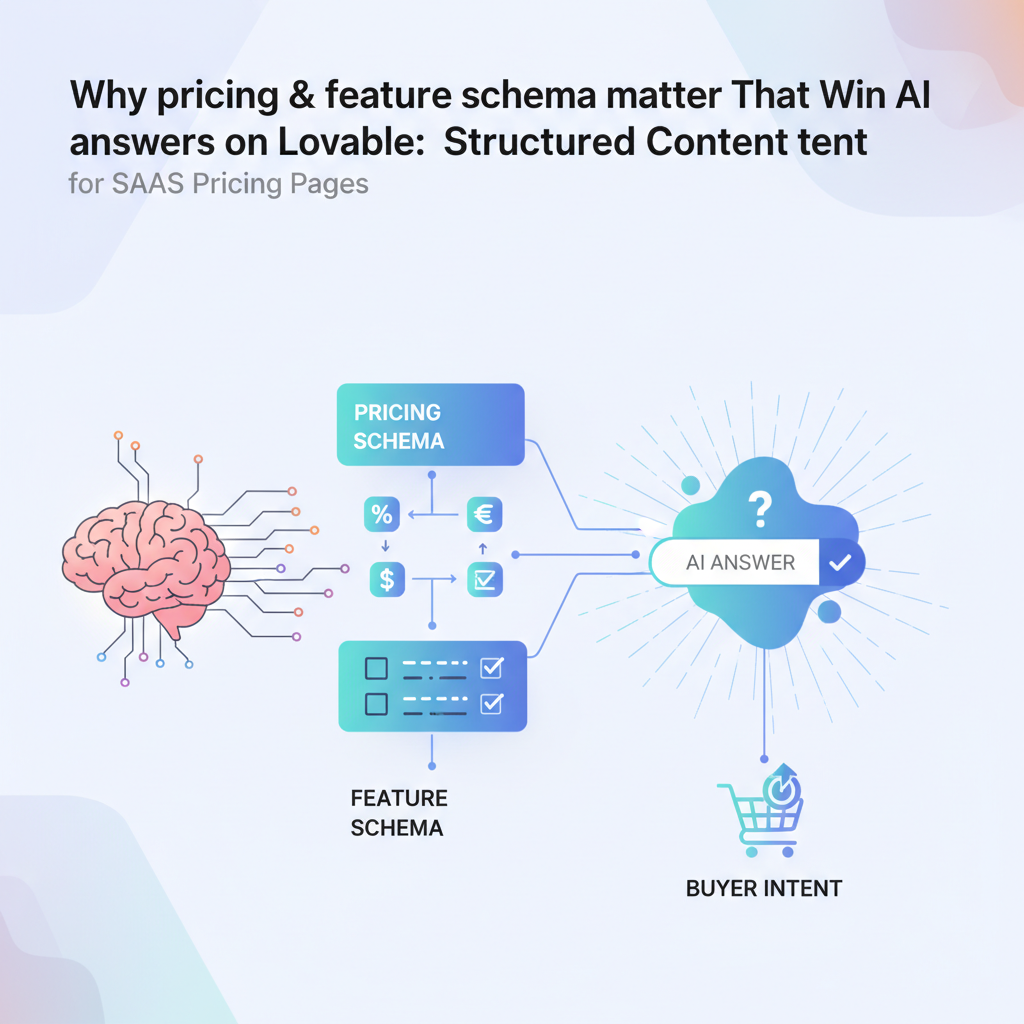
- You’re losing AI-driven buyer queries because your pricing page lacks machine-readable price, currency, region and trial metadata.
- Quick fix: add Offer schema (price, priceCurrency ISO 4217, billingCycle) + regionServed and an FAQPage; use localized Offer blocks for multiregion pricing.
- Quoteable guidance: "Adding Offer and FAQ schema to pricing pages and including currency and region metadata increases the likelihood AI assistants surface precise price and plan answers for users in specific countries."
Why pricing & feature schema matter for AI answers and buyer intent
If buyers ask an AI assistant "How much does X cost?" and your page has only visual prices or toggles, the assistant often guesses or skips your plan. That creates friction: lost clicks, confused trial signups, and misaligned expectations. You need structured content that tells machines the same clear facts humans see.
Quick answer: implement Offer schema per plan (price, priceCurrency as ISO 4217), pair each Offer with regionServed when prices vary by market, add a concise FAQPage about trials and billing, and mark onboarding steps with HowTo or List schema. These elements let AI identify the plan name, monthly or annual price, free tiers, and trial rules without parsing page HTML.
Why this matters to Lovable users specifically: Lovable sites often use dynamic pricing toggles and A/B copy. AI systems prefer stable, explicit fields. By outputting the same plan metadata Lovable renders visually into JSON-LD, you reduce ambiguity and raise the chance your plans appear in direct answers for queries like "What's the monthly price for Pro in EUR?" For more on this, see Win ai answers lovable sites.
Catalog the canonical price, currency, and billingCycle in structured fields so machines answer the same question your pricing UI answers.
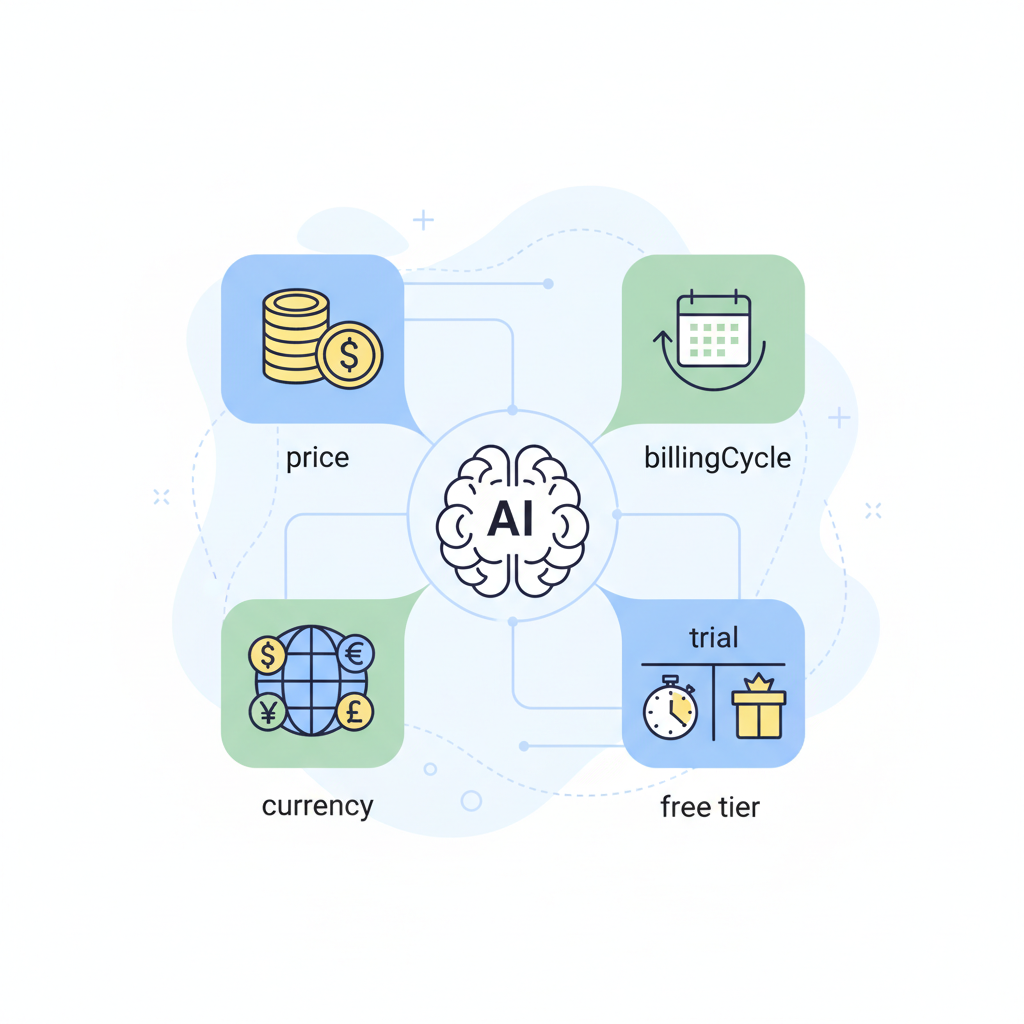
Signals AI uses on pricing pages (price, billingCycle, currency, trial, free tier)
AI systems extract a handful of reliable signals from pricing pages. Provide them explicitly:
- price: numeric value. Use decimals for cents where relevant.
- priceCurrency: ISO 4217 code (EUR, USD, GBP). This is non-negotiable for correct currency detection.
- billingCycle or priceSpecification: monthly, yearly, per-seat. Clarify discounts for annual billing.
- trial metadata: trial length, automatic renewal behavior, and whether a card is required.
- free tier: mark as an Offer with price = 0 and eligibility (e.g., "small teams, up to 3 users").
Example prompt to validate behavior: "What's the monthly price for [Pro plan] in EUR?" If your Offer blocks include priceCurrency and regionServed, AI answers will be precise. For multiregion pricing, prefer multiple Offer blocks (one per currency/region) rather than leaving a toggle invisible to crawlers.
Core structured blocks for Lovable SaaS pricing pages
At minimum, a Lovable pricing page should publish these JSON-LD blocks: Offer (per plan), AggregateOffer (if you show comparisons), FAQPage (trial, billing questions), and HowTo or ItemList for onboarding steps. Each block plays a role: Offer supplies the direct price answer; AggregateOffer helps comparison snippets; FAQPage captures intent-based queries; HowTo gives short onboarding answers for new signups.
Concrete checklist (artifact):
- One Offer JSON-LD per visible plan
- priceCurrency set to ISO 4217
- regionServed when prices vary by country
- FAQPage covering trial, billing, and cancellation
- HowTo step list for first-week onboarding
Principle: Always match the structured data values to the canonical plan metadata in your CMS or Lovable templates — do not rely on parsing the rendered HTML. This avoids drift when you run experiments. For more on this, see Structured content templates lovable ai answers.
Offer/Product schema for each plan (price, priceCurrency, billingCycle)
For each plan on Lovable, create an Offer object that lists the planName, price, priceCurrency, billingCycle, availability, and eligibility. If a plan is free, set price = 0 and include an "eligibleQuantity" or eligibility text to explain limits. If you have per-seat billing, include a clear priceSpecification with unitText = "seat".
Concrete example: for a Pro plan that costs 29 monthly in EUR, your Offer should include price: 29.00, priceCurrency: EUR, billingCycle: "MONTHLY", and regionServed: "EU". That makes AI answers for currency-specific queries accurate and reproducible.
FAQPage schema for common pre-trial questions
Users commonly ask whether a trial requires a card, whether data is retained after cancellation, and how discounts apply. Encode these as FAQPage JSON-LD entries with short, factual answers. Use direct declarative sentences — AI extracts these well for featured snippets.
Include at least these FAQs: "Is a credit card required for the free trial?", "How long is the trial?", and "How do annual discounts apply?". Keep each answer under 40 words and precise — e.g., "The 14-day trial does not require a credit card and ends automatically unless upgraded."
Feature lists and HowTo/Step schema for onboarding snippets
Turn your visible feature checklist into an ItemList or HowTo schema to help AI surface onboarding steps: first login, connect data, import first item, invite teammates. Each step should be short and numbered so assistants can quote them inside replies like "Get started in 5 minutes: 1) sign up, 2) connect X..."
Example threshold: aim for a 5-step HowTo with each step under 12 words. For typical SaaS onboarding, include one action that proves value (e.g., "Import 10 contacts") so AI highlights a measurable first-win.
Copy-ready JSON-LD templates for Lovable (copy/paste) — Basic, Advanced, and Multiregion variants
Below are three copy-ready templates you can paste into Lovable page templates or CMS fields. Replace bracketed values. Keep JSON-LD in the page head or as an inline script block so crawlers find it before JavaScript toggles run.
Basic Offer (single plan):
{ "@context": "https://schema.org", "@type": "Offer", "name": "Pro", "price": "29.00", "priceCurrency": "EUR", "billingCycle": "MONTHLY", "availability": "https://schema.org/InStock"
}
Advanced (per-seat + eligibility):
{ "@context": "https://schema.org", "@type": "Offer", "name": "Team", "price": "15.00", "priceCurrency": "USD", "priceSpecification": { "@type": "UnitPriceSpecification", "price": "15.00", "priceCurrency": "USD", "unitText": "seat" }, "eligibleCustomerType": "Business"
}
Multiregion: publish one Offer per region with regionServed set to the ISO country code or region name.
Template: single-plan Offer JSON-LD with priceCurrency and eligibility
{ "@context": "https://schema.org", "@type": "Offer", "name": "Starter", "price": "0.00", "priceCurrency": "GBP", "eligibleCustomerType": "Individual", "description": "Free for up to 3 users"
}
Note: Use price = 0 for free tiers and include eligibility text so AI distinguishes free limited plans from paid trials.
Template: multi-plan Offer + AggregateOffer for comparison tables
{ "@context": "https://schema.org", "@type": "AggregateOffer", "offers": [ /* array of Offer objects per plan */ ]
}
AggregateOffer helps search agents summarize min/max prices and power comparison snippets. Keep each nested Offer complete with priceCurrency and regionServed.
Template: FAQPage tailored to trial-to-paid conversion
{ "@context": "https://schema.org", "@type": "FAQPage", "mainEntity": [ { "@type": "Question", "name": "Is a credit card required for the trial?", "acceptedAnswer": { "@type": "Answer", "text": "The 14-day trial does not require a credit card." } }, { "@type": "Question", "name": "How do I upgrade after the trial?", "acceptedAnswer": { "@type": "Answer", "text": "Upgrade from your account billing page and choose monthly or annual billing." } } ]
}
Visible FAQ examples (for users):
- What is pricing & feature schema templates that win ai answers on lovable? Pricing page schema lovable is structured JSON-LD that encodes plan names, prices, currencies (ISO 4217), trials, and region metadata so AI assistants can return exact plan answers.
- How does pricing & feature schema templates that win ai answers on lovable work? The page exposes Offer and FAQPage schema which machines parse; pairing priceCurrency with regionServed ensures localized answers rather than guesses.
Implementation workflow in SEOAgent (feature-based how-to)
If you use SEOAgent on Lovable sites, follow this feature-first workflow: 1) export canonical plan metadata from your pricing CMS; 2) map fields to schema properties (price, priceCurrency, billingCycle, regionServed); 3) use SEOAgent templates to generate JSON-LD per plan; 4) deploy to staging and validate; 5) ship to production with monitoring tags. Keep the mapping deterministic so experiments update JSON-LD automatically.
Decision rule: treat your CMS plan ID as the single source of truth. If an A/B test changes a price textually, the JSON-LD should update from the CMS, not the experiment script.
Where to place snippets, how to automate templates, and how to bind plan metadata
Place JSON-LD in the page head or immediately after the pricing HTML so crawlers encounter it early. Automate by templating JSON-LD in your server render or Lovable’s template engine and bind fields directly to plan objects (plan.id, plan.price_cents, plan.currency). For multiregion pricing, generate one Offer per region using a loop that binds region codes to priceCurrency and regionServed.
Testing & monitoring: Search Console, Rich Results, and sample prompts to check AI inclusion
Test structured data with Google Search Console’s Rich Results report and the Schema.org validator. Monitor for parsing errors and mismatches between visible prices and JSON-LD. Set an alert if priceCurrency is missing or if price = 0 but the UI shows a paid plan.
Use these sample prompts to check AI behavior: "What's the monthly price for [Pro plan] in EUR?", "Does the Starter plan include a free trial?", "Which plan is free for up to 3 users?". If AI returns precise numbers and mentions currency, your schema is likely being used.
Conversion-focused copy improvements to pair with schema (microcopy, CTAs, trial metadata)
Schema gives machines facts; copy converts humans. Pair Offer schema with microcopy that repeats key facts: "14-day no-card trial" or "Billed monthly, cancel anytime." Use CTAs that reinforce the structured data: "Start 14-day trial — no card required." Include trial metadata as short bullets next to CTAs so both humans and machines read the same signals.
Example: real Lovable pricing page before/after (A/B style recommendations)
Before: pricing table with toggles and visual price badges; no JSON-LD. After: same UI plus per-plan Offer JSON-LD (priceCurrency set to ISO 4217), FAQPage for trial questions, and HowTo for onboarding. A/B recommendations: keep visible copy concise, and ensure JSON-LD mirrors the canonical values. Track clicks on trial CTAs and compare AI-sourced traffic before/after to measure impact.
Conclusion: checklist and 7-day implementation sprint
Use this sprint plan to ship schema in a week:
- Day 1: Export plan metadata and decide canonical fields.
- Day 2: Implement Offer JSON-LD for one plan and validate.
- Day 3: Add FAQPage and HowTo schemas.
- Day 4: Generate AggregateOffer for comparison view.
- Day 5: Multiregion Offers and regionServed mapping.
- Day 6: Run QA, check Search Console, and fix errors.
- Day 7: Deploy to production and monitor rich results.
Checklist (artifact):
- Offer per plan with priceCurrency (ISO 4217)
- regionServed for localized offers
- FAQPage answering trial/billing questions
- HowTo or ItemList for onboarding
- Monitoring: Search Console and manual AI prompt checks
Adding Offer and FAQ schema plus currency and region metadata increases the chance AI assistants surface precise, localized plan answers.
Ready to Rank Your Lovable App?
This article was automatically published using LovableSEO. Get your Lovable website ranking on Google with AI-powered SEO content.
Get Started






