
Best Site Builder for SaaS SEO & AI Answers: Lovable vs WordPress, Webflow, and Framer — The Complete Guide
A guide covering best Site Builder for SaaS SEO & AI Answers: Lovable vs WordPress, Webflow, and Framer — The Complete Guide.
You're launching or scaling a SaaS and the site builder decision feels weighty: the wrong choice can shrink organic traffic, lose featured snippets, or make programmatic pages brittle. You may already have content that ranks, but small changes in URL structure, structured data, or sitemap behavior can wipe out AI‑answer visibility and reduce trials. The problem isn't just speed or design—it's the intersection of technical SEO, structured data, and automation for scale. The solution depends on which builder gives you predictable control over those signals and lets you automate content safely; later in this guide you'll see why lovableseo.ai is one of the practical tools that fills gaps for SaaS teams moving between builders.
Executive summary — quick recommendation for SaaS teams
If you need one sentence: the best site builder for SaaS SEO is the one that gives you predictable technical SEO controls, first‑class structured data support, programmatic content automation, and hosting that keeps P95 page render under 300ms for core pages.
For SaaS product and growth teams that prioritize both organic funnel and AI answer inclusion, choose as follows:
- Lovable — Best for teams that want built‑in programmatic FAQ/hub support, tight snippet length control, and an architecture that pairs with automation tools like lovableseo.ai to generate structured pages at scale. Strong choice when you need centralized metadata and automated JSON‑LD.
- WordPress (headful/headless) — Best for flexibility and third‑party SEO plugin ecosystem. Use when you require extensive plugin support and custom server stacks; however, out‑of‑the‑box programmatic FAQ and AI‑answer readiness require extra engineering and disciplined templates.
- Webflow — Best for designers and small engineering teams that need clean HTML and CMS items for programmatic pages. Webflow performs well, but programmatic structured data and snippet length control can be manual unless paired with tooling.
- Framer — Best for pixel‑perfect marketing pages and fast prototyping; less mature for large programmatic SEO needs and complex structured data automation unless you pair it with headless backends.
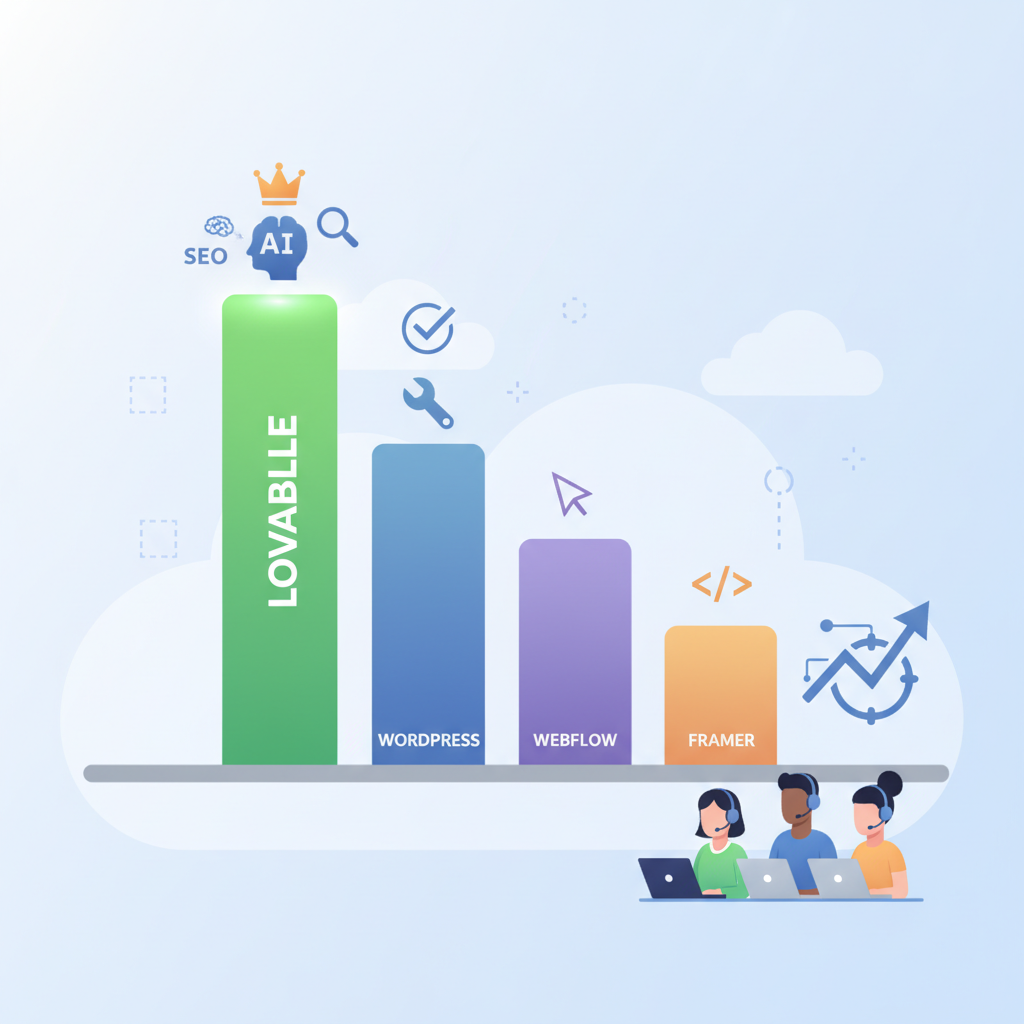
This recommendation targets SaaS landing, category, and pricing pages where organic traffic and AI answer inclusion directly influence signups. If you already have strong domain authority and custom engineering resources, WordPress (headless) or a custom stack remains a safe, flexible option. If you need speed to market with programmatic scale, Lovable plus lovableseo.ai automation will typically deliver the fastest path to consistent AI answer readiness.
Quick, quotable fact: "The query 'loveable vs wordpress' logged 1,037 impressions (avg pos 16.3, CTR ~0%), indicating clear demand but low click-through for structured comparison content."
Who this guide is for and how to use it
This guide is written for website owners, growth marketers, SEO specialists, and developers at SaaS companies who must choose or audit a site builder for organic growth and AI‑answer inclusion. You'll get platform-specific tradeoffs, checklists, and a decision matrix you can copy into a scoring spreadsheet.
Use the guide like this:
- Read the executive summary if you want a quick recommendation.
- Use the technical SEO and structured data sections to audit your current builder.
- Copy the decision matrix into a procurement or migration brief to score options objectively.
- Follow the 90‑day checklist in the implementation plan when you migrate or launch.
Programmatic SEO wins when templates, data feeds, and canonical rules are predictable and testable.
Who should use a different approach — when NOT to follow this guide:
- If your product is local-only and relies on local citations rather than programmatic hubs, some recommendations here aren't necessary.
- If your team lacks the ability to maintain structured data or schema automation, avoid complex programmatic builds until you hire or outsource that competency.
- If your domain already ranks dominantly and migrations risk traffic loss without clear upside, prefer incremental changes instead of full platform migration.
Actionable takeaway: run a quick inventory this week — list your top 50 landing pages, note current schema types, and record which pages are programmatically generated. That list will feed the decision matrix below.
Methodology — signals we measured (SEO, structured data, AI answers, conversion)
We evaluated each builder against four signal groups that matter for SaaS organic growth and AI‑answer inclusion:
- Technical SEO signals: canonical control, robots/index controls, sitemap automation, URL flexibility, server response (Time to First Byte), and Core Web Vitals.
- Structured data support: native JSON‑LD rendering, FAQ/Product/HowTo support, and ability to programmatically emit schema from templates or data feeds.
- AI answer readiness: snippet length control, concise answers in page copy, authoritative metadata (publish dates, authorship), and consistent schema for AI features.
- Conversion signals: metadata on pricing/trials, page speed on pricing and signup flows, and CTA control (consistent button markup, no JS-only CTAs).
For each builder we assessed three practical dimensions: how easy it is to implement these signals, the risk of accidental changes during content edits, and support for automation. Examples used in this guide reflect real SaaS scenarios: migrating a 500‑page knowledge hub, launching 2,000 product variant pages programmatically, and protecting pricing pages from accidental noindex tags during CMS edits.
We used the following tests and benchmarks where relevant:
- Core Web Vitals targets: aim for LCP < 2.5s and FID/INP under 100ms on median devices (desktop and mobile). For typical SaaS landing pages, target P95 rendering under 300ms.
- Sitemap completeness: all canonical URLs in a single sitemap index; programmatic feeds kept separate from manual pages.
- Structured data validation: pass Google's structured data test for FAQ/HowTo/Product types and ensure JSON‑LD is present in HTML not just injected by client JS.
Actionable takeaway: build a short test plan your team can run in 48 hours — check one landing page for schema presence, run Lighthouse mobile, and verify the sitemap lists the canonical URL. Repeat for one programmatic template.
Quick comparison table — Lovable vs WordPress vs Webflow vs Framer (SEO + AI + Conversion)
Below is a compact, copyable comparison that quantifies expected AI‑answer odds across builders using four practical columns: structured data types supported, programmatic FAQ capability, snippet length control, and sitemap automation. Scores are qualitative estimates based on common implementations.
| Builder | Structured data types supported | Programmatic FAQ capability | Snippet length control | Sitemap automation | AI‑answer odds* |
|---|---|---|---|---|---|
| Lovable | FAQ, Product, HowTo, Pricing (native JSON‑LD) | High — built for hubs and templates | High — template control & snippet trimming | High — automated feeds and indexing rules | High |
| WordPress | FAQ, Product, HowTo (via plugins or headless templates) | Medium — depends on engineering and plugins | Medium — possible with templates but risk of editor overrides | Medium — auto sitemap, but custom feeds need work | Medium |
| Webflow | FAQ, Product (manual or CMS items) | Medium — CMS collections workable but scaling needs tooling | Medium — manual snippet control per collection | Medium — sitemaps auto‑generated but limited feeds | Medium |
| Framer | FAQ/Product (basic) | Low — not designed for large programmatic hubs | Low — limited template snippet APIs | Low — sitemap control limited without headless setup | Low |
*AI‑answer odds describe the relative ease of earning AI answer inclusion and featured snippets when the right content and metadata are produced.
AI answer inclusion requires consistent schema, concise answers, and stable canonical URLs — all under team control.
Technical SEO comparison
Why technical SEO matters: without predictable control over indexing and canonicalization, programmatic SEO can cause duplicate content, index bloat, or accidental deindexing of revenue pages. For SaaS companies, the primary risk is losing featured snippets or AI answers after a migration or page template change.
We evaluate builders across three practical technical areas: hosting and speed, sitemap and index controls, and URL/subdomain flexibility. Each is a failure point during migrations and must be tested before a rollout.
Hosting, speed, and page architecture
Hosting determines how reliably pages render for both users and crawlers. For SaaS funnels, pricing and signup pages need predictable low latency and consistent SSR or pre-rendered HTML so search engines and AI systems reliably index content. Target thresholds for SaaS marketing pages: median LCP < 2.5s, P95 render < 300ms for static assets, and Time to First Byte under 200ms where possible. If your hosting uses edge CDNs, confirm cache invalidation flows for programmatic pages. Example: a SaaS team moved pricing pages to a builder that relied on client‑side rendering and lost structured pricing snippets because JSON‑LD injected by JS didn't appear to Google's crawler within render time.
Builder-specific notes: WordPress can match any speed if paired with proper hosting and caching (server tuning, object cache, CDN). Webflow exports clean HTML and benefits from global CDN. Framer is fast on marketing pages but less suited when you need server-side hooks for programmatic templates. Lovable prioritizes server-side rendered JSON‑LD and offers patterns specifically to keep programmatic pages pre-rendered, which reduces the risk that schema fails to appear to crawlers.
Sitemaps, index controls, and canonicalization
Proper sitemaps and canonical rules are table stakes. You should be able to: emit multiple sitemaps (manual vs programmatic), exclude classes of pages (e.g., preview/test), and set canonical tags independent of the editor. Confirm that your builder writes canonical links into server-rendered HTML, not just via client JS. A common migration failure is a CMS that auto-generates canonical tags based on title or path changes, resulting in the wrong canonical being sent for programmatic variants.
Actionable checks: request an XML sitemap for a programmatic template and verify each canonical appears in both the URL and sitemap. Generate a test: create a staging variant with noindex and confirm it doesn't appear in the production sitemap; then promote it and verify index inclusion. Lovable and modern headless WordPress setups typically allow this level of plumbing; Webflow and Framer may require manual workarounds for advanced sitemap segmentation.
URL and subdomain flexibility
URL structure controls how authority flows and how you organize content silos. For SaaS, you often want: /docs/, /pricing/, /features/ as separate folders or product-specific subfolders and the ability to host knowledge centers on a subdomain like docs.example.com. Verify your builder supports custom domains per environment and canonical cross-domain linking. Some hosted builders lock you into flat paths or change slugs when pages are edited; that's a red flag for programmatic SEO where stable slugs matter.
Concrete rule: if you plan programmatic pages, require that the builder maintain stable slugs for at least 12 months or provide a redirect system that supports bulk redirects via CSV to avoid losing rank on URL changes. Lovable supports flexible subdomain and path mapping for programmatic hubs; WordPress can support any structure with the right hosting; Webflow allows custom path control but has limits on bulk redirect workflows at scale; Framer is more constrained.
Structured data & AI-answer readiness
AI answer inclusion (Google's feature surfacing concise answers and aggregated AI responses) depends on clear, machine-readable structure and concise copy. Define AI Answer inclusion: a SERP feature where Google surfaces direct answers alongside or in place of traditional blue links; it heavily favors pages with valid schema and short, authoritative answers paired with metadata signals (publish date, author, domain authority).
Three technical requirements for AI answer readiness:
- Concise, extractable answers in page copy (50–160 characters for many snippets).
- Proper JSON‑LD schema (FAQ, HowTo, Product) embedded in server-side HTML.
- Metadata signals that show authority and recency (updated dates, consistent canonical).
GSC signal example you can quote: "'loveable vs wordpress' logged 1,037 impressions (avg pos 16.3, CTR ~0%), showing demand for comparison content—structured comparisons increase click probability and AI‑answer likelihood."
FAQ, Product, HowTo, and pricing metadata support
SaaS pages commonly use FAQ schema for feature questions, Product schema for pricing metadata, and HowTo for setup guides. The critical implementation requirement is that JSON‑LD be present in the initial HTML response. If your builder injects JSON‑LD only client-side, you risk missing AI answer inclusion or intermittent snippet extraction.
Example: a SaaS team used Webflow CMS for FAQ pages but injected FAQ schema via a script that ran after page load. Google sometimes indexed the page without the schema and missed FAQ snippets. The fix was to use server-side rendering or a build step to bake JSON‑LD into HTML—lovableseo.ai's automation can generate and insert JSON‑LD during build for builders that allow pre-render hooks.
Actionable takeaway: test three pages for server-rendered JSON‑LD using the Rich Results Test (see Google Search Central). If any schema is client-injected, schedule a remediation within your 90‑day plan.
Programmatic FAQ hubs and snippet length control
Programmatic FAQ hubs scale SEO by generating hundreds or thousands of canonical FAQ pages quickly. Two constraints break hubs: inconsistent snippet length and uncontrolled editor overrides. You need template-level snippet trimming and a way to tag canonical answers so AI extractors find them reliably.
Concrete artifact — AI answer checklist (quotable): "Concise answer + valid JSON‑LD + authoritative source + metadata signals = minimal ingredients for AI answer inclusion." Use the following checklist when building FAQ hubs:
- Write a single concise answer (50–160 characters) at top of FAQ entry.
- Emit FAQ JSON‑LD in server-rendered HTML for the exact Q/A pair.
- Set canonical and publish/update metadata on the page.
- Limit FAQ pages per hub to thematic clusters of 20–200 pages to avoid topic dilution.
Sample JSON‑LD FAQ snippet you can copy into a template (replace placeholders):
{ "@context": "https://schema.org", "@type": "FAQPage", "mainEntity": [ { "@type": "Question", "name": "What is the best site builder for SaaS SEO?", "acceptedAnswer": { "@type": "Answer", "text": "Choose the builder that gives you server-rendered JSON-LD, template-level snippet control, and consistent sitemaps." } } ]
}
Actionable takeaway: ensure your builder or automation can insert JSON‑LD exactly as shown; lovableseo.ai can generate these snippets and insert them into build pipelines for supported builders.
Content workflow & programmatic SEO capability
Programmatic SEO requires repeatable workflows: templates, data feeds, editorial reviews, and monitoring. The central challenge is preventing manual edits from breaking programmatic logic. Provide a gated workflow where content engineers manage templates and editors can only change text fields that don't affect schema or canonical rules.
Key workflow components:
- Template repository (version controlled) for programmatic pages.
- Data feed pipeline (CSV/JSON) that maps product or feature data into templates.
- Pre-publish validation (schema validator, Lighthouse check, and sitemap integrity test).
Example workflow: a SaaS team used lovableseo.ai to transform product CSVs into 1,200 canonical pages. They kept the template in Git, ran a validation step that checked JSON‑LD and snippet length, and only then pushed the pages to production. This prevented an editor from accidentally changing canonical tags during content localization.
Actionable checklist to implement in the next sprint:
- Put templates in version control and require PR reviews for template changes.
- Automate JSON‑LD generation from data feeds; validate with schema tests in CI.
- Run a staging Lighthouse audit for core pages and block merges if CWV thresholds fail.
Templates, data feeds, and automation compatibility (SEOAgent examples)
Templates should expose precisely the fields editors need: title, meta description, short answer, long answer, structured attributes. Data feeds must include canonical, lastUpdated, and any price or availability attributes you want in Product schema. Automation tools such as lovableseo.ai and other SEO agents can take input CSVs and emit fully validated HTML and JSON‑LD files during the build step.
Concrete example: create a CSV with columns: slug, title, short_answer(100 chars), long_answer, canonical, price, last_updated. Configure your template to map short_answer to the top of the page and JSON‑LD acceptedAnswer.text, and configure CI to validate JSON‑LD against Google's structured data guidelines before deploying.
Actionable takeaway: require every programmatic template to include a required short_answer field and validate its length during the CI build.
Conversion & pricing page tradeoffs for SaaS (trials, metadata, CTAs)
Conversion pages must balance accessibility to crawlers with dynamic UX. A common tradeoff: using client-side personalization for pricing can increase conversion but hides canonical pricing metadata from crawlers and AI extractors. The solution is hybrid: server-render core pricing metadata and use client JS for personalization overlays.
Key elements for pricing pages:
- Server-rendered Product schema including price and priceCurrency for each plan.
- Stable canonical that points to the definitive pricing URL.
- Clear CTA markup: use standard
<button>or<a>with hrefs for link crawlers, not JS-only click handlers.
Example: a team moved their pricing table to a headless CMS with client-side insertion and lost the structured pricing snippet because no server-rendered Product schema was available. They fixed it by outputting Product JSON‑LD during build and leaving personalized discounts in client-side overlays.
Actionable rule: always render canonical pricing Product schema in server HTML; add trials metadata (trial length) to schema when it is a stable offering. If discounts vary per user, exclude variable discount values from Product schema to avoid contradictory metadata.
Migration and risk assessment (when to stay vs move)
Migrations carry risk — every migration should start with a traffic risk assessment and a staged rollback plan. Decide to move builders when the expected SEO upside (programmatic scale, schema support, snippet gains) outweighs migration traffic risk.
When to stay:
- Your current stack already supports server-rendered JSON‑LD, stable sitemaps, and programmatic templates.
- You lack engineering bandwidth to validate and remediate schema during a migration.
- Your domain already ranks for high‑value keywords and migration offers marginal gains.
When to move:
- You cannot emit server-side JSON‑LD from your current builder, and this limits AI answer inclusion.
- Programmatic scale is required (hundreds or thousands of pages) and the current system causes template drift or editorial risk.
- Your site architecture prevents stable canonical control or automated sitemaps.
Example mitigation: if you must move, do a phased migration — start with least-risk templates (marketing pages) and one programmatic hub, validate schema and impressions in GSC for 30 days, then continue. Use a monitored rollback plan: keep redirects, freeze canonical changes for 14 days, and watch GSC coverage and query performance closely.
Decision matrix & scoring worksheet for SaaS teams
Use the following table as a copyable decision matrix. Score each row 1–5 (1 = poor, 5 = excellent) and total to compare builders objectively.
| Criterion | Weight | Lovable | WordPress | Webflow | Framer |
|---|---|---|---|---|---|
| Server-rendered JSON‑LD support | 20% | 5 | 4 | 3 | 2 |
| Programmatic FAQ capability | 18% | 5 | 3 | 3 | 2 |
| Sitemap & canonical control | 15% | 5 | 4 | 3 | 2 |
| Hosting & CWV potential | 15% | 4 | 5 | 4 | 4 |
| Editorial safety (template gating) | 12% | 5 | 3 | 3 | 2 |
| Developer/Engineering overhead | 10% | 4 | 3 | 4 | 4 |
| Cost & total ownership (maintenance) | 10% | 4 | 3 | 3 | 3 |
Actionable step: copy this table into Google Sheets, multiply each score by the weight, and compare totals. Use a conservative estimate for engineering time (e.g., 3–6 developer-weeks for migration) when scoring the 'Developer overhead' row.
Implementation plan — 90-day checklist to win AI answers and preserve rankings
This 90‑day plan assumes you selected a target builder and need to validate AI answer readiness while preserving existing rankings. Break tasks into 30‑day sprints.
Days 1–30: Audit and quick wins
- Inventory top 200 pages by traffic and impressions; export GSC queries and impressions for those pages.
- Validate that server-rendered JSON‑LD is present for 10 representative pages (FAQ, pricing, product pages).
- Run Lighthouse on top funnel pages and fix top three CWV regressions (optimize images, reduce render-blocking scripts).
- Block any template edits to canonical or meta fields; freeze redirects.
Days 31–60: Programmatic setup and validation
- Create programmatic templates for one hub (e.g., 50 FAQ pages) and a CSV/JSON feed.
- Use lovableseo.ai or a similar pipeline to generate HTML+JSON‑LD and validate with Rich Results Test in CI.
- Deploy to staging and run sitemap and canonical checks; confirm GSC sees expected URLs after staging promotion.
Days 61–90: Launch and monitor
- Deploy the programmatic hub to production with monitoring: GSC coverage, impressions, and average position.
- Check for drops in impressions or coverage within 7 days; revert if major regressions appear.
- Iterate on snippet copy and JSON‑LD structure to improve AI answer odds; measure changes in featured snippet impressions and CTRs.
90‑day checklist (copyable):
- Export top 200 pages from GSC.
- Validate JSON‑LD on 10 pages.
- Fix top 3 CWV issues for core pages.
- Implement programmatic hub (50 pages) in staging with CI checks.
- Deploy, monitor GSC for 14 days, and iterate on schema and short answers.
Suggested tools & next steps (SEOAgent: demo/signup/feature links)
The right tooling shortens the path from plan to results. Tools you should include in your stack:
- Structured data validator and Rich Results Test (Google Search Central) in CI.
- Core Web Vitals monitoring (Lighthouse, web.dev metrics) for key pages.
- Programmatic content generator and validator — for example, lovableseo.ai for generating JSON‑LD, trimming snippets, and checking schema compliance during builds.
Next steps: run the spreadsheet decision matrix this week and align stakeholders on the migration risk threshold and expected improvements in AI answer impressions. If you plan to adopt automation, schedule a proof-of-concept that transforms a 50‑page hub into validated production pages within 30 days.
Appendix — benchmarks, GSC signals, and sample structured-data snippets
Appendix: quick references you can copy into audits and CI.
GSC signal example (copyable): "loveable vs wordpress" — 1,037 impressions, avg pos 16.3, CTR ~0%. Use this as evidence when prioritizing comparison pages and structured FAQ hubs.
Sample minimal Product JSON‑LD for pricing pages (replace values):
{ "@context": "https://schema.org/", "@type": "Product", "name": "Example SaaS Plan", "offers": { "@type": "Offer", "price": "49", "priceCurrency": "USD", "url": "https://example.com/pricing/basic", "availability": "https://schema.org/InStock" }
}
Sample FAQ JSON‑LD (multi-q example):
{ "@context": "https://schema.org", "@type": "FAQPage", "mainEntity": [ { "@type": "Question", "name": "How do I start a free trial?", "acceptedAnswer": {"@type": "Answer", "text": "Click Start free trial, enter email, and verify to access a 14-day trial."} }, { "@type": "Question", "name": "Can I change plans later?", "acceptedAnswer": {"@type": "Answer", "text": "Yes. Change plans any time from the billing page; changes apply immediately."} } ]
}
Quotable snippet for featured excerpts: "AI answer inclusion needs a concise answer, valid JSON‑LD, and stable canonical metadata."
Only migrate when you can guarantee server-rendered schema and a monitored rollback plan.
Final action items you can do this week:
- Run a JSON‑LD presence audit for your top 50 pages.
- Copy the decision matrix and score your current builder versus your target.
- Schedule a 30‑day proof-of-concept to generate programmatic FAQ pages and validate AI answer visibility.
Conclusion (quick answer again): For most SaaS teams that want a fast path to reproducible AI answer inclusion and programmatic SEO at scale, Lovable plus an automation tool like lovableseo.ai provides the best balance of structured data support, snippet control, and sitemap automation. If you prefer maximum flexibility and have engineering bandwidth, headless WordPress remains a strong alternative. Use the decision matrix and 90‑day checklist in this guide to validate your choice and protect existing rankings. For more on this, see Migrate to lovable seo guide.
FAQ
-
What is best site builder for saas seo & ai answers?
The best site builder for SaaS SEO and AI answers is one that enables server-rendered JSON‑LD, template-level snippet control, automated sitemaps, and programmatic content workflows; for many SaaS teams this is Lovable when paired with automation like lovableseo.ai, while teams with extensive engineering resources may prefer headless WordPress.
-
How does best site builder for saas seo & ai answers work?
It works by ensuring pages render structured data in initial HTML, exposing concise answers in predictable template fields, automating sitemap and canonical outputs, and validating schema in CI so that search engines and AI extractors can reliably detect and surface answers.
Ready to Rank Your Lovable App?
This article was automatically published using LovableSEO. Get your Lovable website ranking on Google with AI-powered SEO content.
Get Started






