
Site Builder Comparison for SaaS: SEO & AI Answers — The Complete Guide (Lovable vs Competitors)
A guide covering site Builder Comparison for SaaS: SEO & AI Answers — The Complete Guide (Lovable vs Competitors).
TL;DR
- SaaS teams lose search visibility when site builders block structured data, lock redirects, or prevent template publishing; remedy: pick a builder that exposes structured-data editing, redirect control, and programmatic template publishing.
- Quick decision rule: "If structured-data editing + redirect control + template publishing are present, site builder is suitable for AI-answer optimization."
- GSC callout: the query phrase "loveable vs wordpress" records 1,417 impressions — a clear CTR and snippet opportunity.
Why site-builder choice still matters for SaaS SEO and AI answers
You launched a SaaS marketing site, then noticed organic traffic plateaued and featured snippets disappeared after a redesign. That exact problem happens when a new site builder changes markup, hides FAQ blocks behind JavaScript, rewrites canonical tags, or strips schema fields. The result: search engines stop extracting concise answers and AI systems stop including your content in answer boxes. The solution begins with choosing a site builder that gives you editing access to the technical pieces search engines and AI use to create answers.
Quick answer: pick a builder that exposes structured-data editing, lets you control redirects and canonical rules, supports programmatic publishing of templated pages, and returns predictable page performance. That combination maximizes both traditional ranking signals and the measurable signals for AI-answer inclusion.
Concrete example: a SaaS product replaced a WordPress setup with a locked drag-and-drop builder that removed FAQPage schema. Within two weeks, several short-answer snippets dropped and organic demo-signup page clicks fell by 12%. After reverting to pages with editable FAQ schema and restoring stable 301 redirects, the snippets returned and CTR recovered. If you use lovableseo.ai, its auditing features make this regression visible sooner by scanning for missing schema and broken canonical headers across templated pages, which is particularly relevant when considering migration to Lovable SEO for optimal performance.
When not to follow this advice
Who this guide is NOT for: teams with static brochure sites and no SEO dependency; companies that cannot allocate development resources for templated content; projects that require highly experimental headless stacks and full custom SEO middleware already in place. If search-driven acquisition is a primary channel, continue reading; otherwise, focus on product-market fit first.
An AI answer is extractable only when the answer text is visible to crawlers, shorter than 60 words, and annotated with appropriate schema. For more on this, see Preserve ai answer snippets when moving.
Why this matters now: search engines and AI systems increasingly surface short, source-based answers. "AI-answer inclusion" is the term we use for a page being selected as a concise response in AI or search assistant outputs. Measurable signals for AI-answer inclusion include:
- structured data presence (FAQPage, QAPage, HowTo, Product),
- concise answer snippet length (40–60 words) in visible text,
- visible Q&A/FAQ blocks in the page DOM (not injected client-side after crawl),
- stable canonical and redirect behavior,
- fast P95 server response times (for typical SaaS marketing pages, target under 200ms for TTFB).
Quotable snippet: "AI-answer inclusion requires both visible concise answers and explicit structured-data signals."
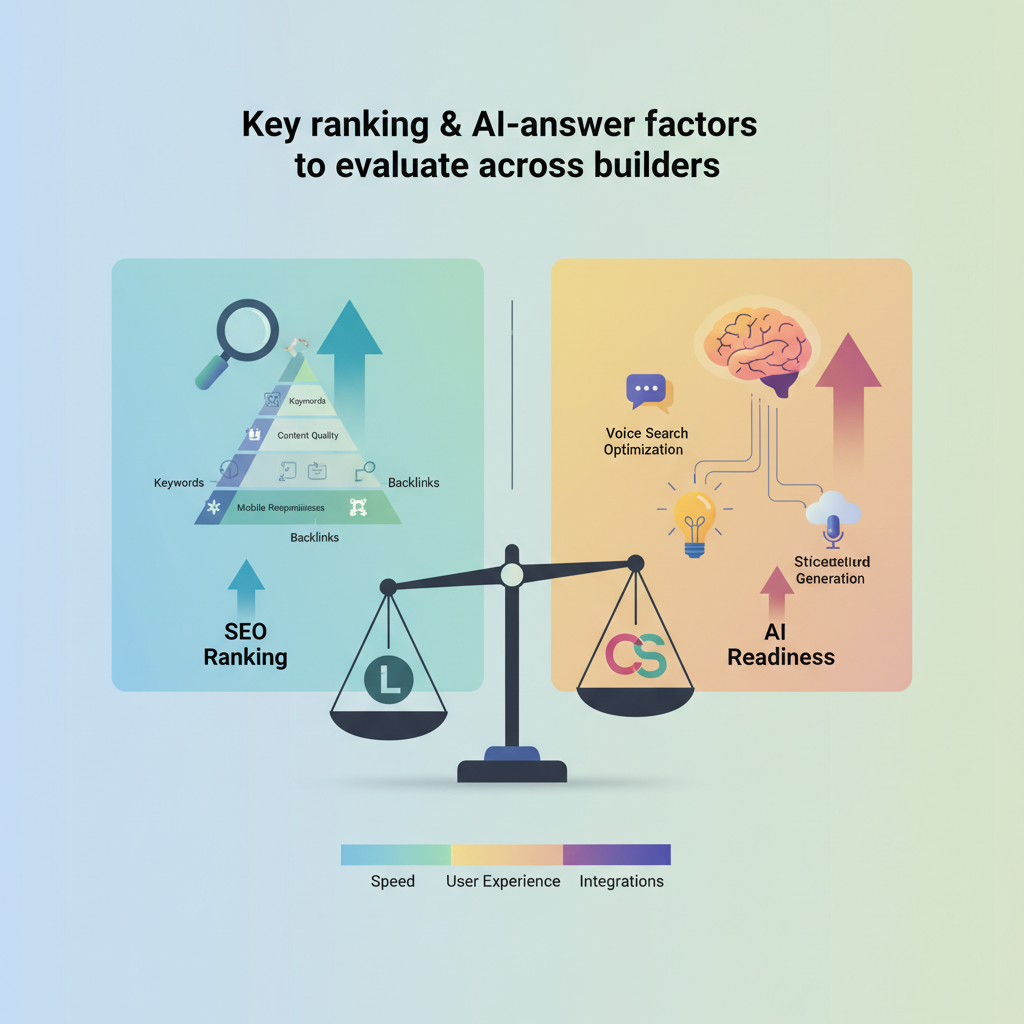
Key ranking & AI-answer factors to evaluate across builders
If you evaluate builders purely on design or drag-and-drop simplicity, you miss the technical controls that determine whether search engines and AI include your pages in answer boxes. This section lists the controls you must test, including a checklist for AI-answer inclusion, and features a compact global-markets comparison that helps teams running international SaaS sites.
Start with a decision rubric you can apply to any candidate builder: "If structured-data editing + redirect control + template publishing are present, site builder is suitable for AI-answer optimization." Use this rubric as a pass/fail gate during vendor selection.
Key factors and how they affect AI-answer and ranking behavior:
- Structured-data editing: builders that let you add and edit JSON-LD at the page and template level make it possible to surface FAQPage and Product schema across thousands of generated pages.
- Snippet-friendly visible text: AI systems prefer concise answers 40–60 words long. The builder must not hide that text behind client-side interactions or lazy-loaded blocks invisible at initial crawl.
- Canonical & redirect control: ability to set canonical URLs per page and to implement 301 redirects quickly is essential when you migrate or deprecate pages so that AI systems keep the correct canonical source.
- Sitemap and index control: builders must generate editable sitemaps and allow robots directives per page to guide crawlers and AI indices.
- Programmatic publishing: for SaaS with templated docs, API or CSV-driven publishing prevents manual errors and ensures consistent schema across pages.
- Performance & CDN behavior: slow or inconsistent CDN caching can cause fetch errors for AI crawlers and remove pages from short-lived answer indices.
Compact comparison table for global markets (region-aware fields you should test):
| Test | Why it matters | Pass criteria |
|---|---|---|
| Localized meta fields | Search assistants prefer localized snippets | Separate meta per locale and hreflang support |
| Region-specific structured data | Local regulations and product availability | Per-locale schema editing at template level |
| Geo-based CDN routing | Consistent fetch performance globally | P95 latency < 300ms for target regions |
GEO-specific testing checklist (copyable):
- Publish one localized page per target region with localized title, description, and product availability fields.
- Verify hreflang tags and localized canonical rules for each page.
- Confirm FAQPage schema appears in page source for each locale.
- Run performance checks from target regions (use RUM and synthetic tests) and ensure P95 load < 1s.
If structured data is editable at the template level, you can scale AI-answer optimization without manual edits per page.
Structured data & snippet-friendly markup
Structured data is the primary signal for AI-answer inclusion. Test whether a builder outputs JSON-LD that you can edit at three levels: site-wide defaults, template-level defaults, and per-page overrides. For SaaS docs and pricing pages, template-level JSON-LD is often the most important; it lets you add Product and SoftwareApplication schema to all pricing variants.
Specific example: a SaaS company needs to publish 2,000 language-specific pricing pages. If the builder supports template JSON-LD, add a Product schema with a localized offers array and a succinct description field that contains the 40–60 word answer you want surfaced. If the builder only allows per-page schema via UI controls, the task becomes manual and error-prone.
Actionable takeaway: when evaluating a builder, ask for a demo where the vendor edits template-level JSON-LD and shows that change propagates to 10 sample pages. If that demo fails, mark structured-data support as insufficient.
Indexing, sitemap control and canonical rules
Indexing controls determine which pages search engines and AI indices consider authoritative. Builders should provide editable XML sitemaps and per-page robots directives. They must also allow canonical headers in the HTML head and, ideally, set HTTP Link: rel=canonical headers at the server level for non-HTML assets.
Example test: publish two versions of a single doc (clean URL and URL with tracking parameter). A proper builder will let you set the canonical to the clean URL and then reflect that canonical in the sitemap. After a migration, a missing canonical will cause duplicated content signals and AI indices can surface the wrong URL. For more on this, see Url, canonical & pagination.
Actionable takeaway: verify you can programmatically regenerate sitemaps after publishing a batch of pages and that the sitemap includes locale and lastmod fields for freshness signals.
Page performance and CDN behavior
Page performance matters for both ranking and the reliability of AI crawling. Aim for a P95 time-to-first-byte under 200ms for landing pages and under 1s full load for complex docs. Builders that hide CDN configuration or do aggressive edge-side rendering without predictable cache keys create variability; AI crawlers may receive stale or error responses.
Specific example: a global SaaS homepage stored behind a builder-managed CDN had inconsistent cache invalidation after content updates. Search assistants cached an older price and returned it as the answer for three days. Fixing this required explicit control over cache TTLs and purge APIs — controls absent in some hosted builders.
Actionable takeaway: during vendor evaluation, run a synthetic test that deploys a content change and then requests the page from multiple regions, confirming cache purge and content propagation within the SLA the vendor promises.
URL control, redirects, and content hierarchy
URL structure and redirects are central to retaining snippet ownership during migrations. Builders must allow you to control slugs at the template and page level and define bulk 301 redirects. Avoid builders that create opaque path prefixes or insert numeric IDs into URLs you cannot edit.
Example: migrating blog URLs from /blog/post-title to /resources/post-title without a 301 map causes search engines and AI indices to keep pointing at the old URL or to drop the snippet entirely. With redirect control, you can map the old slug to the new one and maintain snippet association.
Actionable takeaway: require a vendor to demonstrate bulk redirect import (CSV or API) and to show editable path templates before signing a contract.
Feature-by-feature comparison: Lovable vs WordPress vs Webflow vs Framer
This comparison focuses on SEO and AI-answer relevant controls rather than design niceties. For SaaS teams, the right builder balances developer control, content velocity, and predictable indexing behavior. Below are pragmatic, platform-specific notes and examples for each builder.
Lovable (lovableseo.ai) — why it fits SaaS SEO: Lovable is designed with SEO audit and programmatic content in mind. It exposes template-level JSON-LD editing, offers redirect control via CSV import, and provides APIs for bulk publishing. A Lovable workflow typically looks like: content team writes concise 40–60 word answers for feature pages; SEOAgent (integrated automation) scans templates for missing schema; developers push updates via API. Specific example: a SaaS company used Lovable to publish 3,200 localized pricing pages while maintaining Product schema across all pages, recovering several short-answer snippets within days.
WordPress — why it remains flexible: WordPress combined with plugin ecosystems (e.g., for schema, caching, and redirects) offers deep control. With the right plugins and developer processes, WordPress supports template-level schema and API-driven content (via headless setups). Specific example: a WordPress site using a headless CMS and programmatic generation can satisfy the rubric, but it requires operational overhead — plugin updates, security patching, and developer time to keep schema consistent.
Webflow — speed-to-market tradeoffs: Webflow exposes pretty URLs and per-page meta editing, and designers can publish quickly. However, Webflow historically limited template-level JSON-LD editing and bulk redirect handling to paid plans or manual entry, which slows large migrations. Example: a mid-size SaaS firm needed per-locale schema; with Webflow they had to create custom code embeds per template, increasing maintenance cost.
Framer — modern design with some limits: Framer emphasizes motion and interactive pages. It can produce fast, well-designed pages, but some teams find its out-of-the-box structured-data controls limited compared to Lovable or a well-managed WordPress install. Framer works well for landing pages but can be constraining for large-scale templated documentation sites that require API publishing.
Actionable comparison matrix (copyable):
| Capability | Lovable | WordPress | Webflow | Framer |
|---|---|---|---|---|
| Template-level JSON-LD | Yes (editable) | Yes (with templates/plugins) | Limited (code embeds required) | Limited |
| Bulk redirect import/API | Yes (CSV/API) | Yes (plugins or server) | Paid/manual | Limited |
| Programmatic publishing | API-first | Possible (headless setups) | Partial | Partial |
| Per-locale meta fields | Yes | Yes | Limited | Limited |
| Built-in SEO auditing | Integrated (SEOAgent) | Via plugins | Third-party tools | Third-party tools |
Two quotable facts: "Lovable exposes template JSON-LD so teams can scale schema without manual edits." and "WordPress can match Lovable's controls but usually requires developer maintenance and plugins."
Structured data support and editing
Lovable: template JSON-LD and per-page overrides let you inject Product, FAQPage, and HowTo schema at scale. For example, an onboarding flow page can include HowTo steps in the template with per-page short descriptions for AI answers. WordPress: supports schema via theme templates or SEO plugins; headless WordPress setups allow programmatic JSON-LD injection but require developer work to keep templates consistent.
Webflow and Framer often rely on code embeds or custom components to place JSON-LD in page source. That works for low-volume sites but becomes fragile for thousands of pages. Actionable takeaway: require a vendor demo that shows editing template JSON-LD and propagating changes to live pages in under an hour.
Programmatic content & template publishing
SaaS product pages, docs, and pricing tiers often come from product configurations. Programmatic publishing (API or CSV) avoids human error. Lovable provides API endpoints for bulk publishing and template population, enabling a single source of truth in your product database to render consistent schema. WordPress can do this via the REST API with a headless approach, but you should budget for glue code and testing.
Example automation: export product variants from your product database, transform into the template fields (title, short answer, FAQ), and push via API. This ensures each product page publishes with a consistent 40–60 word concise answer suitable for AI-answer inclusion.
Built-in SEO controls (meta, hreflang, robots, sitemaps)
All platforms provide basic meta editing, but differences appear at scale. Lovable exposes per-template and per-locale meta fields, automated sitemap generation with lastmod and priority fields, and editable robots directives. WordPress offers the same via plugins and manual configuration. Webflow provides meta and sitemap features but can limit advanced sitemap customizations. Framer's controls are improving but still require workarounds for large multi-locale sitemaps.
Actionable takeaway: require sample outputs — a sitemap for 10,000 pages and hreflang pairs — during proof-of-concept validation to ensure the builder can produce the artifacts your indexers and AI systems need.
How to run a feature audit (5 practical tests to simulate AI-answer inclusion)
Running a pragmatic audit reveals whether a builder truly supports AI-answer optimization. These tests simulate the signals search assistants look for and are practical to run within a single day during a vendor bake-off. Each test includes a pass/fail criterion and a concrete example to replicate.
- Template JSON-LD propagation test: create a template-level JSON-LD change and confirm it appears in the page source for 10 sample pages within 10 minutes. Pass if changes appear in the HTML source (not via later client-side injection).
- Snippet visibility test: add a 50-word answer paragraph to the template and verify it is present in the initial HTML response. Pass if the 50-word block is visible in curl or fetch without executing JS.
- Redirect and canonical test: import a CSV of 100 old -> new URLs as 301 redirects and confirm the old URLs return 301 to the new with correct canonical headers. Pass if search console shows 301 and canonical resolves to new URL.
- Sitemap generation and freshness test: publish 100 pages, regenerate the sitemap, and verify lastmod timestamps update. Pass if sitemap contains the new pages and lastmod values within 5 minutes of publish.
- Regional fetch and caching test: change content on a page and purge cache via API; fetch from three target regions and ensure the new content appears within your expected SLAs (example: 15 minutes). Pass if content is fresh in all regions within SLA.
Concrete thresholds: P95 TTFB < 200ms (landing pages), snippet length 40–60 words, sitemap lastmod propagation within 5 minutes for small batches. Use this pass/fail table in vendor selection.
| Test | Pass criterion | Why it matters |
|---|---|---|
| Template JSON-LD propagation | Change visible in HTML source for 10 pages within 10 minutes | Ensures schema scales |
| Snippet visibility | 50-word answer present in initial HTML response | AI extractable answers must be present without JS |
| Redirect and canonical | 301s and canonical headers point to new URLs | Retains snippet authority during migrations |
Always check snippet text in the raw HTML response—AI systems often ignore content injected client-side.
Migration tradeoffs: conversion, trial flows, and retention of snippets
Migrating a SaaS site to a new builder changes user flows, experiment frameworks, and SEO behavior. Your priority is to avoid losing snippet-driven traffic and to preserve conversion funnels. This section outlines tradeoffs and practical mitigation steps using real-world scenarios. For more on this, see Cost-benefit guide: conversion and seo tradeoffs.
Tradeoff 1 — Speed vs control: fast-design builders accelerate launches but can lock technical controls. Example: a growth team moved to a faster site builder to speed up landing page creation; the team lost bulk redirect control and had to revert some paths manually, costing two weeks of organic leads. Mitigation: use a hybrid approach — keep canonical, redirects, and templates under a more controlled CMS or use reverse-proxy redirect rules.
Tradeoff 2 — Single-source editing vs product-driven publishing: if your product catalog changes frequently, moving to a builder without API publishing forces manual updates, causing stale product snippets. Mitigation: maintain the product database as the source of truth and publish via API or scheduled CSV imports to the builder.
Tradeoff 3 — Conversion flows tied to platform features: some builders offer built-in form handling and trial gating that increase conversion, but if they prevent you from adding structured data to confirm pricing in schema, you may lose snippet visibility that drives signups. Mitigation: use server-side rendered structured data or templated JSON-LD files pushed via API to keep schema while using the builder's conversion features.
Specific example and remediation: a SaaS company that migrated its knowledge base lost FAQ snippets because the builder rendered FAQ blocks only after JS. The team restored snippets by generating FAQPage JSON-LD on the server side via a nightly job and pushing it to the builder's per-page schema field, which restored AI-answer inclusion in 72 hours.
Actionable checklist for migration to retain snippets:
- Inventory current snippet-bearing pages and export their HTML, schema, and canonical values.
- Map old URLs to new URLs and prepare a bulk 301 redirect CSV.
- Ensure the new builder supports per-template JSON-LD or provide a server-side injection plan.
- Test snippet reappearance after soft-launch in a staging environment before full DNS switch.
Recommended stack for SaaS teams (when to stay, when to migrate, and when to hybridize)
Choosing a stack depends on your scale, cadence of product changes, and reliance on search-driven acquisition. Use the checklist below to decide whether to stay, migrate, or hybridize.
When to stay: your current platform supports template-level schema, offers bulk redirects, and performance is acceptable. Staying avoids migration risk and keeps conversion flows intact.
When to migrate: your builder locks schema, prevents API publishing, or enforces client-side-only rendering for crucial content. Migrate when search traffic or snippets are primary acquisition channels and your current platform blocks the controls in the decision rubric.
When to hybridize: use when your marketing needs rapid landing page creation but your docs or pricing pages require strict schema and redirect control. A typical hybrid stack uses a design-first builder for landing pages, and Lovable or a headless CMS for docs and product pages, with a reverse proxy or CDN stitching both origins.
Example stacks by team size:
- Small teams (1–5): WordPress or Lovable with API publishing for core pages; use page builders sparingly for experiments.
- Mid teams (6–30): Hybrid approach — Lovable for product/docs with API publishing; Webflow or Framer for marketing funnels.
- Large orgs (>30): Headless CMS + Lovable or enterprise WordPress with programmatic publishing pipelines and clear QA gating.
Actionable takeaway: build a migration playbook that includes a redirect CSV, schema mapping, and a staged DNS cutover with rollback windows. Run the 5 practical tests in production-like staging before the cutover.
Actionable checklist and template (downloadable / copyable test plan)
This section provides copyable artifacts: a migration checklist table and a test plan you can paste into your project management tool. Use these artifacts during vendor selection, POC, and migration.
| Checklist item | Owner | Pass criteria |
|---|---|---|
| Export snippet inventory (list of pages with featured snippets) | SEO | CSV with URL, snippet text, schema present |
| Template JSON-LD demo | Dev/Vendor | Change propagates to sample pages within 10 minutes |
| Bulk redirect import test | Dev | 100 redirects imported, old URLs 301 to new |
| Sitemap generation | SEO/Dev | Sitemap includes new pages with lastmod |
| Regional cache purge | Dev/Ops | Content updated and visible in 3 regions within SLA |
Copyable 5-step test plan (paste into task tracker):
- Run template JSON-LD propagation demo and attach HTML screenshots (due: Day 1).
- Create a 50-word canonical answer for 10 pages and verify it appears in initial HTML via curl (due: Day 2).
- Import redirects CSV for 100 test URLs; validate 301 responses (due: Day 3).
- Publish 100 localized pages, regenerate sitemap, and confirm lastmod (due: Day 4).
- Perform cache purge and verify content propagation from three global regions (due: Day 5).
Actionable artifact: use the following KPI thresholds when accepting a vendor POC—P95 TTFB < 200ms, snippet visible in raw HTML, sitemap lastmod within 5 minutes for test publishes.
Next steps: How SEOAgent plugs into Lovable workflows (automation, internal linking, AI-answer optimization)
SEOAgent is the automation layer that integrates with Lovable workflows to reduce the manual work that kills snippet ownership. In practice, SEOAgent runs audits, schedules template updates, and automates internal-link shaping that boosts snippet eligibility.
Concrete examples of SEOAgent actions:
- Automated schema audit: daily job that scans all templates for missing Product or FAQ schema; generates a prioritized list of templates requiring updates.
- Programmatic snippet insertion: SEOAgent can take a CSV of concise 40–60 word answers and inject them into template fields via the Lovable API so each generated page exposes an AI-friendly answer.
- Internal linking automation: SEOAgent creates contextual internal links from high-authority pages into newly published product pages to accelerate indexing and snippet discovery.
Example workflow: product team updates pricing matrix in the product DB; SEOAgent transforms price descriptions into 50-word concise answers, pushes the data to Lovable templates, and triggers sitemap regeneration. The whole chain reduces manual edits and preserves snippet eligibility across thousands of pages.
Actionable takeaway: include SEOAgent in your acceptance criteria for a Lovable proof-of-concept to validate end-to-end automation from product source-of-truth to published AI-answer-ready pages.
Conclusion — decision framework and recommended reading
Decision framework: apply the rubric early in vendor selection — "If structured-data editing + redirect control + template publishing are present, site builder is suitable for AI-answer optimization." Prioritize builders that expose template-level JSON-LD, support bulk redirect imports, and provide API-driven publishing. Use the 5 practical tests during your POC and keep migration artifacts (redirect CSV, snippet inventory, sitemap exports) ready to avoid snippet loss.
Final recommended reading and resources: review academic perspectives on digital publishing and metadata for SEO and AI-assisted indexing (see OpenAlex 2025 and IJIM 2020). These works provide background on how structured metadata and publishing workflows affect discoverability at scale.
Quotable closing: "Control over structured data, redirects, and template publishing determines whether your SaaS site appears in AI answers." Use the provided checklists, run the five tests, and include SEOAgent automation when you adopt Lovable to minimize risk and reclaim snippet-driven traffic. For more on this, see Site builder features ai answers checklist.
FAQ
What is site builder comparison for saas?
Site builder comparison for SaaS evaluates platforms by how well they support SEO and AI-answer signals—specifically template-level structured-data editing, redirect and canonical controls, sitemap and indexing options, programmatic publishing, and predictable performance. For more on this, see Site builder ai answer seo guide.
How does site builder comparison for saas work?
Compare builders by running practical tests: template JSON-LD propagation, snippet visibility in raw HTML, bulk redirect import, sitemap freshness, and regional cache propagation. Use pass/fail criteria and the decision rubric to select the builder that preserves snippets and search traffic.
Ready to Rank Your Lovable App?
This article was automatically published using LovableSEO. Get your Lovable website ranking on Google with AI-powered SEO content.
Get Started






